
INK Low Disp Change
Start the Ink Info Change Mode.
- Select [INK Low Disp Change], and select [Center].
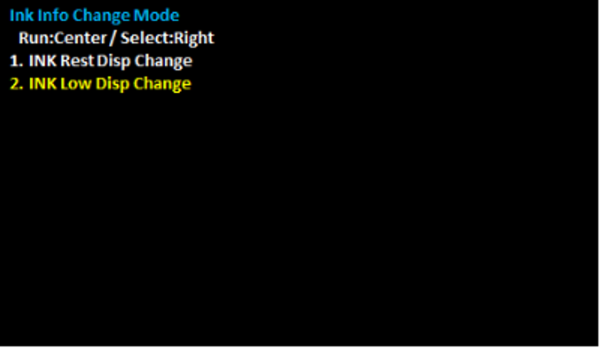
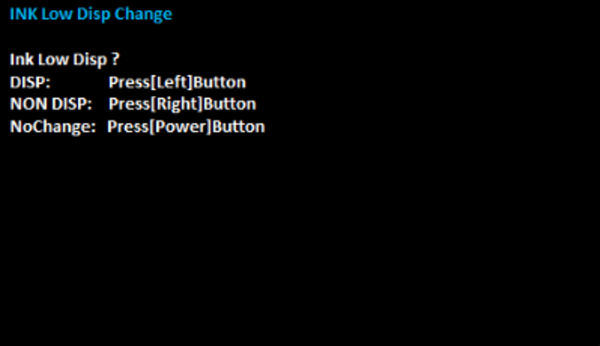
- Select the optimal settings for the contract and optional product configuration.
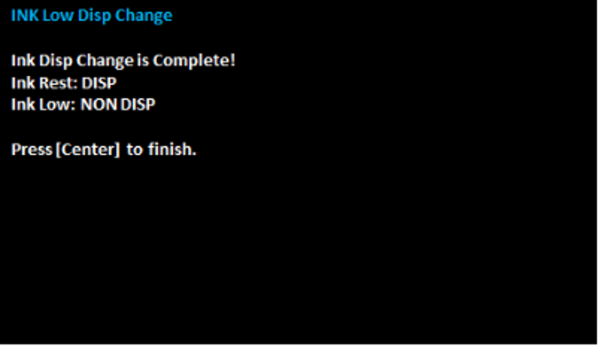
- Press [Center] to finish.
Setting value Overview DISP Display the Ink remaining amount NON DISP Not Display the Ink remaining amount
*Reflected in Operation Panel of Main Unit、WebConfig、NetConfig、EDA、iPrint
NoChange Do not change configuration  Note / 補足
When 107 INK Low Disp Change is set to DISP, the setting of 106 INK Rest Disp Change is forcibly changed to DISP.
The available setting combinations are as follows.
Menu Default Setting Selectable Selectable Not selectable 106 INK Rest Disp Change DISP
DISP
NON DISP
NON DISP
107 INK Low Disp Change DISP
NON DISP
NON DISP
DISP