
Authentication device stand installation procedure
Bundled Items

| No. | Bundled Item | Qty |
|---|---|---|
| 1 | Authentication device stand | 1 |
| 2 | Bracket A | 1 |
| 3 | Screw M3 × 8 | 2 |
| 4 | Double-sided tape | 2 |
| 5 | Coin screw | 1 |
 Check Point / チェックポイント Check Point / チェックポイント |
|
Installation Procedure
Items to Prepare
- Gloves
- Phillips (+) screwdriver
Minimum number of workers
1 person
 Caution / 注意 Caution / 注意 |
|
Installation Procedure
| Caution / 注意 |
|
- Remove the 2 screws and remove the Panel Upper Cover (A).
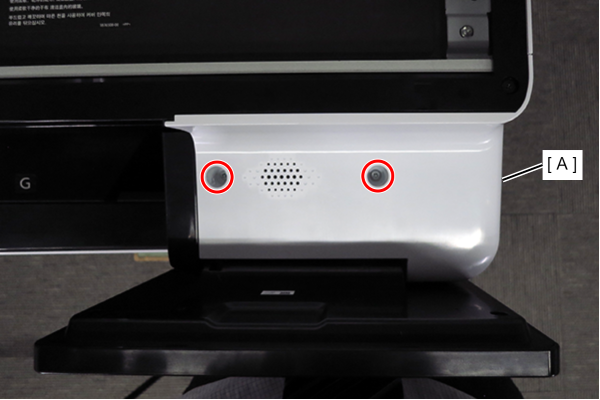
 : 3x10DW
- Remove 1 screw and remove the panel upper cover sub (A).
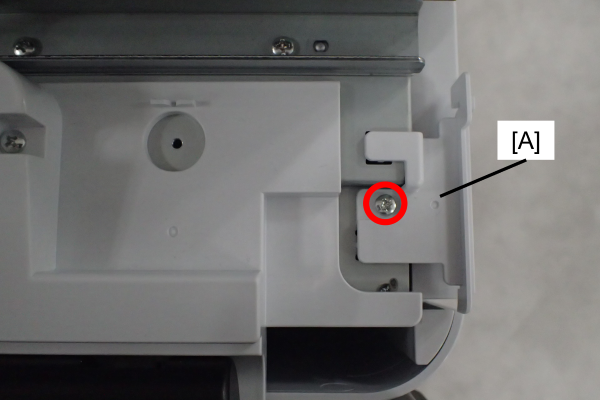
- : 3x8D/P
 Note / 補足
The removed screws can be discarded.
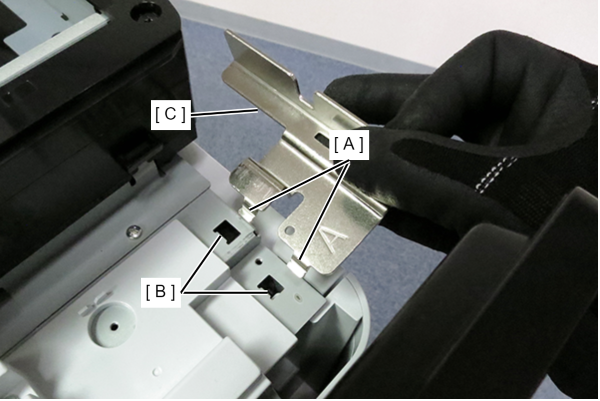
- Hook the tab (A) on the bracket to the hole (B) on the main unit, and attach the bracket (C).
- Secure the bracket (A) with 1 screw.
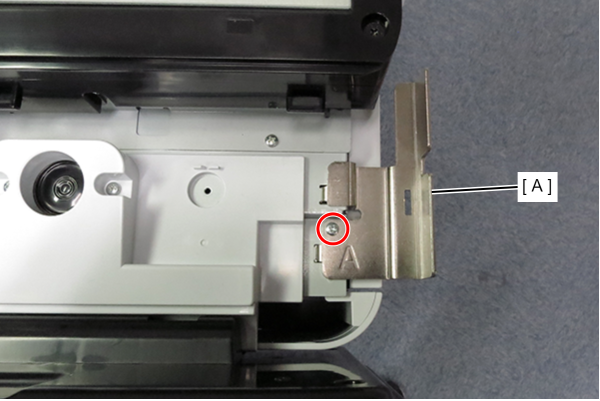
 : 3x8D/P
- Remove the upper case (A).
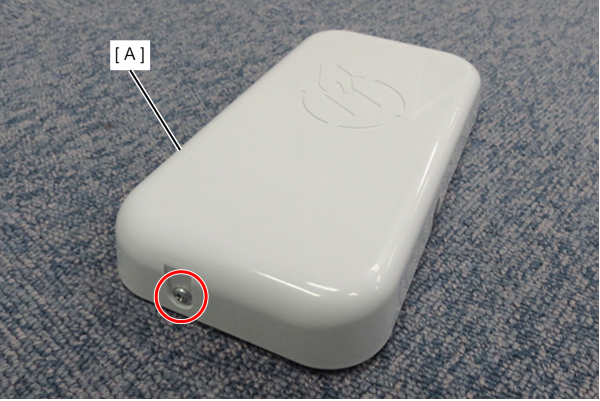
- : 3x8D/P
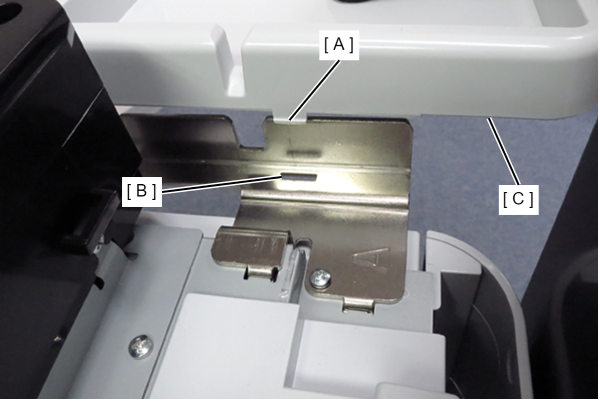
- Align the hooks (A) on the device pedestal with the grooves (B) on the bracket and attach the device pedestal (C).
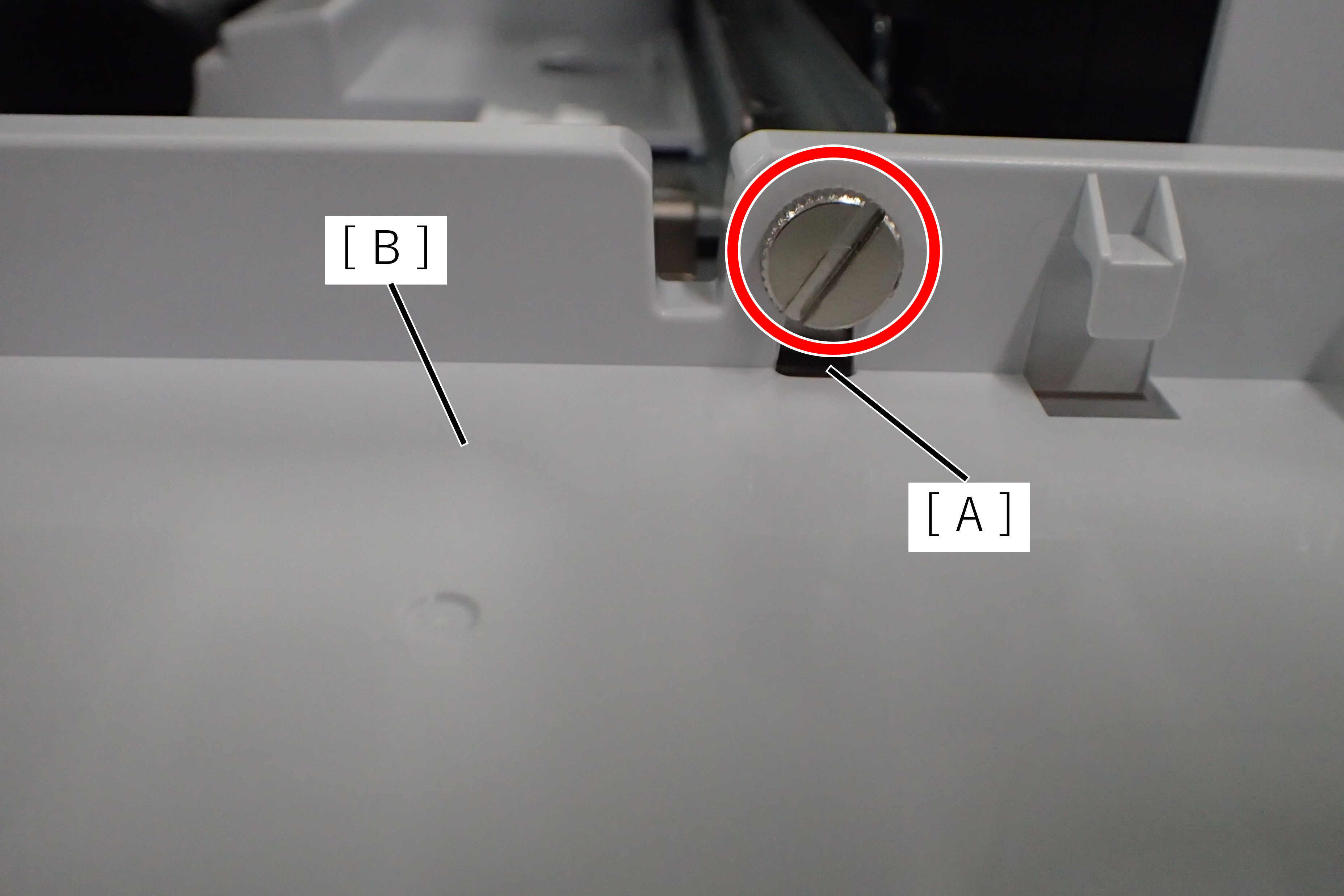
- Secure the device pedestal (A) and device base (B) with the single coin screw.
Attach the authentication device to the device base.
Note / 補足When attaching the authentication device, you may use the included duplex tape if necessary.
- Attach the device table top case (A) and fix with 1 screw.
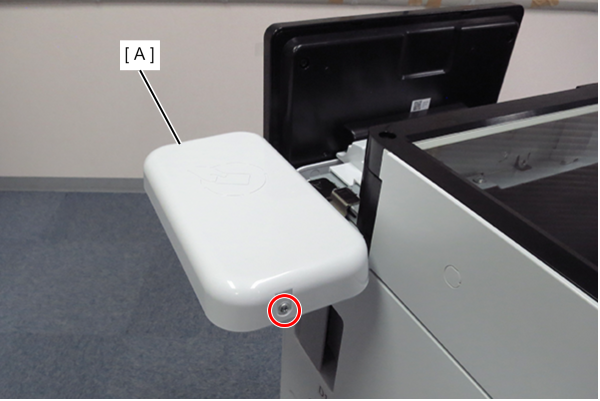
- : 3x8D/P
- Install the panel top cover and secure it with two screws.
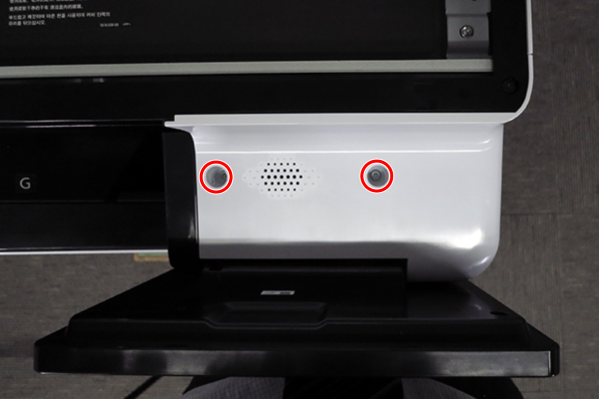
- : 3x10DW/P