
FD Frame Support
- Remove the 2 screws and remove the Left Cover Upper (A).
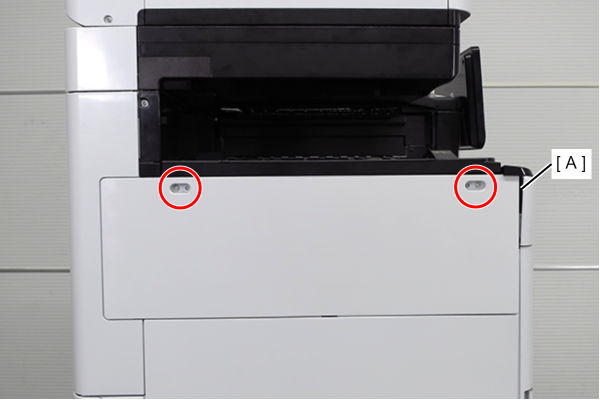
 : 3x10DW
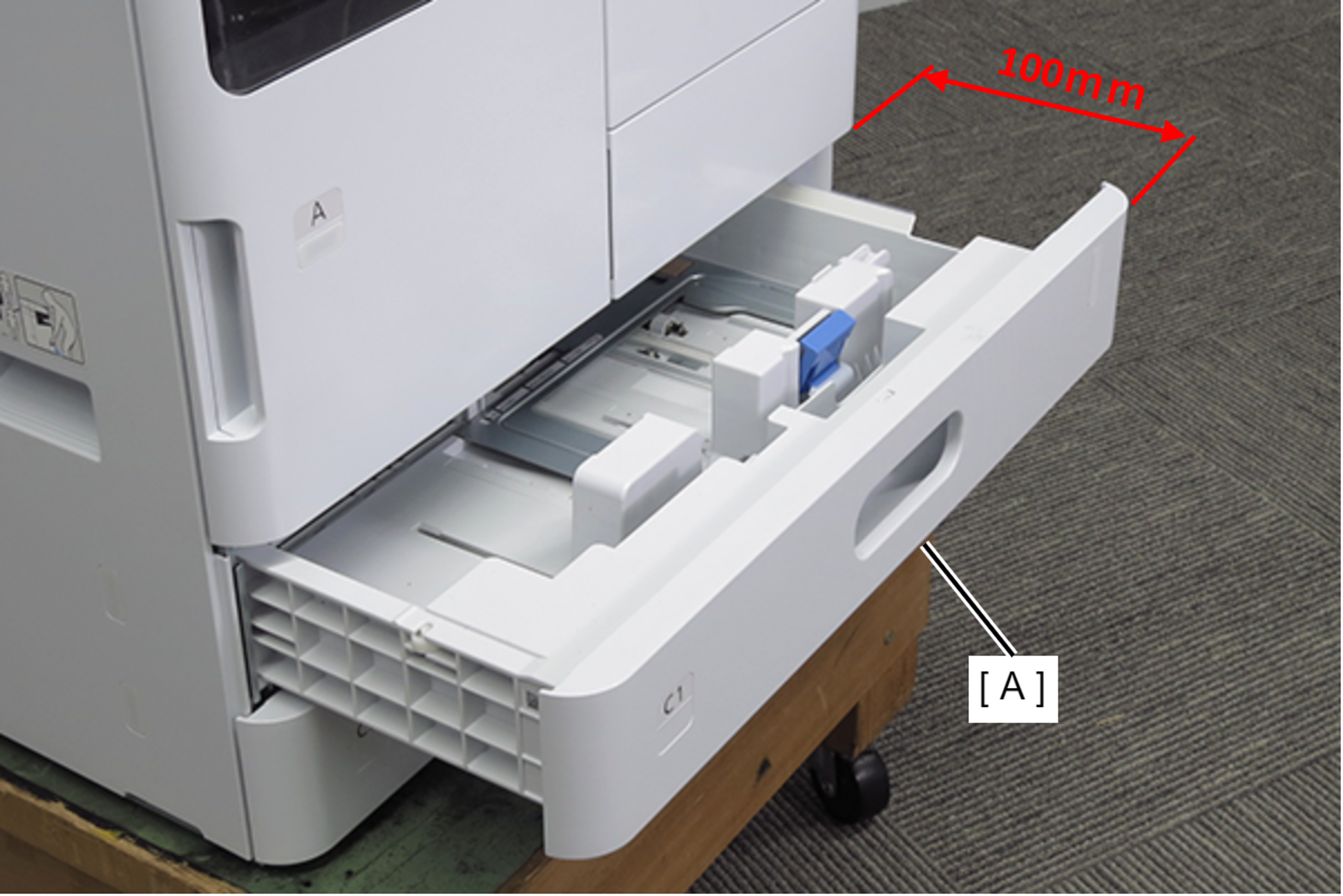
- Pull out the C1 cassette (A). (about 100mm)
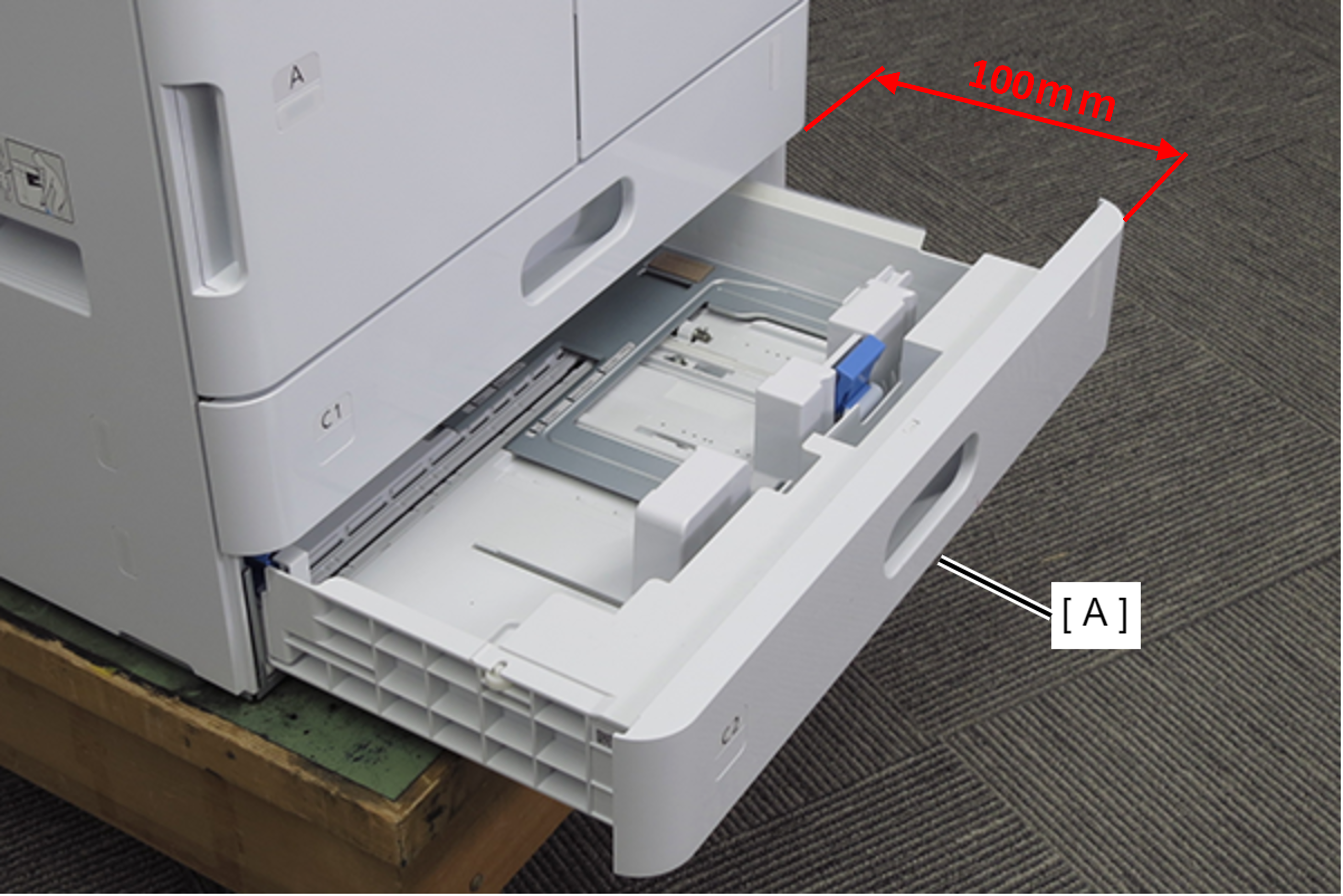
- Pull out the C2 cassette (A). (about 100mm)
- Remove 2 screws and remove the Left Cover Lower (A) in the direction of the arrow.
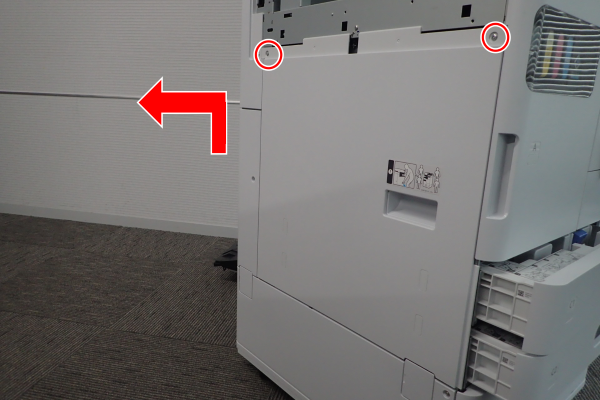
- : 3x10DW
- Remove 1 screw and remove the Left Cover Sub Lower (A) in the direction of the arrow.
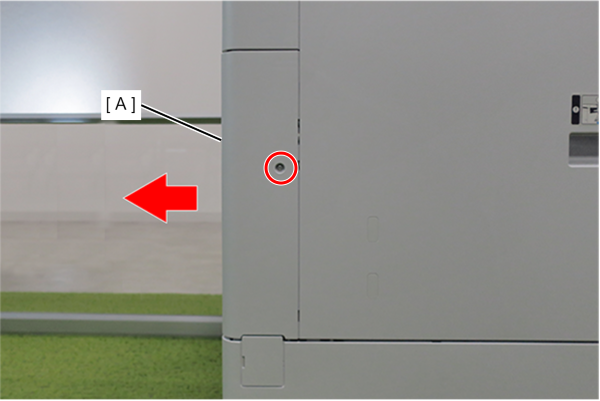
- : 3x10DW
- Open the front cover (A) and remove the Ink Cartridge (A).
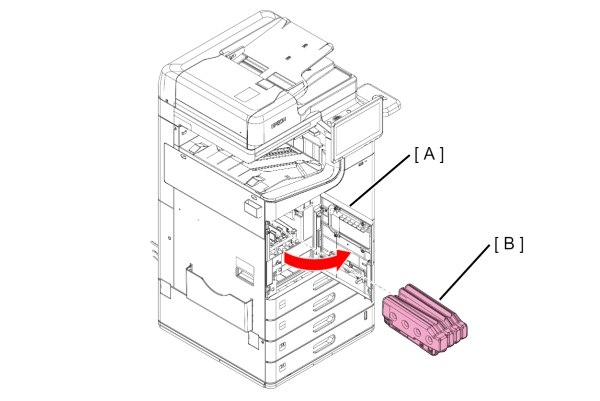
 Caution / 注意
Immediately attach the ink supply port cap (A) to the removed ink cartridge.
If the ink supply port cap is not attached, ink remaining in the supply port may drip. (Ink cartridge )
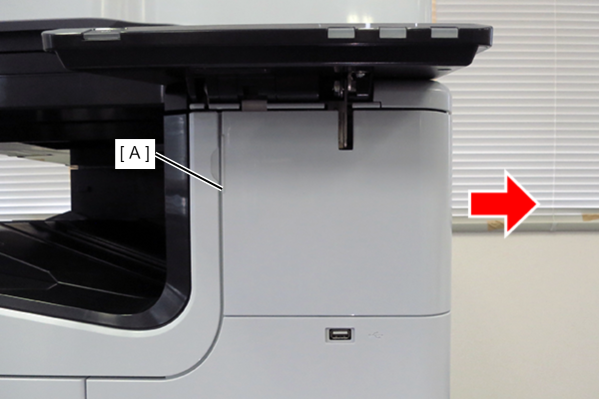
- Slide the front decorative cover upper (A) in the direction of the arrow to remove it.
- Remove one screw, and remove the front cover upper (A) in the direction of the arrow while pressing the hook.
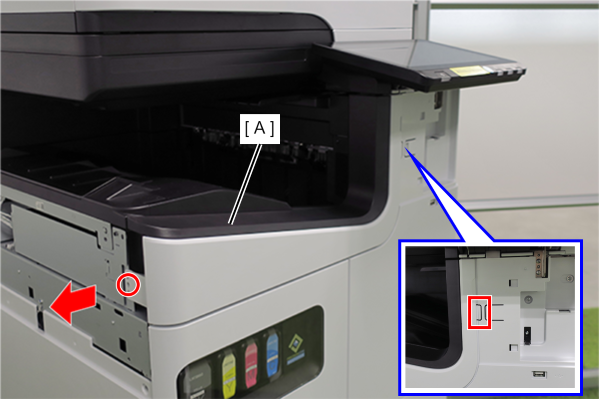
- : 3x10DW
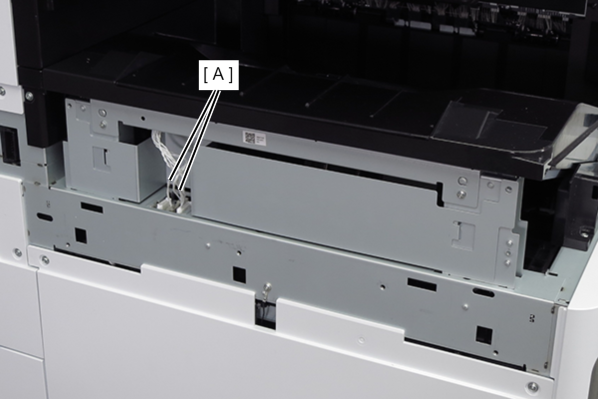
- Remove the two cables (A) from the connectors.
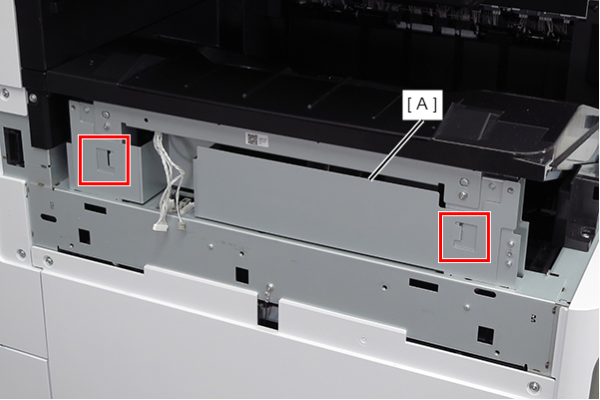
- Lift the FD frame (A), release the two hooks, and remove it to the left side of the product.
- Remove the screw that secures the ground wire (A).
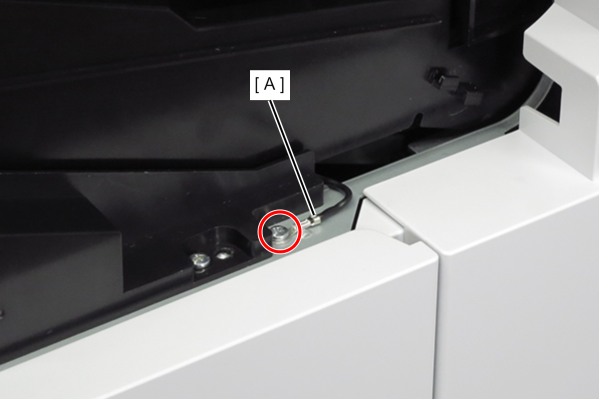
- : 3x8D
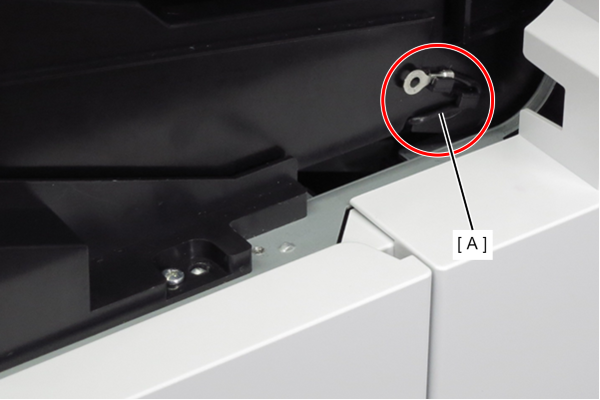
- Route the ground wire (A) around the guide.
- Remove the 4 screws that secure the FD stacker Assy (A).
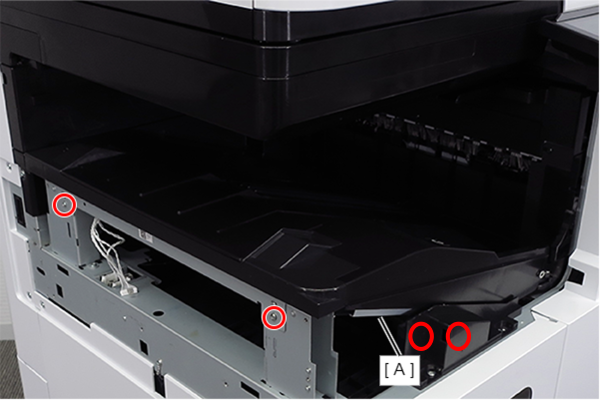
- : 3x8D
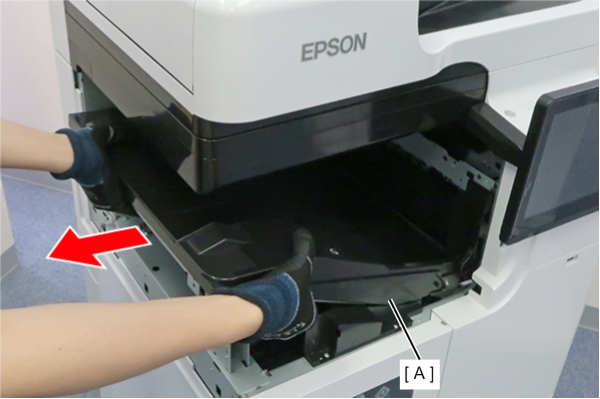
- Hold the position shown in the figure and remove the FD stacker Assy (A).
 Assembly / 組み立て
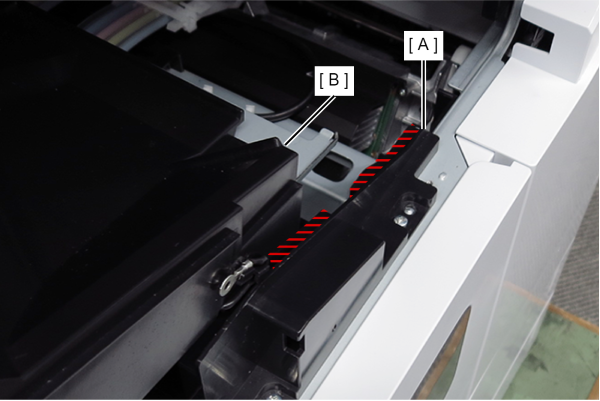
Attach the FD stacker Assy (B) along the rail of the FD stacker guide (A).
- Remove the 1 screw.
- Remove the FD Frame Support (A) by sliding it in the direction of the arrow.
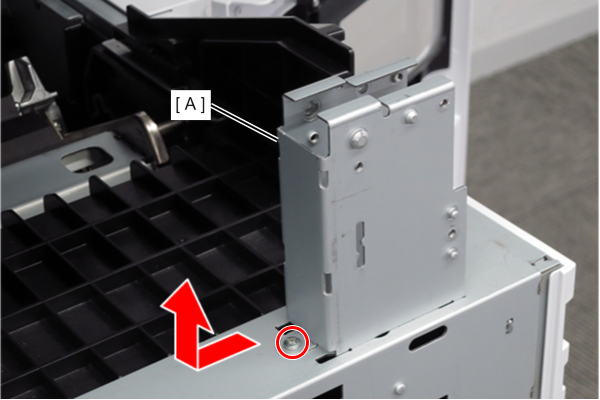
- : 3x8D