
Saddle Unit Initial Adjustment Procedure
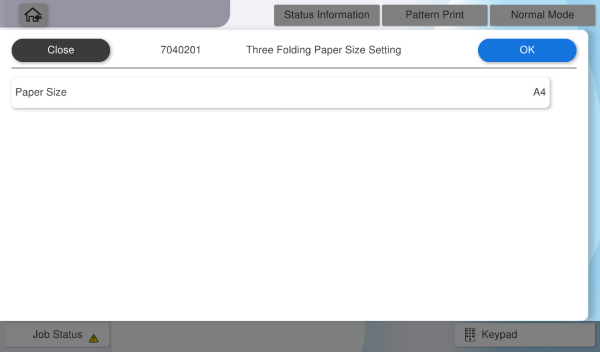
Three Folding Paper Size Setting
 Note / 補足 Note / 補足 |
|
- Start the service support mode.
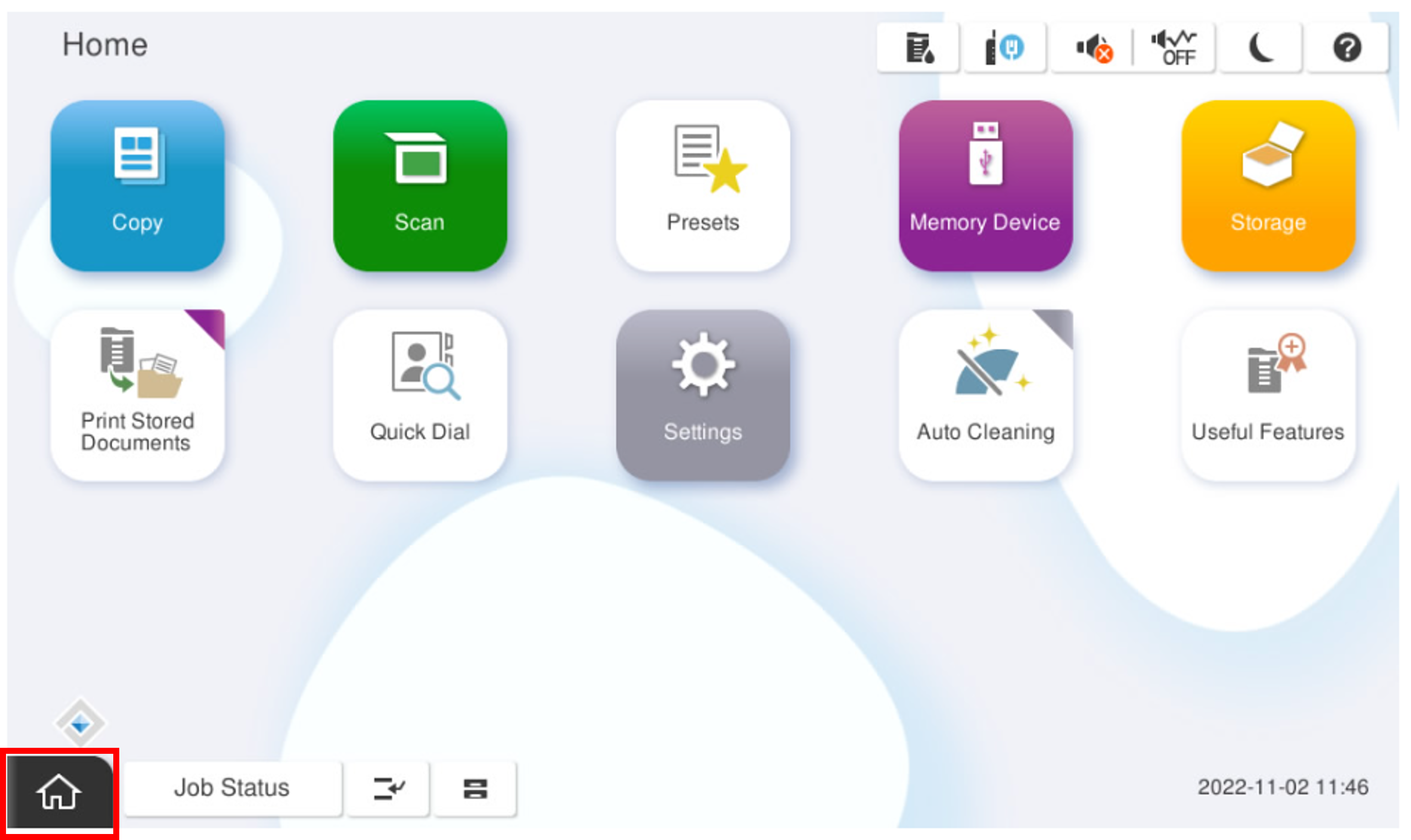
- Select [07 Installation Setting / Operation Check].
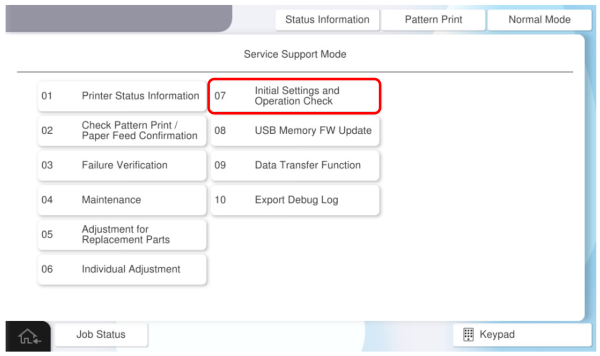
- Select the [Floor Finisher].
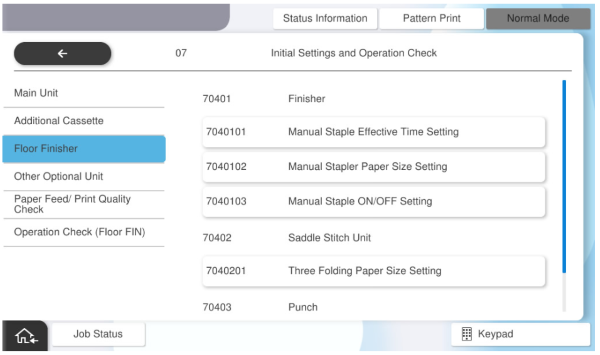
- Select [Three Folding Paper Size Setting].
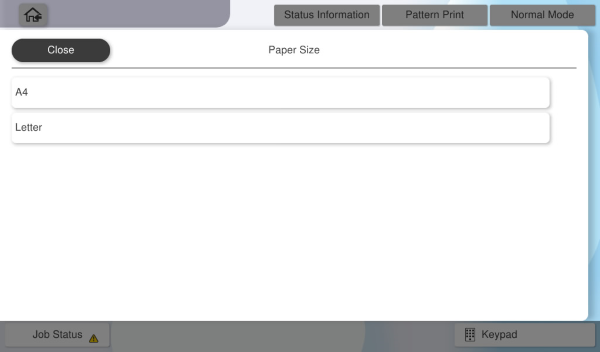
- Select [Paper Size].
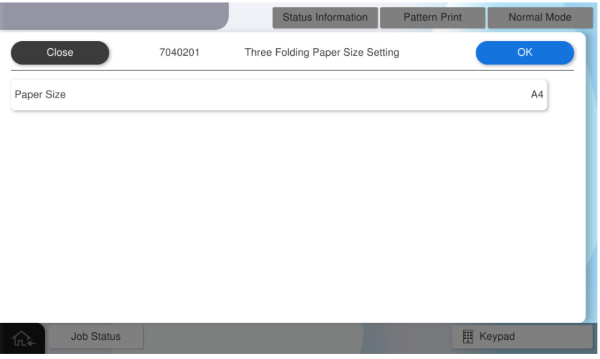
- Select the paper size to use.
- Press [OK].
Aligning the Paper Guides
- Raise the V2 cover (A).
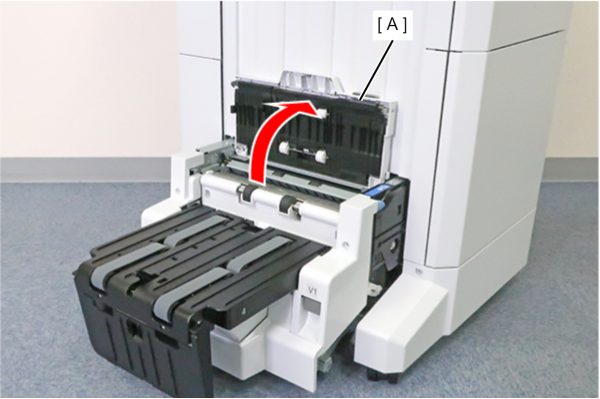
- Remove the 2 screws and remove the cover (A).
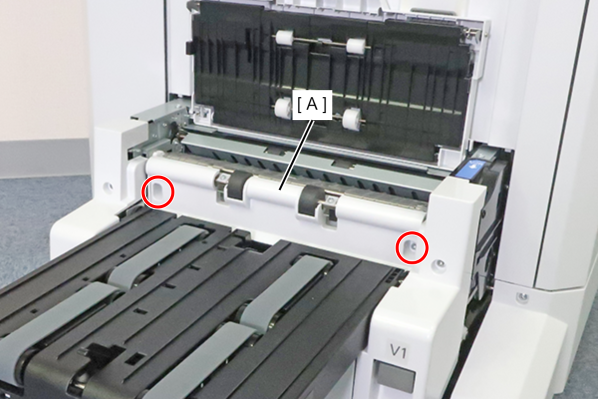
 : 3x8DC/P
- Loosen the two screws of the paper guide (A).
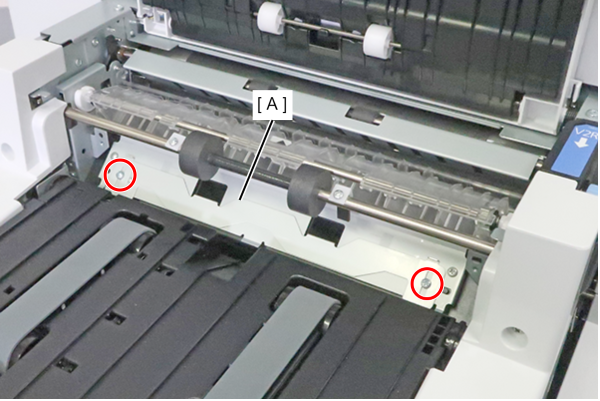
- Align the top edge (A) of the paper guide with the size of the paper to be used, and tighten the two loosened screws to fix the paper guide.
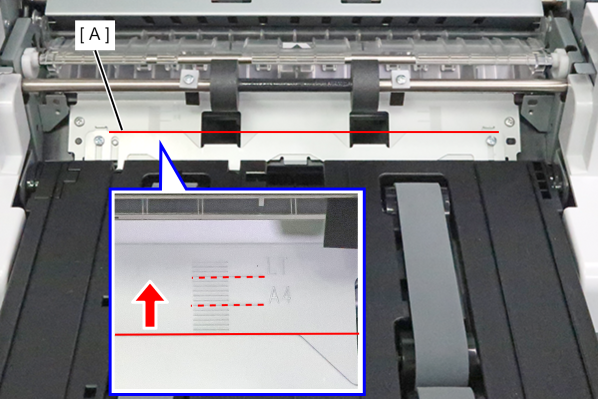
- Install the cover (A), secure it with two screws, and lower the V2 cover (B).
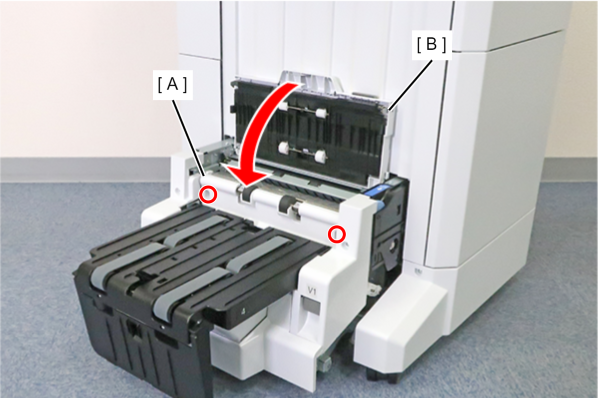
- : 3x8DC/P
Operation Check
When installing the saddle unit, check the following operations.
- Saddle Stitch Stack
- Bi-fold Stack
- Tri-fold Stack
- Start the service support mode.
- Select [07 Installation Setting / Operation Check].
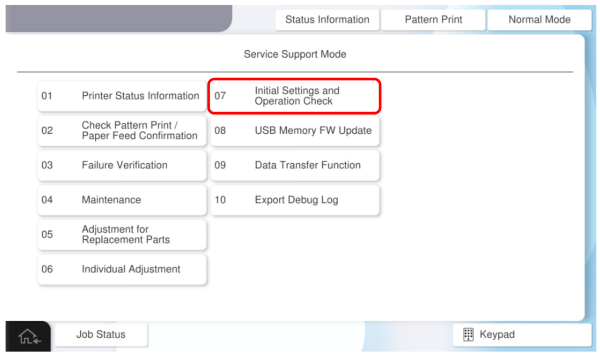
- Select the [Operation Check(Floor FIN)].
- Select [Saddle Stack].
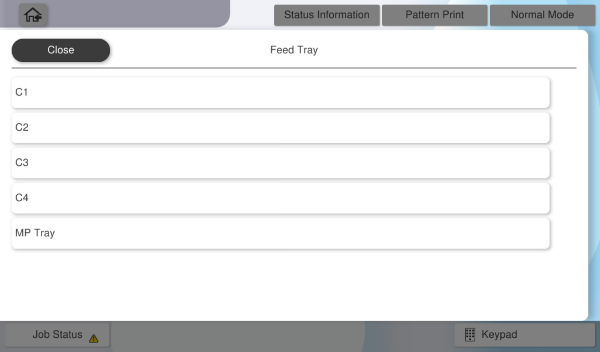
- Select [Paper Tray].
- Select the paper tray to use.
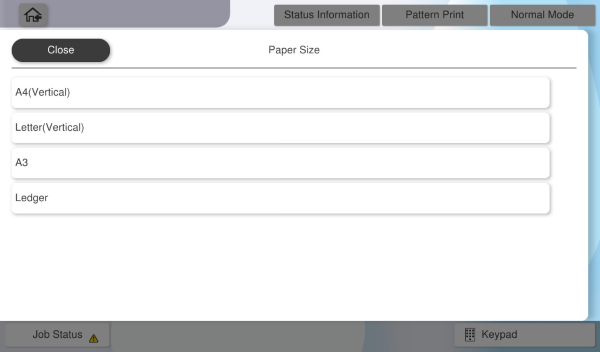
- Select [Paper Size].
- Select the paper size to use.
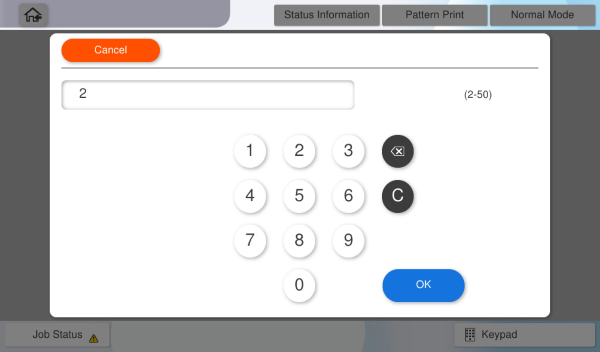
- Select [Number of Sheets].
- Input the number of sheets to feed and press [OK] .
- Press [Execute] and check the operation result.
| Note / 補足 |
Follow the same procedure to confirm the following operations, and confirm that they work correctly.
|