
Left Side Lifting Guide Cover
- Refer to the following and remove the floor finisher from the printer main unit.
Floor Finisher Installation Procedure
 Caution / 注意
- When disconnecting the Floor Finisher from the Main Unit, the power of the Main Unit must be turned off.
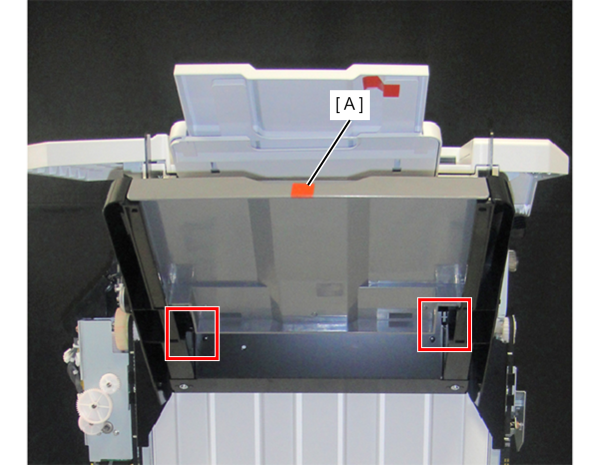
- Release the tabs (x2) and remove the Lower Tray (A) upwards.
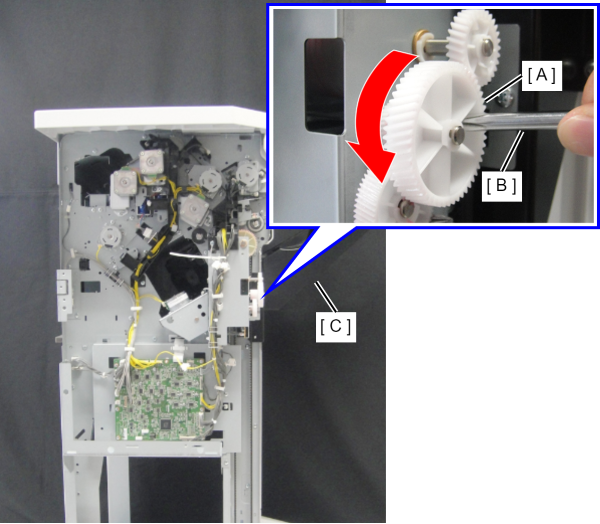
- Rotate the gear (A) of the Tray Lifting Gear Block counterclockwise using a screwdriver (B) or the like to lower the tray mounting frame (C).
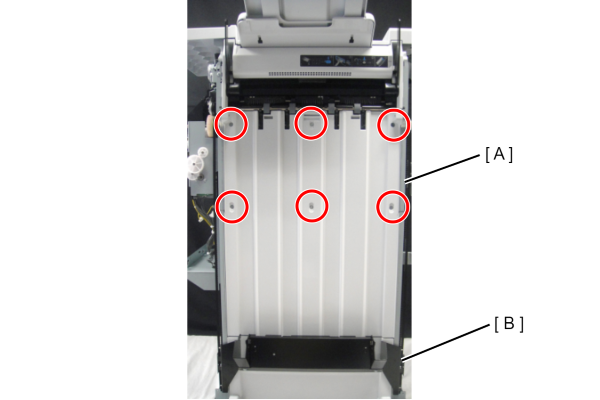
- Remove the 6 screws and remove the part (A) of the tray mounting frame.
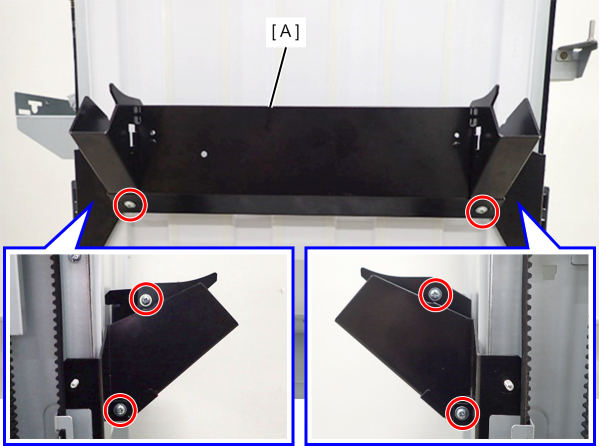
 : 4x10DC
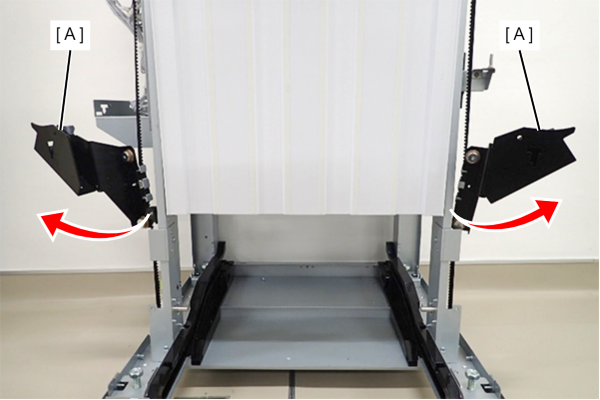
- Retract the tray mounting frame (A) to the front side and rear side respectively.
- Remove the 6 screws that secure the Left Side Lift Guide Cover (A).
- With the tray mounting frame (B) lowered to bottom, slide the Left Side Lift Guide Cover (A) upward and remove it.
- : 3x8 DC/P