
1103 Lock Release - Head Transport Parts
When transporting the main unit, it is necessary to attach the transportation parts for the head unit.
If forget to remove this part when unpacking or after transportation and turn on the power, the head unit will interfere with this part and become locked, causing a fatal error.
This menu is used to release the lock state if the above error occurs before the initial charging is complete or during the initial charging.
- Start the service support mode.
- Select the [11 Troubleshooting and Repair during Initial Ink Charge]
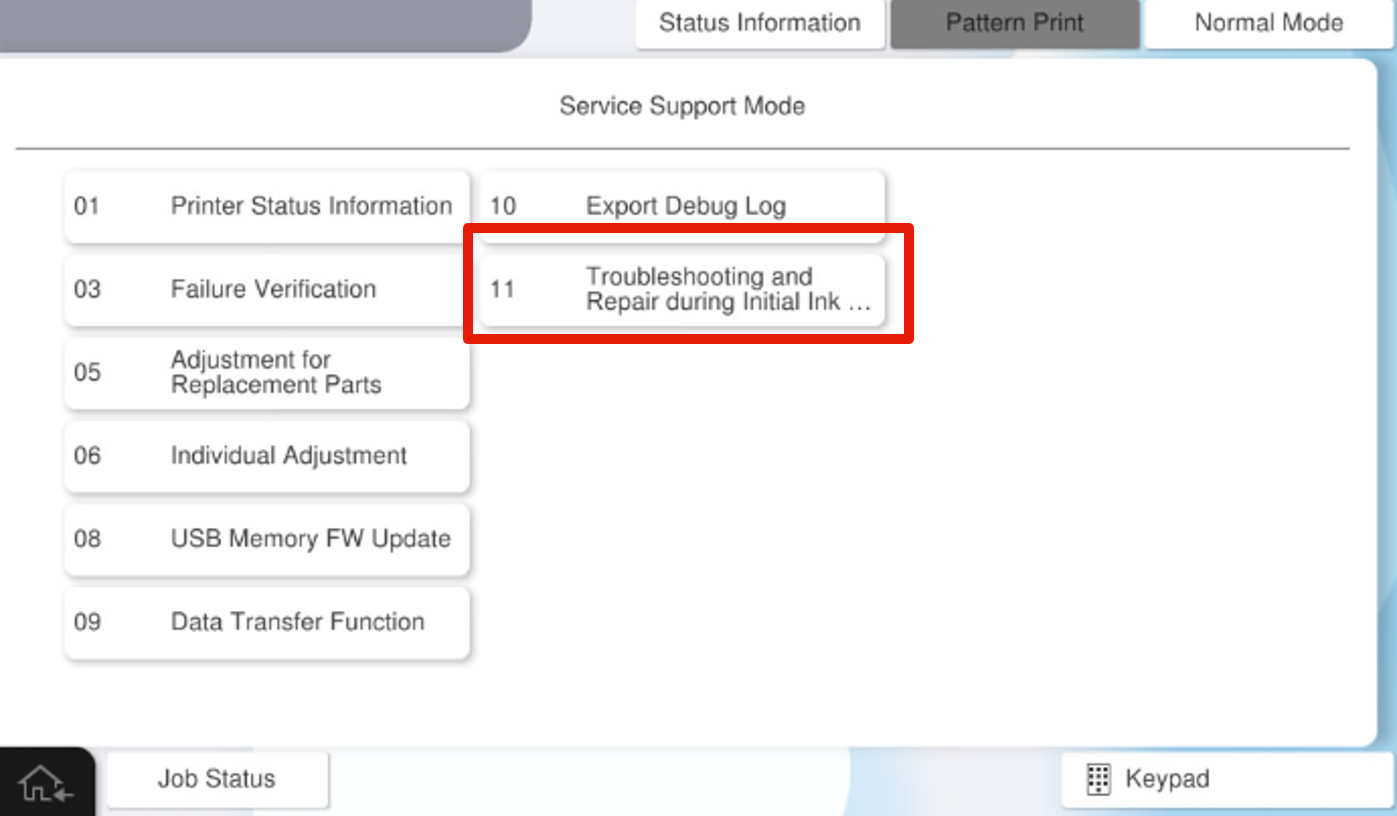
- From [1103 Lock Release - Head Transport Parts], select either [110302 Manually Release (Head unit UP)] or [110303 Manually Release (Head unit DOWN)].
- For subsequent steps, refer to 70103 Lock Release - Head Transport Parts to release the lock.