
Extension Network Board Installation Procedure
Bundled Items
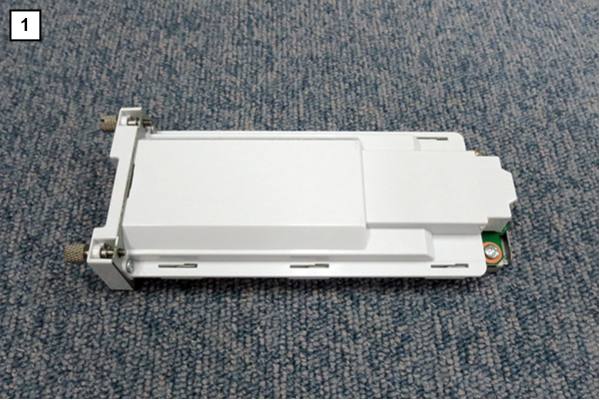
| No. | Bundled Items | Qty. |
|---|---|---|
| 1 | Extension Network Board | 1 |
Installation Procedure
 Check Point / チェックポイント Check Point / チェックポイント |
|
Prepared items
- USB memory (to store the latest firmware)
- Gloves
- Phillips (+) screwdriver
- USB memory (stores the latest firmware)
Minimum number of workers
1 person
 Caution / 注意 Caution / 注意 |
Be sure to check the following precautions before installation.
|
Installation Procedure
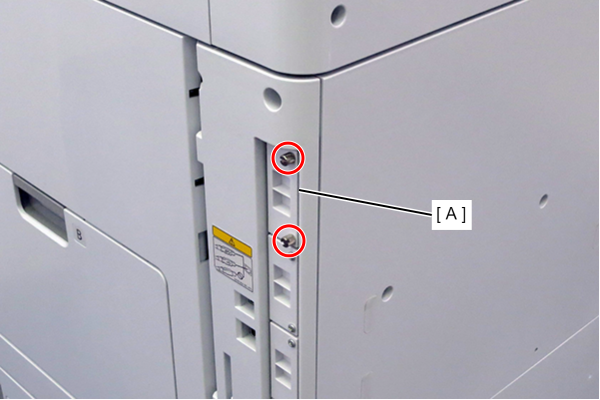
- Remove the 2 screws and remove the LAN cover (A).
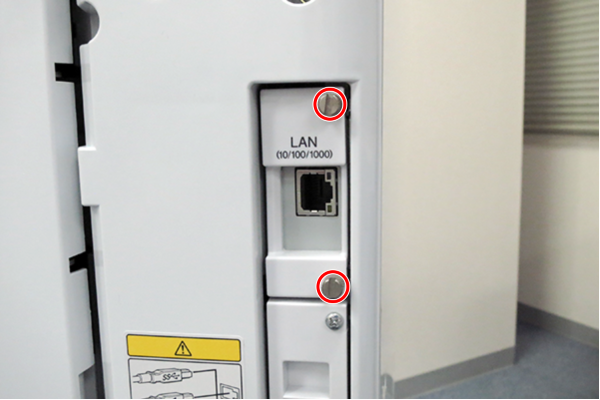
- Insert the additional network interface board into the LAN port and fix it with 2 screws.
 Check Point / チェックポイント
- After installing the Extension Network Board, be sure to do the following.
- Updating the firmware for the Extension Network Board (Firmware Update)
- Setting the Extension network (Additional Network Settings)
- After installing the Extension Network Board, be sure to do the following.