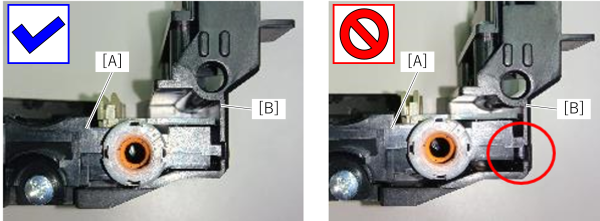
Wiper Unit
- Remove the 4 screws and remove the right cover sub (A).
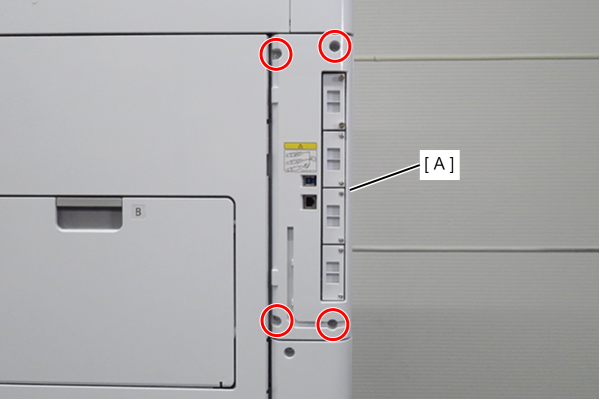
 : 3x10DW
- Remove 1 screw and slide the rear cover (A) in the direction of the arrow to remove it.
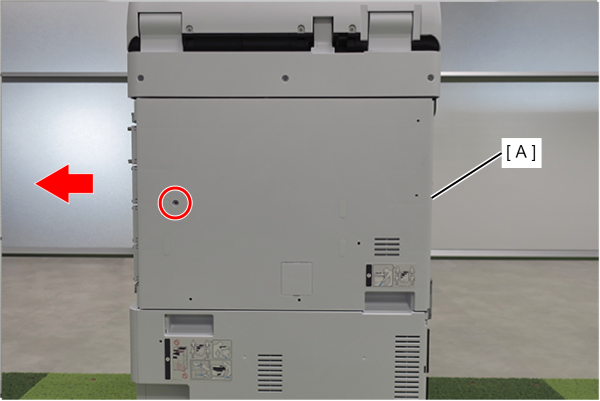
- : 3x10DW
 Assembly / 組み立て
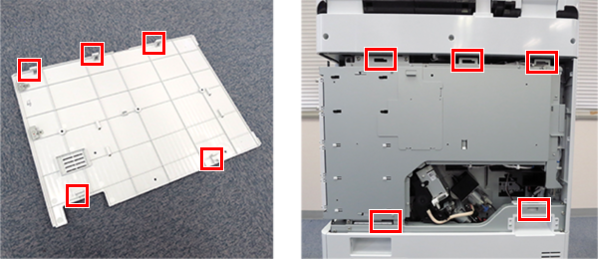
Align the 5 hooks on the rear cover with the 5 holes on the main unit and attach it.
- Remove 2 screws and remove the Wiper Ink Collector Assy (A).
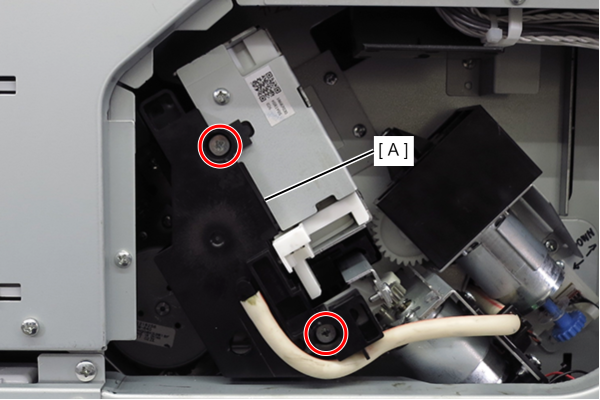
- :3x5D/TBD
 Caution / 注意
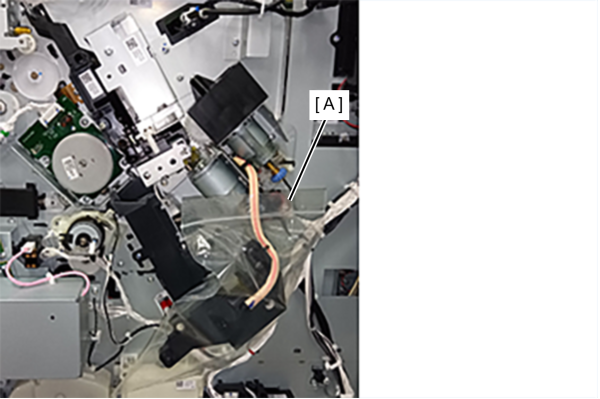
- When the wiper ink collection assembly is removed, it must be placed in a zipped plastic bag (A) because ink may drip from the wiper ink collection assembly.
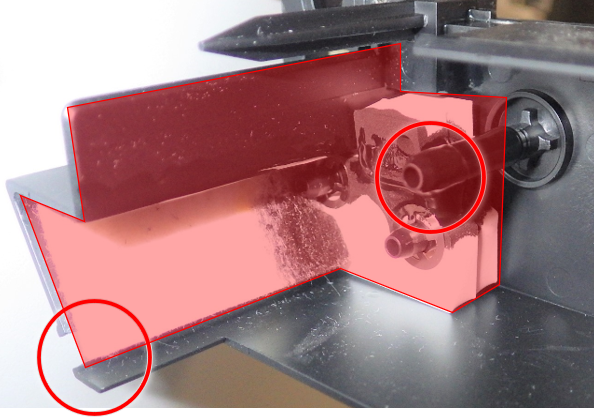
- Waste ink may accumulate inside the Wiper Ink Collector Assy (The whole wall and the circled areas in the figure below). Wipe up if necessary.
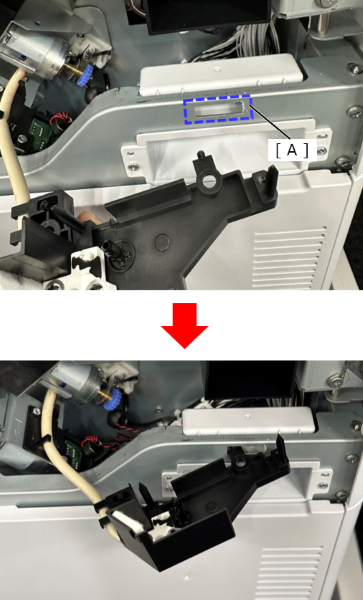
- Insert the protrusion of the Wiper Ink Collector Assy into the opening (A) of the frame, and fix it so that the waste ink absorption needle faces upward.
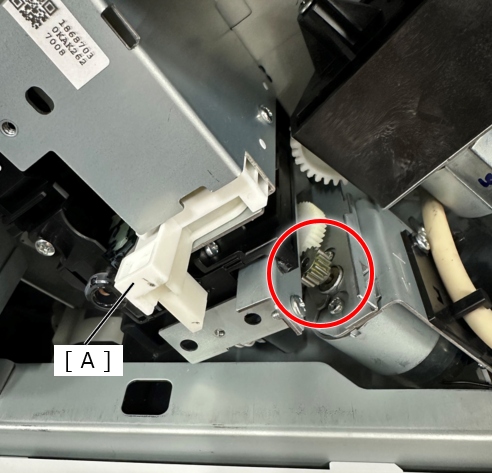
Assembly / 組み立て- To prevent damage to the Wiper Ink Collector Assy, it is necessary to assemble with Wiper Assy (A) moved to the far side (inside the product). Rotate the wiper drive gear shown in the figure below anticlockwise until the wiper stops moving.
- Remove 3 screws.
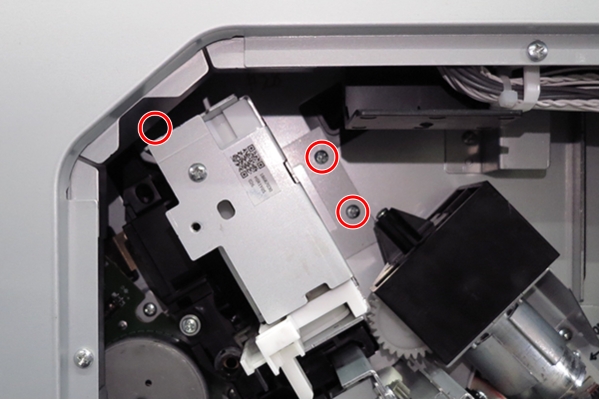
- : 3x8D
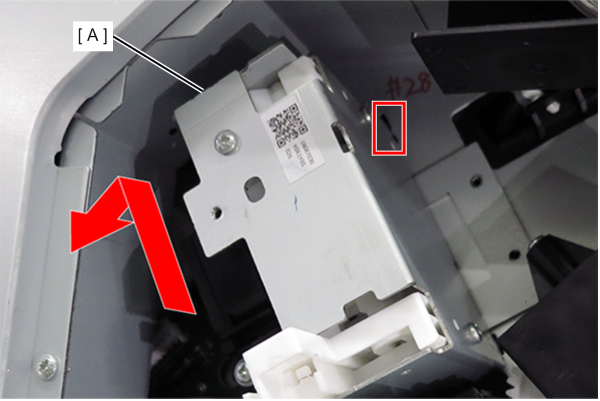
- Slide the Wiper cleaner (A) in the direction of the arrow to release the hook and remove it.
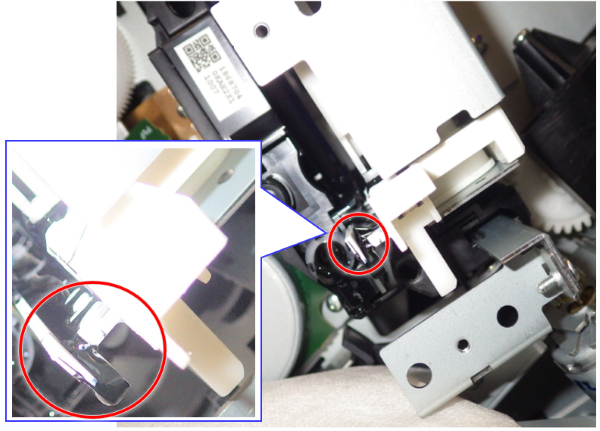
Caution / 注意- Waste ink may be accumulated in the 2 parts shown in the figure below. Check for waste ink before removing, and wipe off if necessary.
Assembly / 組み立て- When installing the Wiper cleaner (A), fix the Wiper cleaner (A) with three screws while holding it in the direction of the arrow.
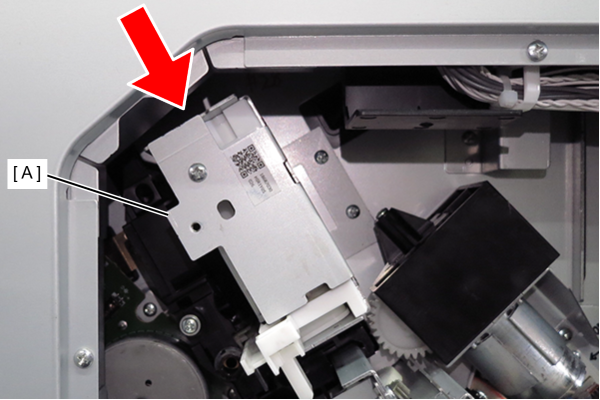
- After installing the Wiper Ink Collector Assy (A), check if the Wiper Ink Collector Assy (A) can be moved by light force by moving the part shown in the figure below by hand.
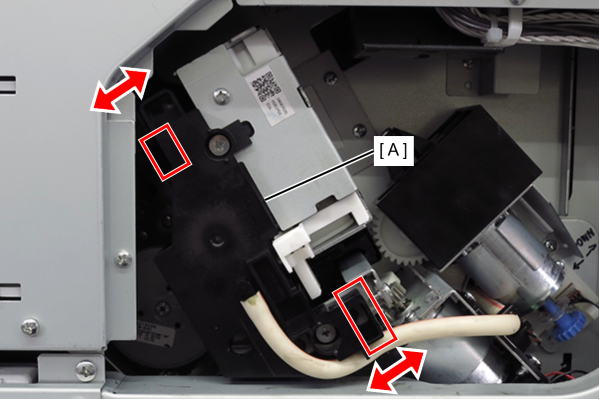
- Waste ink may be accumulated in the 2 parts shown in the figure below. Check for waste ink before removing, and wipe off if necessary.
- Remove one screw and remove the Wiper unit (A).
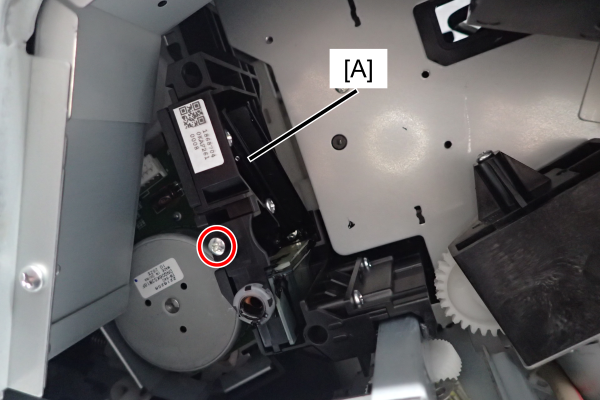
- : 3x8D
 Check Point / チェックポイント
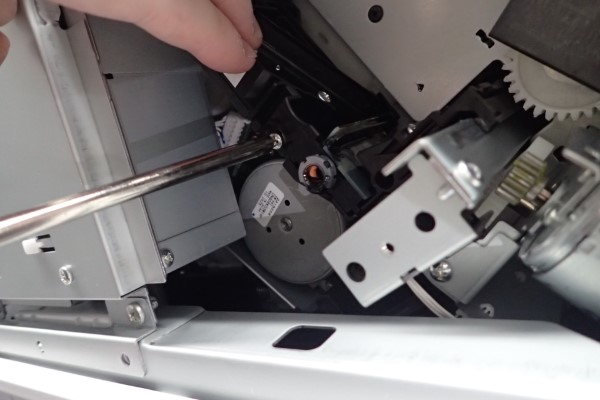
When removing the screw, if force is applied, the Wiper unit will move to the back. Remove the screws while holding the Wiper unit with your hand.
 Caution / 注意
Waste ink may be accumulated in the 2 parts shown in the figure below. Check for waste ink before removing, and wipe off if necessary.
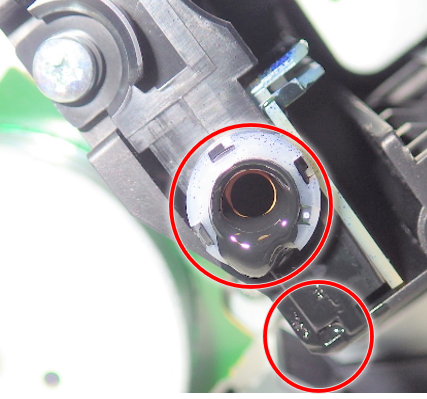 Assembly / 組み立て
After assembling the wiper unit, check the installation status as follows.
Confirm the convex part of the wiper unit (A) attached correctly to the concave part of the wiper carriage.
If it is not installed correctly, " WIP position seek error " will occur, so reinstall the wiper unit.