
ADF Unit
 Check Point / チェックポイント Check Point / チェックポイント |
|
- Remove the 3 screws and remove the SCN rear cover (A) in the direction of the arrow.
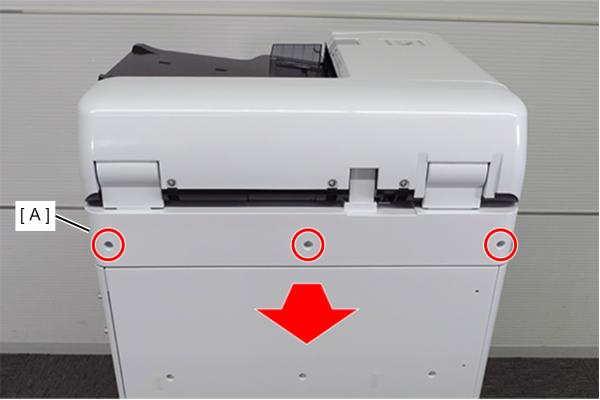
 : 3x10DW
 Assembly / 組み立て
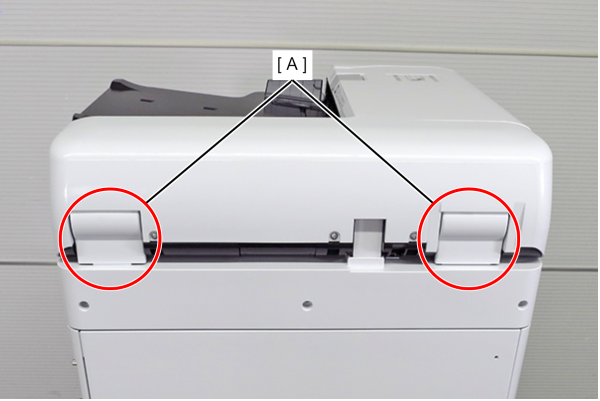
When installing the SCN rear cover, be careful not to get the hinge cover (A) of the ADF unit caught.
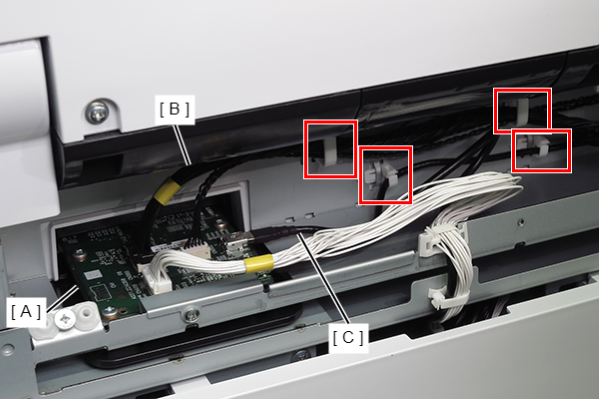
- Remove the cables (B, C) from the connectors (CN300, CN302) on the SCN main board (A).
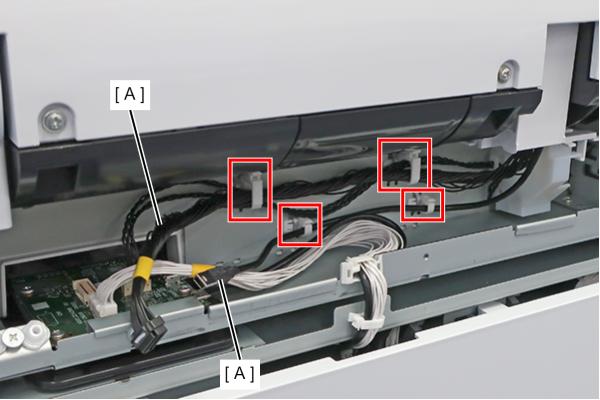
- Release the 2 cables (A) from the four clamps.
- Remove 5 screws.
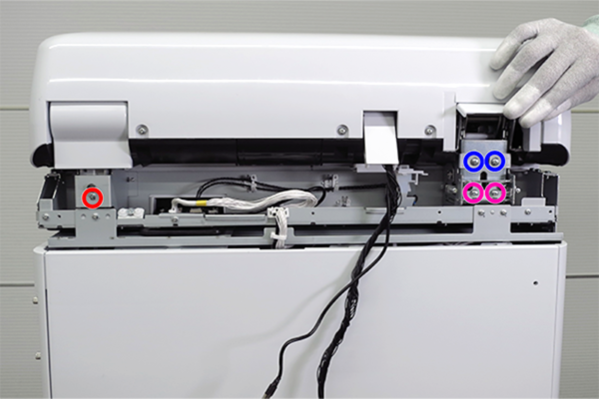
- : 3x12DC
 : 4x6D
 : 4x8D
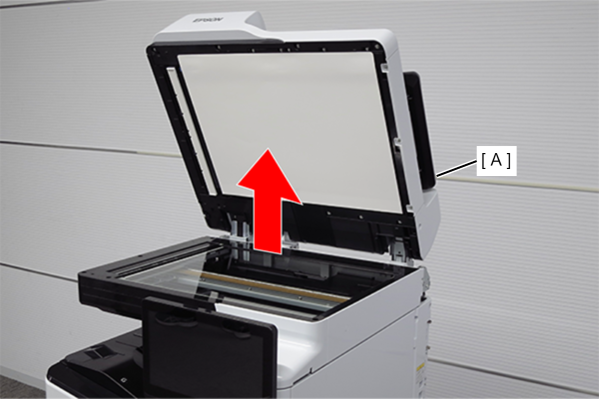
- Remove the ADF unit (A) upwards.
- Tilt adjustment to perform when re-assembling the part.
If you replace the ADF unit or SCN unit, you will need to adjust the tilt and height of the ADF unit.
When installing the ADF unit, perform the adjustment according to the following procedure.Check Point / チェックポイントThe following is the procedure for adjustments to be made when the unit is installed.
- Turn the two height adjustment screws on the SCN left hinge and align the height adjustment frame (A) with the +1 on the scale (B).
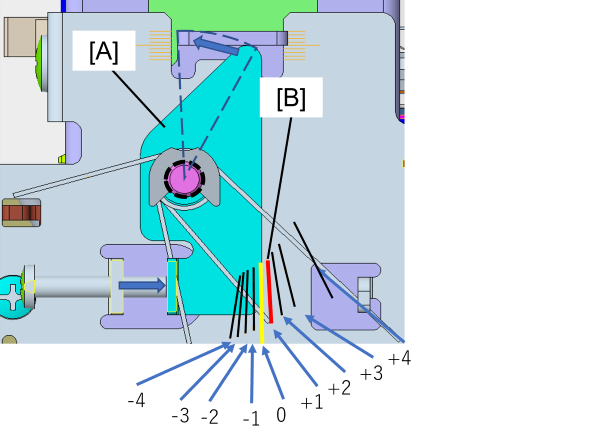
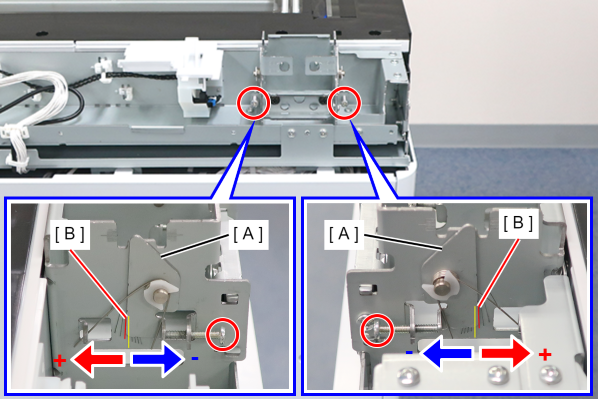
- CW: + direction
- CCW: - direction
- With the ADF unit open, insert the legs of the ADF unit into the SCN hinges.
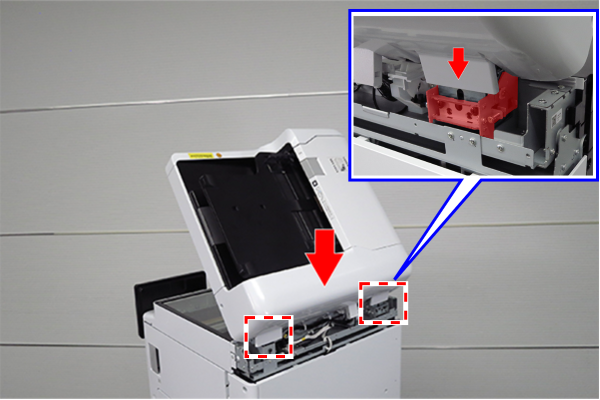
 Caution / 注意
Do not install the screws removed in step 4 at this time, as they will be installed in step 15.
Note that if the screws are installed at this point, correct tilt and height adjustment of the ADF Unit cannot be performed.
- Close and re-open the ADF unit (A) to reflect the adjustment value of the height adjustment frame.
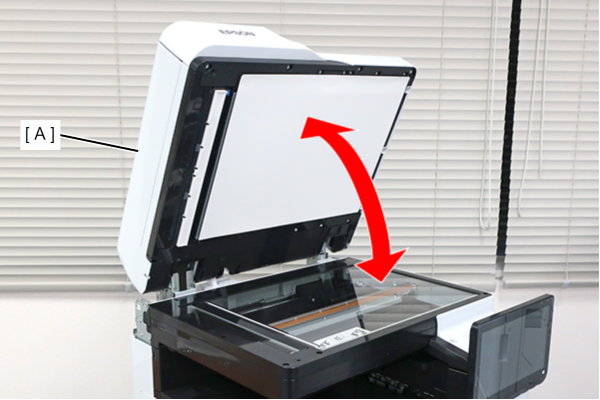
- Remove 1 screw and remove the 2 adjustment spacers (A).
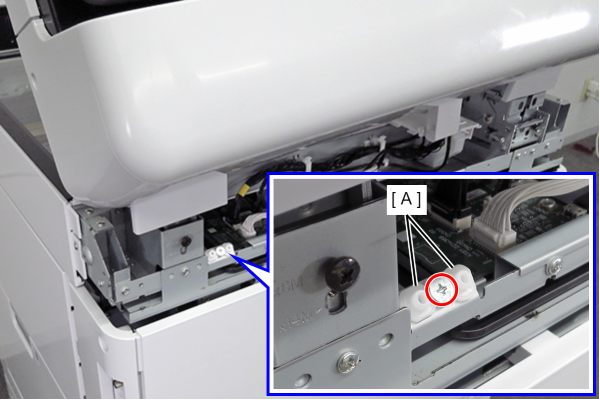
- : 3x5D/TBD
Set the adjustment spacers (B) to the mounting positions on the front and rear sides of the SCN unit (A).
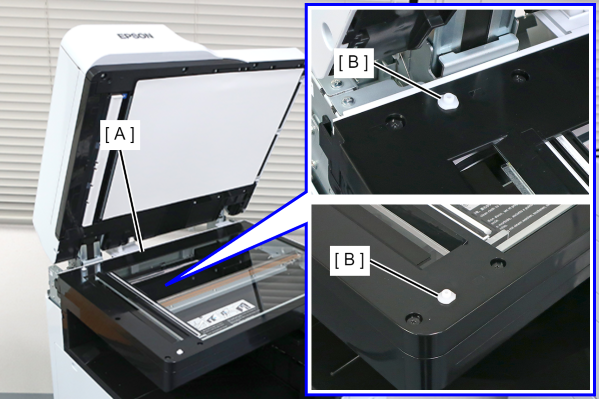
- Gently close the ADF unit (A) and check that the adjustment spacers fit in the holes (B) of the ADF unit.
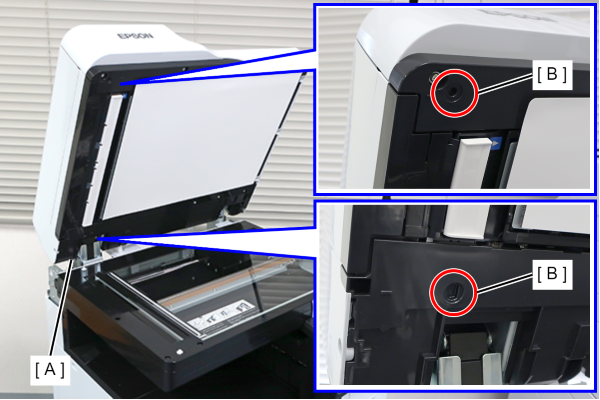
 Adjustment / 調整
If the adjustment spacers do not fit in the hole in the ADF unit, adjust the tilt of the ADF unit until the adjustment spacers fit.
Close the ADF unit, check how it is tilted, and adjust the tilt of the ADF unit by turning the three tilt adjustment screws.
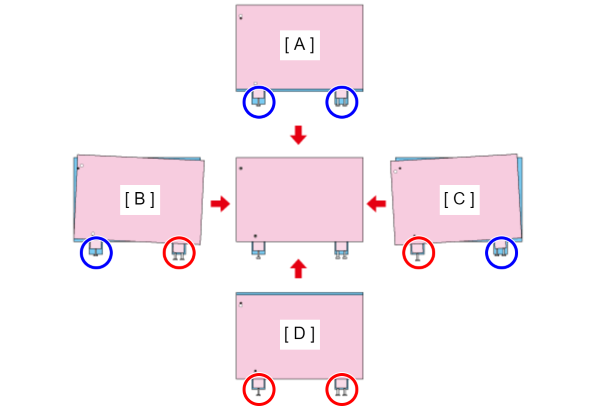
Symbol Situation Adjustment Method A The ADF unit is shifted to the front side.  Tighten the screw.
B The right side of the ADF unit is tilted toward the front. Tighten the screw.  Loose the screw.
C The left side of the ADF unit is tilted toward the front. Tighten the screw.Loose the screw.D The ADF unit is shifted to the rear side. Loose the screw.
- The tilt adjustment screw (A) of the SCN right hinge has approximately twice the resolution of the tilt adjustment screws (B) of the SCN left hinge, so adjust the amount of rotation on the left and the right accordingly.
Also, synchronize the amount of rotation of the two tilt adjustment screws (B) on the SCN left hinge.
Example: After turning the two tilt adjustment screws on the SCN left hinge one turn each, turn the tilt adjustment screw on the SCN right hinge half a turn.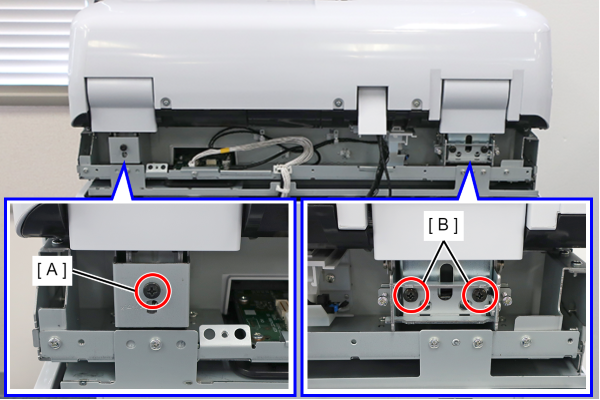
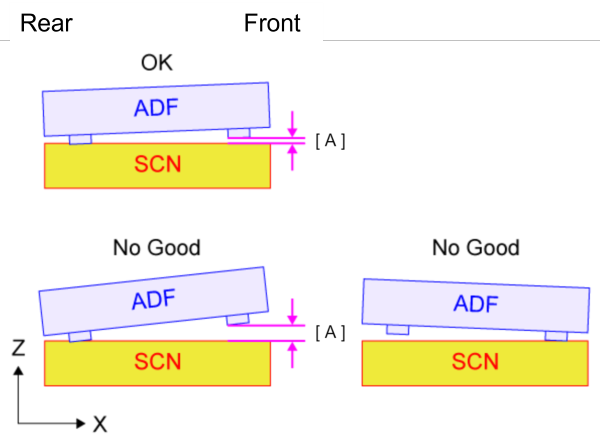
Determine whether the height of the ADF unit needs to be adjusted based on the state of contact between the rib (A) on the rear side of the ADF unit and the rib (B) on the front side of the ADF unit.
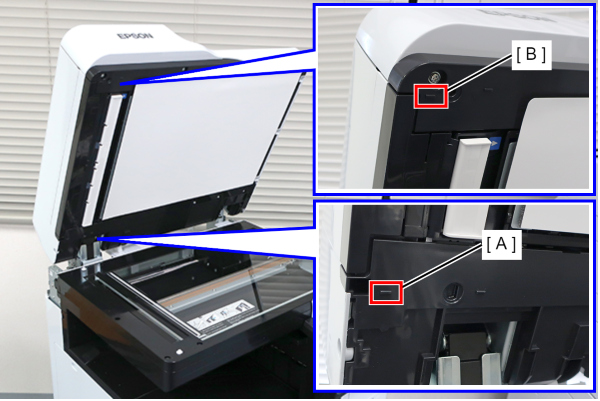
Height adjustment is not required when the rib on the back side is in contact with the SCN unit, and the gap (A) between the rib on the front side and the SCN unit is 1 mm or less.
Height adjustment is required when the gap (A) between the rib on the front side and the SCN unit is more than 1 mm. Adjustment is also required if the rib on the back side is not in contact with the SCN unit.
 Adjustment / 調整
Rotating the height adjustment screws in the CW direction raises the position of the ADF unit, while rotating them in the CCW direction lowers the position.
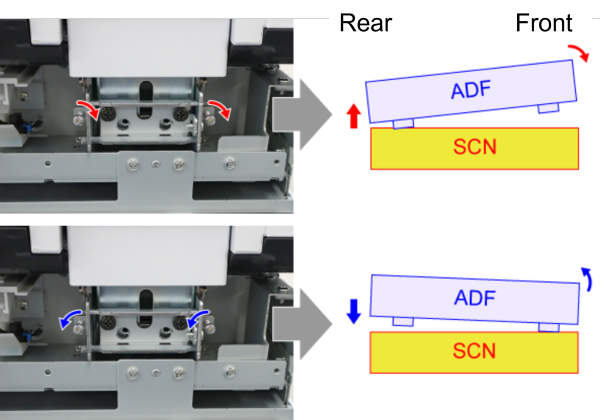
- If the gap between the front rib and the SCN unit is more than 1 mm, rotate the height adjustment screw in the CW direction.
- If the rib on the back side is not in contact with the SCN unit, rotate the height adjustment screws in the CCW direction.
Rotate the height adjustment screws until the rib on the back side contacts the SCN unit and the gap between the rib on the front side and the SCN unit is 1 mm or less.
Synchronize the amount of rotation of the two height adjustment screws. Also, after rotating the height adjustment screws, open and close the ADF unit to reflect the adjusted value.
Remove the two adjustment spacers from the SCN unit and store them in their original positions.
- Install the screws removed in step 4, then check steps 1 through 3 to complete the assembly of the ADF Unit.