
Stapler Unit
- Refer to the following and remove the floor finisher from the printer main unit.
Floor Finisher Installation Procedure
 Caution / 注意
- When disconnecting the Floor Finisher from the Main Unit, the power of the Main Unit must be turned off.
- Refer to the following and remove the SDL Unit from the floor finisher.
Saddle Unit Installation Procedure
Caution / 注意- When disconnecting the Saddle Unit from the Floor Finisher Unit, the power of the Main Unit must be turned off.
- Remove 2 screws and remove the Stapler Unit Attachment Plate Front (A).
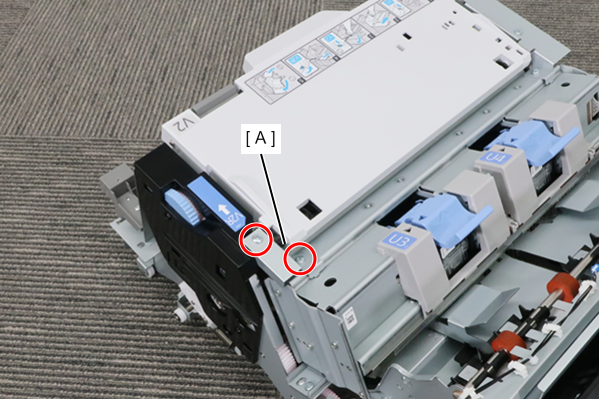
 : 4x8D
- Remove 2 screws and remove the Stapler Unit Attachment Plate Rear (A).
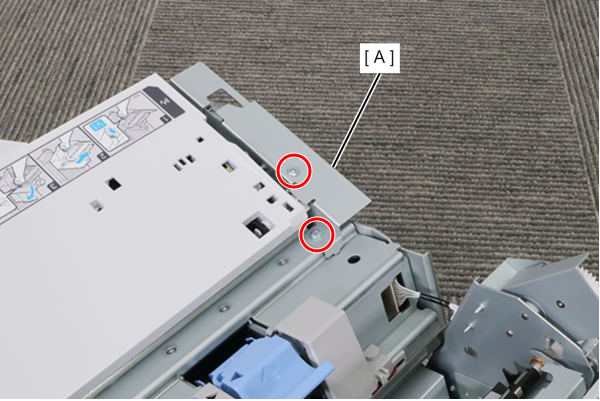
- : 4x8D
- Disconnect 2 cables from the Stapler Unit.
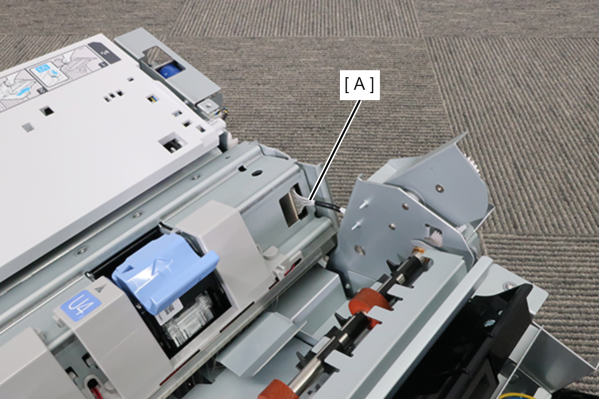
- Remove 2 screws and remove the Stapler Unit (A).
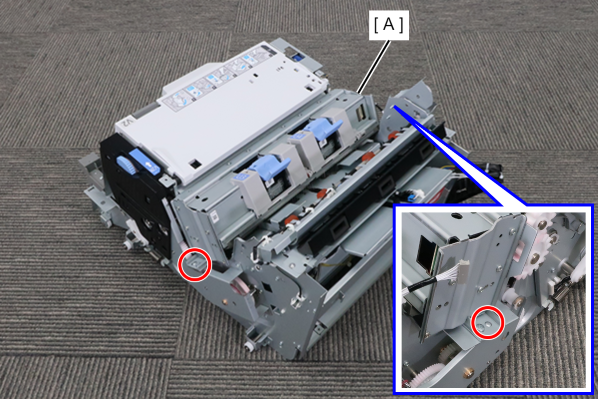
- : 4x8D