
Main Unit Installation Procedure (AM-M5500)
 Caution / 注意 Caution / 注意 |
|
Items to Prepare
- Main Unit included items
- USB memory (to store the latest firmware)
- INCLINOMETER ASSY(1941886)
Installation Procedure
Attach the Document holder.
 Note / 補足
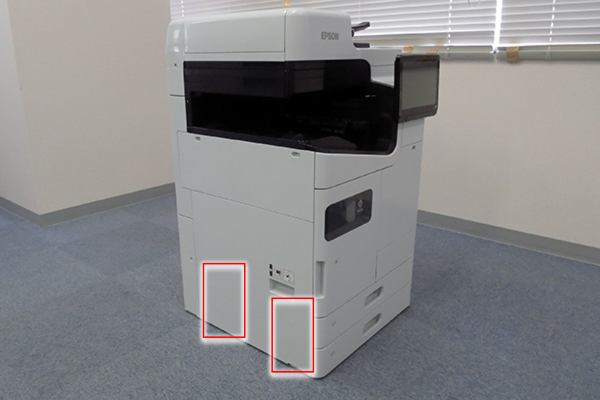
There are 2 choices of place to attach the Document holder. Make sure to confirm customer requirements, install or not install the Floor Finisher.
- Back side
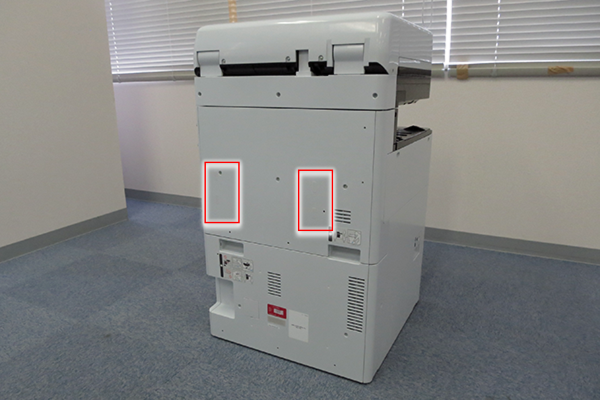
- Left side (Without the Finisher Unit only)
Peel off the 4 Blindfold seals.
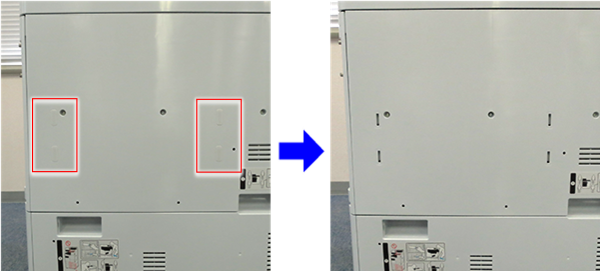
Insert the hook (x4) of the Document holder into opening of the cover and attach it.
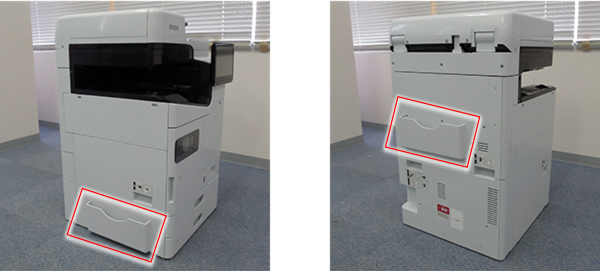
- Back side
Remove the releasing paper from the Cleaning cloth holder, and attach to appropriate position of the Main Unit.
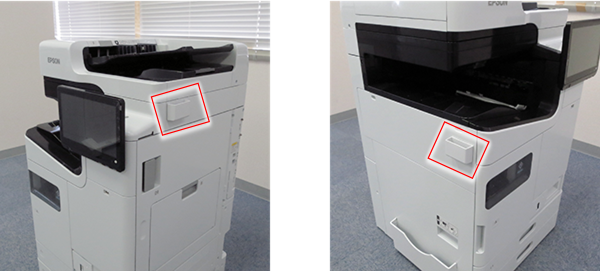 Note / 補足
Make sure to confirm customer requirements where to attach.
Holds the Cleaning cloth.
Connect the Power cable between Main Unit and the electrical outlet.
Caution / 注意- Confirm that there is no condensation inside the product before turning on the power.
- If condensation occurs, the fatal error (031008, 034209) may occur. Turn off the power immediately and leave it to dry (about 12 hours). If the power-on state continues, it causes a head failure.
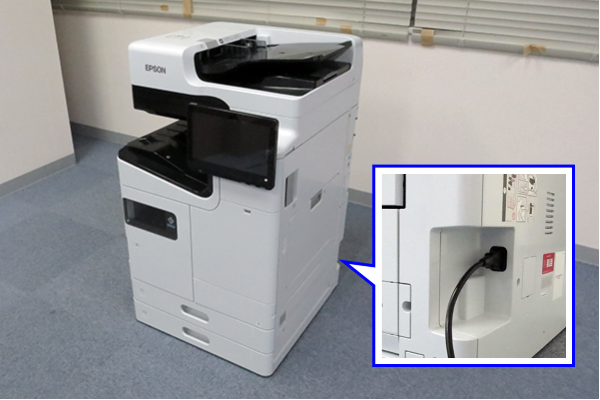
If necessary, check the levelness of the floor (the setup inclination of the main unit).
Caution / 注意- Precautions about floor conditions when installing the main unit
- Install the unit on a horizontal floor (A) . If installing in an environment that is not horizontal (B~D), there is a risk of injury due to the device overturn, malfunction, and ink leakage.
- Example of a not holizontal Floor
- B: Weak floor
- C: Uneven floor
- D: Sloped floor
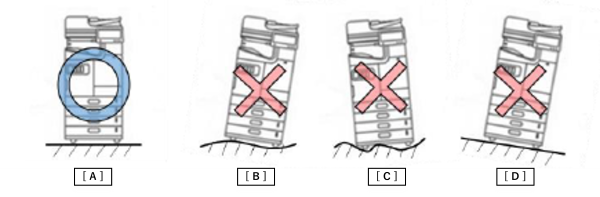
- Example of a not holizontal Floor
- If the installation environment is not horizontal (e.g. the floor material is soft), check the installation inclination of the main unit using an inclinometer established by ASP.(How to use an Inclinometer ASSY)
- Install the unit on a horizontal floor (A) . If installing in an environment that is not horizontal (B~D), there is a risk of injury due to the device overturn, malfunction, and ink leakage.
- Precautions about floor conditions when installing the main unit