SDL Unit Sensor
- Refer to the following and remove the floor finisher from the printer main unit.
Floor Finisher Installation Procedure
 Caution / 注意
- When disconnecting the Floor Finisher from the Main Unit, the power of the Main Unit must be turned off.
- Refer to the following and remove the SDL Unit from the floor finisher.
Saddle Unit Installation Procedure
Caution / 注意- When disconnecting the Saddle Unit from the Floor Finisher Unit, the power of the Main Unit must be turned off.
- Remove 1 screw, remove the connector (A), and remove the SDL Unit Senor (B).
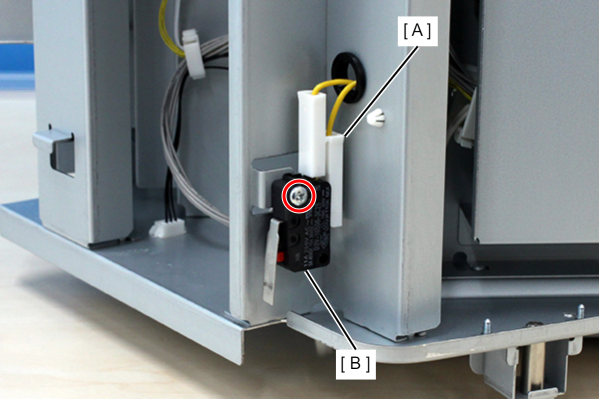
 : 3x16D
 Assembly / 組み立て
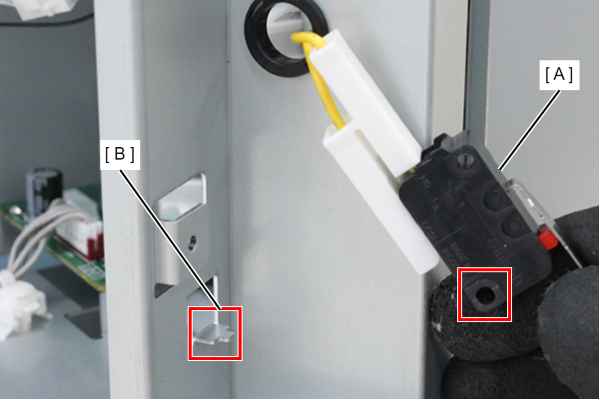
Align the positioning hole of the SDL Unit Senor (A) with the projection (B) on the frame and attach.