
Paper Tray Post-Pickup Sensor
Paper Tray Post-Pickup Sensor
Position
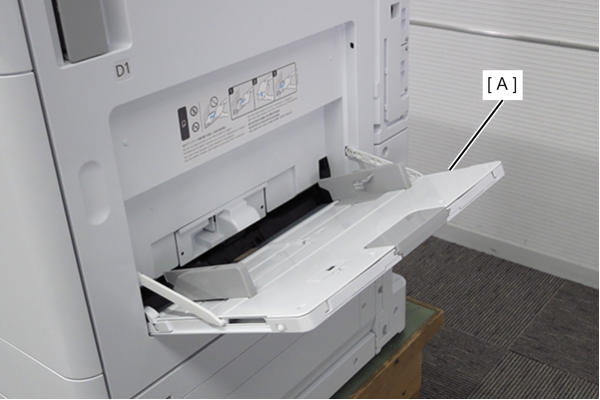
- Open the Paper Tray (A).
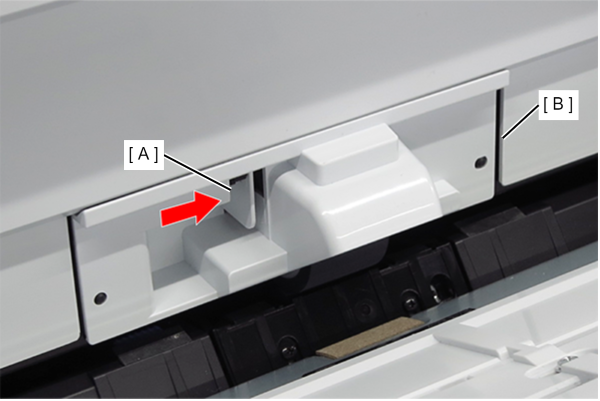
- While pushing the hook (A), remove the Paper Tray retard roller cover (B).
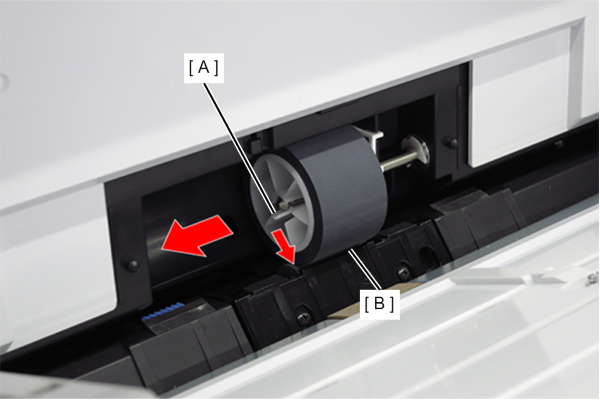
- While bending the hook (A), remove the Paper Tray retard roller (B) in the direction of the arrow.
- Press the button (A) and remove the Paper Tray pickup roller assy (B).
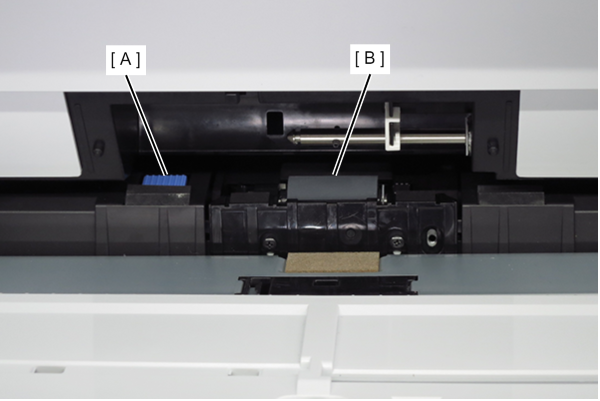
- Clean the sensor surface with a cleaner stick.
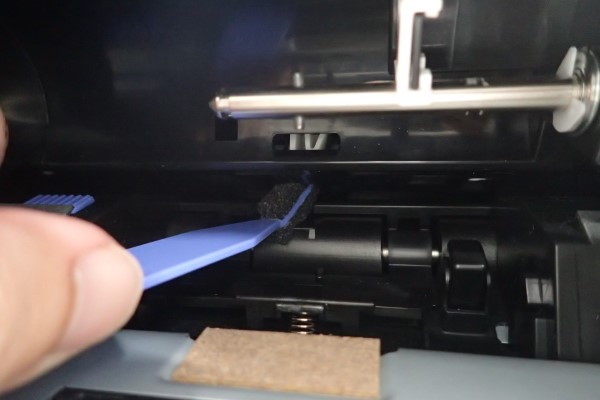
Cleaning method
Wipe the sensor surface with the sponge part of the cleaner stick lightly. If the sponge becomes dirty, wipe with a clean cloth moistened with pure water by gently stroking the surface of the sponge.