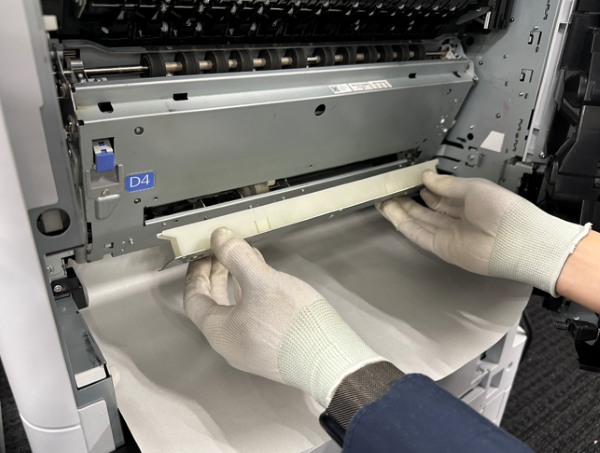
Belt unit (paper dust collection box)
 Note / 補足 Note / 補足 |
|
Cleaning Procedure
- Pull the lever to open the Right Door Unit (A).
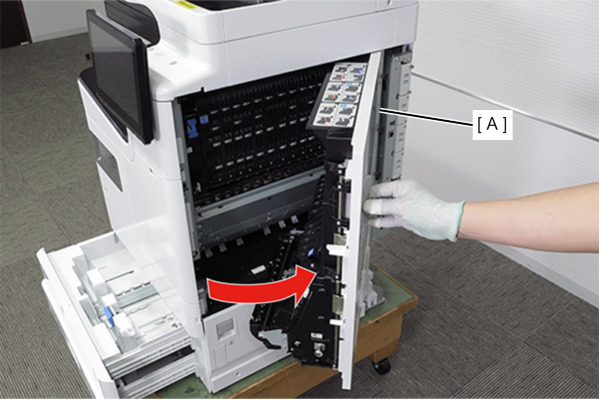
Pull the lever (A) to open the belt unit (B).
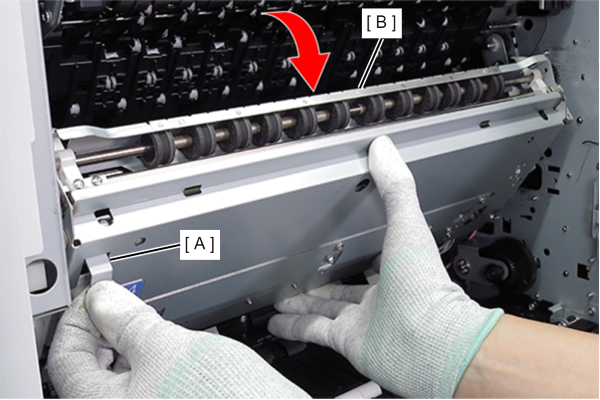
While holding the belt unit (A), open and close the belt unit (A) about 5 times.
Note / 補足The purpose is to remove residual paper dust inside the belt unit into the paper dust box.
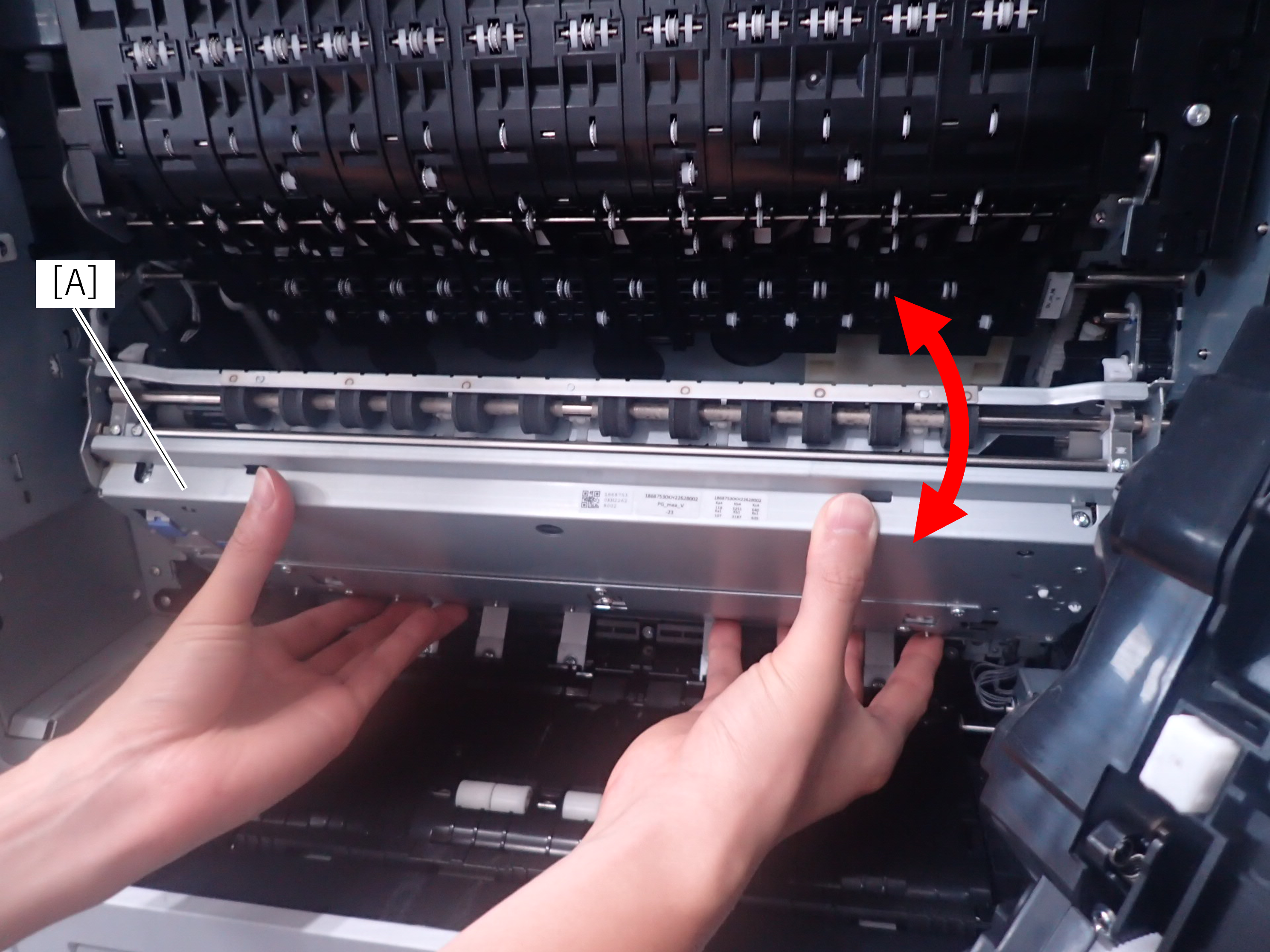
 Caution / 注意
Be sure to hold the belt unit (A) while doing this to prevent damage to the belt arm (B).

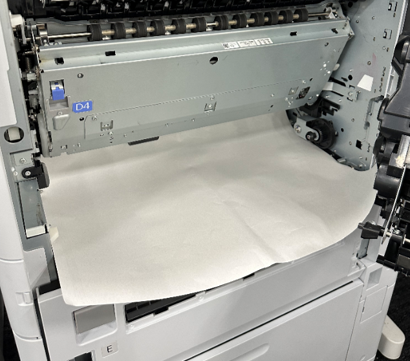
Set the paper in the paper feed path.
 Check Point / チェックポイント
- Paper dust may fall into the paper feed path when removing the paper dust collection box. Spreading paper facilitates collection work when paper dust falls.
- Recommend A3 and Ledger paper size.
- Remove the 5 screws on the front of belt unit.
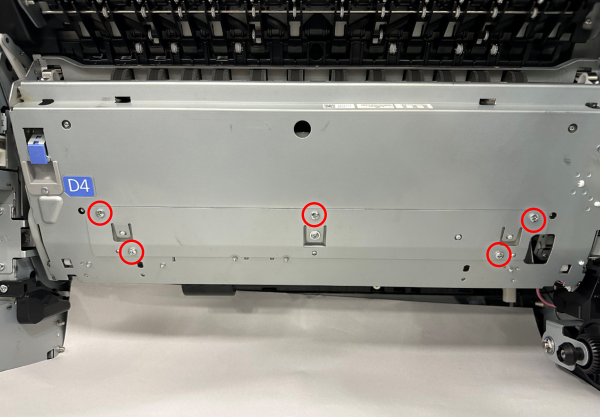 Caution / 注意
- When removing the 2 screws on the right side, a short shaft + screwdriver is required.
- Because of the paper dust collection box does not have a temporary fixing structure, remove the screws while supporting the paper dust collection box.
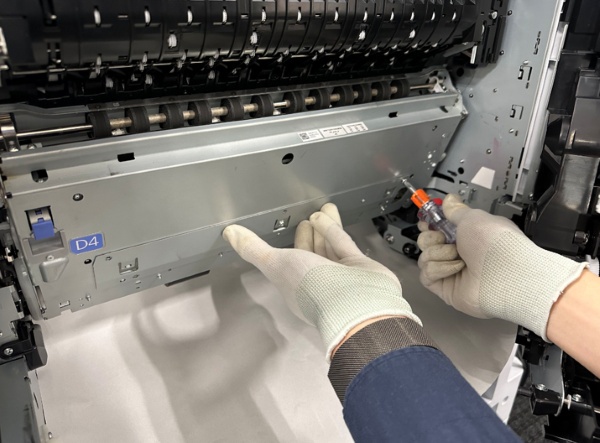
- As shown in the figure below, remove the paper dust collection box from the belt unit while holding with both hands.
After that, discard the paper dust accumulated in the BOX.