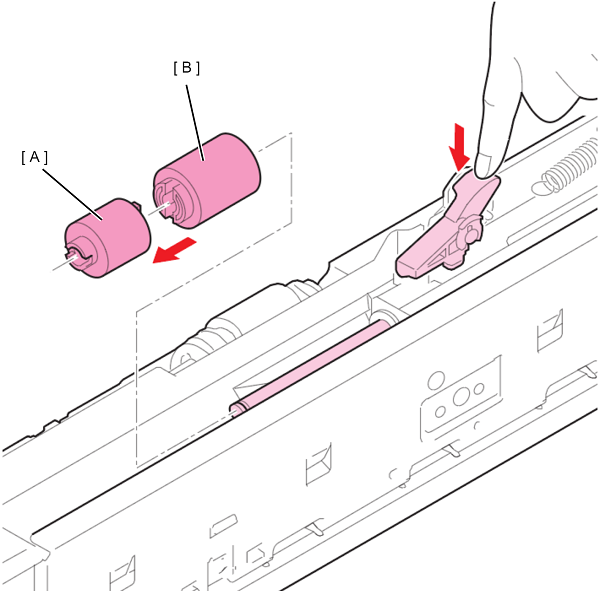
Retard Roller
- Refer to the following and remove the High Capacity Paper Feed Unit from the printer main unit.
High Capacity Unit Installation Procedure - Remove the 1 screw and remove the Cable Cover.
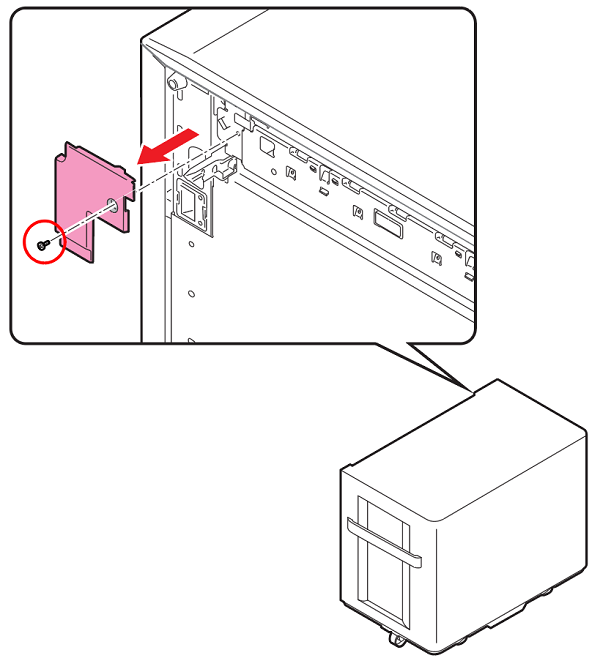
 : 3x6D/P
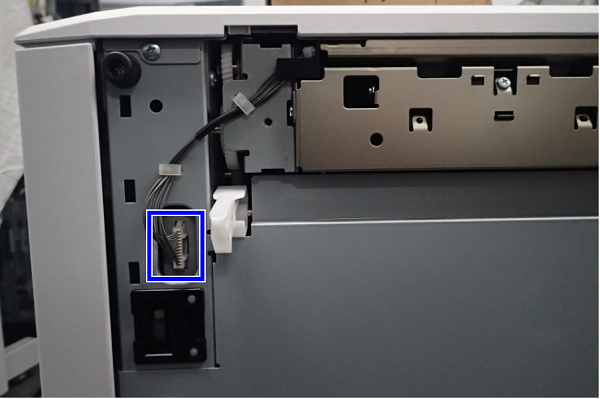
- Disconnect the connector from the High Capacity Unit.
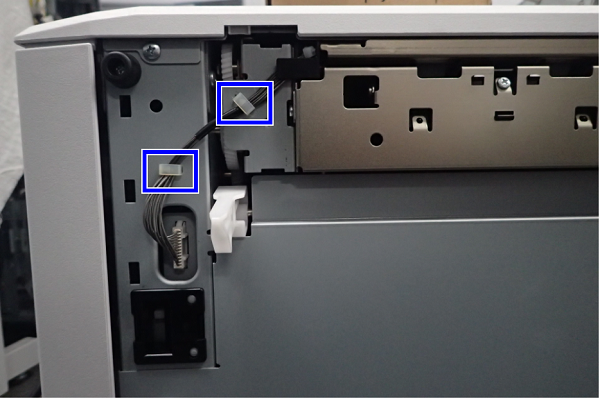
- Release the cable(s) from 2 clamps.
- Remove the screw.
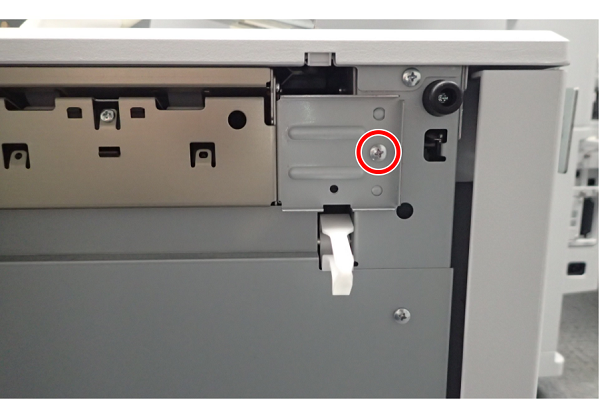
- : 4x8M/P
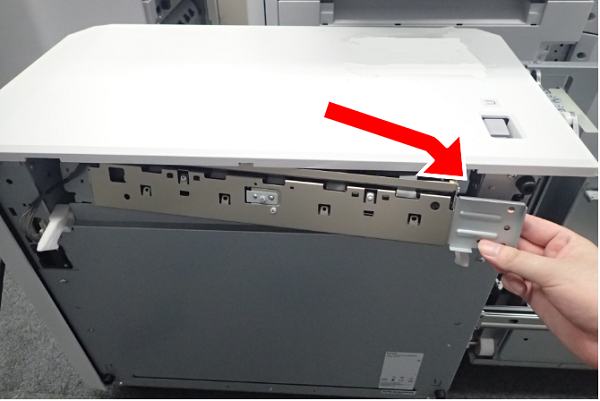
- Slide the Paper Feed Unit to the front, then remove.
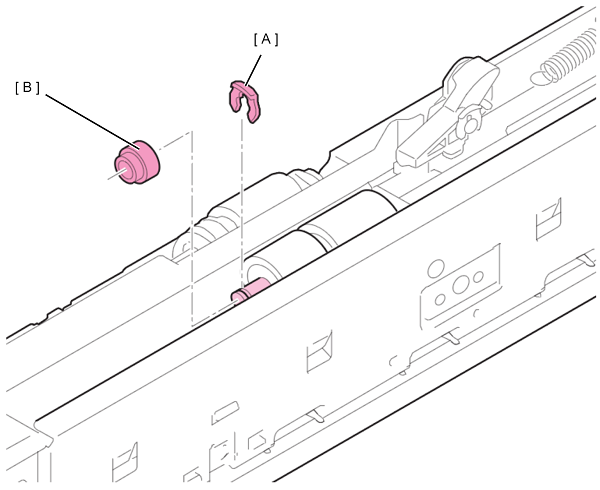
- Turn over the Paper Feed Unit, and remove the stopper ring (A) and spacer (B) from the Retard Roller Bearing.
 Caution / 注意
When removing the spacer, take care not to drop the set pin fixing the torque limiter.
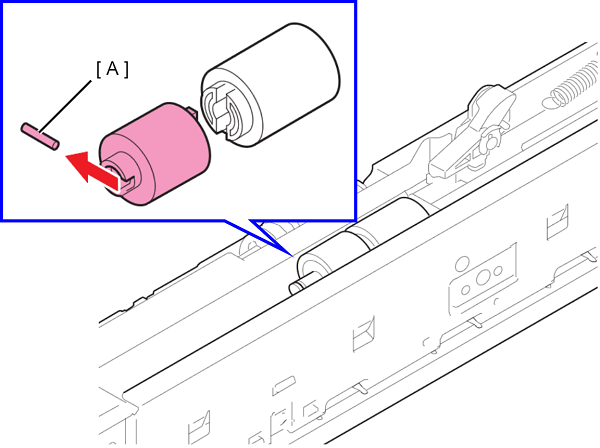
Extract the set pin (A) from the torque limiter.
 Caution / 注意
Do not touch the surface of the roller.
- Press the retard releasing lever, then extract and remove the Torque Limiter (A) and the Retard Roller (B).