
Advance Preparation
 Check Point / チェックポイント Check Point / チェックポイント |
Use a USB memory without encryption function. |
- Connect the USB memory to your PC and create a folder named "FWCJ91TL" in the hierarchy directly under the USB memory.
For AM-M5500, create a folder named "FWCL48TL".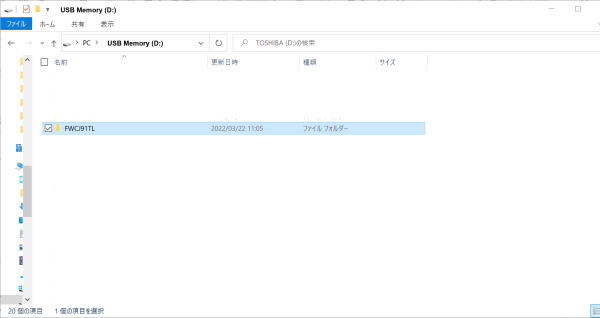
 important / 重要
- Be sure to name the folder "FWCJ91TL". For AM-M5500, be sure to name the folder "FWCL48TL".
- Make sure to create a folder directly under the USB memory.
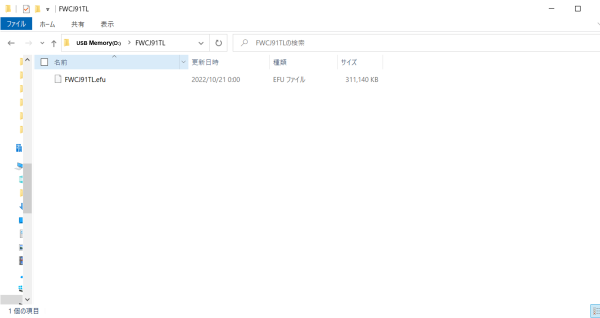
Download the firmware data and store the efu file in the folder created in the USB memory.
 important / 重要
- Store one data in the firmware data (efu file) in the folder. Do not store anything other than these data.
- Confirm that the names of the firmware data are as follows.
Firmware data: FWCJ91TL.efu
For AM-M5500, Firmware data: FWCL48TL.efu