
Printing Delay via Wireless LAN Environment
If a sufficient data transmission speed is not secured due to the customer's wireless LAN environment, it may take time before starting print.
Check whether the signal strength is secured, and then guide the corresponding method to the customer according to the signal strength judgment criteria.
 Note / 補足 Note / 補足 |
|
Confirming the signal strength
- Check the number of signals on the home screen.
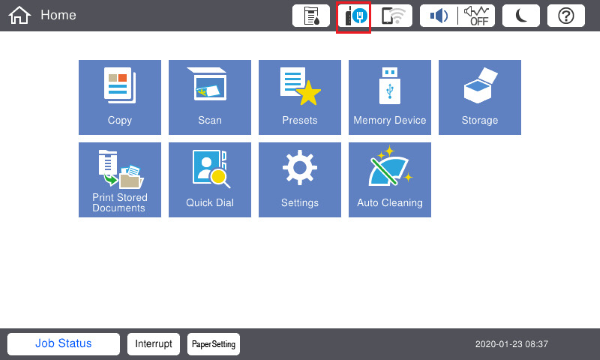
The signal strength is automatically updated once every 5 seconds. - Repeat the above confirmation 5 times at 30 second intervals.
Signal strength judgment criteria
| Signal strength confirming result | Judgment | Guidance to customers |
|---|---|---|
All 5 times "Very good (3 signals) or “Good (2 signals)” |
There is no problem with the reception environment | Wireless LAN can be used normally. |
| When there is "Weak (one signal)" even once | There may be a problem with the reception environment. | Communication speed may decrease or wireless disconnection may occur. Changing the install location or changing to a wired LAN is recommended. |
When there is "Weak (One signal)" all 5 times or "Bad (No signal)" even once |
There is a problem with the reception environment. | Communication speed may decrease or wireless disconnection may highly occur. Change the install location or changing to a wired LAN. |