
PF Lift Upper Limit Sensor
- Refer to the following and remove the High Capacity Paper Feed Unit from the printer main unit.
High Capacity Unit Installation Procedure - Remove the 1 screw and remove the Cable Cover.
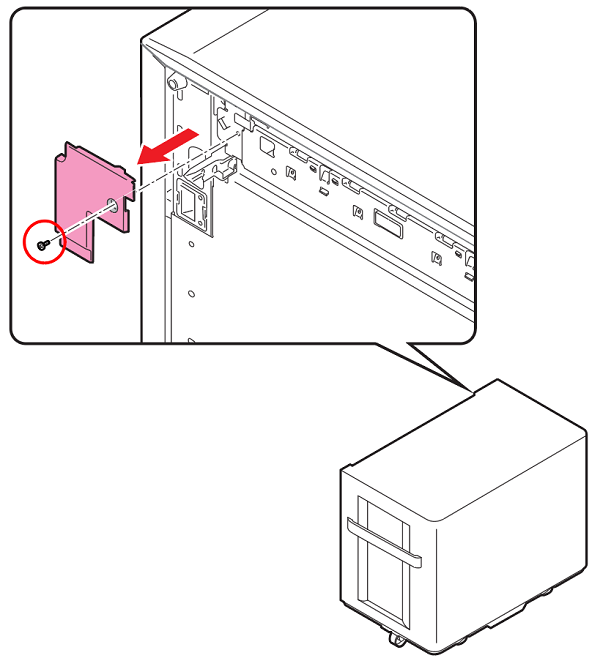
 : 3x6D/P
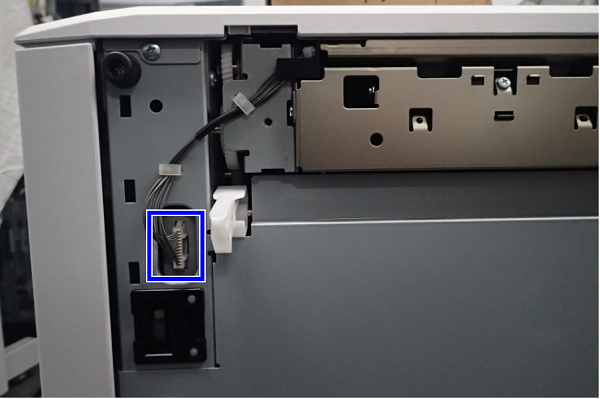
- Disconnect the connector from the High Capacity Unit.
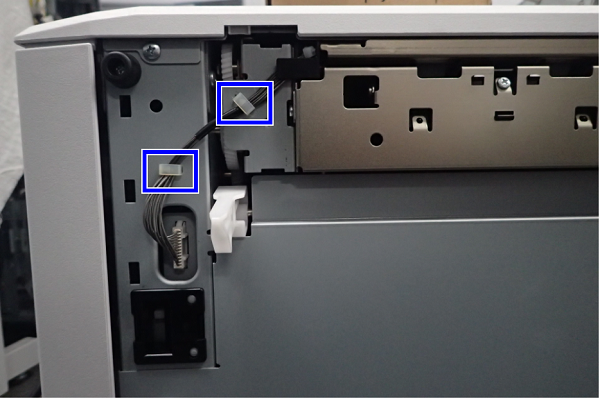
- Release the cable(s) from 2 clamps.
- Remove the screw.
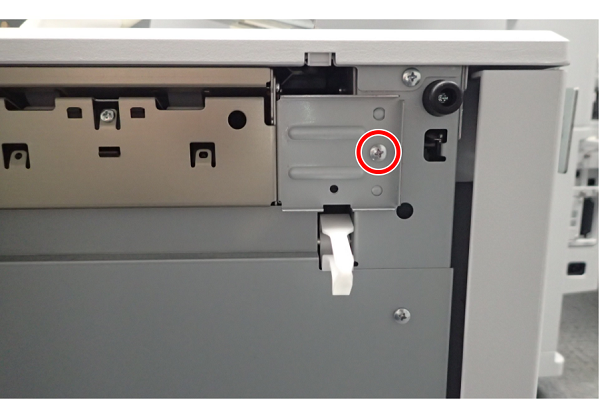
- : 4x8M/P
- Slide the Paper Feed Unit to the front, then remove.
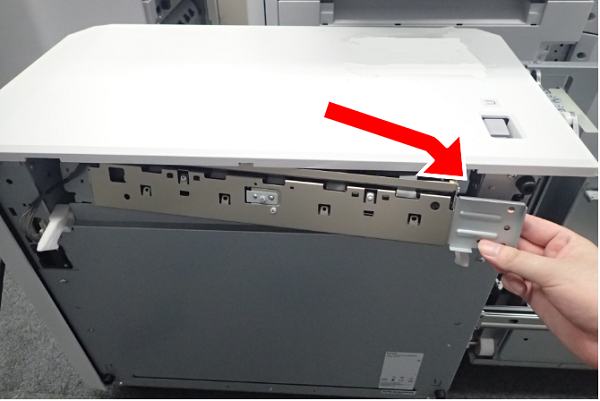
- Remove the 4 screw.
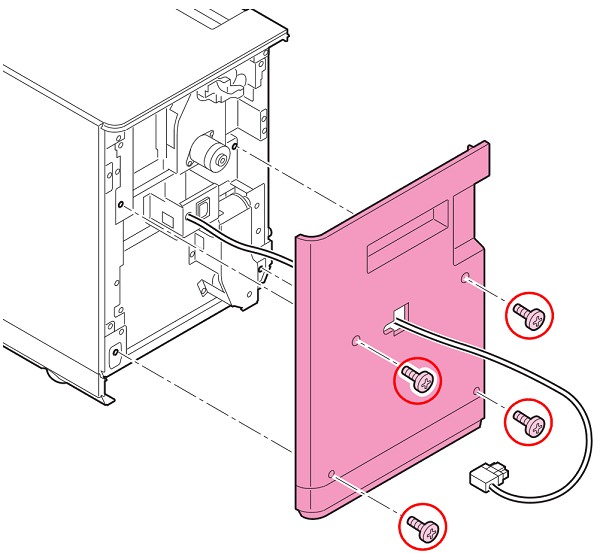
- : 4x10DC/P
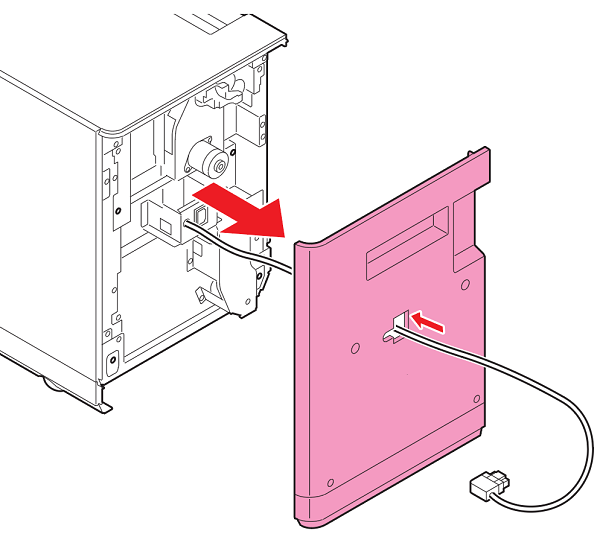
- Remove the Back Cover while pulling out the cable from the hole in the Back Cover.

 important / 重要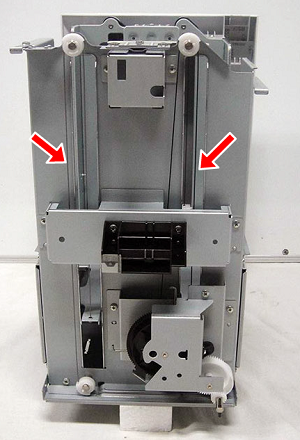
- Do not remove the Lift Wire parts except when there is trouble.
- The wires for lifting up are holding the front and back of the lift cassette horizontal so you need to perform horizontal adjustment if they are removed.