
1101 Troubleshooting and Repair Setting during Initial Ink Charge
Before the initial charging is complete, printer operation is limited.
By using this menu, it is possible to perform the Failure Verification and repair work (with limitations) and the initial charging after repairs work before the initial charging is complete or if the initial charging fails.
- Start the service support mode.
- Select the [11 Troubleshooting and Repair during Initial Ink Charge]
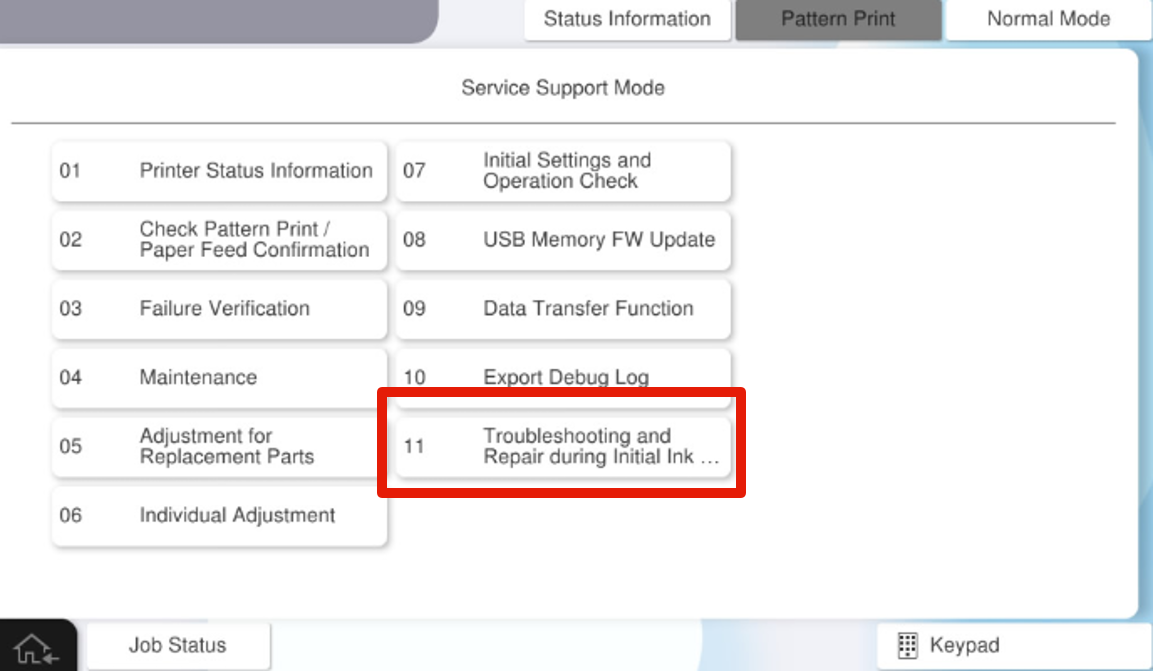
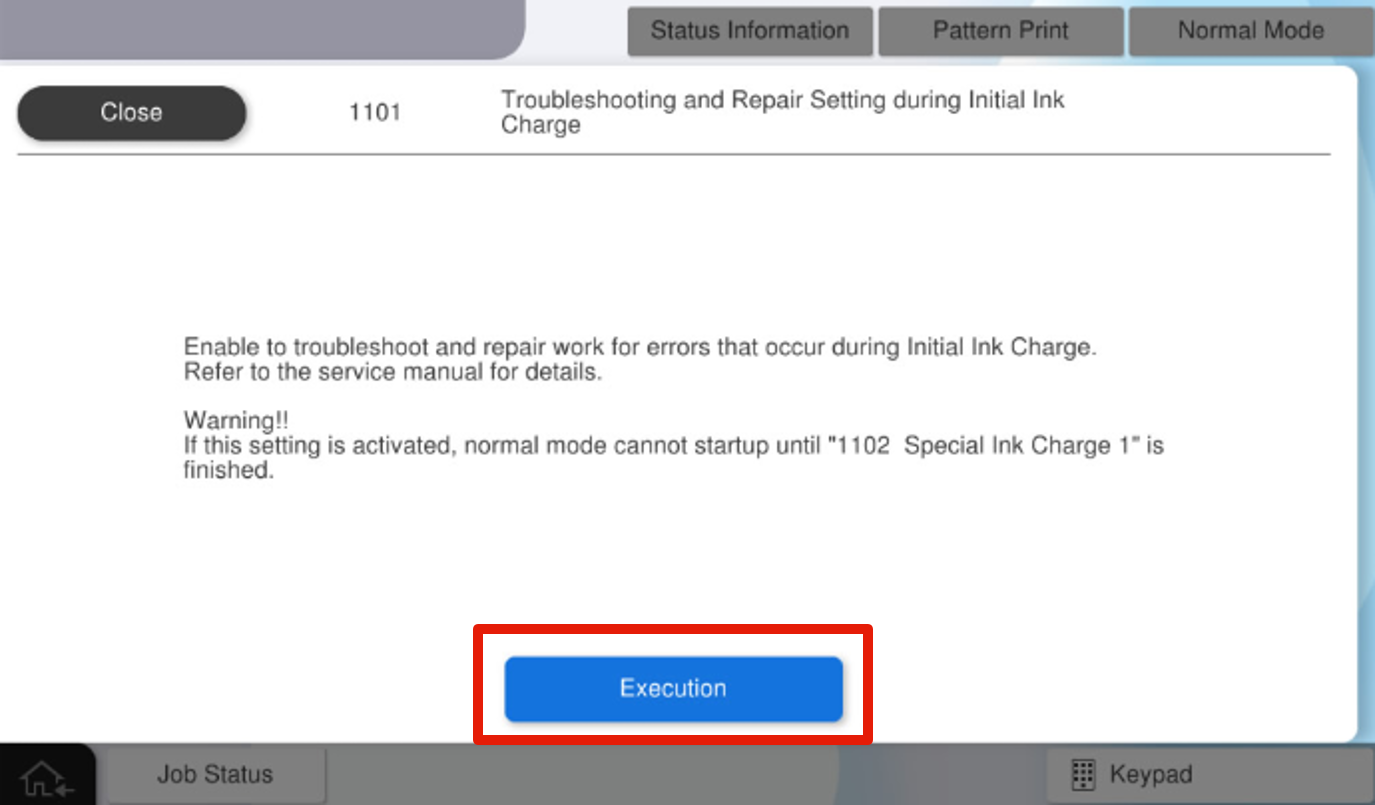
- Select the [1101 Troubleshooting and Repair Setting during Initial Ink Charge]
- Press the [Execution].
- Press the [Complete].
 Check Point / チェックポイント Check Point / チェックポイント |
|||||||||||||||||||||||||||
After executing this menu, the following menus in service support mode will be available.
|