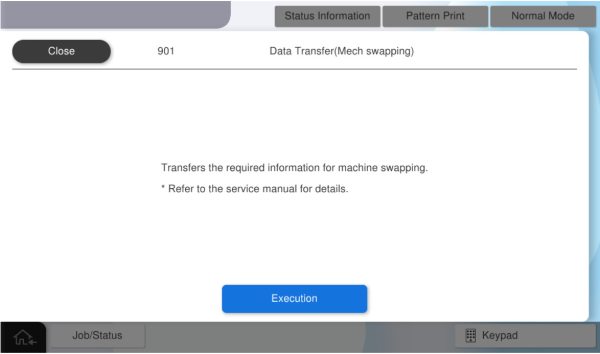
901 Data Transfer (Swapping the Machine)
Transfer the data necessary to operate with the user information of the failed machine when swapping the machine.
 Caution / 注意 Caution / 注意 |
|
- Turn off the power to the failed machine (A) and replacement machine (B).
- Transfer the following parts from the failed machine (A) to the replacement machine (B).
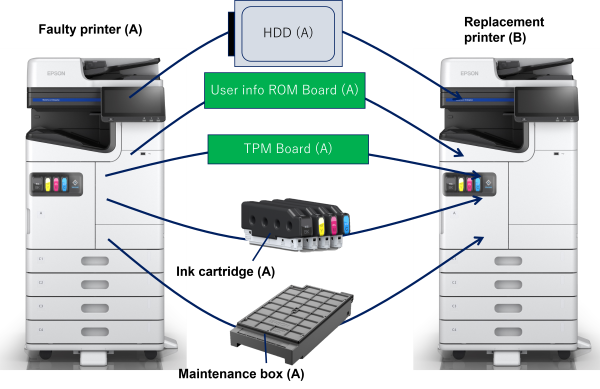
Parts Name Reason for moving HDD (Standard) To transfer user information from the malfunctioned machine.
User Information ROM Board TPM Board When the password encryption function is enabled, the HDD encryption key is linked to both the user information ROM board and the TPM board.
Ink cartridge
Because the consumption is stored in the user info ROM board.
Maintenance box
- Turn on the power of the replacement machine (B) and start the service support mode.
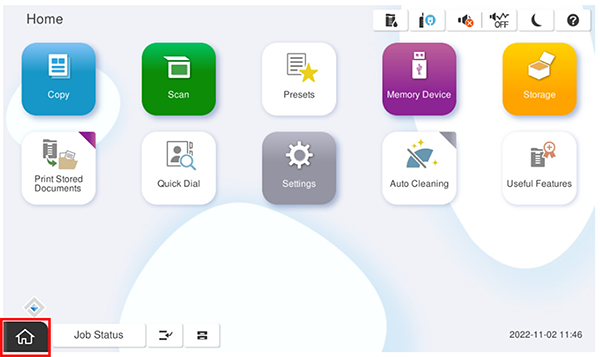
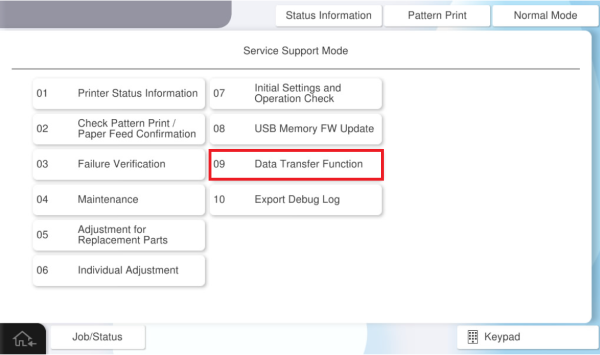
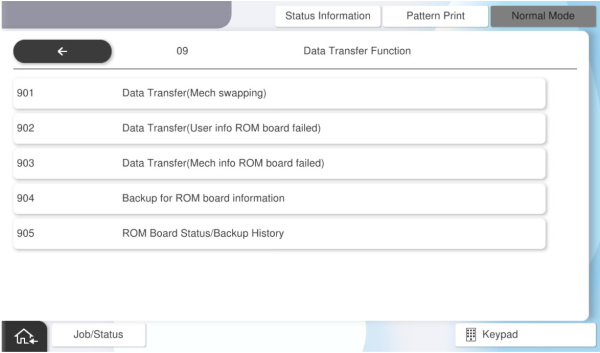
- Select [09 Data Transfer Function].
- Select [901 Data Transfer(Mech swapping)].
Press [Execution].