Repair correspondence when HDD is used in mirroring
Mirroring system configuration
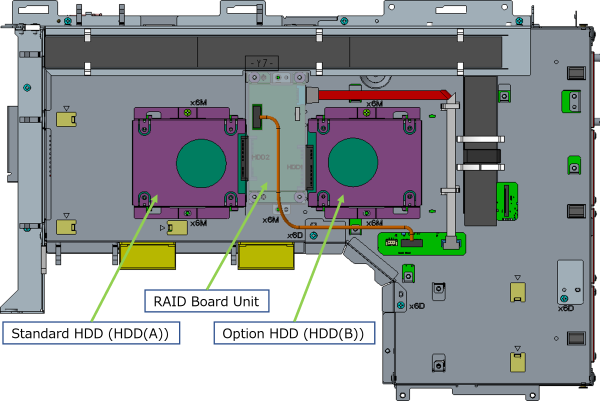
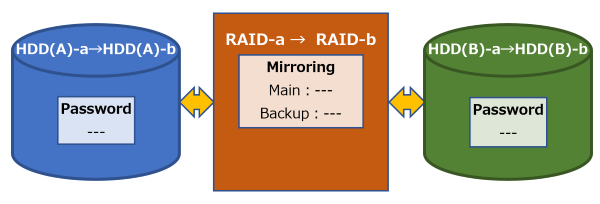
The mirroring system consists of the following three units. (See diagram below)
・Standard HDD unit (HDD(A)): HDD installed in the standard configuration of the printer
・Option HDD unit (HDD(B)): Optional HDD prepared for building a mirroring system
・RAID board unit (RAID): Optional board prepared for building a mirroring system
(Included with the additional HDD unit as an optional product)
Mounting/replacement operation of the mirroring system configuration unit
When the mirroring system configuration unit is installed/replaced, the contents of the already connected HDD (including the password) are automatically copied (=rebuilt) to the installed/replaced HDD.
Depending on the amount of data saved, rebuilding takes from one minute to several minutes.
During rebuilding, printer operation is possible using the already installed HDD as the main HDD.
When rebuilding is completed, the standard HDD is always set as the mirroring main HDD, and the option HDD is set as the backup HDD.
The behavior at the time of unit installation/replacement is explained below. (Changed items before and after work are shown in red)
When installing an option HDD unit
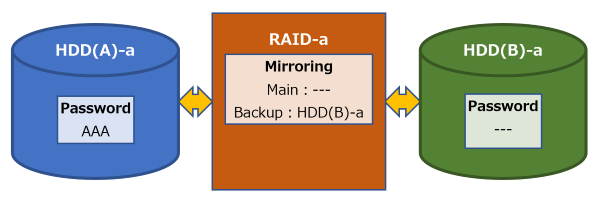
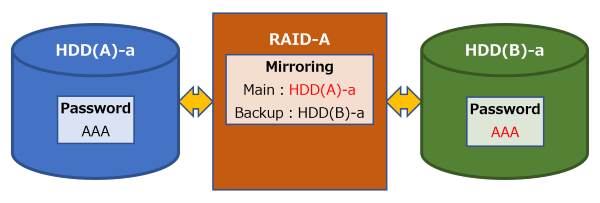
When the option HDD unit (+ RAID board unit) is installed for the first time, the printer automatically sets and starts mirroring.
<When installing>
<When initial settings are completed> 
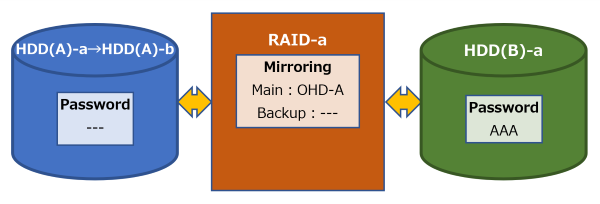
When replacing a standard HDD unit
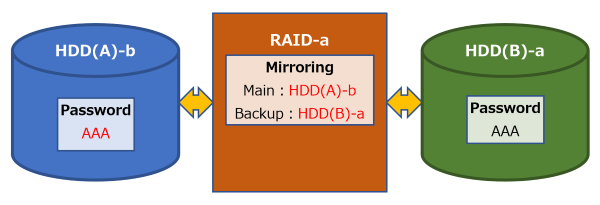
When the standard HDD unit is replaced, the option HDD operates as the main HDD, and after rebuilding, the replaced standard HDD is set as the main HDD and the option HDD is set as the backup HDD.
<When replacing>
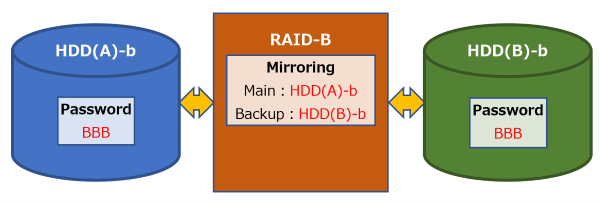
<After rebuilding>
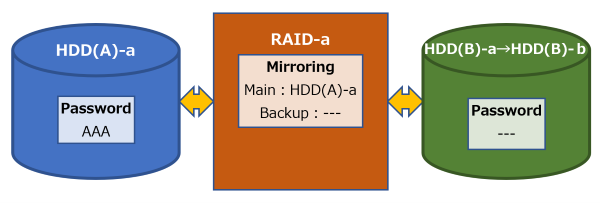
When replacing an option HDD unit
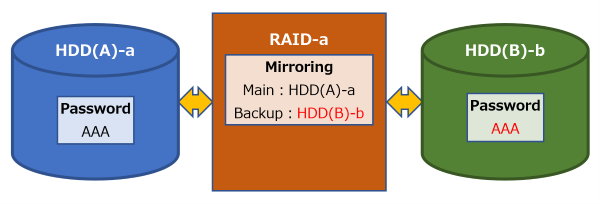
When the option HDD unit is replaced, the standard HDD operates as the main HDD, and the replaced option HDD after rebuilding is set as the backup HDD.
<When replacing>
<After rebuilding>
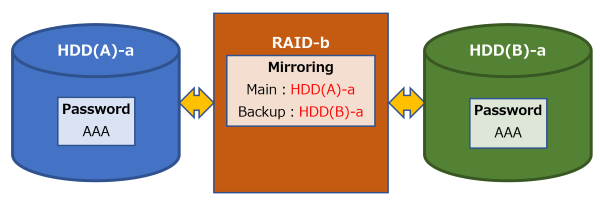
When replacing the RAID board unit
When the RAID board unit is replaced, the mirroring system will be activated after rebuilding (= writing settings to the new RAID board).
<When replacing>
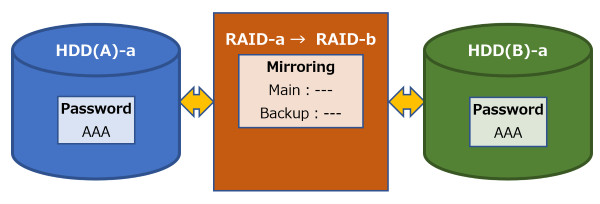
<After rebuilding>
When replacing an option HDD unit and a RAID board unit at the same time
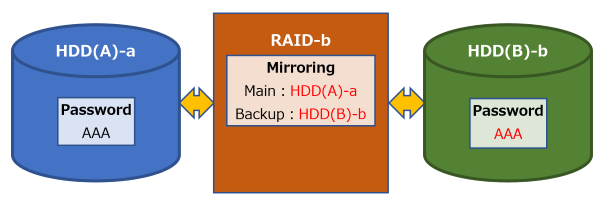
When replacing an option HDD unit and a RAID board unit at the same time
The mirroring system operates with the option HDD replaced after the rebuild is completed as a backup HDD.
<When replacing>
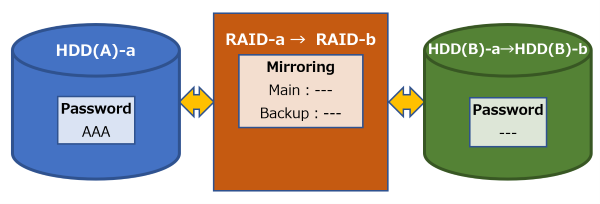
<After rebuilding>
Simultaneous replacement of all units
When all units are replaced at the same time, mirroring initial setting starts automatically.
After the setting is complete, mirroring will start with the standard HDD as the main HDD and the option HDD as the backup HDD.
 Note / 補足 Note / 補足 |
|
<When replacing>
<When initial settings are completed>