
SCN CIS Module
Cleaning purpose
When replacing the SCN CIS module, foreign objects such as paper dust may adhere to the reading surface.
Depending on the usage environment, condensation may occur inside the scanner case, causing water stains on the SCN CIS Module reading surface.
Position
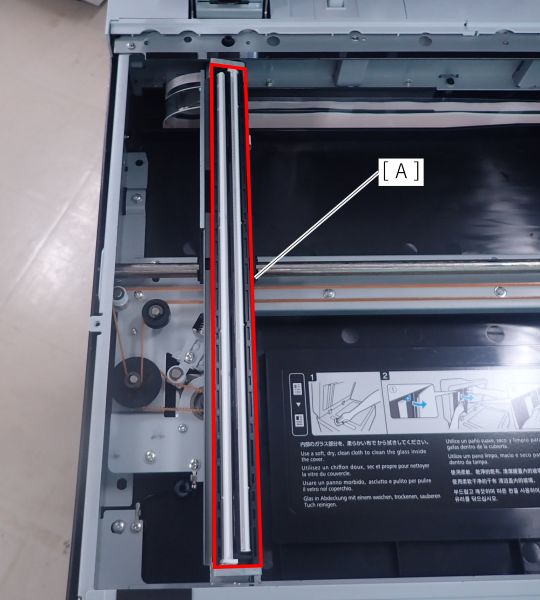
SCN CIS Module reading surface (A)
Cleaning method
Check for foreign objects or dirt, and clean with a cleaning cloth if necessary.
After cleaning work
Follow the procedure below to check after cleaning.
- Start the service support mode and print 20103 Color Gradation Pattern (AM-M5500: Gradation Pattern).
- Start printer with user mode.
Perform a copy from the document glass with the printed gradation pattern as the manuscript.
Check the copy results and confirm there are no problems with the copy quality.
 Check Point / チェックポイント
- If the copy have banding, there may be foreign objects on the CIS module's readout or glass surface.
- If foreign substances are attached, clean the attached area and check the copy results again.