
ADF Retard Roller
Cleaning purpose
Paper dust and foreign objects adhere to the ADF retard roller, it may cause paper feeding problems.
Position
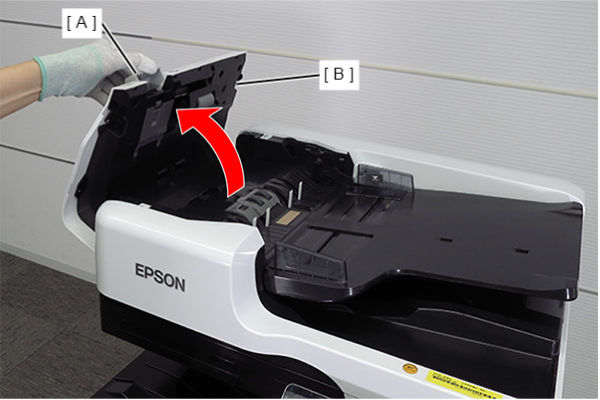
- Open the ADF cover (B) while pulling the lever (A).
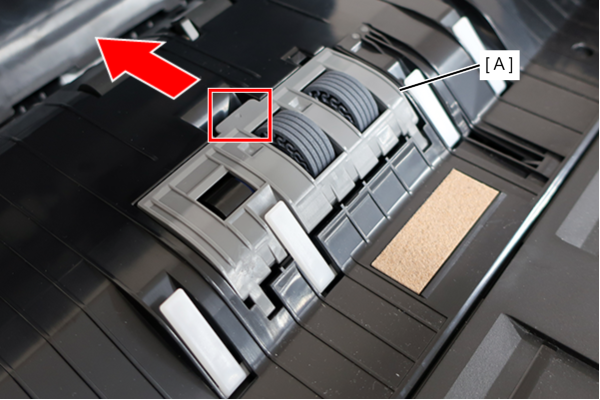
- Lift the protrusion and remove the ADF Retard Roller Cover (A) in the direction of the arrow.
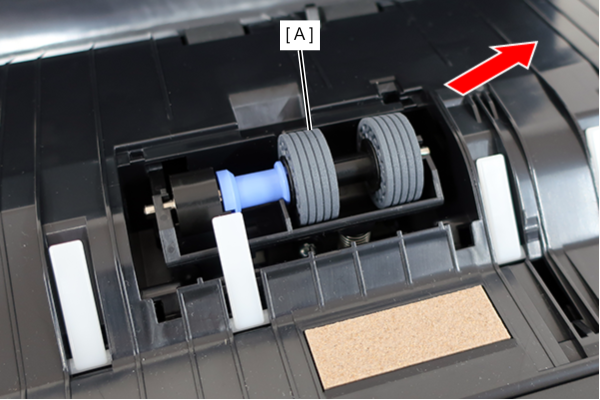
- Lift the right side of the ADF Retard Roller (A) and remove in the direction of the arrow.
 Assembly / 組み立て
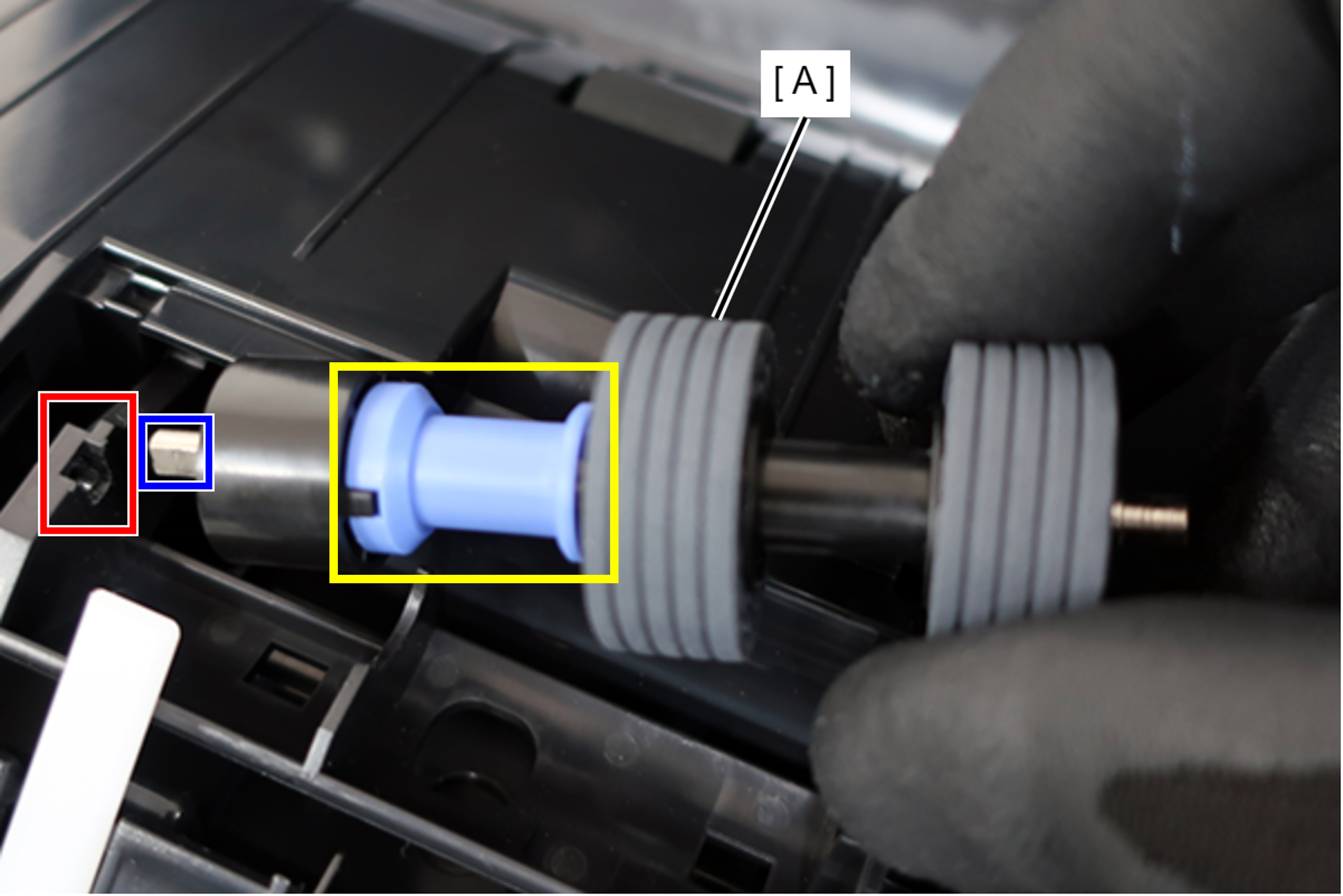
When installing the ADF Retard Roller (A), align the width across flats of the left shaft with the shape of the mounting hole.
 Caution / 注意
When working without wearing gloves, hold the yellow square area while working.
After cleaning, do not touch the rollers.
Cleaning method
Clean the ADF retard roller with a cloth dampened with pure water and wrung out tightly.