
Top Cover
- Refer to the following and remove the High Capacity Paper Feed Unit from the printer main unit.
High Capacity Unit Installation Procedure - Remove the 1 screw and remove the Cable Cover.
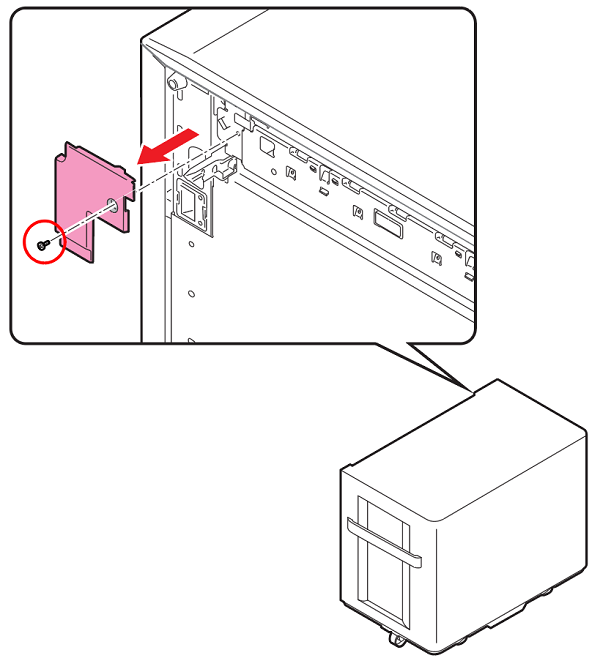
 : 3x6D/P
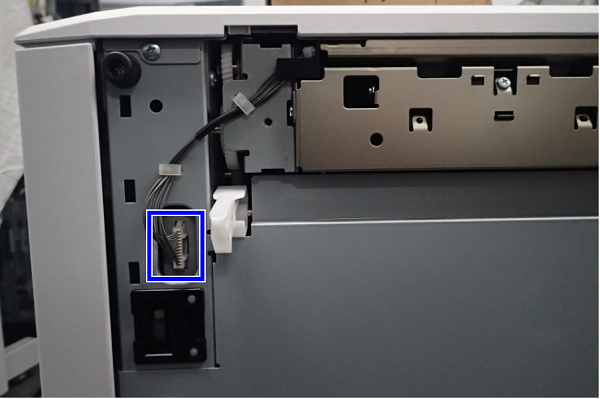
- Disconnect the connector from the High Capacity Unit.
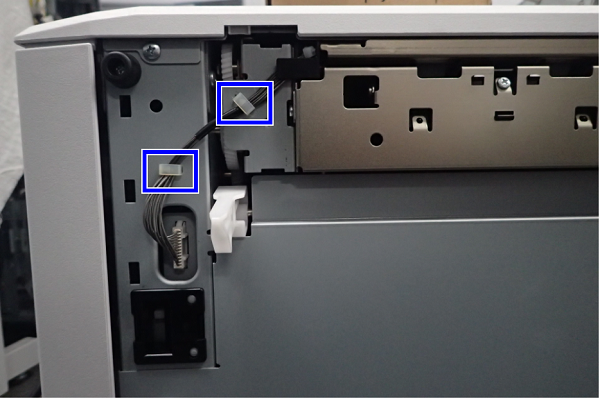
- Release the cable(s) from 2 clamps.
- Remove the screw.
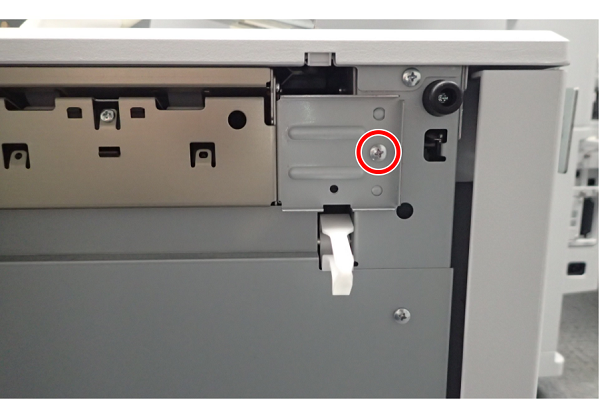
- : 4x8M/P
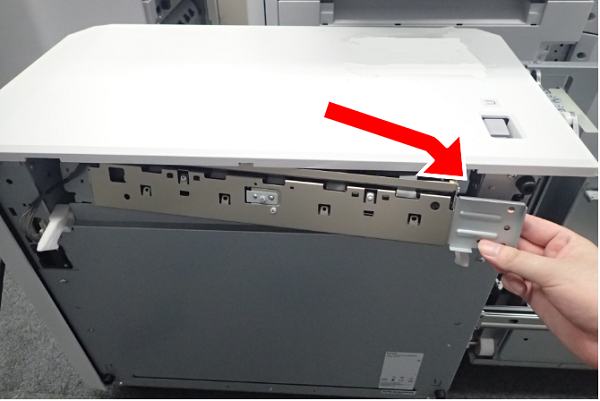
- Slide the Paper Feed Unit to the front, then remove.
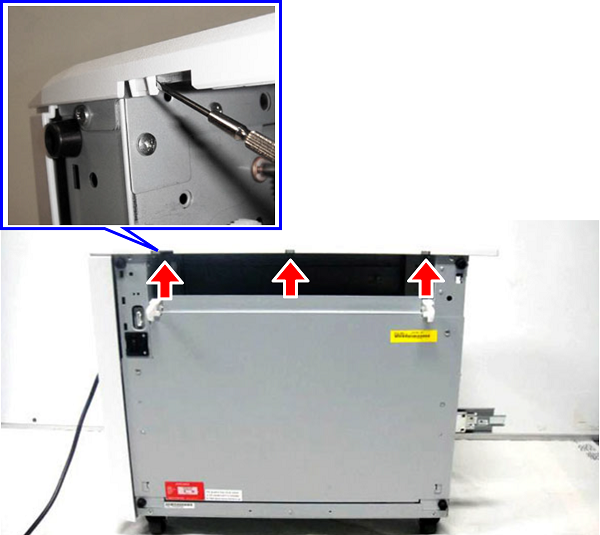
- Disengage 3 hooks at the top part of the left side using the tip of a flat-blade screwdriver.
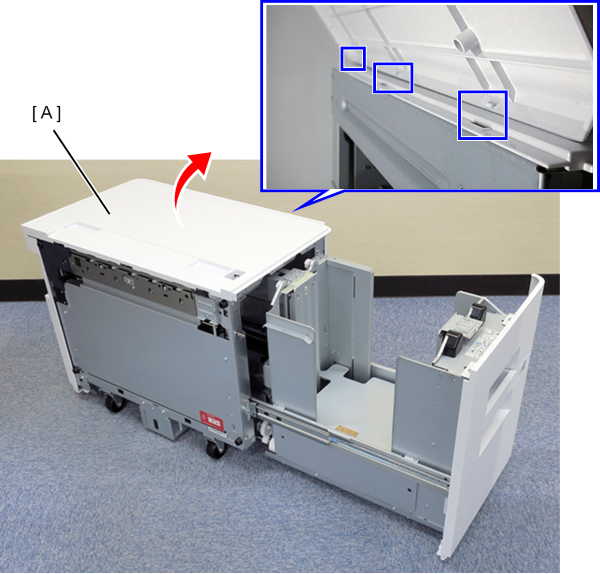
- Lift up and remove the Top Cover (A).
 Assemble / 組み立て
When attaching the Top Cover, hook 3 hooks at the top part of the right side and then fix it in place with 3 hooks at the top part of the left side. Make sure that there is a clicking sound.