
C3 Pickup Unit
- Refer to the following and remove the Additional Cassette Unit from the printer main unit.
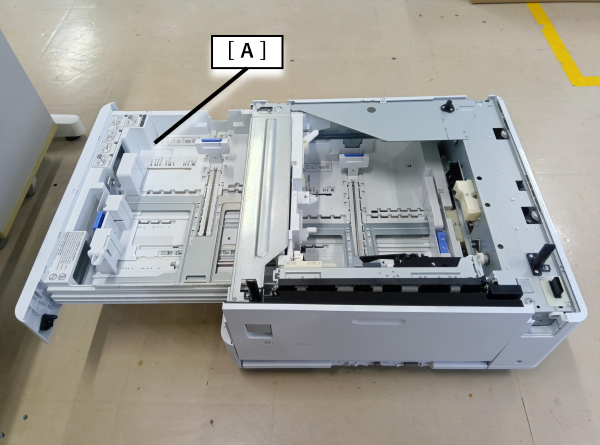
Additional Cassette Unit Installation Procedure - Pull out the C3 cassette (A).
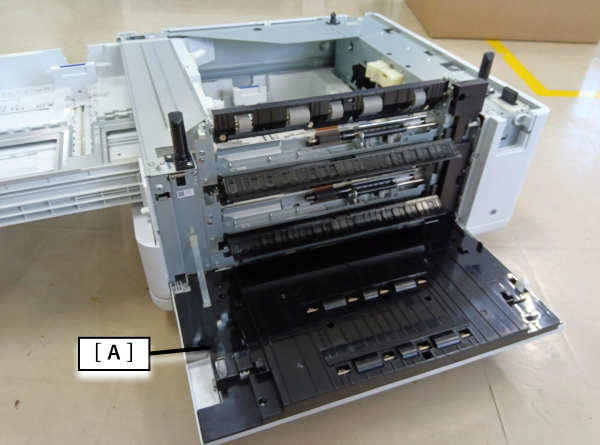
- Open the H3 Cover (A).
- Remove 1 screw.
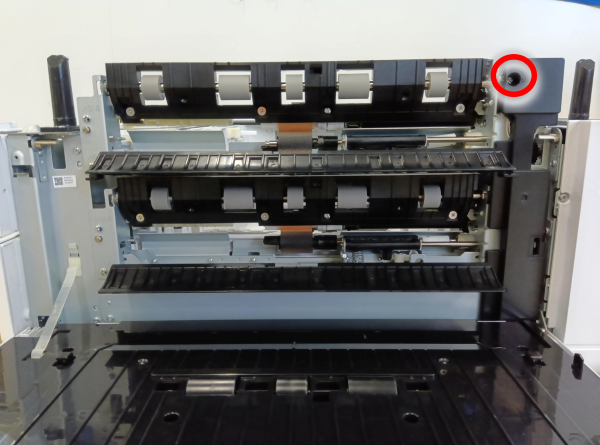
 : 3x8D
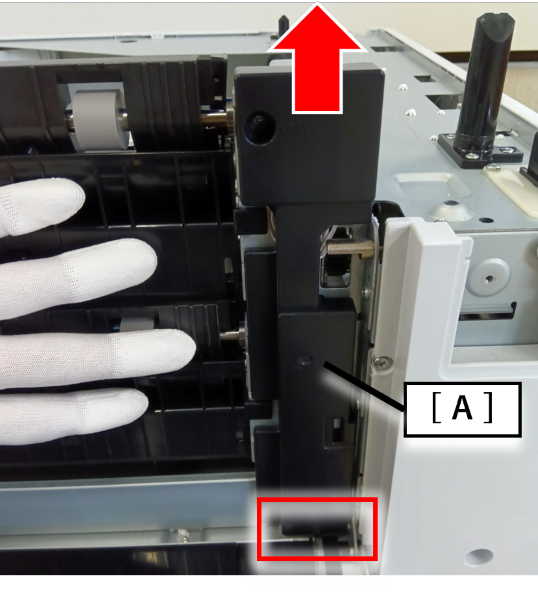
- While holding the flap of the C3, C4 pickup unit with hand, remove the right cover (A) in the direction of the arrow.
- Remove 4 screws.
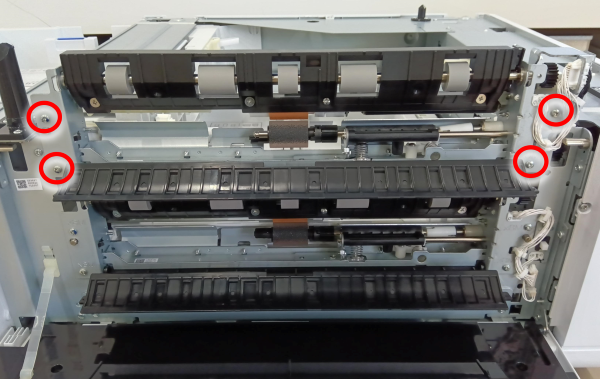
- : 3x8D
- Remove the cable (A) from the relay connector and release them from the clamp.
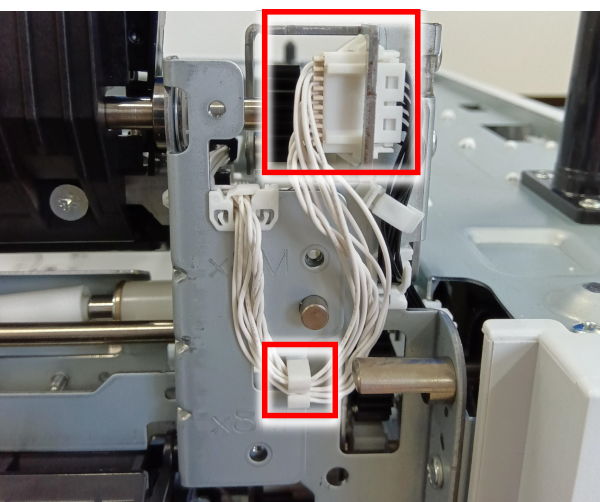
- Release the positioning pin and remove the C3 pickup unit.
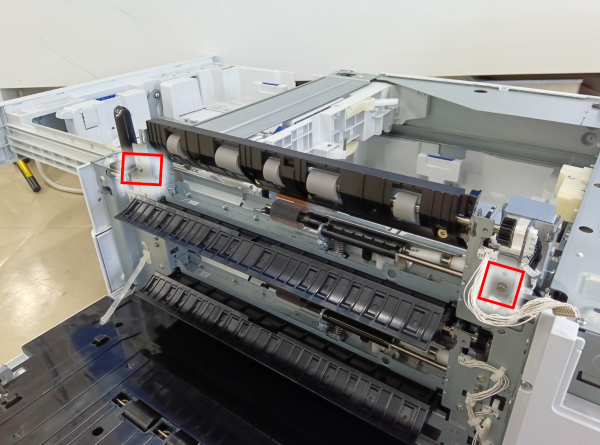
 Caution / 注意
- When replacing the C3 pickup unit, be careful not to damage the paper detection lever (A) of the C3 pickup unit.
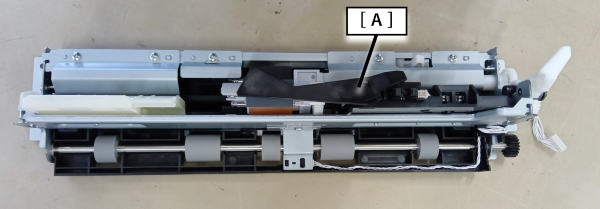
- When replacing the C3 pickup unit, be careful not to damage the paper detection lever (A) of the C3 pickup unit.