Folding Position Inclination Adjustment (Hardware)
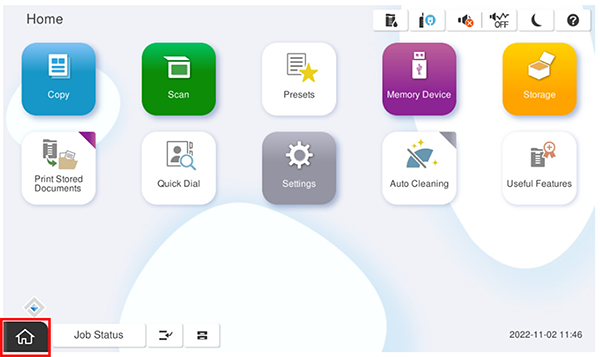
- Start the service support mode.
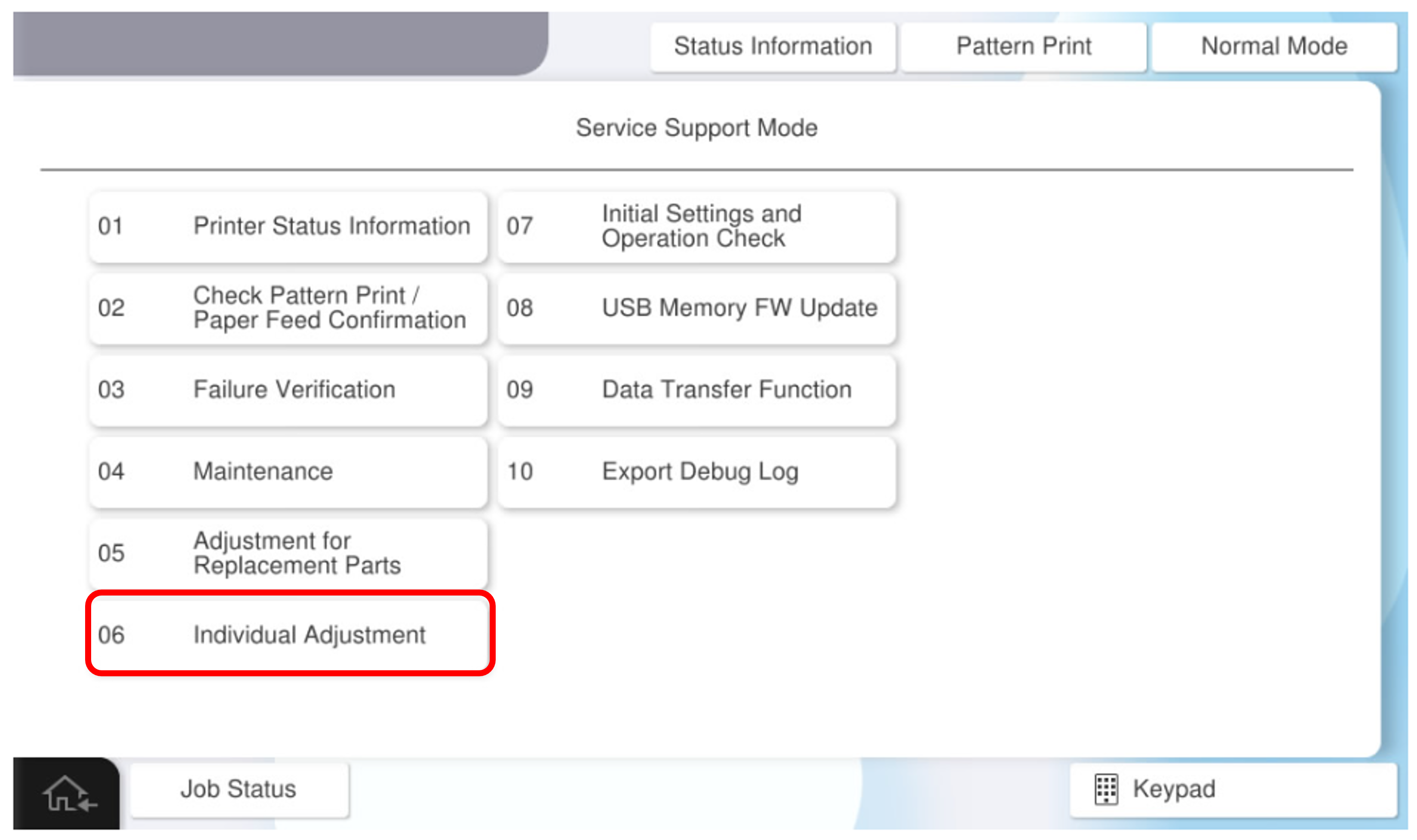
- Select [06 Individual Adjustment].
- Select the [Finisher] tab.
- Select [2040108 Half Folding Stack] and print the pattern.
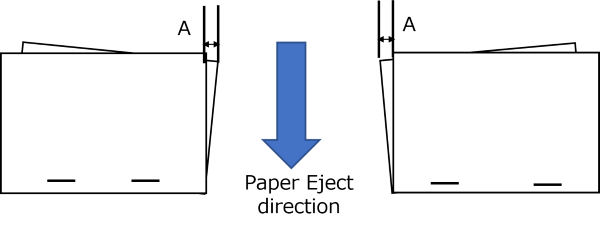
Measure the amount of misalignment (A) with the staple side of the paper facing down.
- Pull out the saddle unit, lift the V2 cover (B), and lift the saddle tray unit (A).
(Paper ejection side)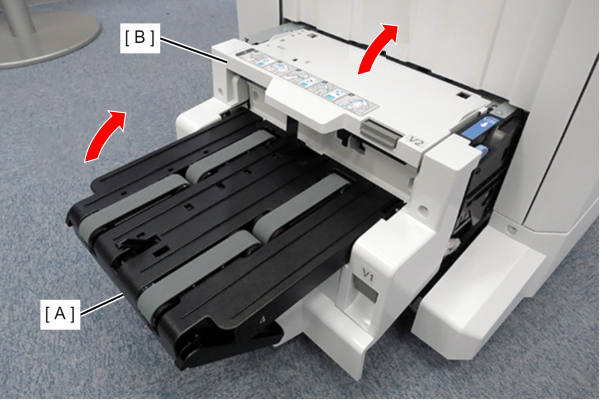
- Remove 1 screw and remove the Front Cover (A).
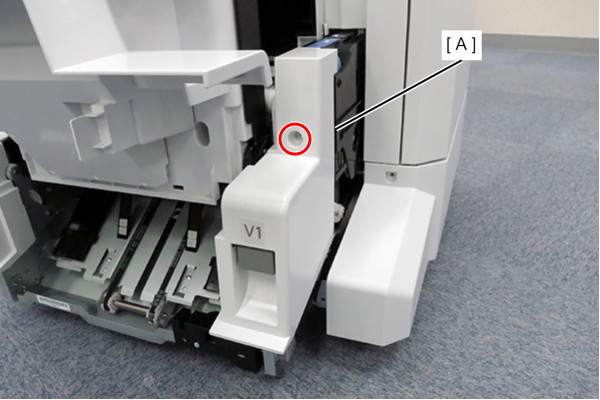
 : 3x8DC/P
- Remove 1 screw and remove the Rear Cover (A).
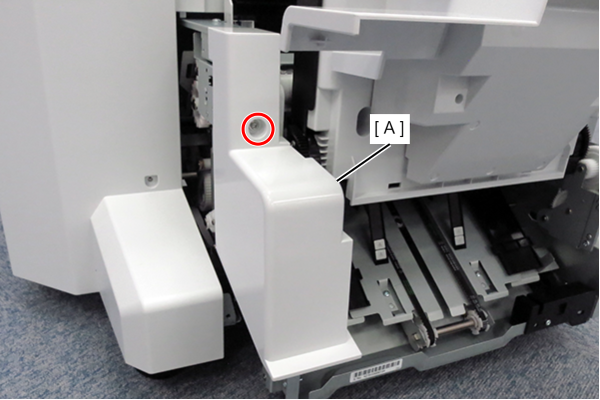
 : 3x8DC/P
- Release the cable (A) of the saddle tray unit, and remove the ground cable (B) with one screw.
(Paper ejection rear side)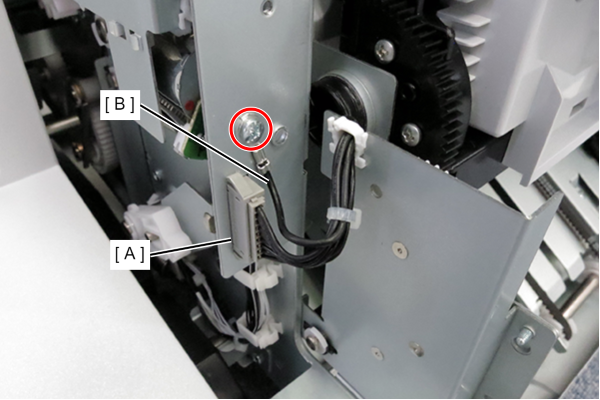
- Remove the 4 screws on the rear tray holder of the floor finisher and remove the rear tray holder (B).
(Paper ejection rear side)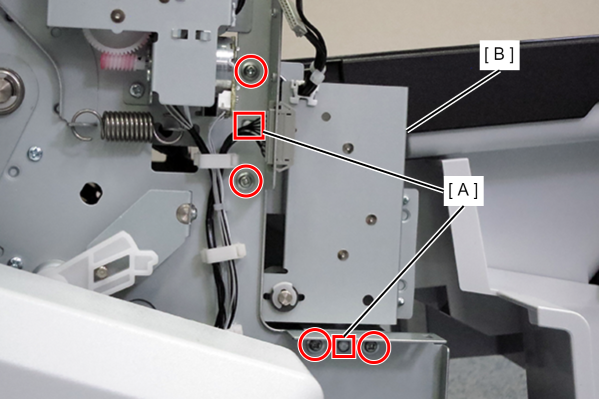
- Remove the ring (A) from the hole (B) in the front tray holder of the saddle tray unit, and remove the saddle tray unit.
(Paper ejection front side)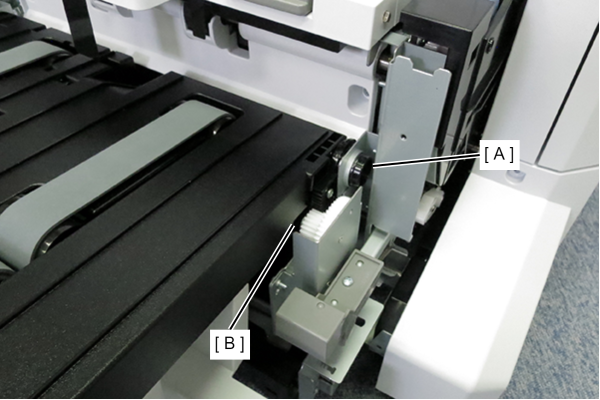
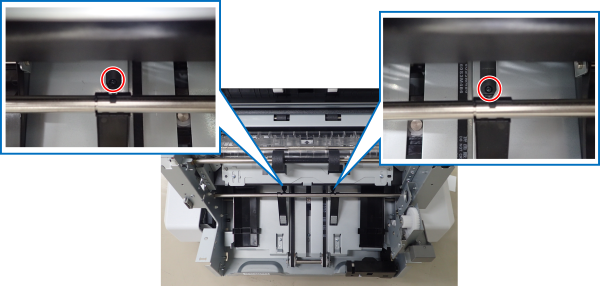
Loosen the fixing screw under the width alignment guide of the saddle unit, and move the guide by the amount of misalignment.
 Note / 補足
- Scribe on top of right screw
- It is recommended to use a light as the fixing screw is located deep inside the saddle unit.