
110 User counter Mode
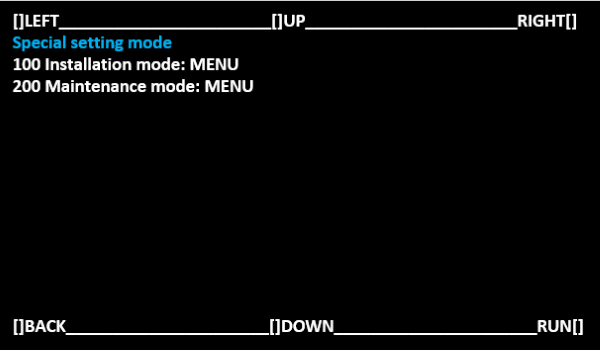
Start special setting mode.(Special Setting Mode Starting Method)
Select [100 Installation mode: MENU] and select [RUN].
 Note / 補足
Operate with the following buttons.
[UP] button: Move the selected item (move up)
[DOWN] button: Move the selected item (move down)
[RUN] button: Execute the selected item
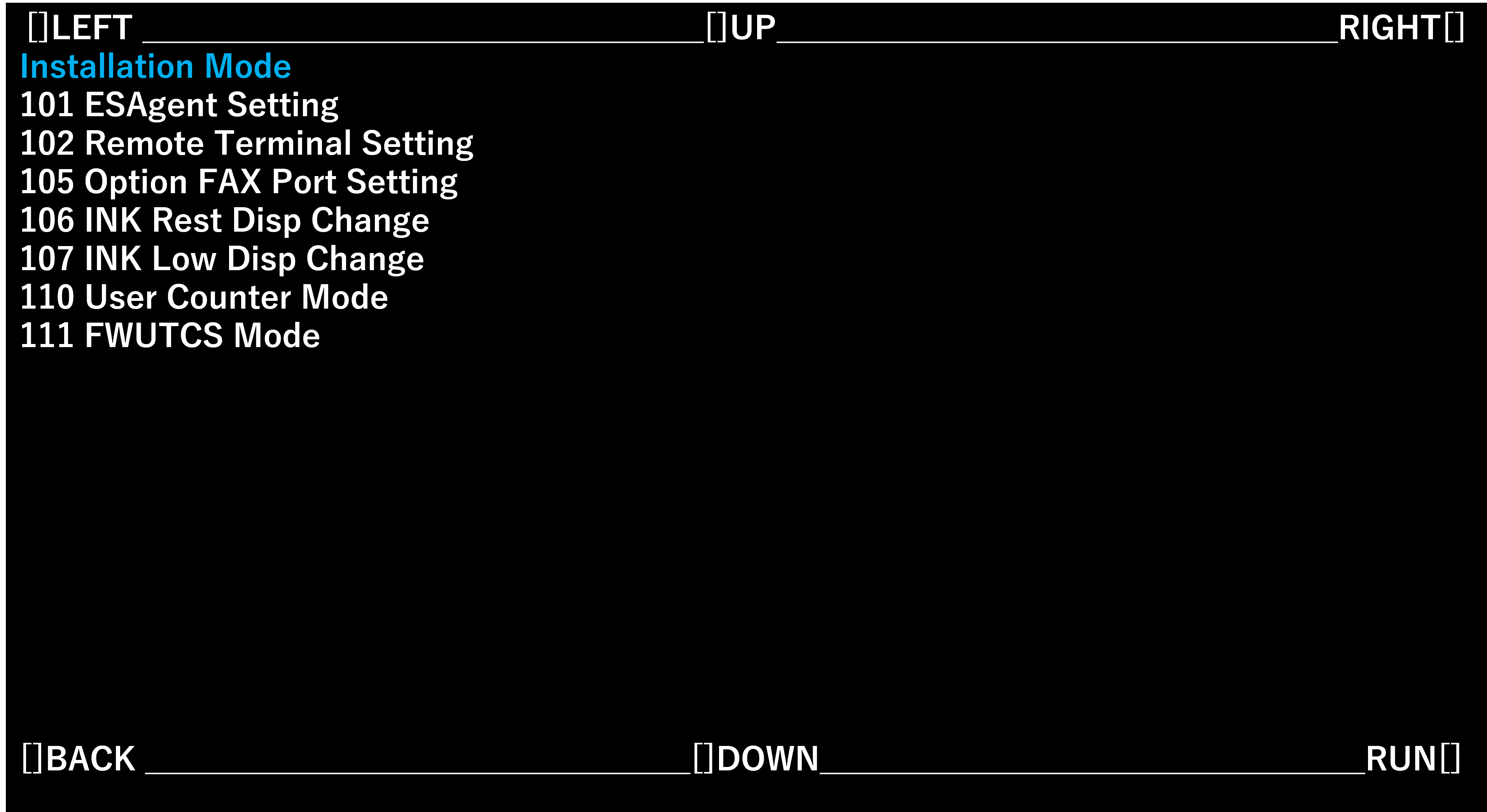
- Select [110 User counter Mode] and select [RUN].
- Select the optimum setting value for the contract status and optional product configuration.
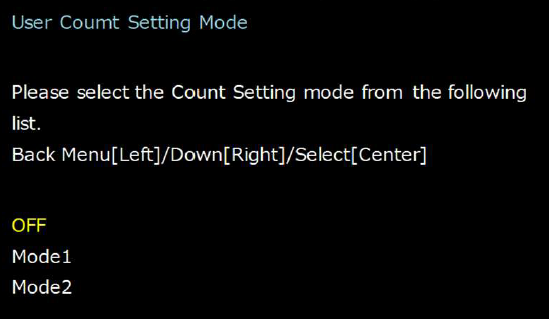
Setting value Overview OFF Not add the number of printing counter Mode1 Add the number of printing counter
* Can be reset without administrator loginMode2 Add the number of printing counter
Can be reset with administrator login