
Multi-feed / Non-Feed
If multi-feed or non-feed occurs with the specific paper, it can be prevented by adjusting the retard roller spring pressure in the following procedure.
Adjust the spring pressure if the problem persists even after wiping the rollers or checking to see if there are any problems with the paper.
 Check Point / チェックポイント Check Point / チェックポイント |
|
Open the cover for the cassette in which the double feed/non-feed occurs. (C1: Right door unit, C2: C2 additional paper feed cover, C3/C4: C3C4 additional paper feed cover)
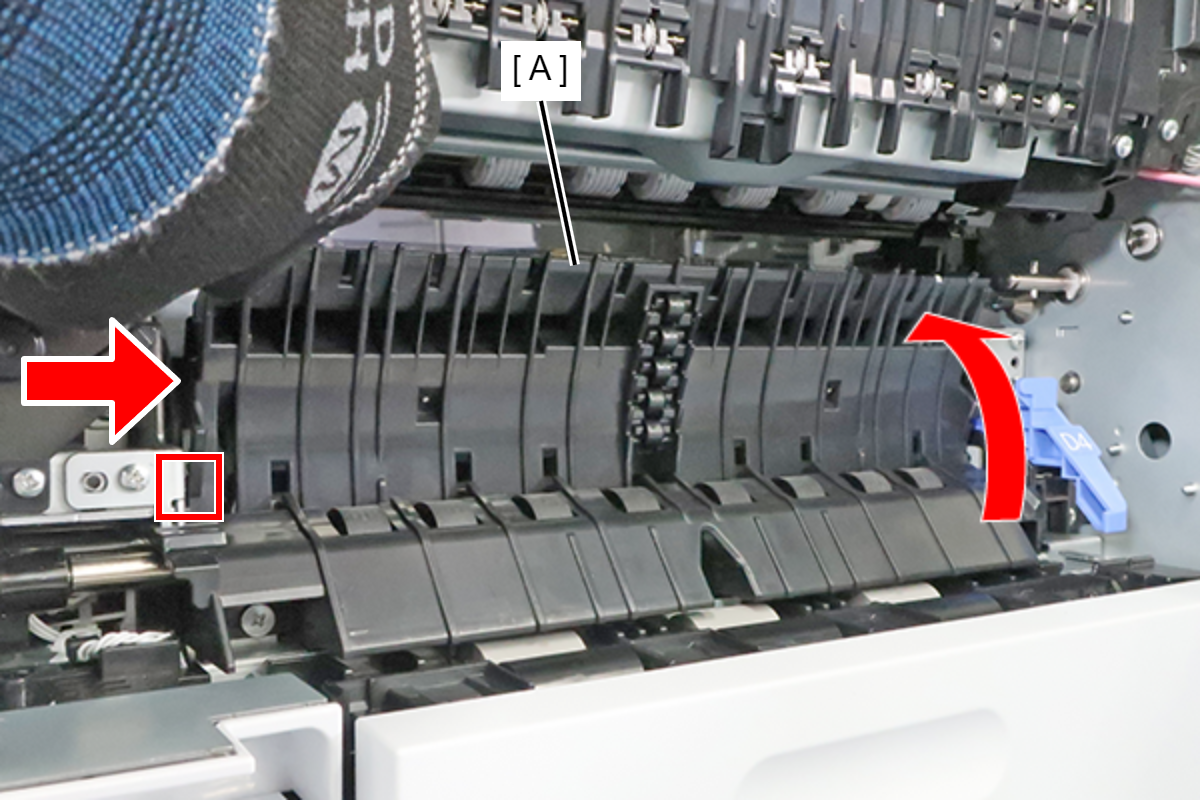
- Raise the Guide PF Inner (A) and push it in the direction of the arrow to release the dowel, then remove the Guide PF Inner.
 Assembly / 組み立て
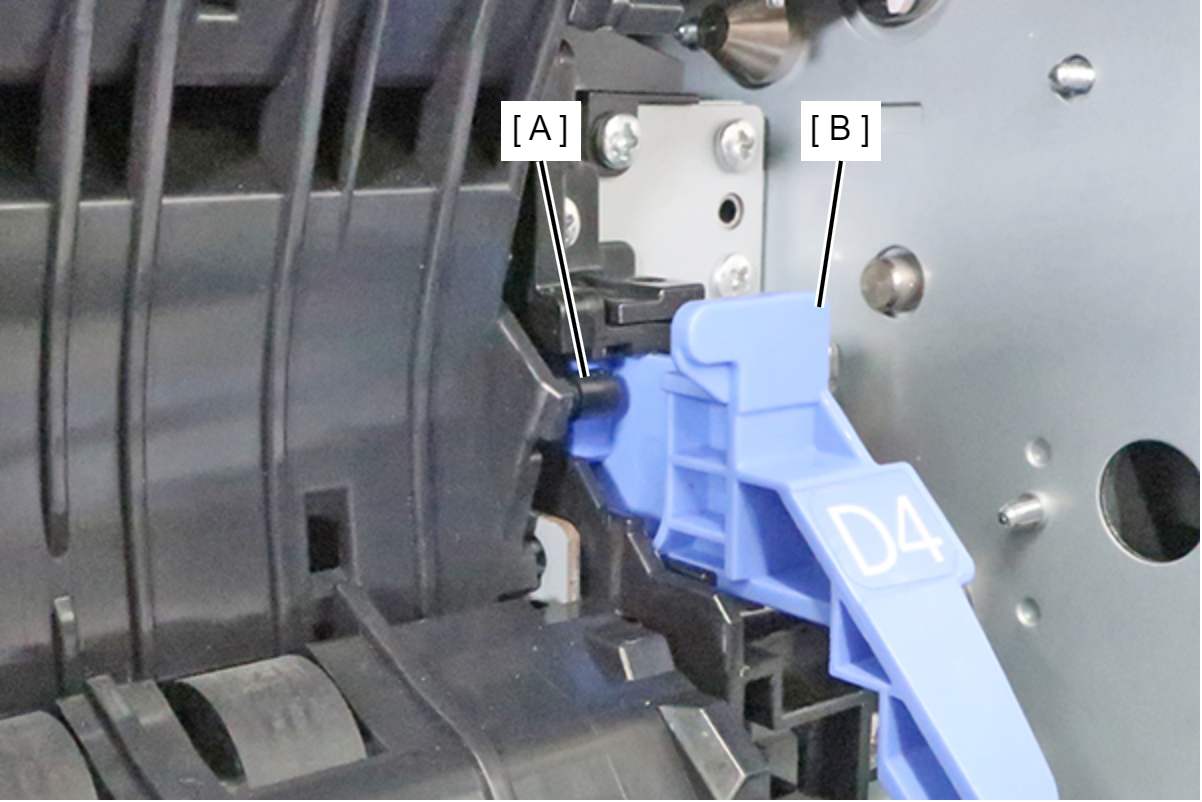
Put the shaft (A) on the inward side of the lever (B) and attach it.
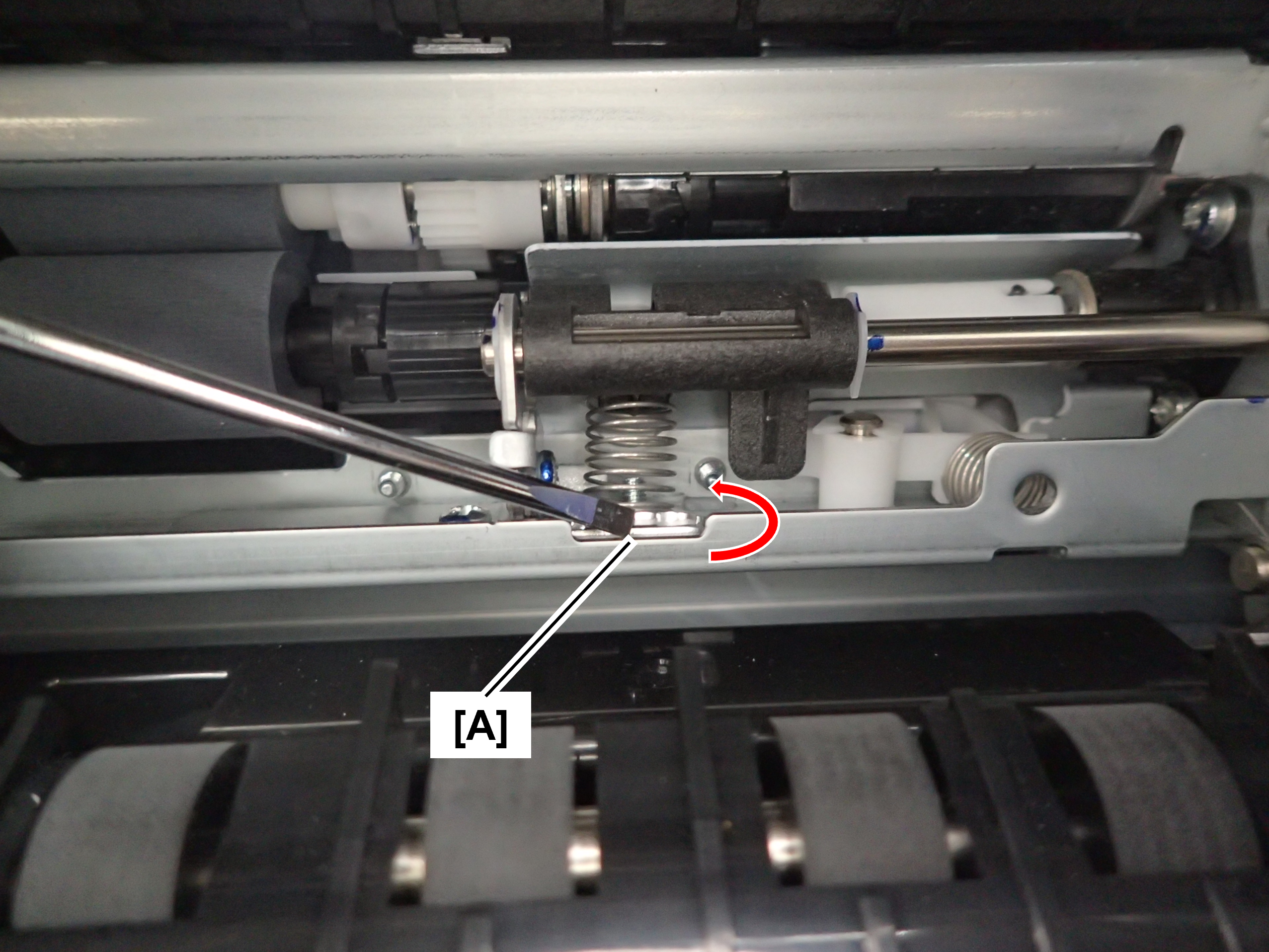
- If non-feed is occurring, turn the spring pressure adjustment dial (A) in the direction of the arrow (counterclockwise) to raise the dial position.
If multi-feed is occurring, turn the spring pressure adjustment dial (A) in the direction to clockwise to lower the dial position.Adjustments should be units of one rotation, and operation should be checked after each rotation. Also, use a flathead screwdriver etc. for the work.
 Caution / 注意
When turning the spring pressure adjustment dial, pay attention to the sharp edge of the frame.