
C4 Pickup Roller
 Check Point / チェックポイント Check Point / チェックポイント |
When replacing this part, you need to run the menu from the service support mode before replacing it. |
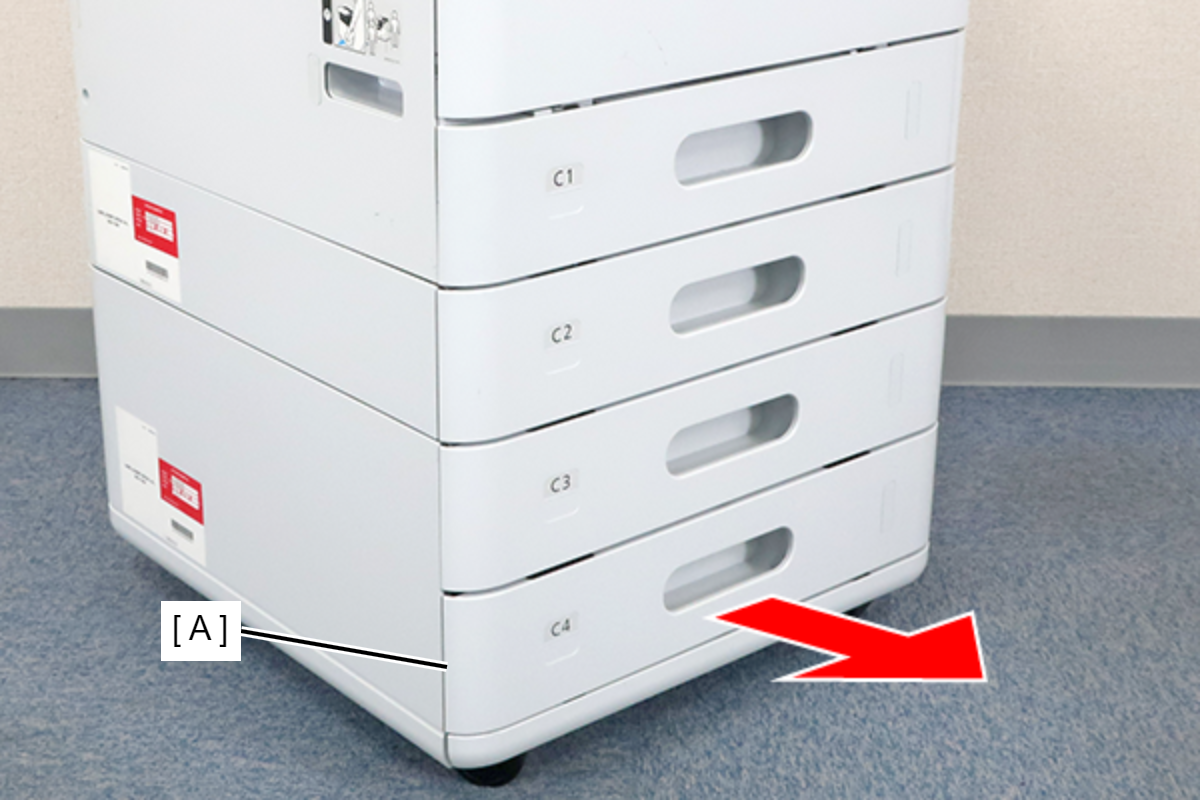
- Remove the C4 cassette (A).
 Assembly / 組み立て
The corresponding cassette can be replaced with another cassette.
In that case, follow the steps below.
- Loosen the two screws on the dial (A) and align the groove on the bearing (B) with the dowel on the dial (A).
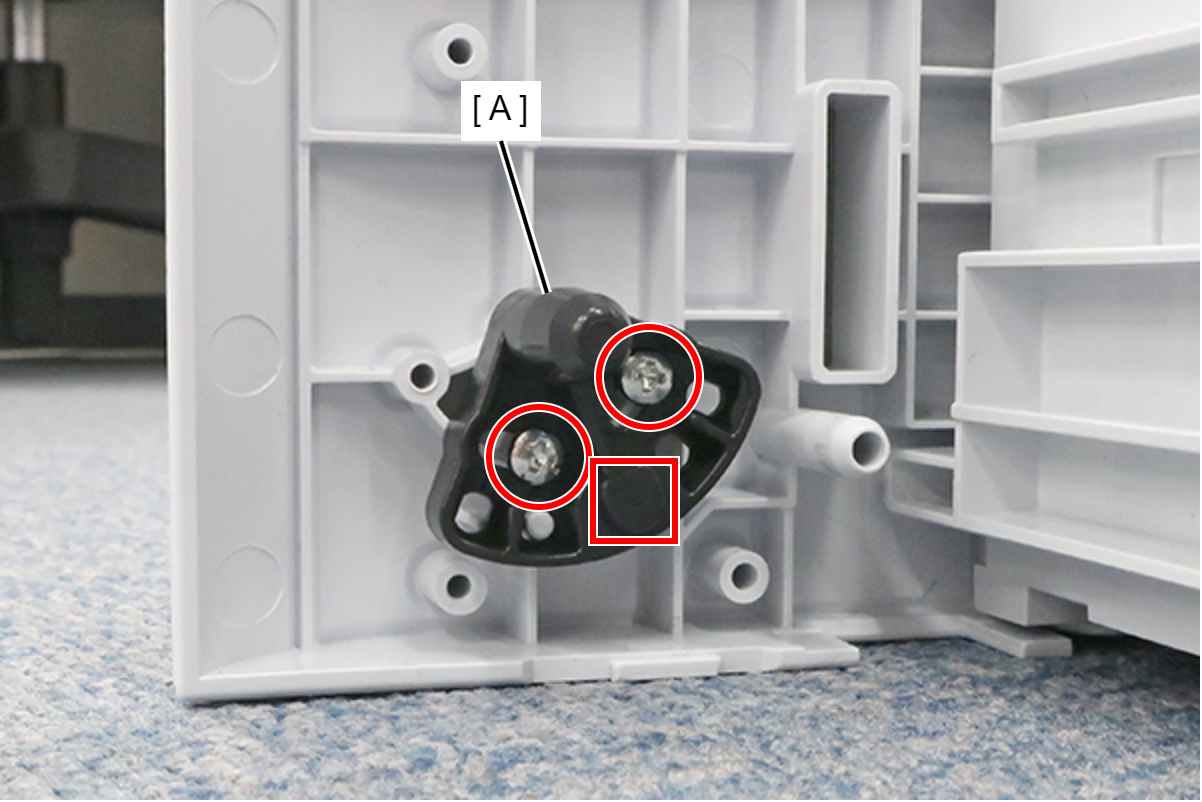
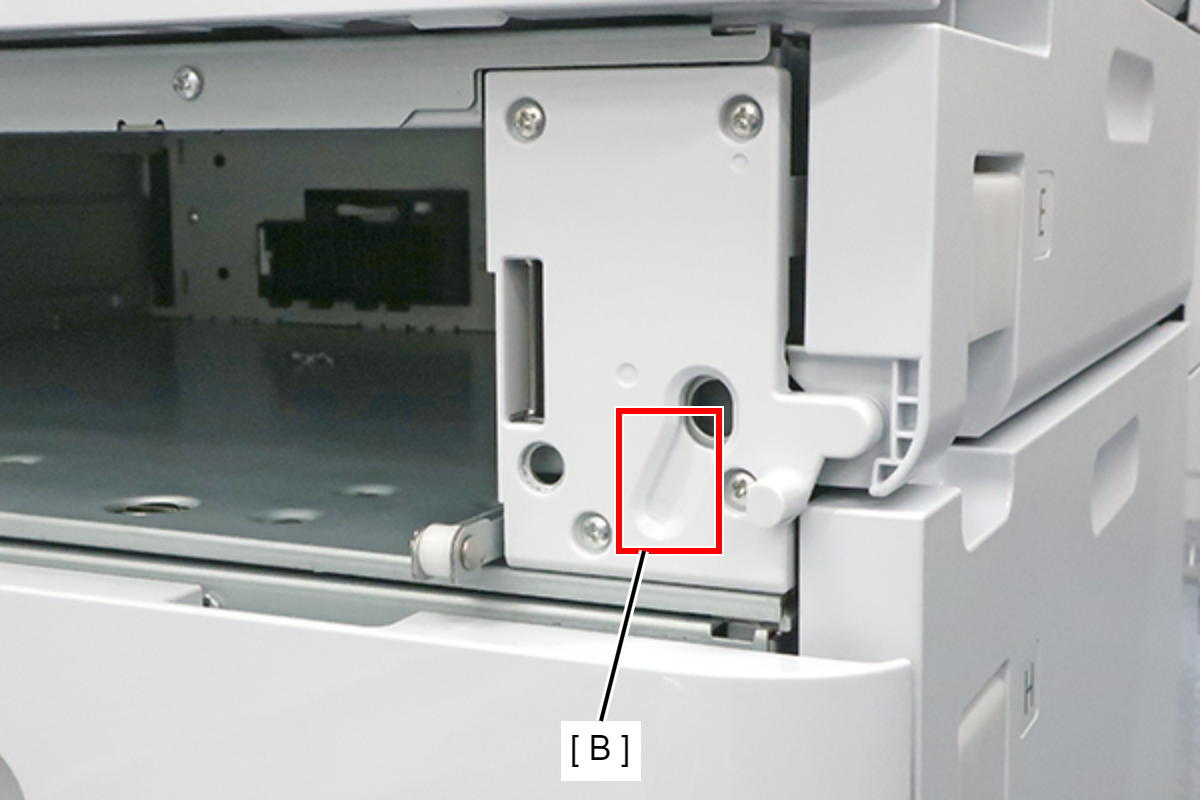
- Replace the label (A) on the cassette.
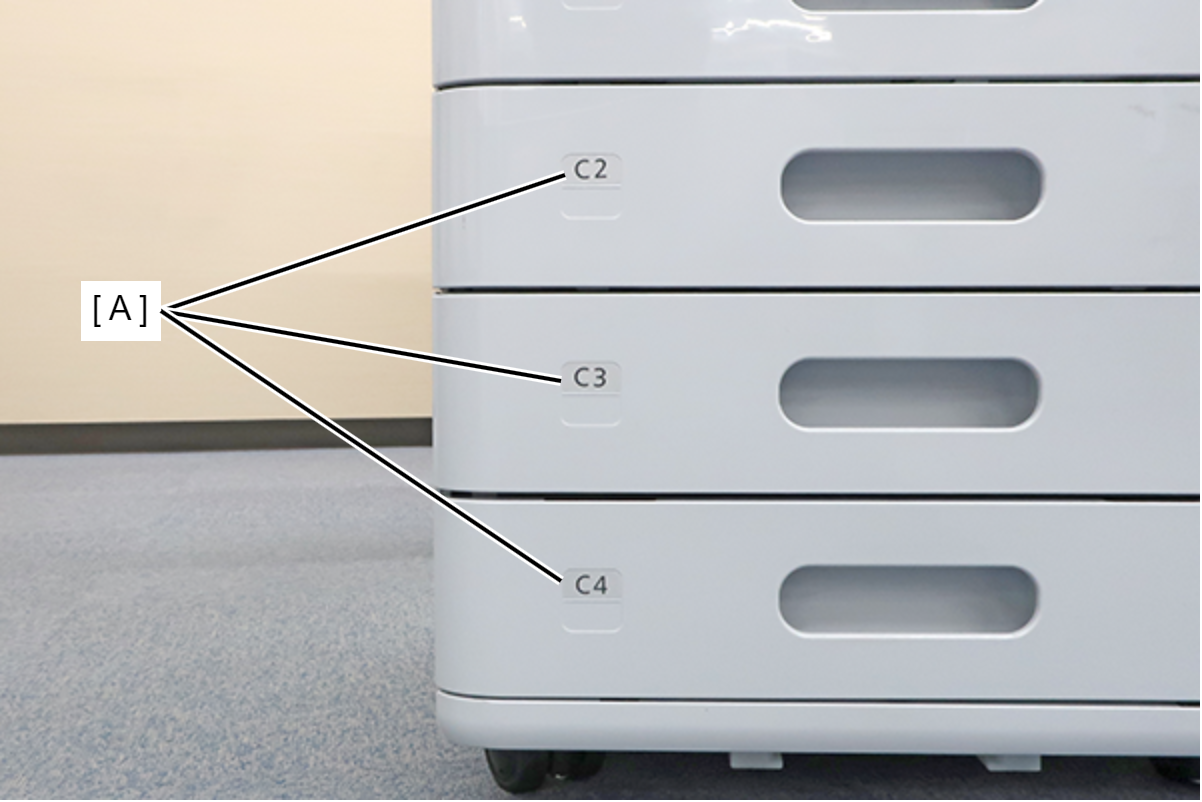
- Loosen the two screws on the dial (A) and align the groove on the bearing (B) with the dowel on the dial (A).
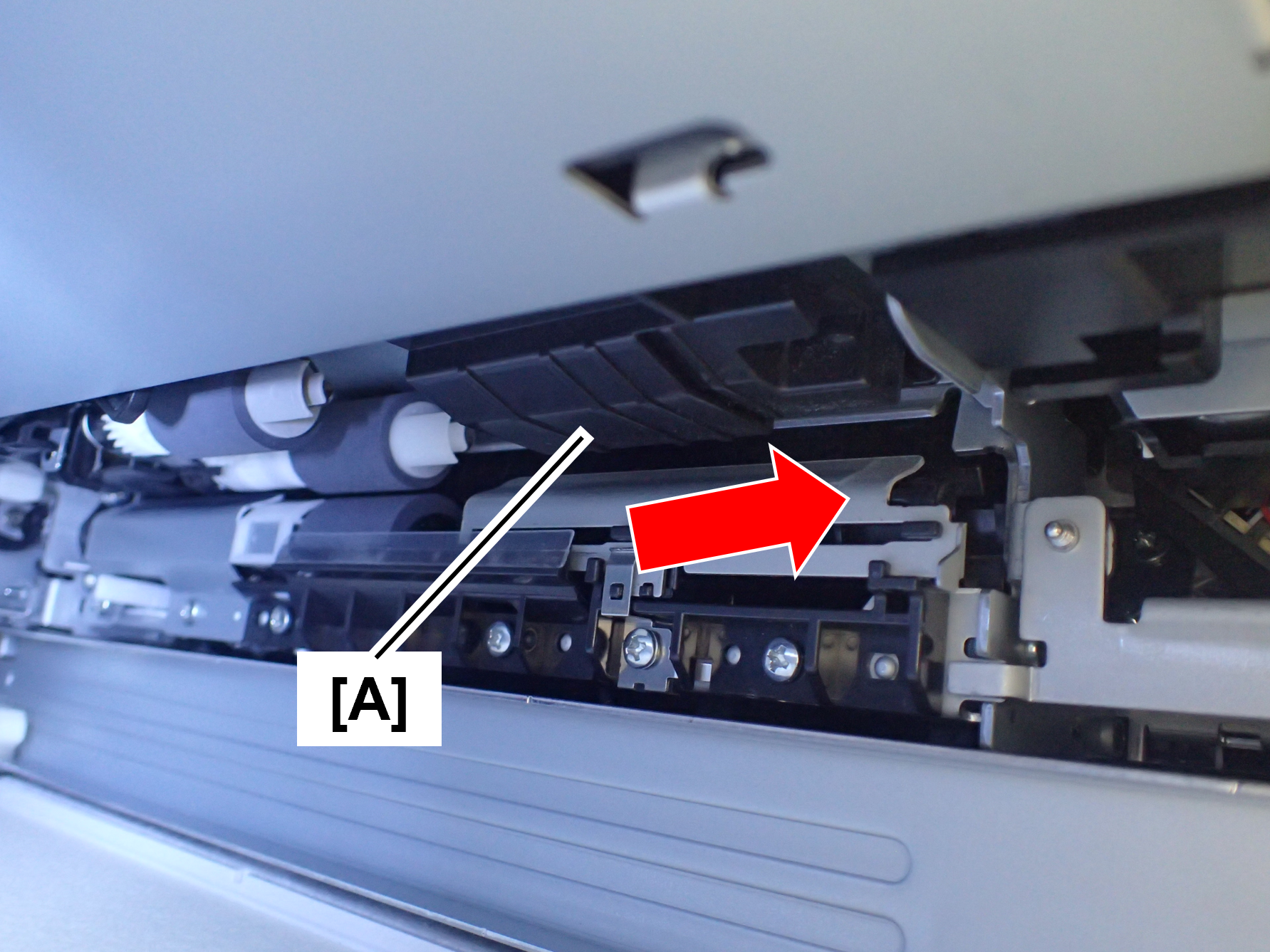
Slide the guide cover (A) in the direction of the arrow.
 Assembly / 組み立て
After replacing the paper feed roller, return the guide cover.
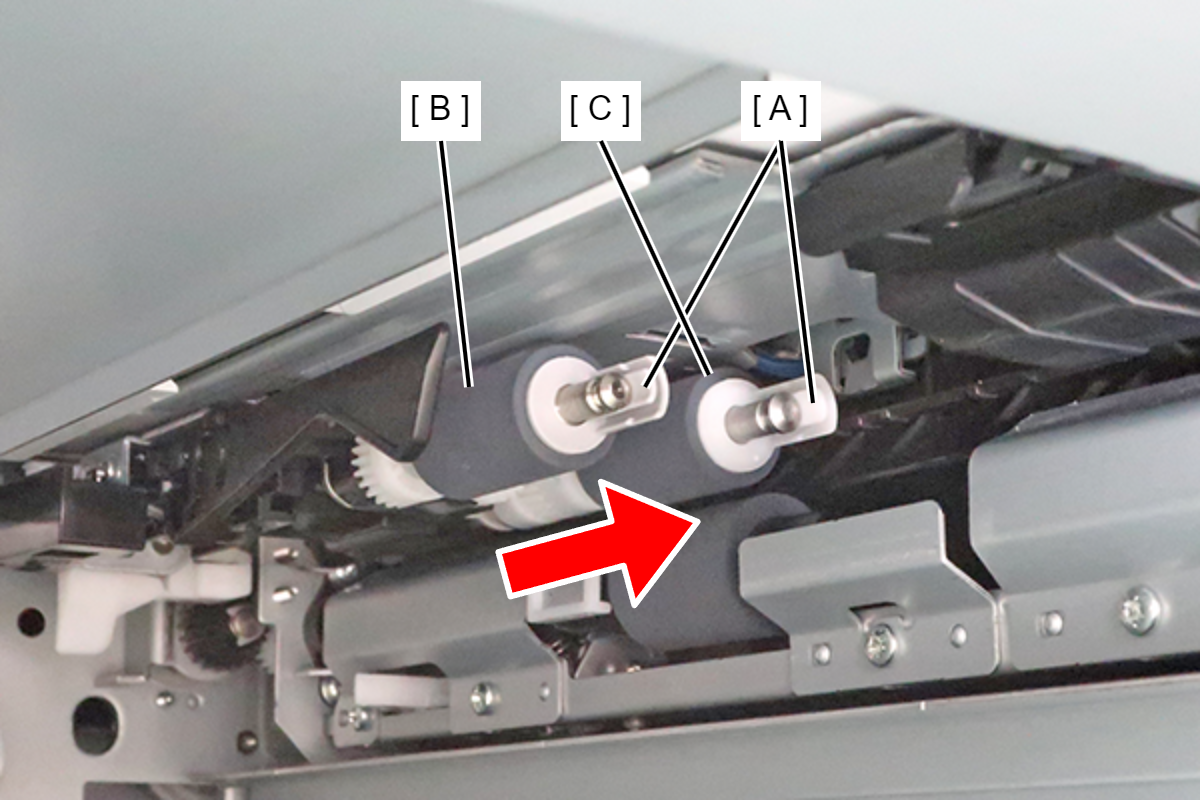
- While pushing the hook (A), remove the C4 pickup roller (B) and C4 separation roller (C) in the direction of the arrow.
 Check Point / チェックポイント
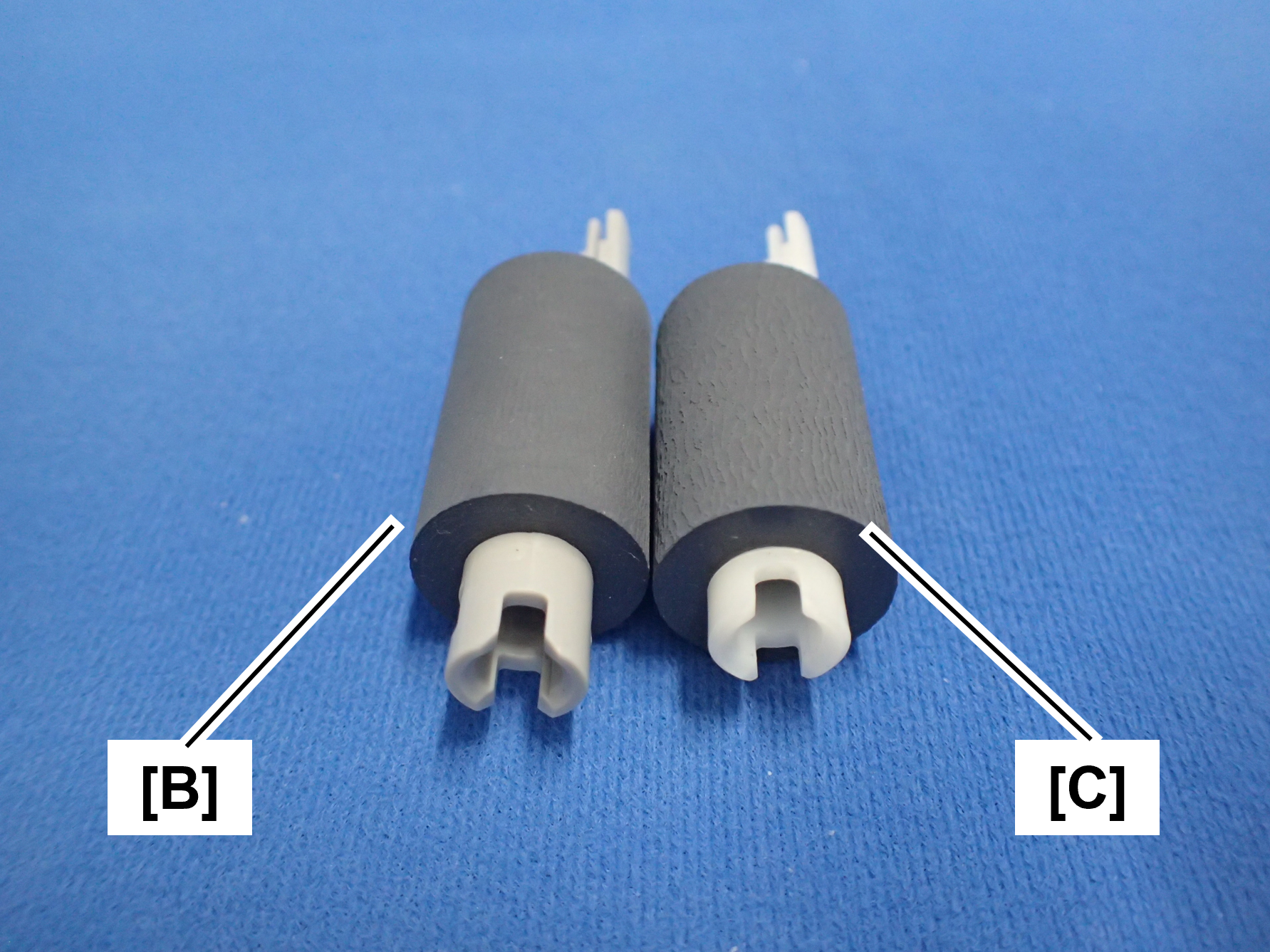
The paper feed roller (B) and separation roller (C) are different in shape and color. (The paper feed roller is gray and the separation roller is white.)
 Assembly / 組み立て
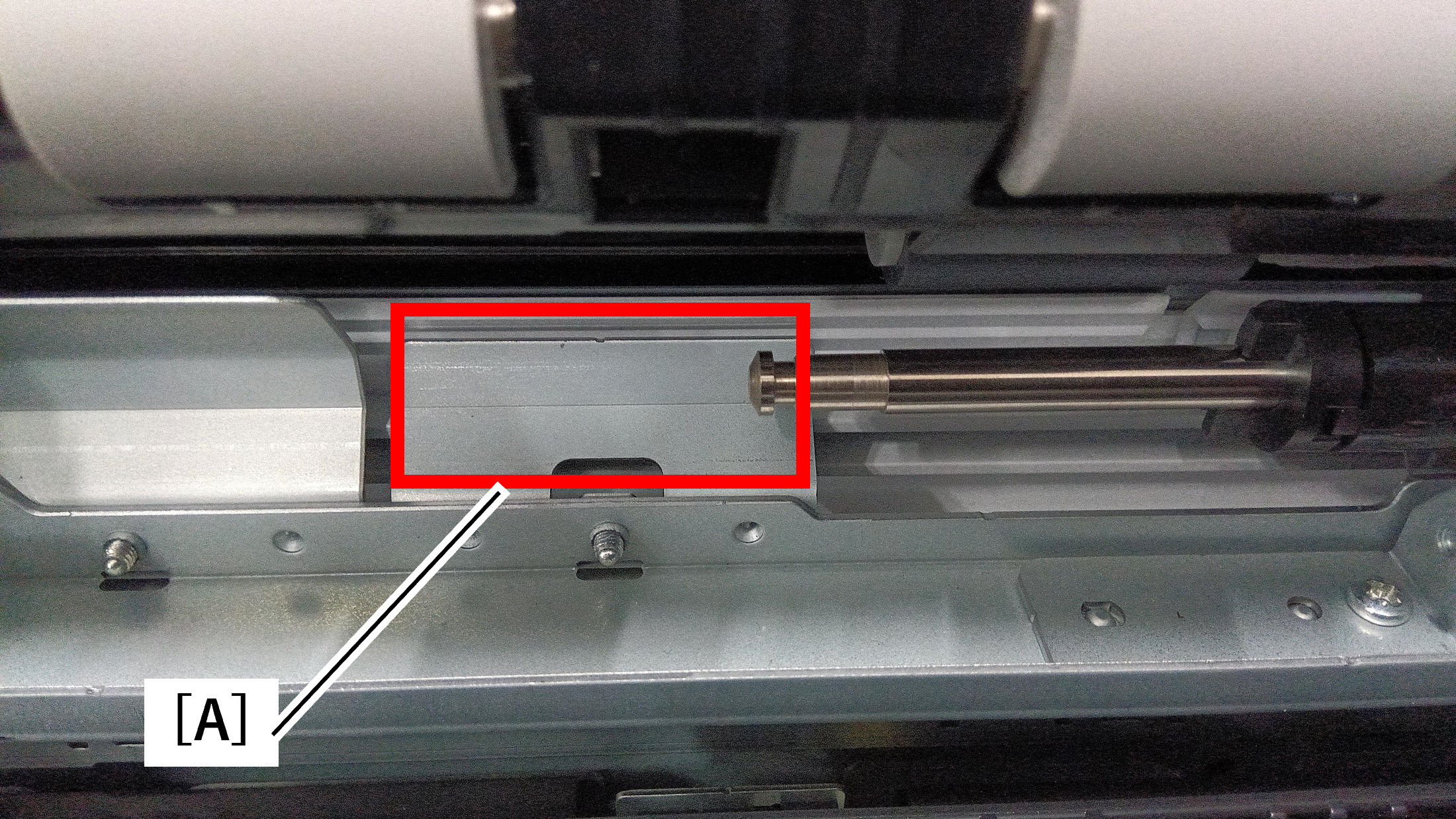
When installing the rollers, paper dust from the pickup unit may adhere to the rollers.
If paper dust is present in area (A), clean it with a cleaning stick before installing the rollers.
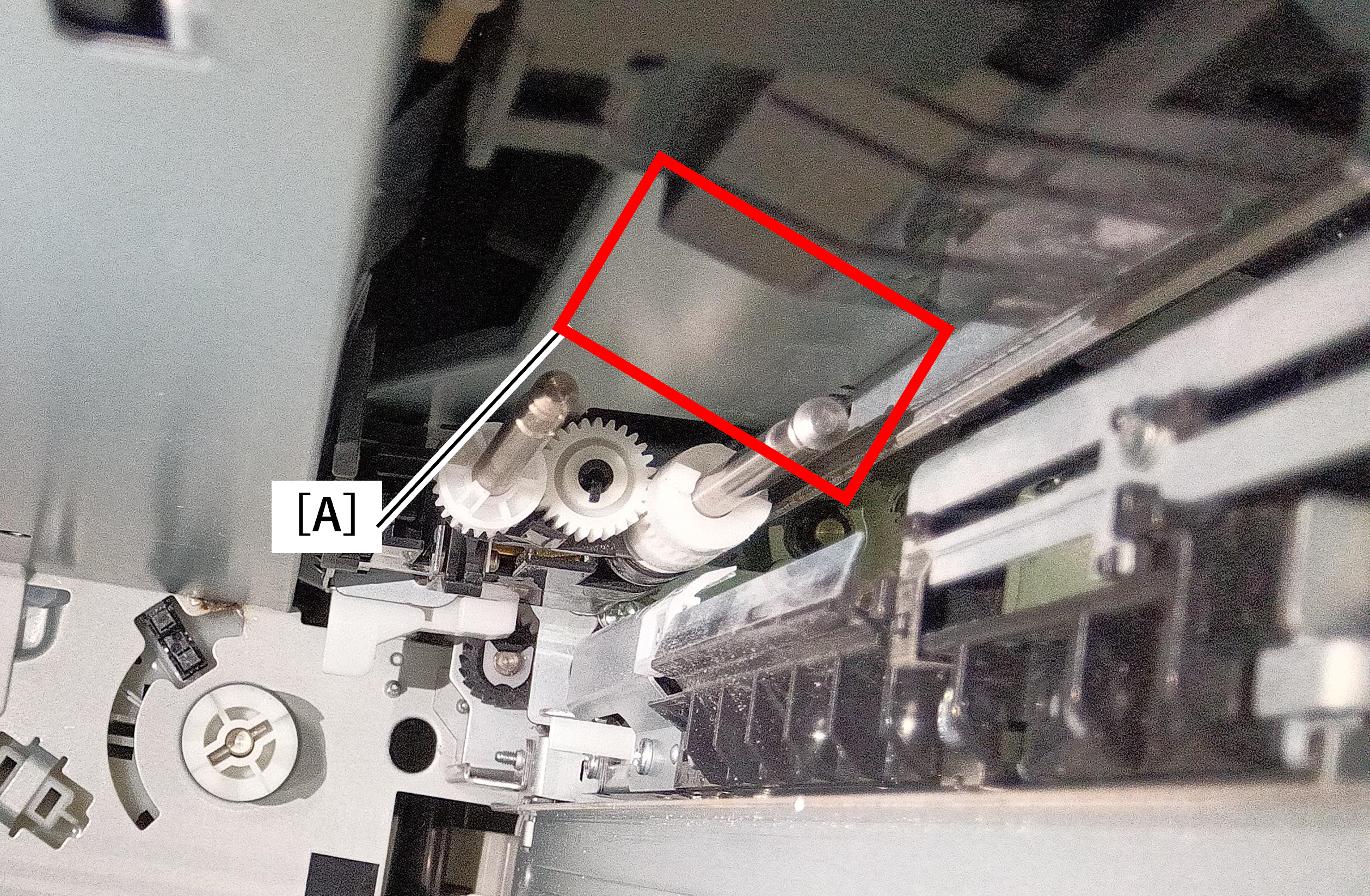
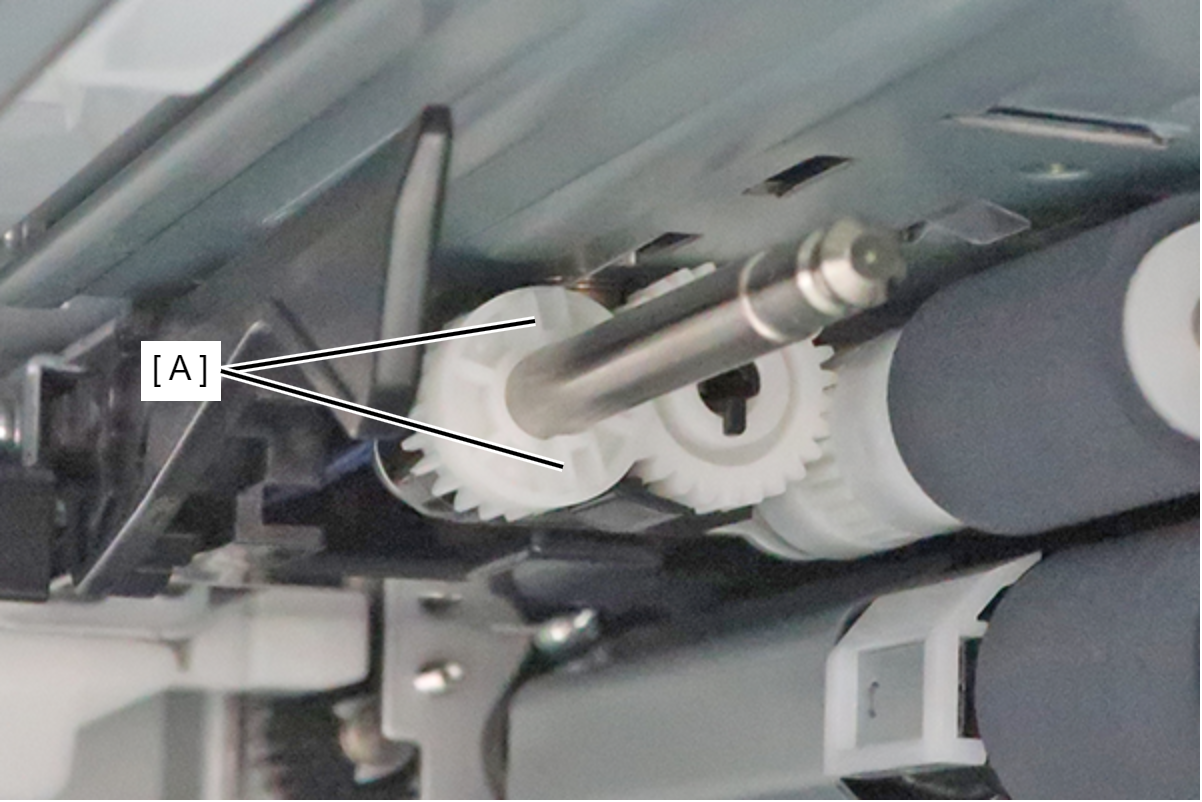
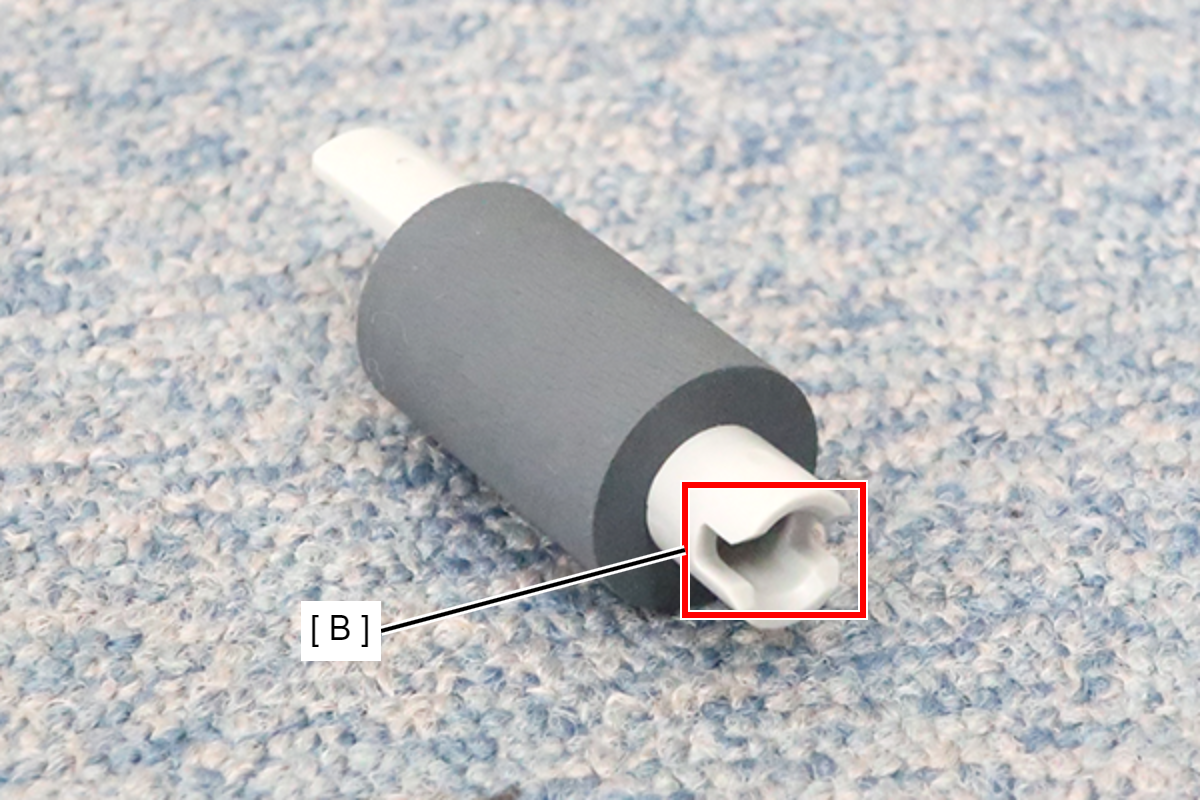
Align the protrusion (A) of the gear with the groove of the pickup roller (B).
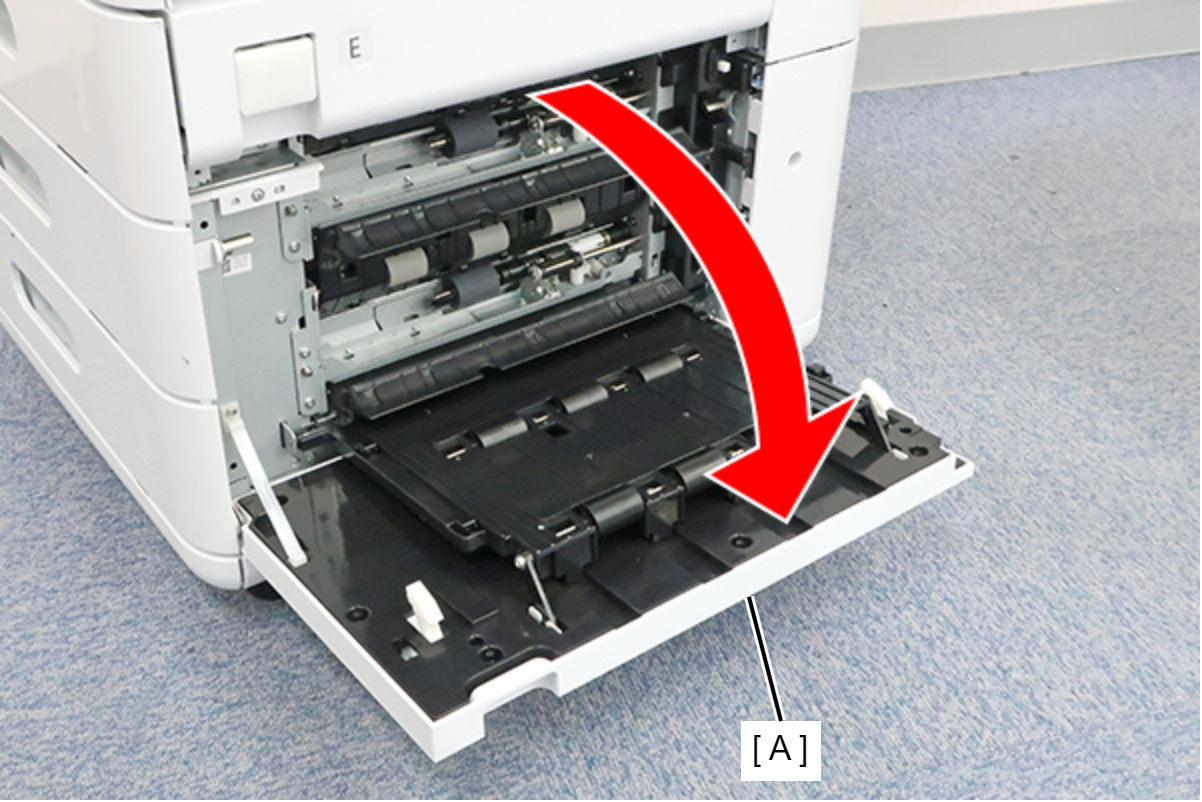
- Open the C3C4 Additional Paper Feed Cover (A).
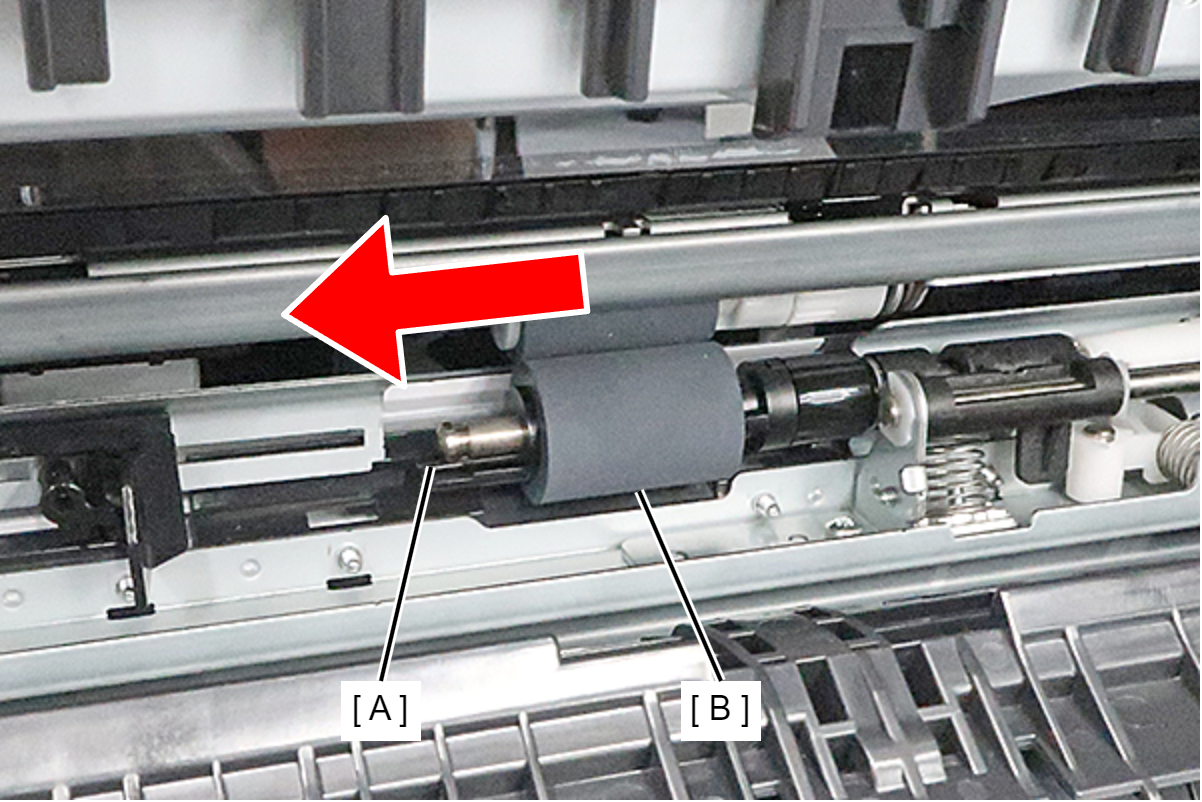
- While pushing the hook (A), remove the C4 retard roller (B) in the direction of the arrow.
 Check Point / チェックポイント
Be sure to replace C4 Pickup Roller, C4 Separation Roller, and C4 Retard Roller with new items as a set.
Assembly / 組み立てWhen installing the roller, paper dust from the pickup unit may adhere to the roller.
If paper dust is present in area (A), clean it with a cleaning stick before installing the roller.
| Check Point / チェックポイント |
After replacing this part, you need to run the menu from the service support mode. (If you ran the Before-replacement menu before replacing the part, it will start automatically when you turn the power on.) |