
C2 Paper Size/Cassette Sensor Assy
- Remove the 4 screws fixing the C2 Additional Rear Cover (A).
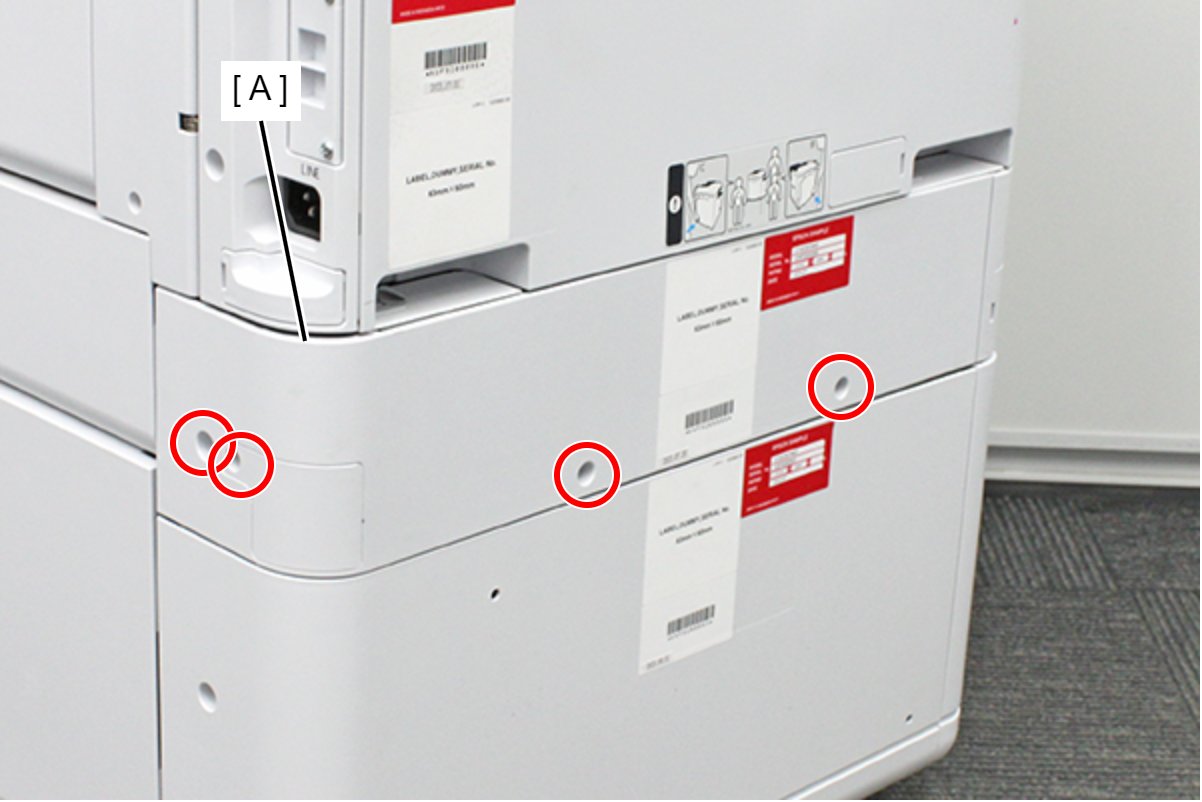
 : 3x8D
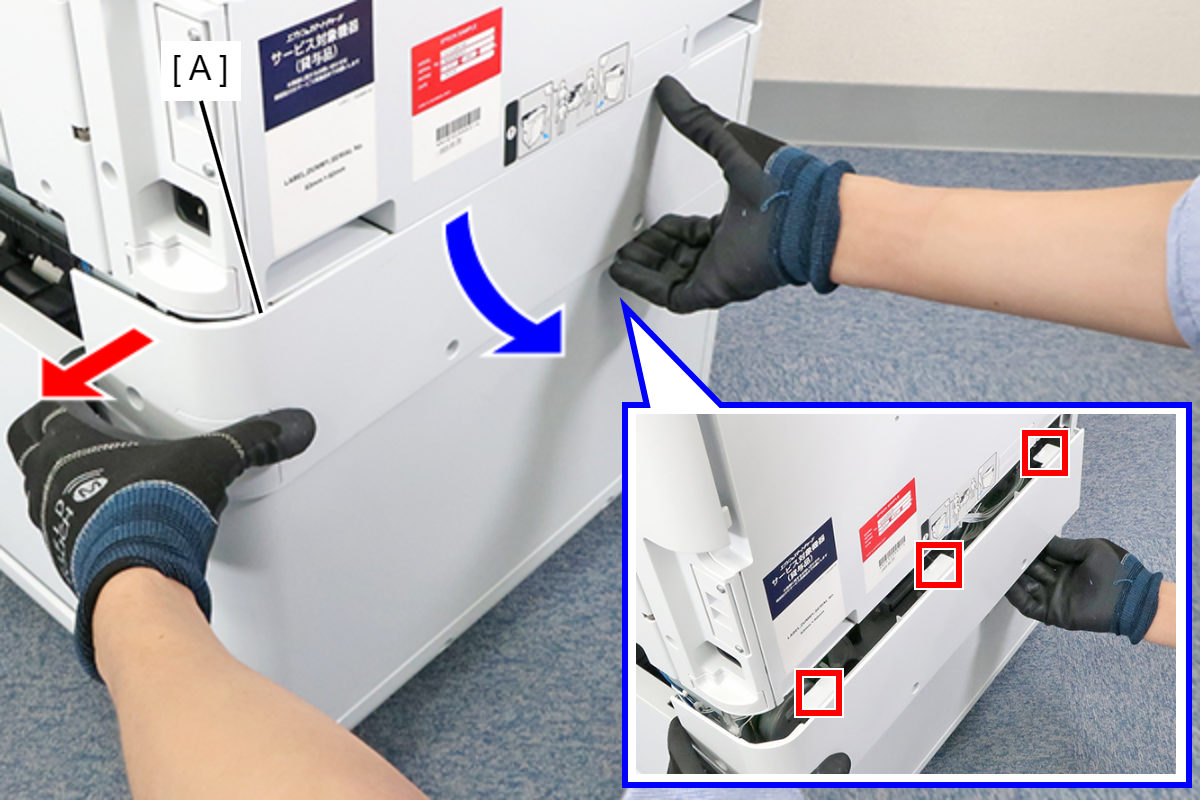
- While pulling the C2 Additional Rear Cover (A) out in the direction of the red arrow, rotate it in the direction of the blue arrow to disengage the 3 hooks, then remove the C2 Additional Rear Cover.
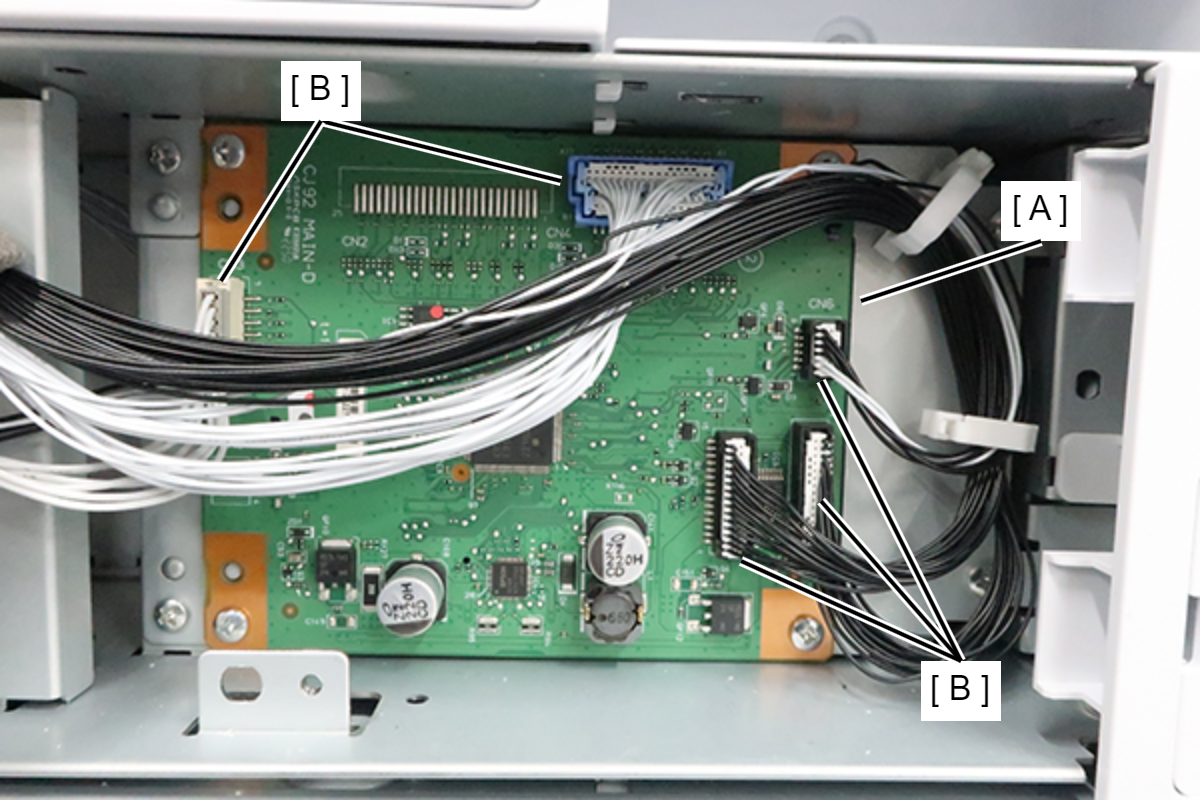
- Disconnect the cables from the connectors (B) (CN1/CN3/CN4/CN6/CN7) of the Main Board (A).
- Remove 4 screws and remove the C2 Additional Main Board (A).
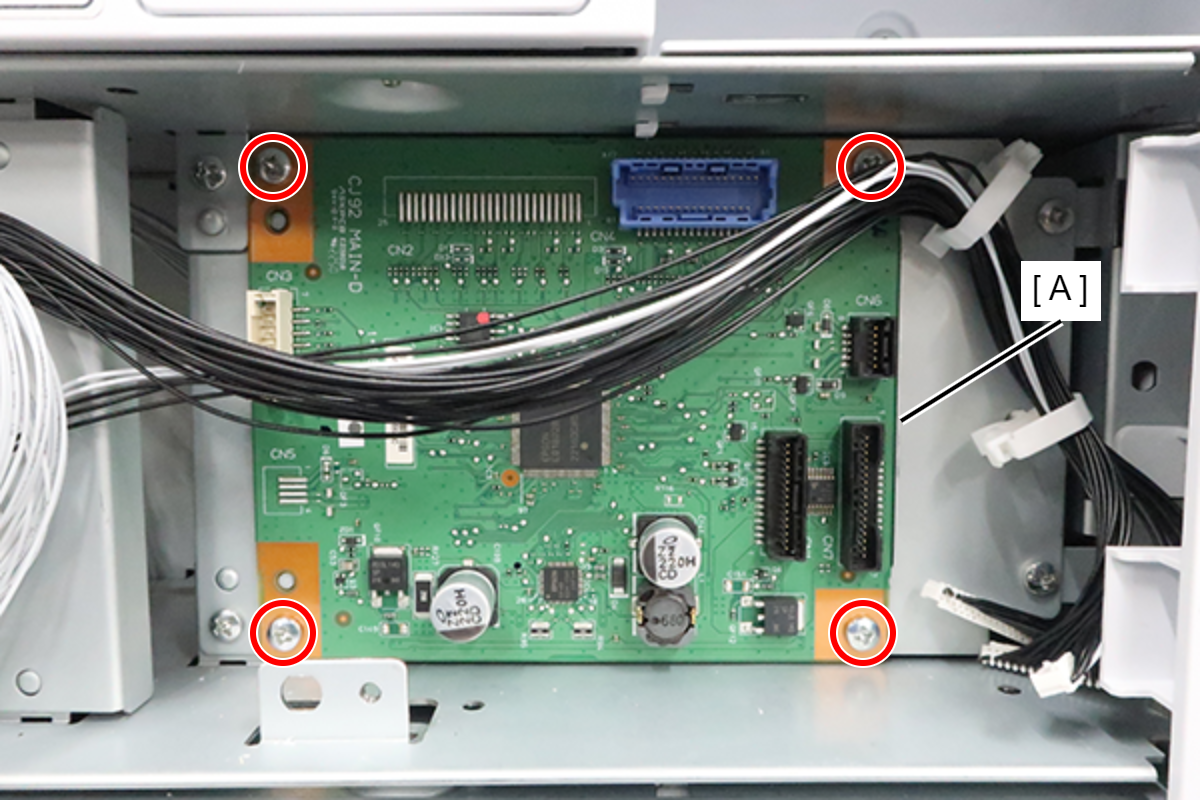
 : 3x8D
- Release the hook and remove the cover (A).
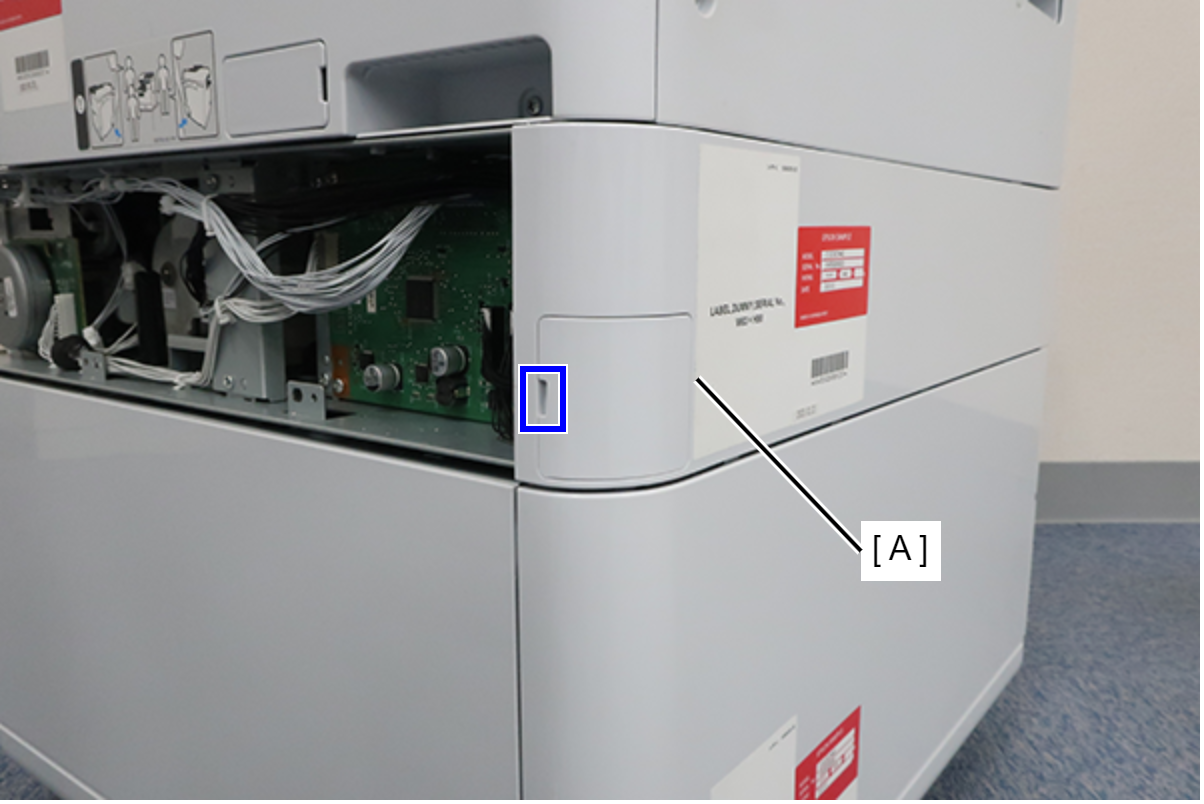
- Remove the 1 screw and remove the C2 Additional left Cover (A).
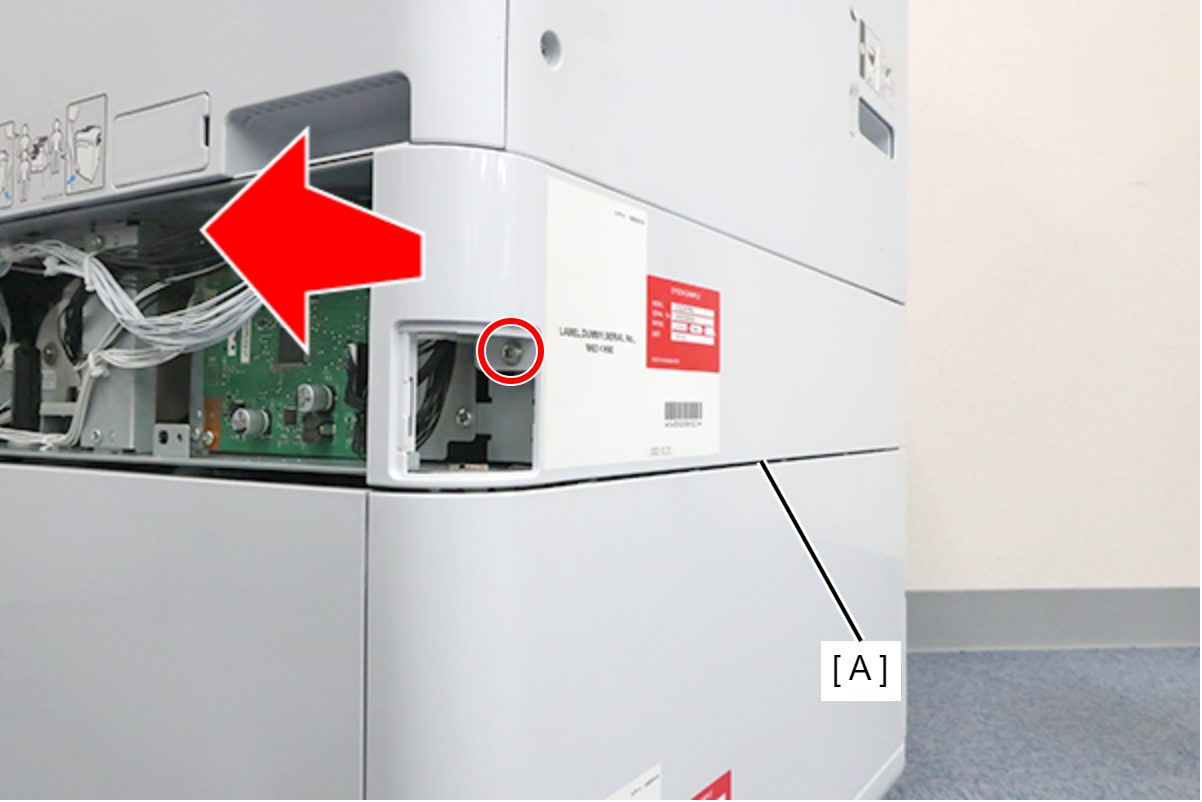
- : 3x8D
 Assembly / 組み立て
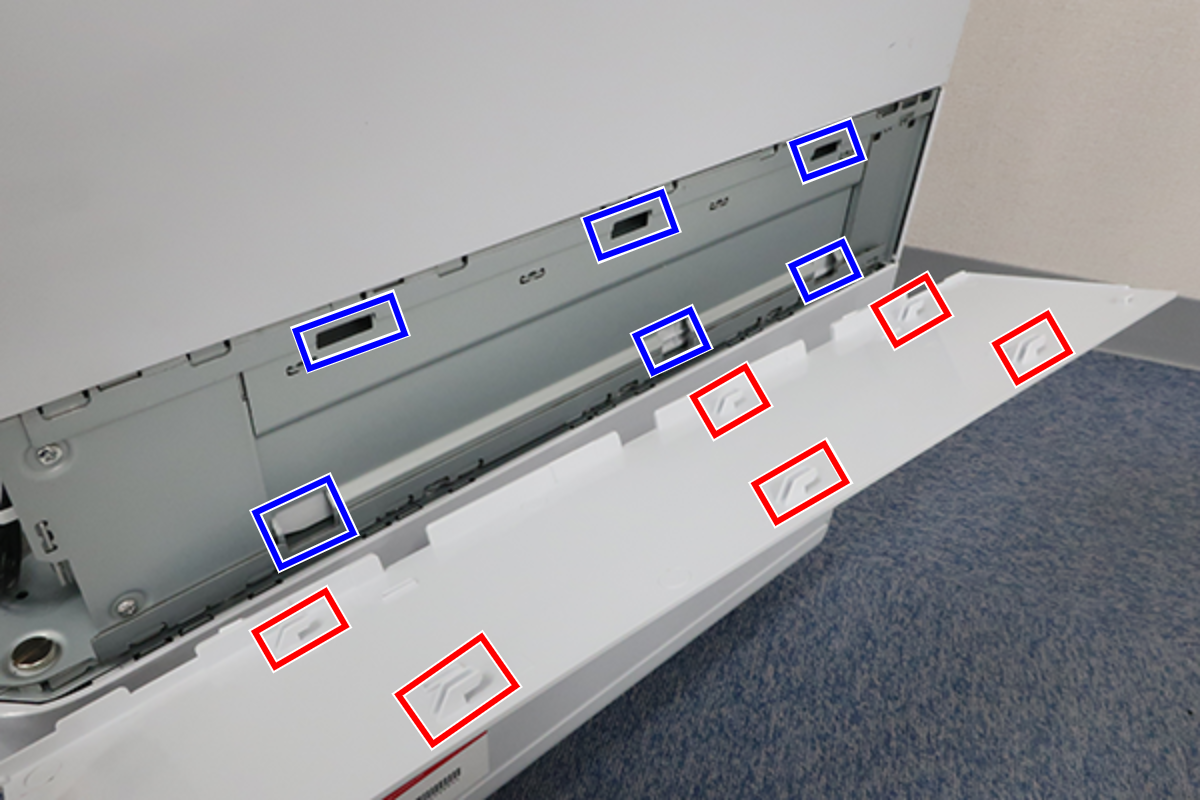
Align the 6 hooks on the C2 Additional left Cover with the holes on the main unit and attach it.
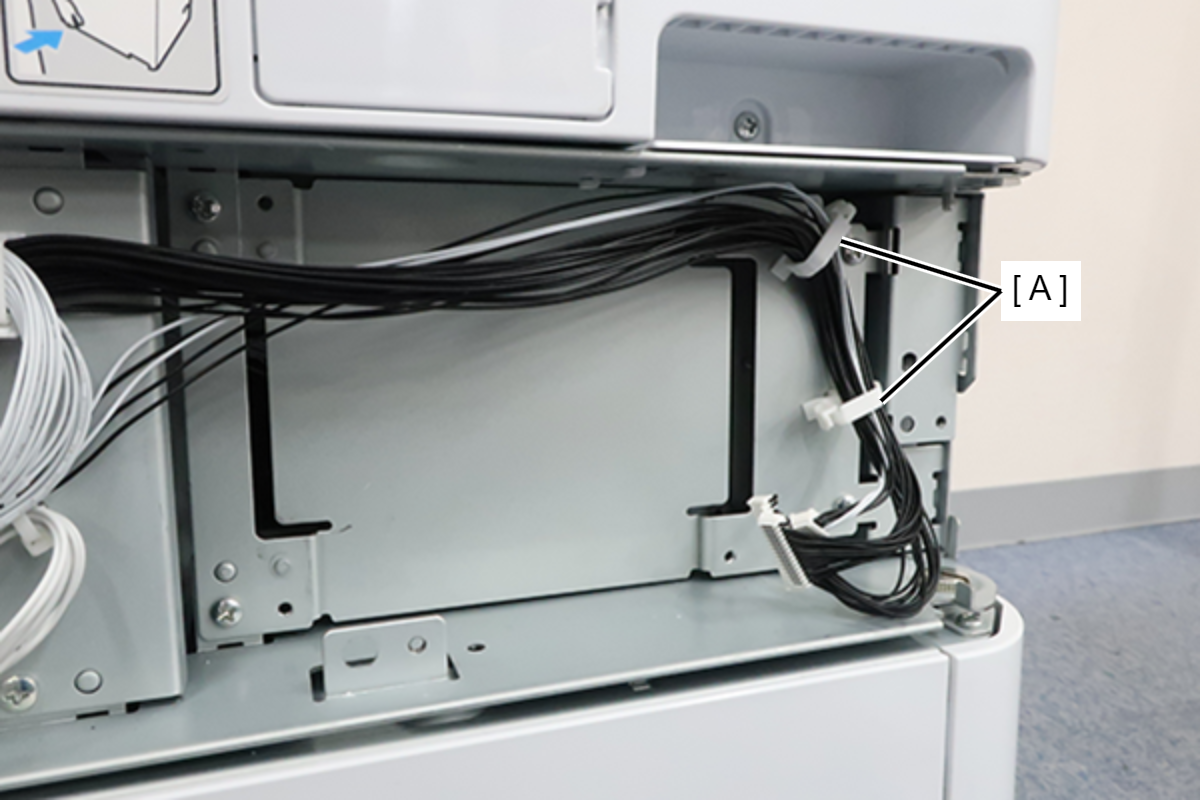
- Release the cable from 2 clamps (A).
- Remove 4 screws and remove the C2 Additional Main Board Holder (A).
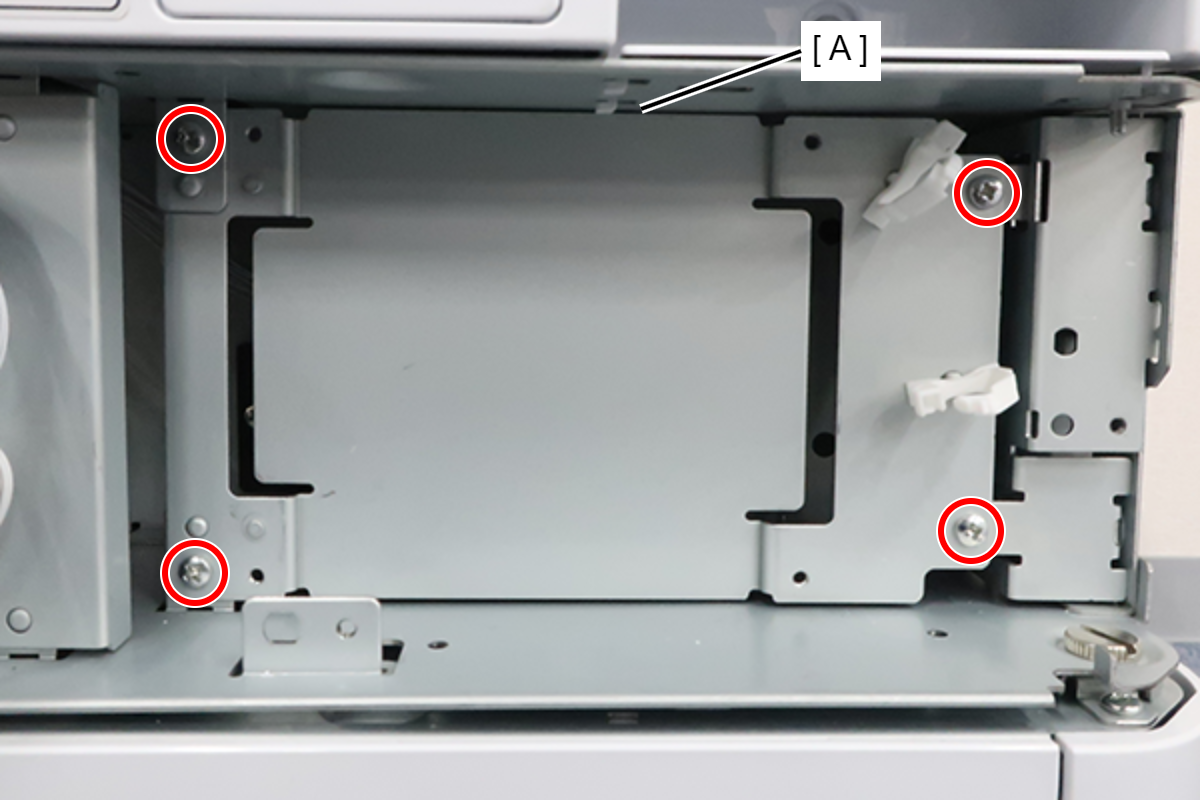
- : 3x8D
- Remove the cable from the connector (A) and relay connector (B), remove the 2 screws, and remove the C2 paper size/cassette sensor Assy (C).
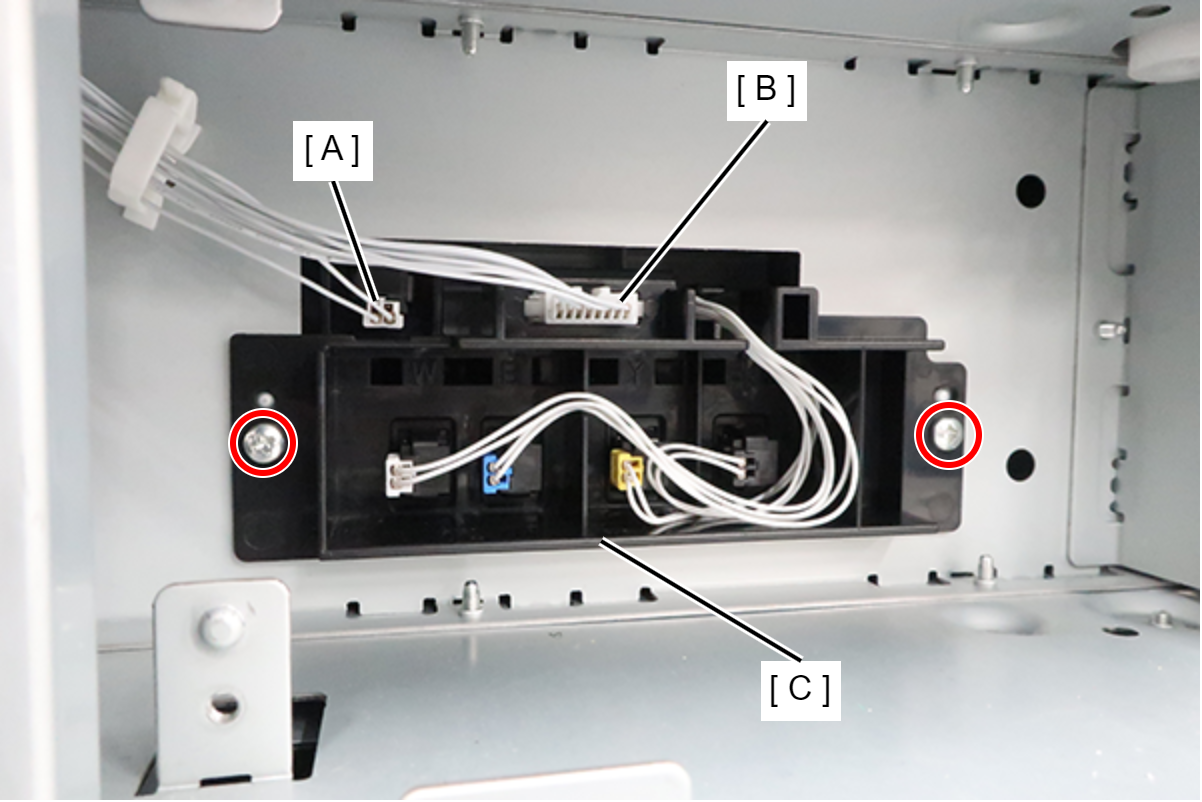
- : 3x8D