
USB Port Assy (Authentication Printing)
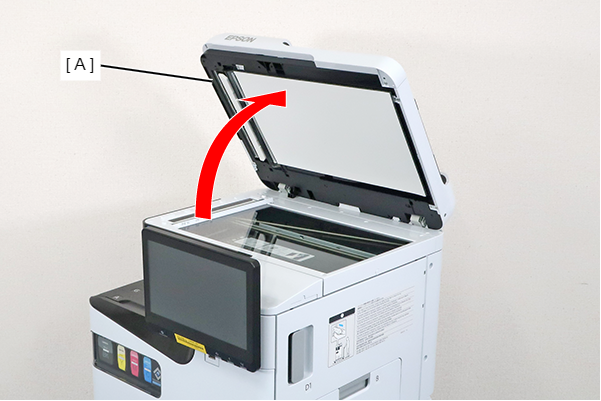
- Open the ADF (A).
- Remove the screw and slide the Panel Upper Cover (A) in the direction of the arrow to remove it.
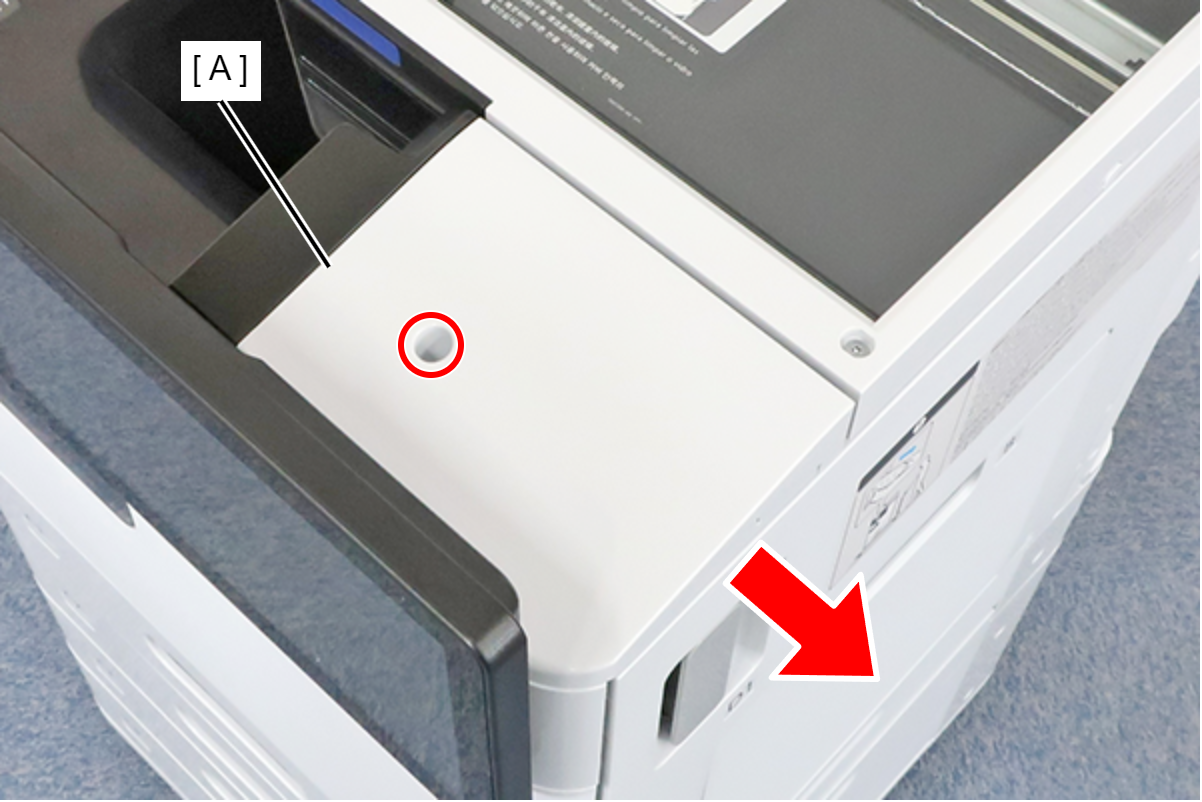
 : 3x8D
- Remove 3 screws.
- Disconnect the cable from the connector (A) and remove the Panel Inner Cover (B).
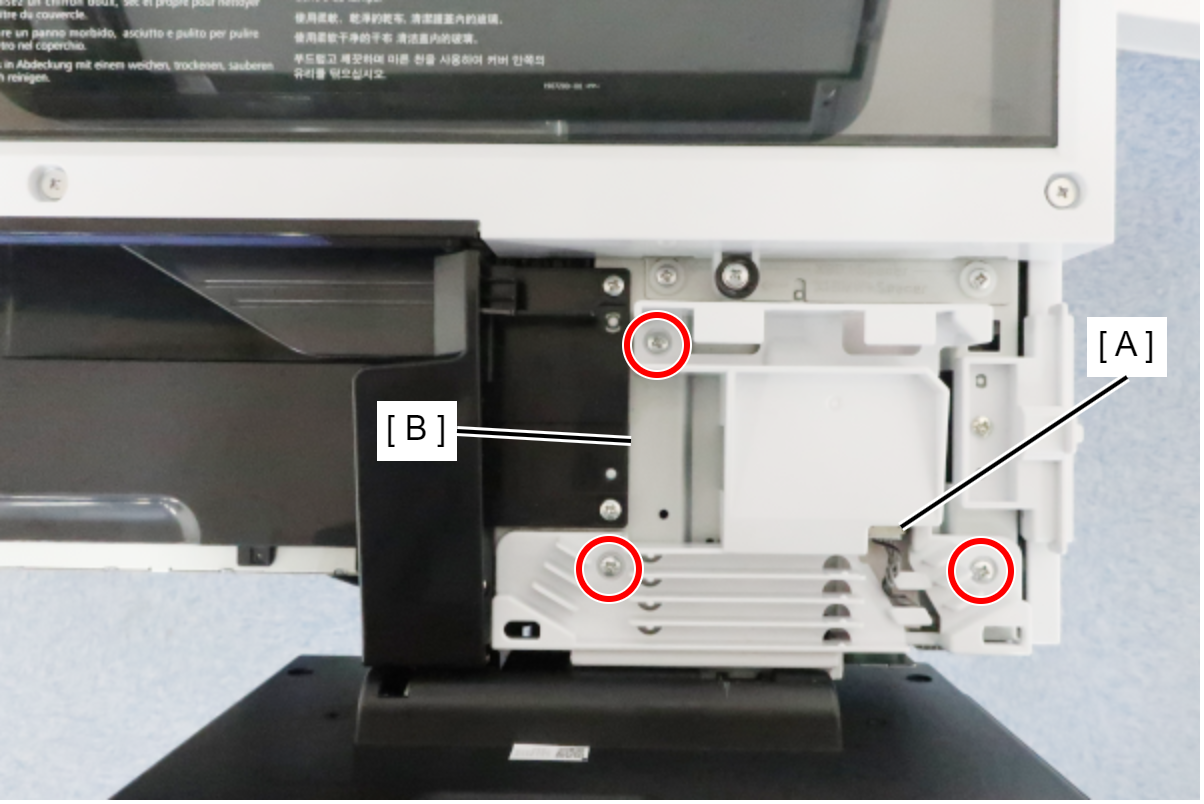
- : 3x8D
- Remove the cables from the connector (A).
- Remove the 2 screws and remove the USB Port Assy(Authentication printing) (B).
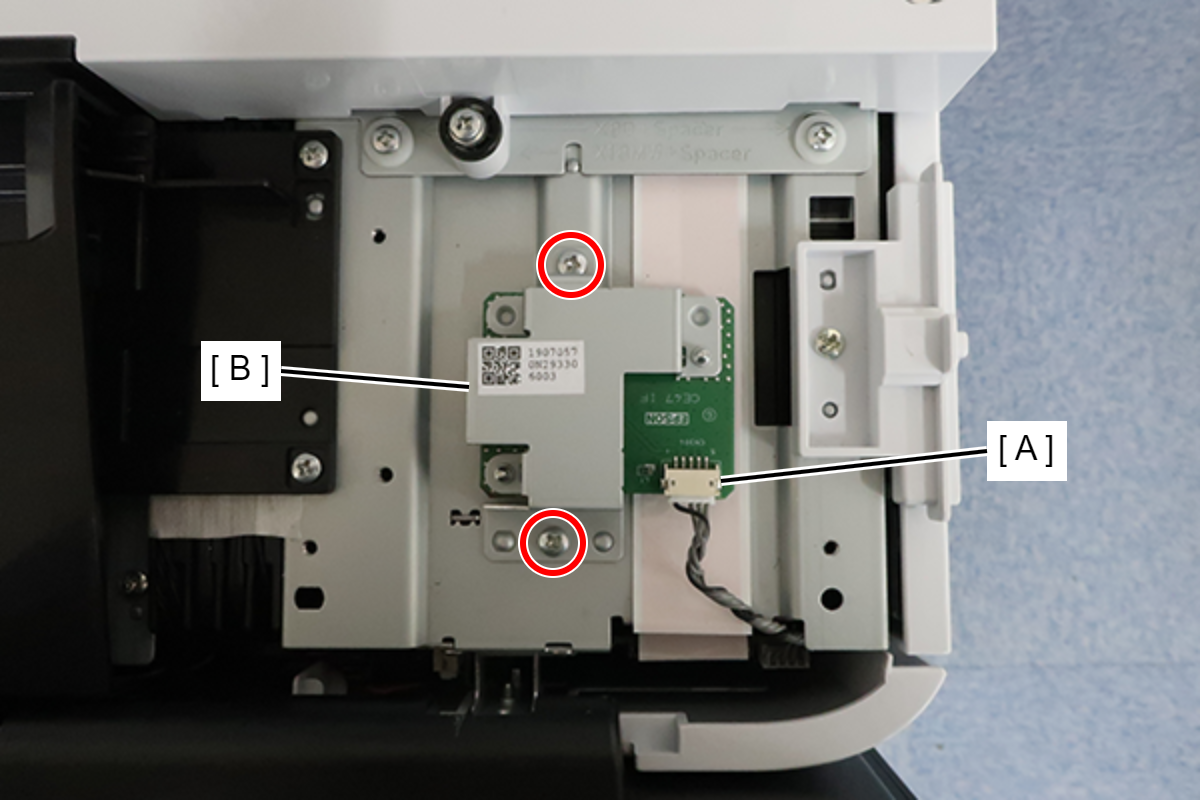
 : 3x8D