
ADF paper feed roller/ADF retard roller
 Check Point / チェックポイント Check Point / チェックポイント |
When replacing this part, you need to run the menu from the service support mode before replacing it. |
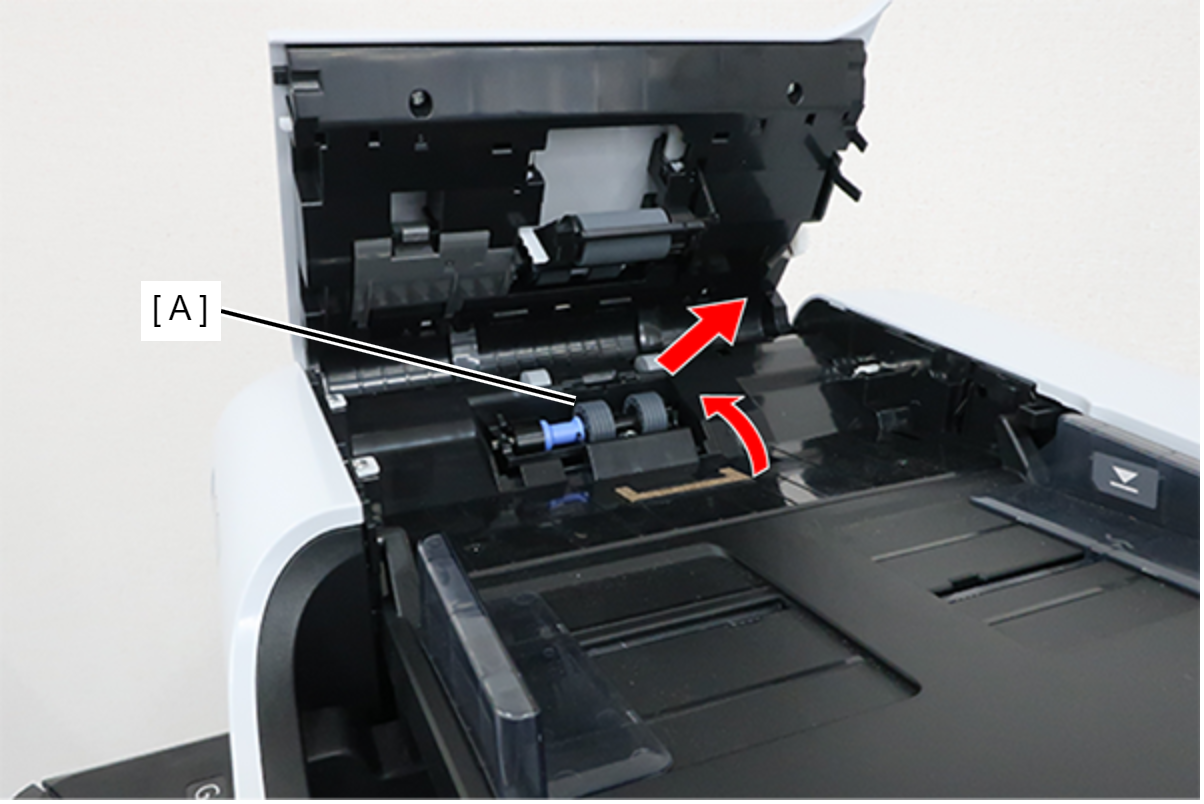
- Open the ADF Cover (A).
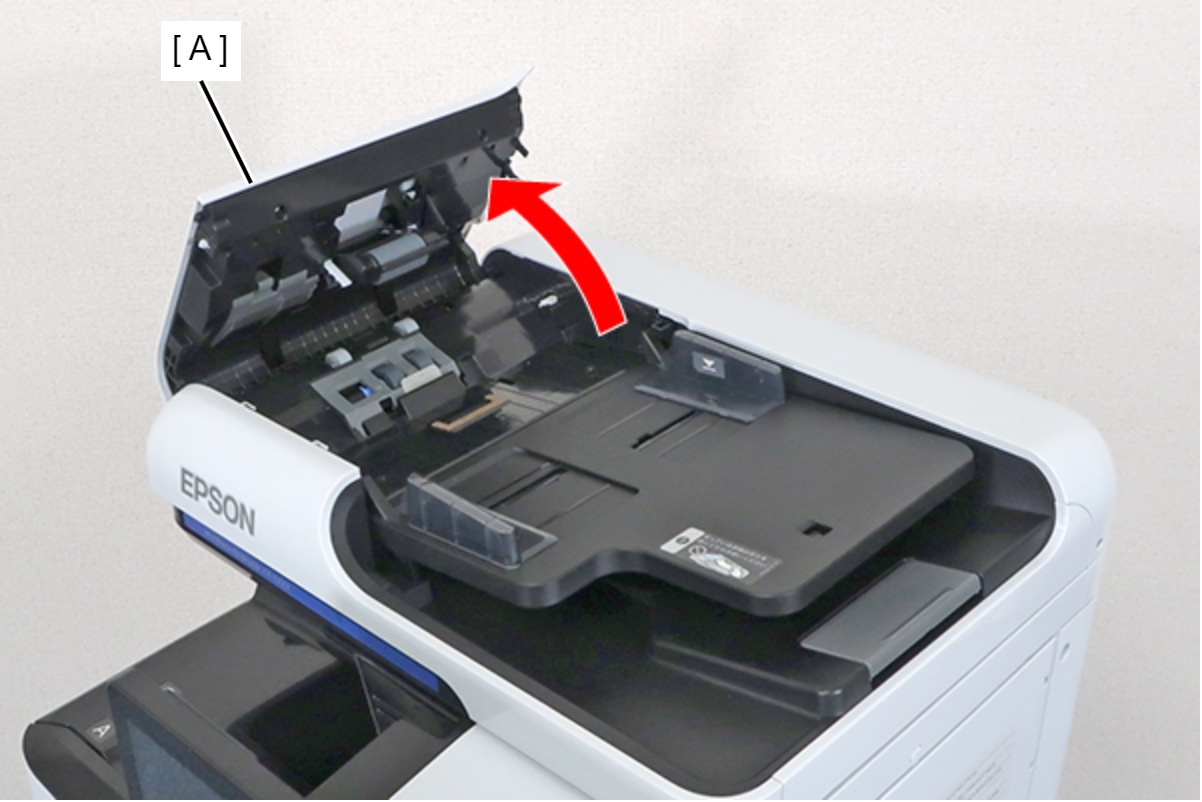
- Release the hook and remove the ADF Pickup Roller Cover (A).
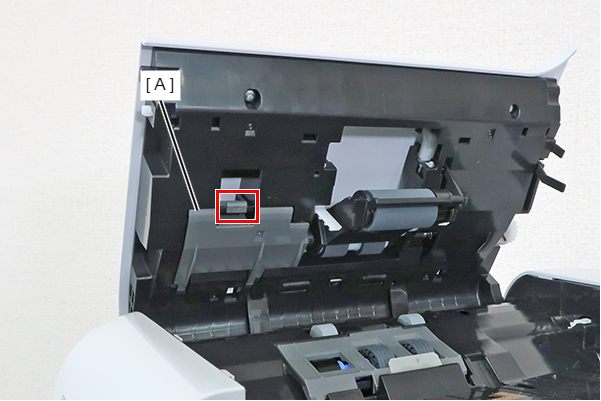
- Remove the ADF Pickup Roller (A) by sliding it in the direction of the arrow.
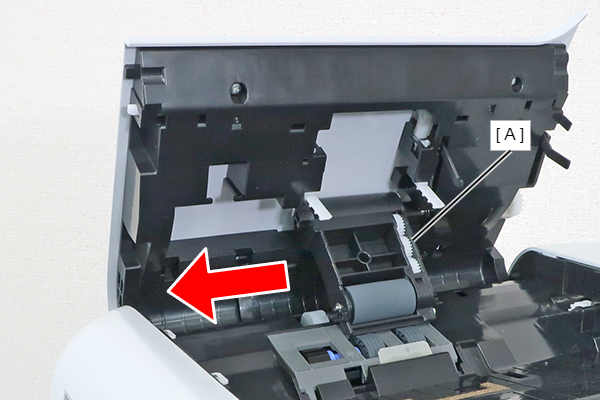
- Release the hook and remove the ADF Retard Roller Cover (A).
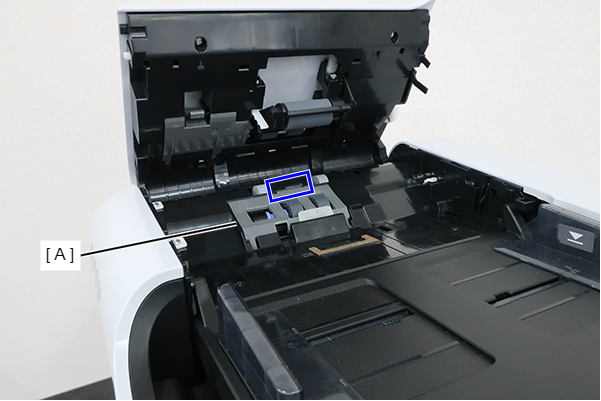
- Remove the ADF Retard Roller (A) in the direction of the arrow.
 Assembly / 組み立て
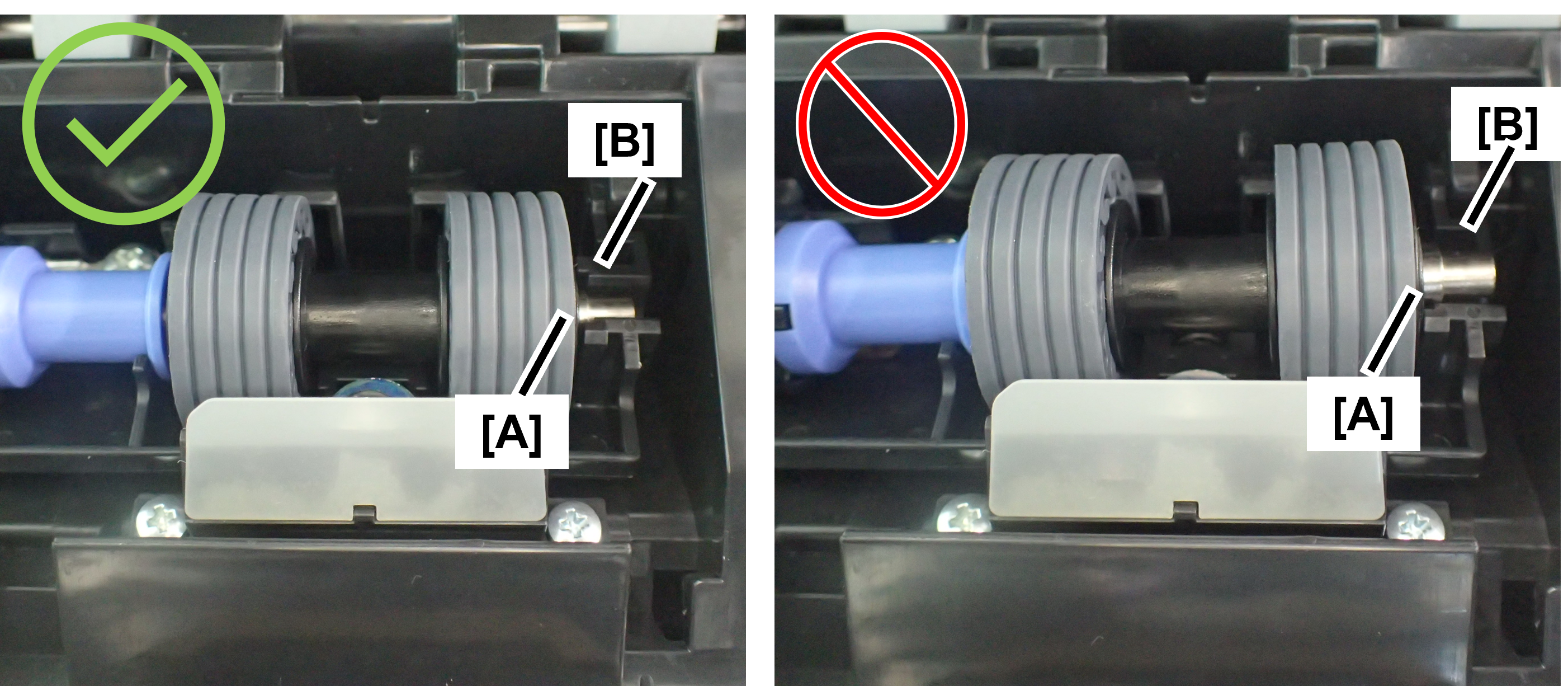
When assembling the ADF retard roller, make sure that the shaft (A) fits into the groove (B). If it is floating, it may cause paper feeding failure.
| Check Point / チェックポイント |
After replacing this part, you need to run the menu from the service support mode. (If you ran the Before-replacement menu before replacing the part, it will start automatically when you turn the power on.) |