
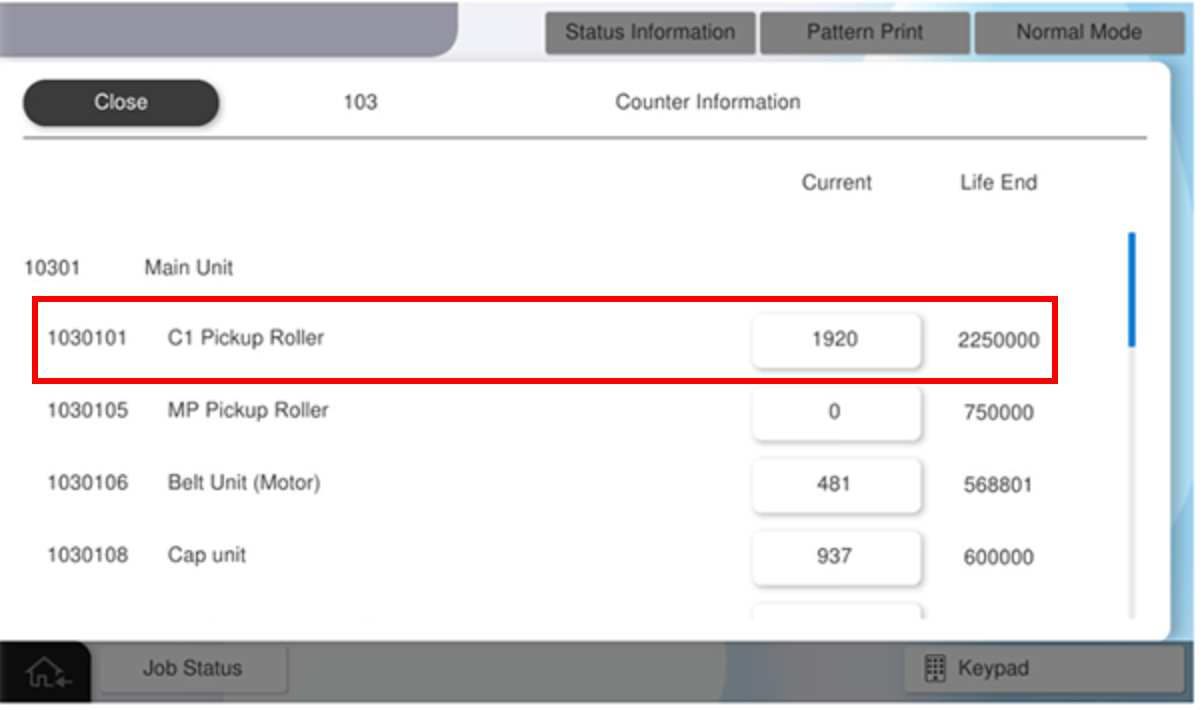
103 Counter Information
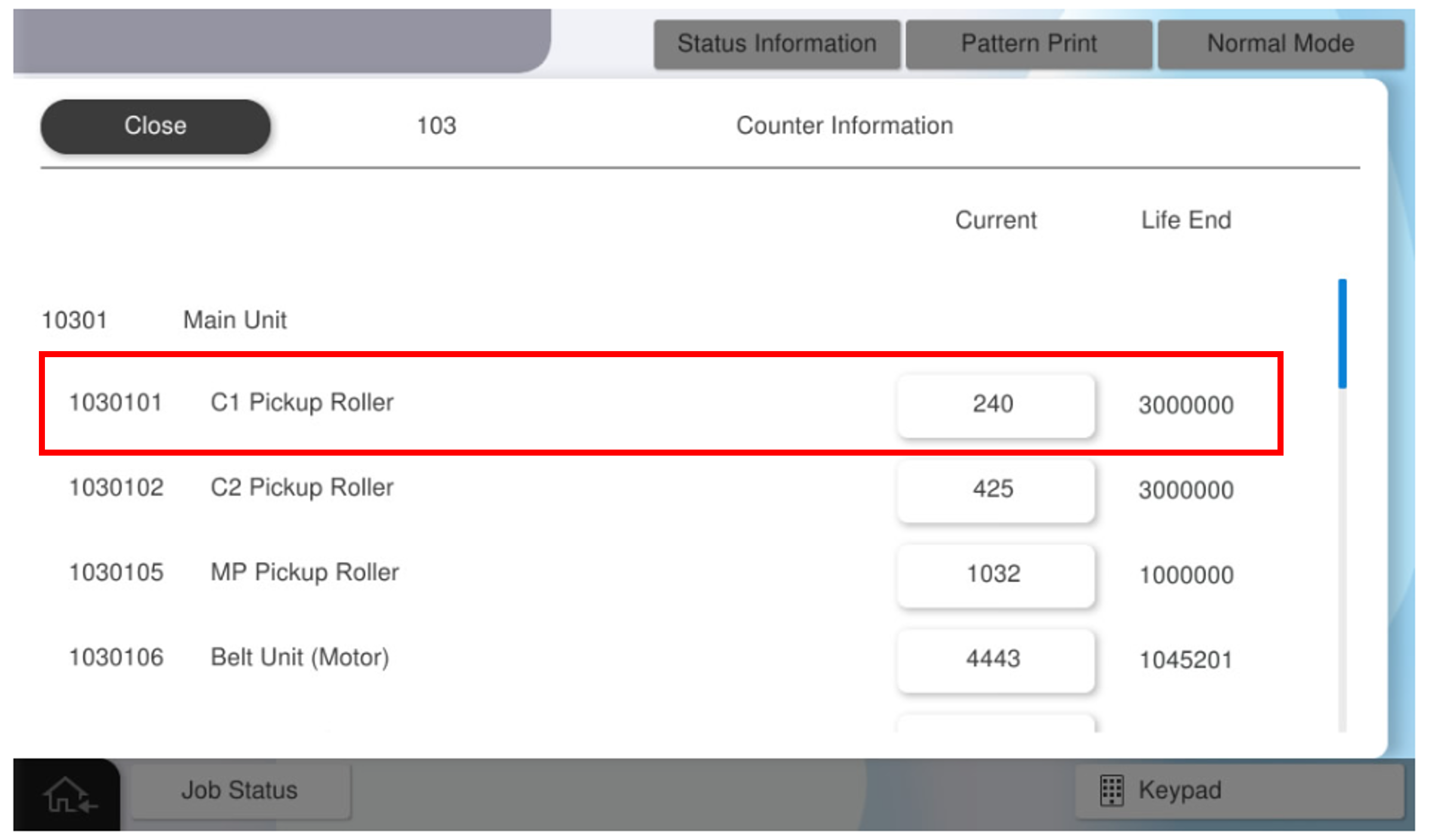
Displays the life counter of the periodic replacement parts.
 Note / 補足 Note / 補足 |
In this menu, the life counter displays, and also the life counter can be reset as well. However, “Adjustment for Replacement Parts” has a menu in which necessary operations before and after replacement are packaged, and includes a counter reset. (05 Adjustment for Replacement Parts ) |
Menu list
| Unit | No. | Menu Name | Remarks |
|---|---|---|---|
| Main Unit | 1030101 | C1 Pickup Roller | - |
| 1030105 | MP Pickup Roller | - | |
| 1030106 | Belt Unit (Motor) | - | |
| 1030107 | Belt unit (cleaner) |
- | |
| 1030108 | Cap Unit | - | |
| 1030110 | Ink System Unit (Ink Supply Unit) | - | |
| 1030111 | Ink System Unit (Selector Unit) | - | |
| 1030112 | Wiper Unit | - | |
| 1030113 | Ink Absorber Pad (BK) | - | |
| 1030114 | Ink Absorber Pad (Y) | - | |
| 1030115 | Ink Absorber Pad (M) | - | |
| 1030116 | Ink Absorber Pad (C) | - | |
| Additional Cassette | 1030117 | C2 Pickup Roller | - |
| 1030118 | C3 Pickup Roller | ||
| 1030119 | C4 Pickup Roller | - | |
| ADF/SCN | 1030120 | ADF Pickup Roller | - |
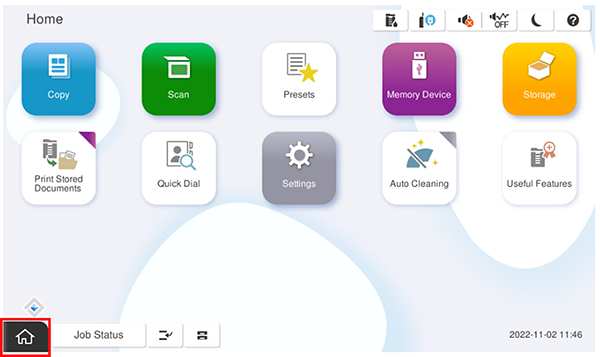
- Start service support mode.
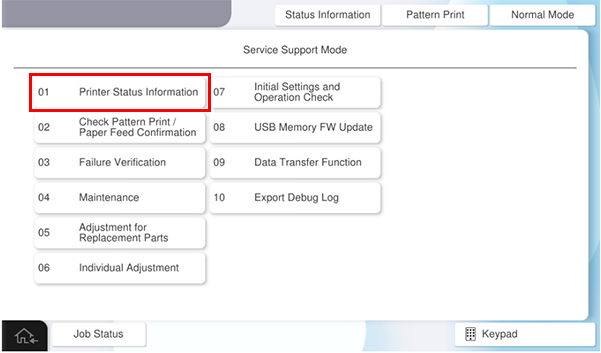
- Select [01 Printer Status Information].
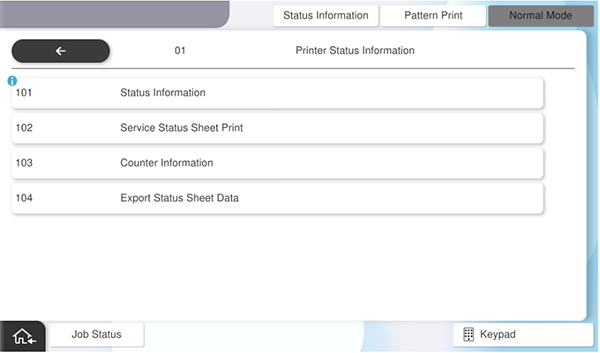
- Select [103 Counter Information].
- Select the counter to check.
 Note / 補足
To reset the life counter is as follows.
- Press the counter name to reset the counter.
- Press [Yes] to reset the counter.
Pressing [No] returns to the previous screen.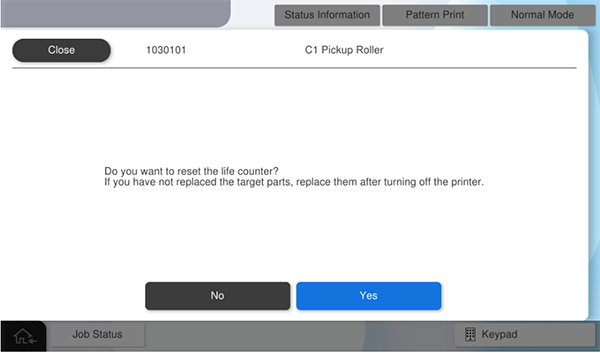
- Pressing [Yes] resets the counter.
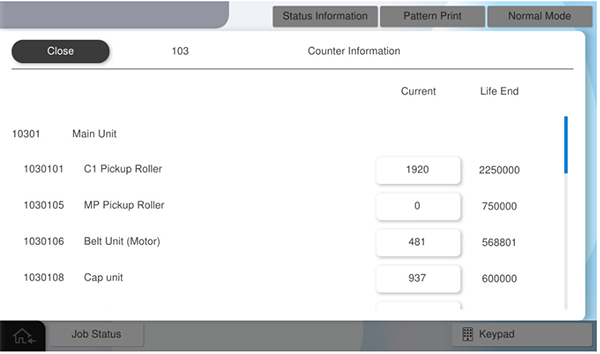
- Press the counter name to reset the counter.