
Fax Function Check Report
 Note / 補足 Note / 補足 |
|
Printing Procedure
| Manual | [Fax] > [Menu] > [Fax Settings] > [Fax Diagnosis] |
|---|
Output Sample
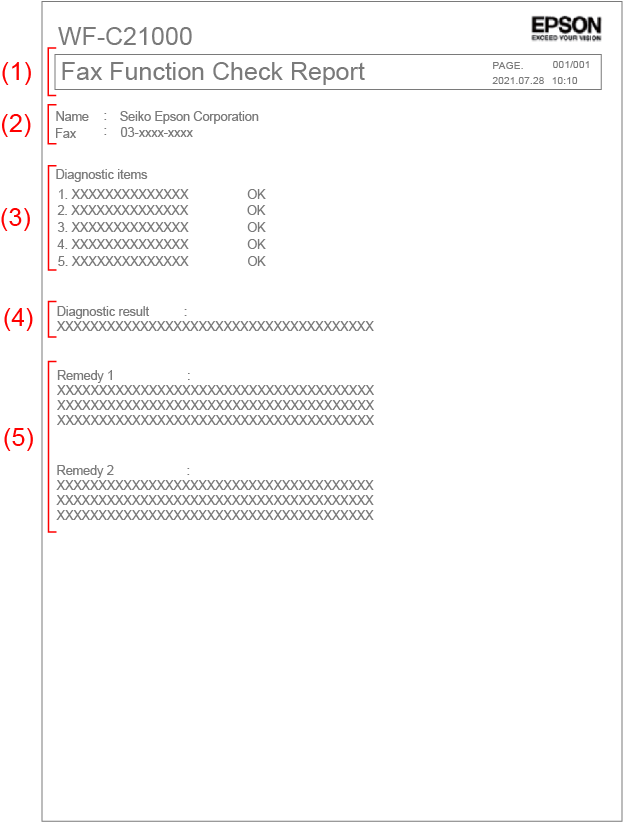
| (1) |
Subject | Report name |
|---|---|---|
| PAGE. | Number of pages to be reported (number of pages/total number of pages) | |
| Date and time | Printed time (yyyy.mm.dd hh:mm) |
|
| (2) | Name | Registered sender name |
| Fax | Registered sender number | |
| (3) | Check Item | See “Fax Function Check Operation Flow” for the description of check items. |
| (4) | Check Result | Diagnosis |
| (5) | Remedy | Remedy |