
SCN CIS Module
 Check Point / チェックポイント Check Point / チェックポイント |
When replacing this part, you need to run the menu from the service support mode before replacing it. CIS Module(ADF/ SCN) / SCN Upper Case / CISM Spacer - Before replacement |
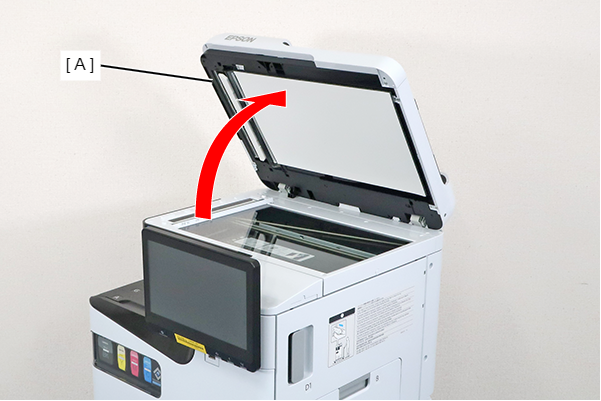
- Open the ADF (A).
- Remove the screw and slide the Panel Upper Cover (A) in the direction of the arrow to remove it.
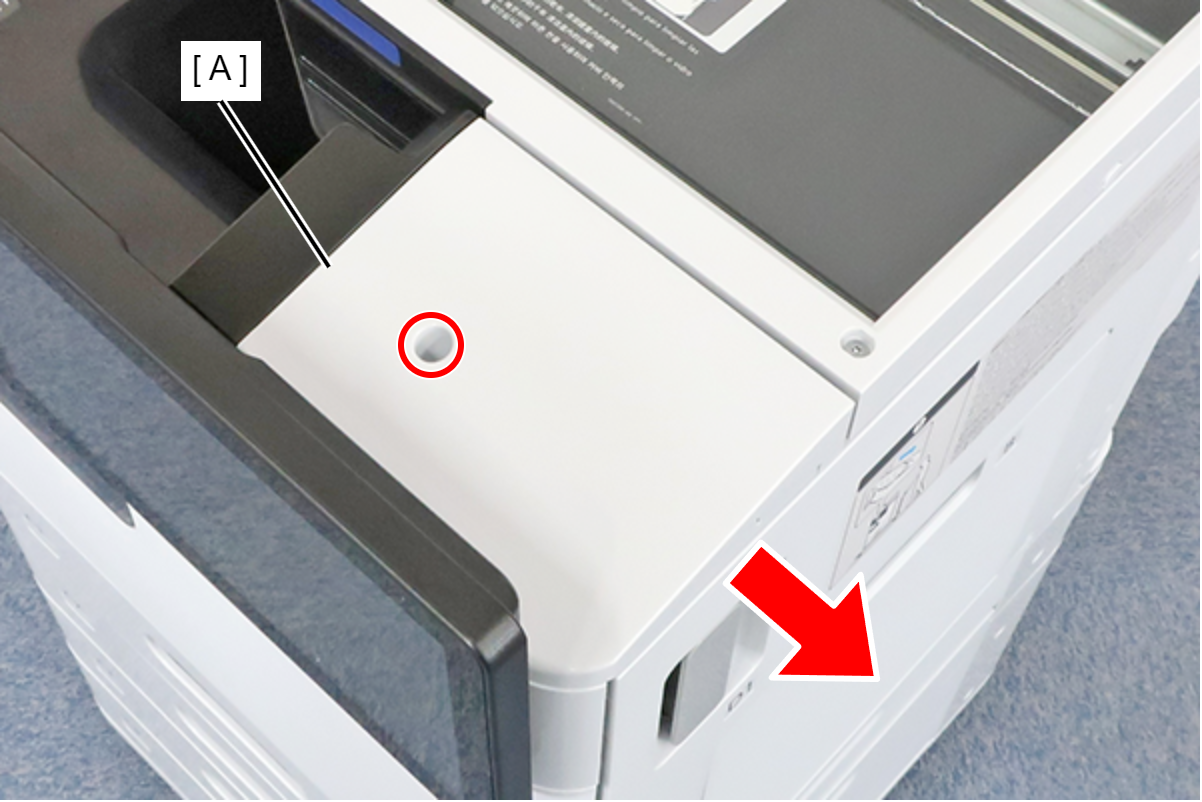
 : 3x8D
- Disengage the hook, remove the Screw Cap (A), and remove the screw.
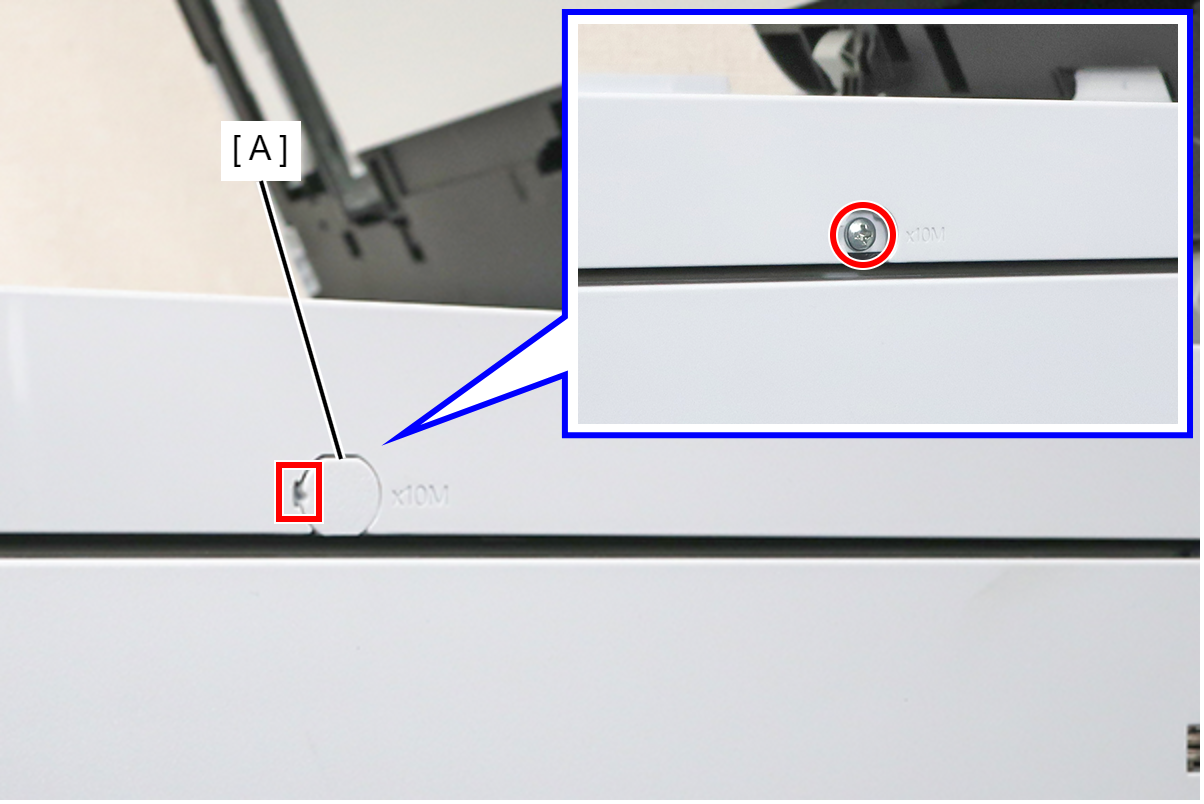
- : 3x10M
- Remove the screw and remove the spacer (A).
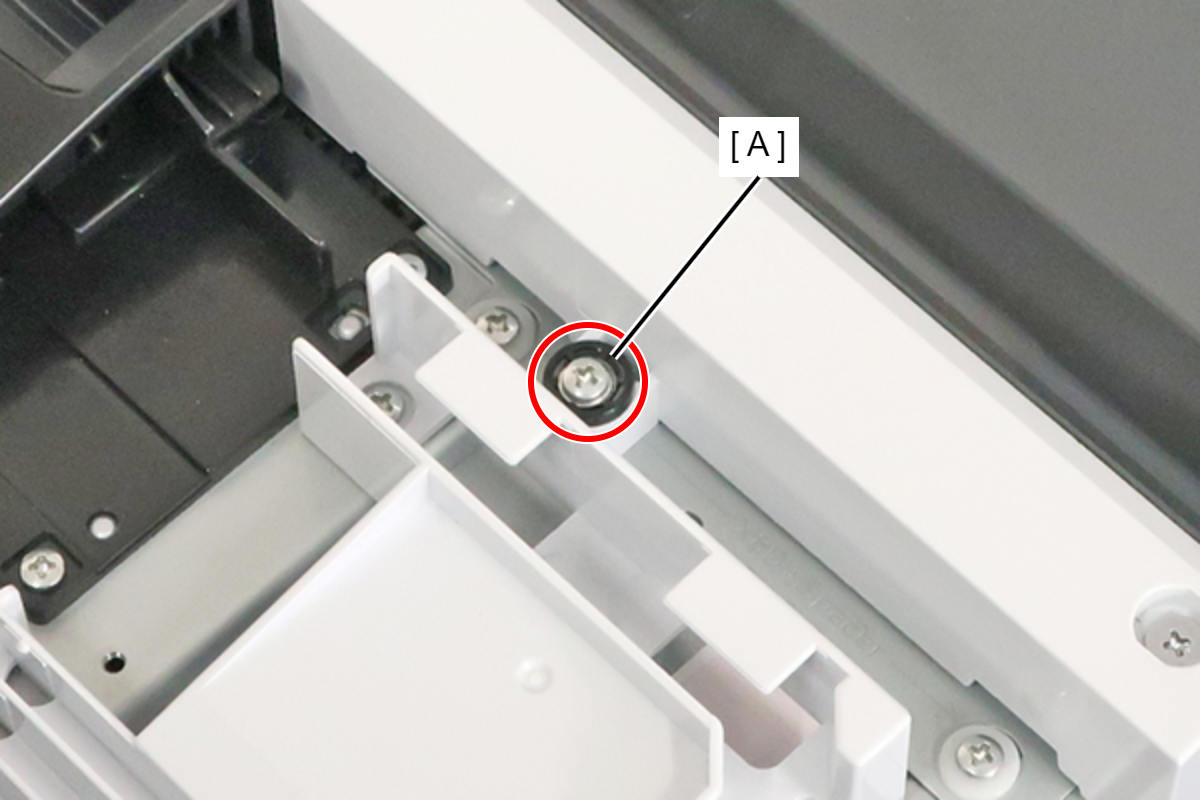
- : 3x18MW
- Remove the 8 screws and remove the SCN upper case (A).
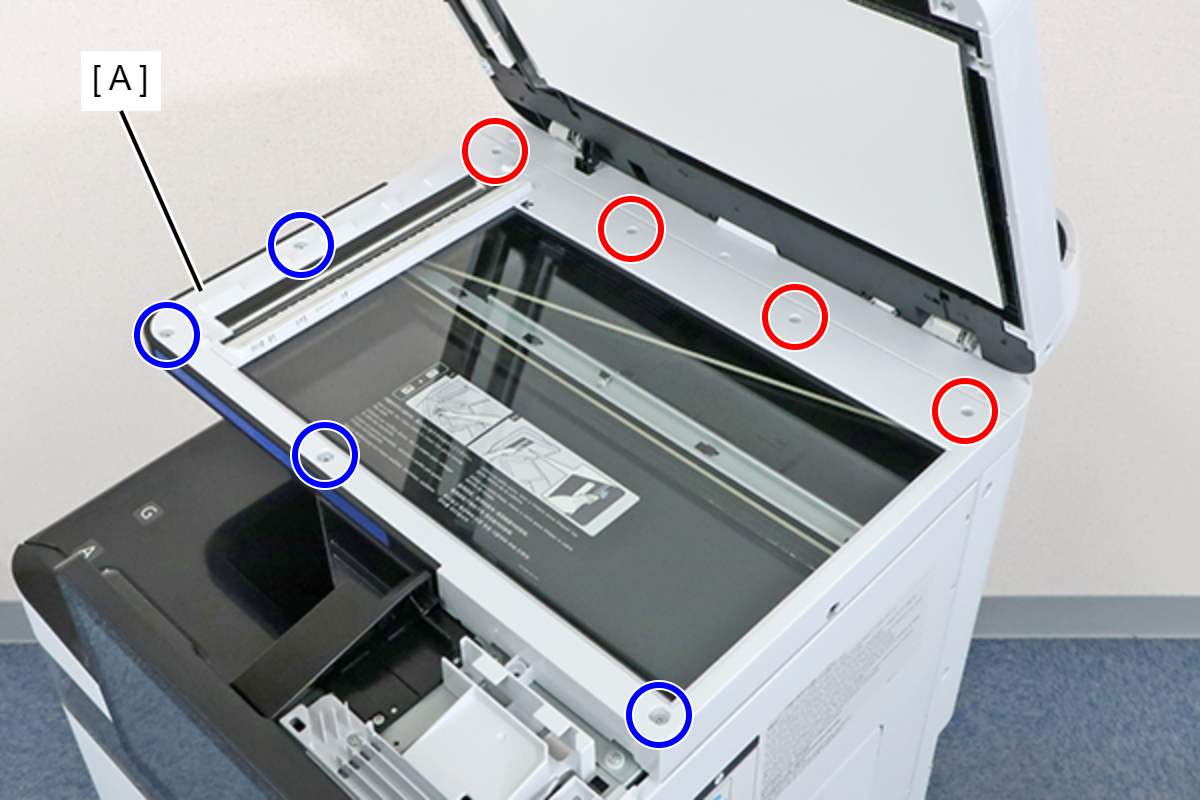
 : 3x10M
 : 3x5D
Check Point / チェックポイントRemove the 4 screws on the ADF Unit side with a driver having a short handle.
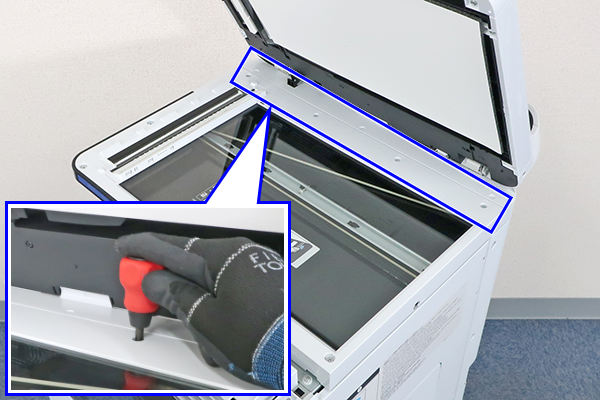
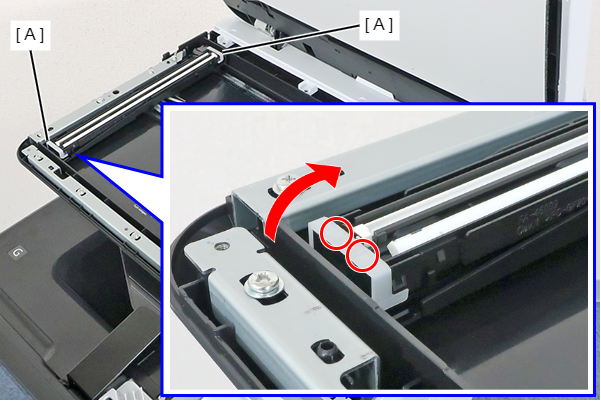
- Rotate the CISM Spacers (A) in the direction indicated by the arrow, release the 2 dowels, and remove the 2 CISM Spacers.
- At both sides of the SCN CIS Module, press the tab (A) outward to disengage the dowel (B) and remove the SCN CIS Module.
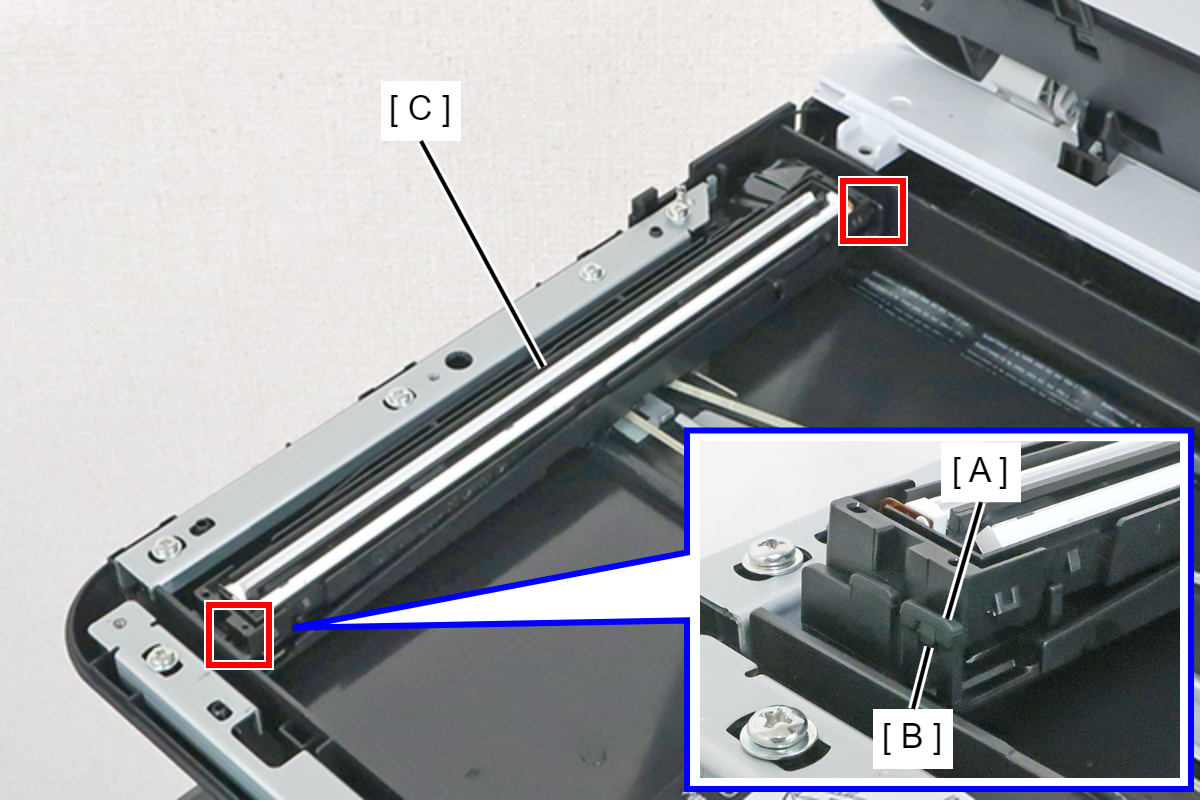
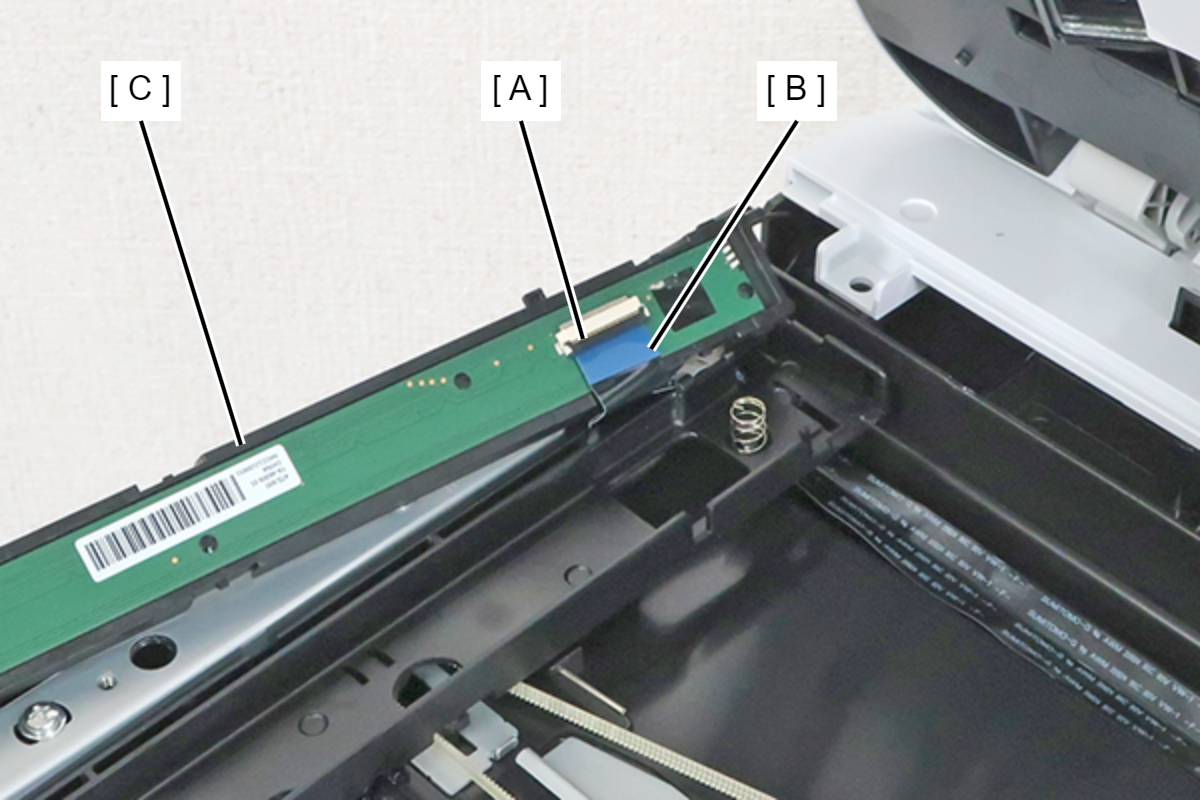
- Release the Connector Lock (A) and remove the FFC (B) from the connector, then remove the SCN CIS Module (C).
| Check Point / チェックポイント |
After replacing this part, you need to run the menu from the service support mode. (If you ran the Before-replacement menu before replacing the part, it will start automatically when you turn the power on.) CIS Module(ADF/ SCN) / SCN Upper Case / CISM Spacer - After replacement |