
Overview of Repair and Adjustment
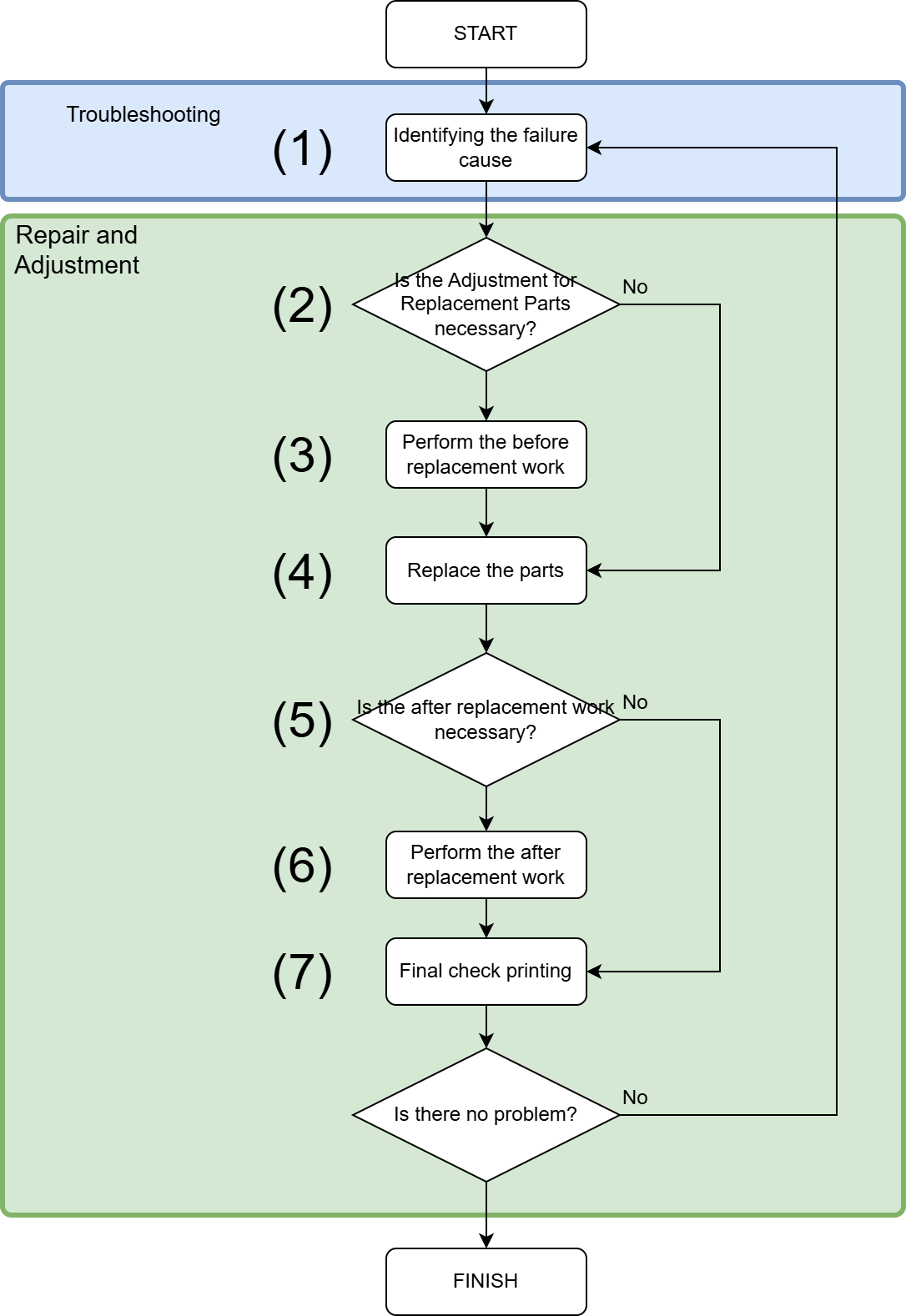
| No. | Overview of operation | ||
|---|---|---|---|
| (1) | Identify the failure cause |
||
| (2) |
Check if the preparation is necessary.
|
||
| (3) | Perform the before replacement work. |
||
| (4) | Perform disassembly and assembly of parts. Refer to the following items before disassembly and assembly. See below items for the disassembly and assembly procedure. |
||
| (5) |
Perform the after replacement work.
|
||
| (6) | Perform necessary adjustments individually. |
||
| (7) | Perform check of the print quality and paper passing quality according to the failure. |
