
FD Stacker Assy
- Remove the screw and remove the Left Cover Upper (A) in the direction of the arrow.
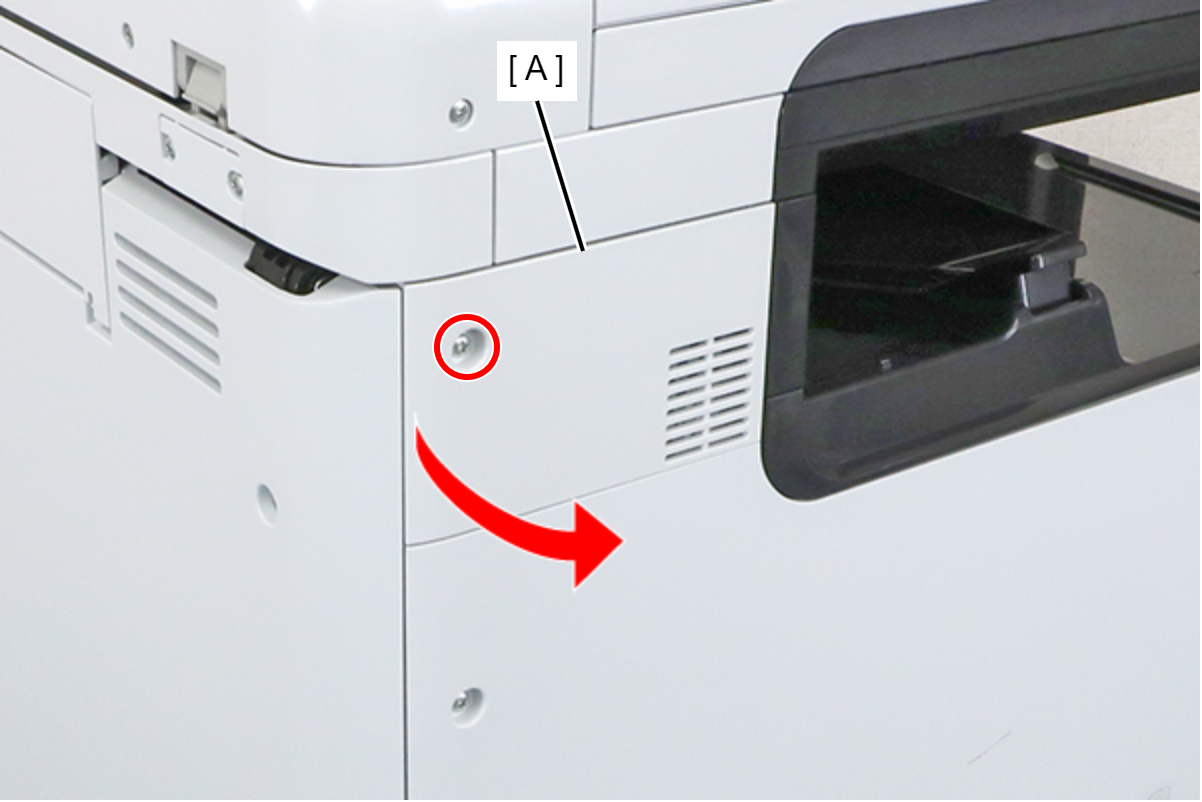
 : 3x8D
- Remove the 4 screws and remove the SCN Fixing Plate (A).
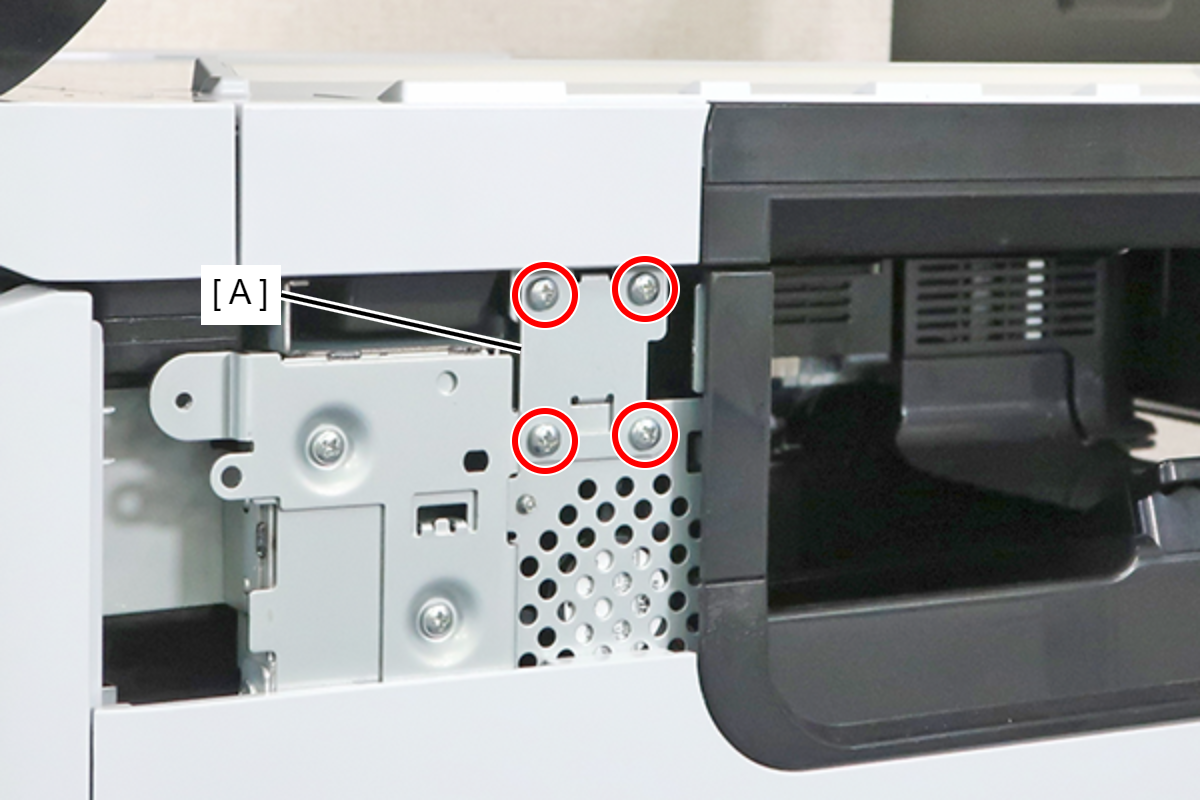
- : 3x8M
 Caution / 注意
Be sure to completely remove the SCN Fixing Plate.
If you attempt to carry out the operation without completely removing the screws and leaving the lower 2 screws removed, there is a risk of an accident, such as pinching your finger, when opening or closing the SCN.
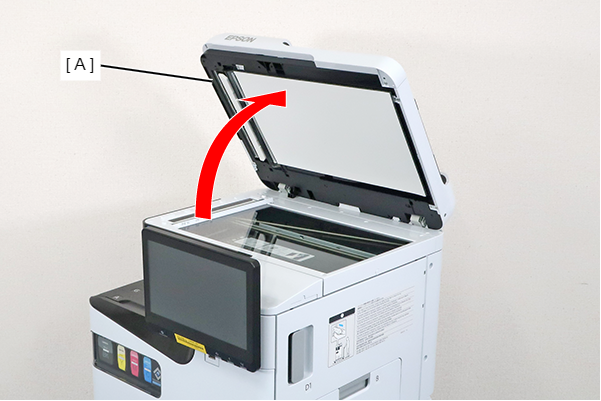
- Open the ADF (A).
- Remove the screw and slide the Panel Upper Cover (A) in the direction of the arrow to remove it.
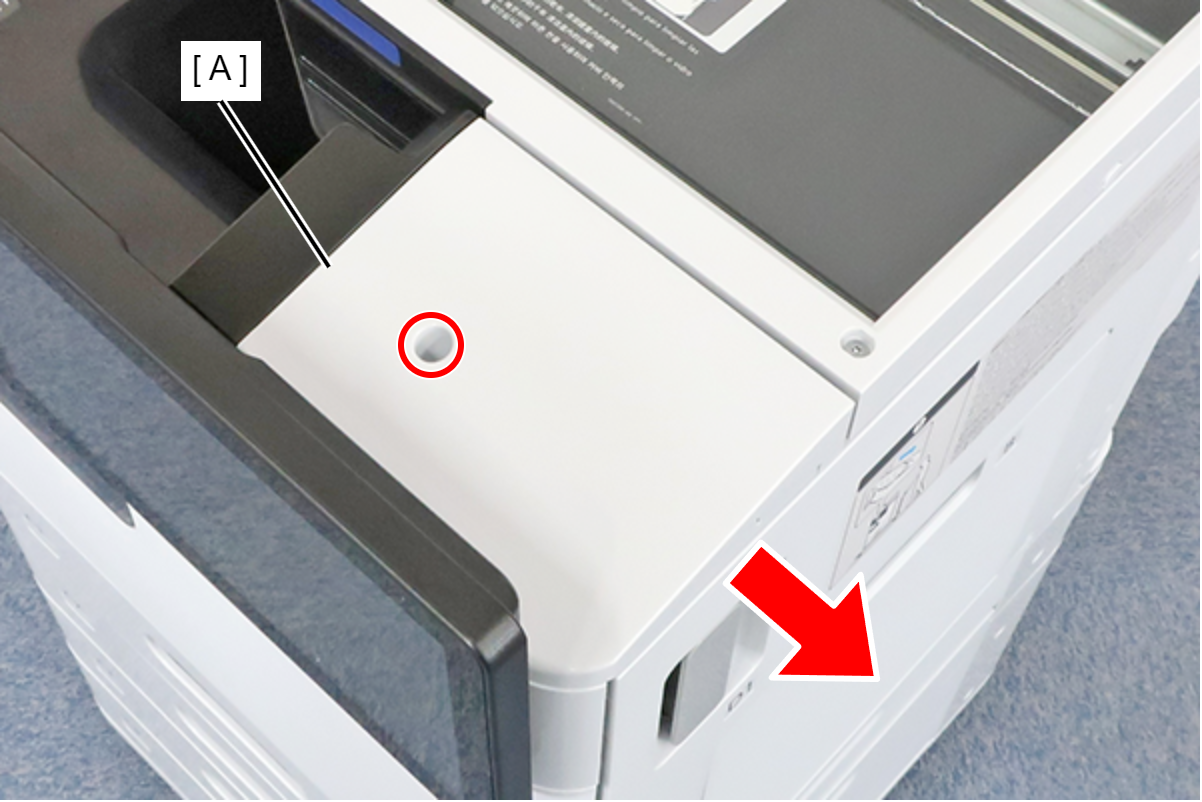
- : 3x8D
- Remove the 2 screws and the spacer.
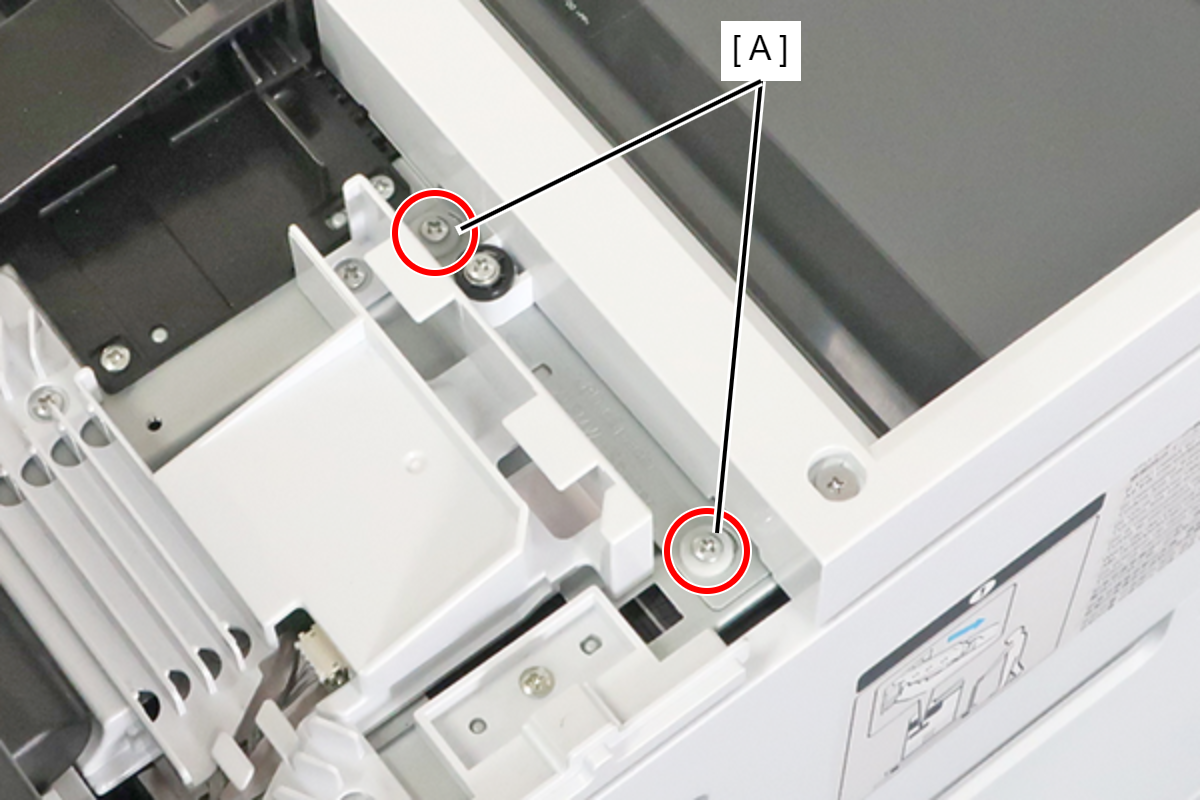
- : 3x8D
- Remove the screw and remove the spacer (A).
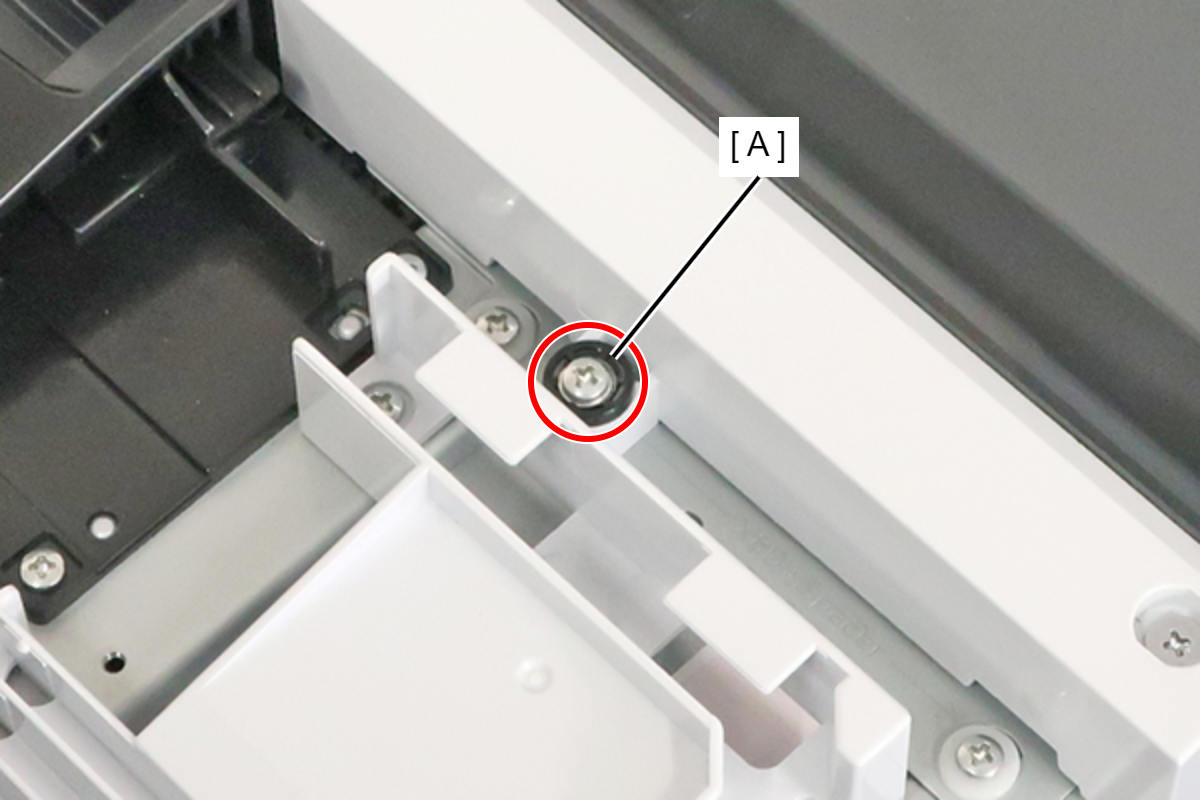
 : 3x18MW
- Remove the screw, and attach the spacer (A) removed in the preceding step.
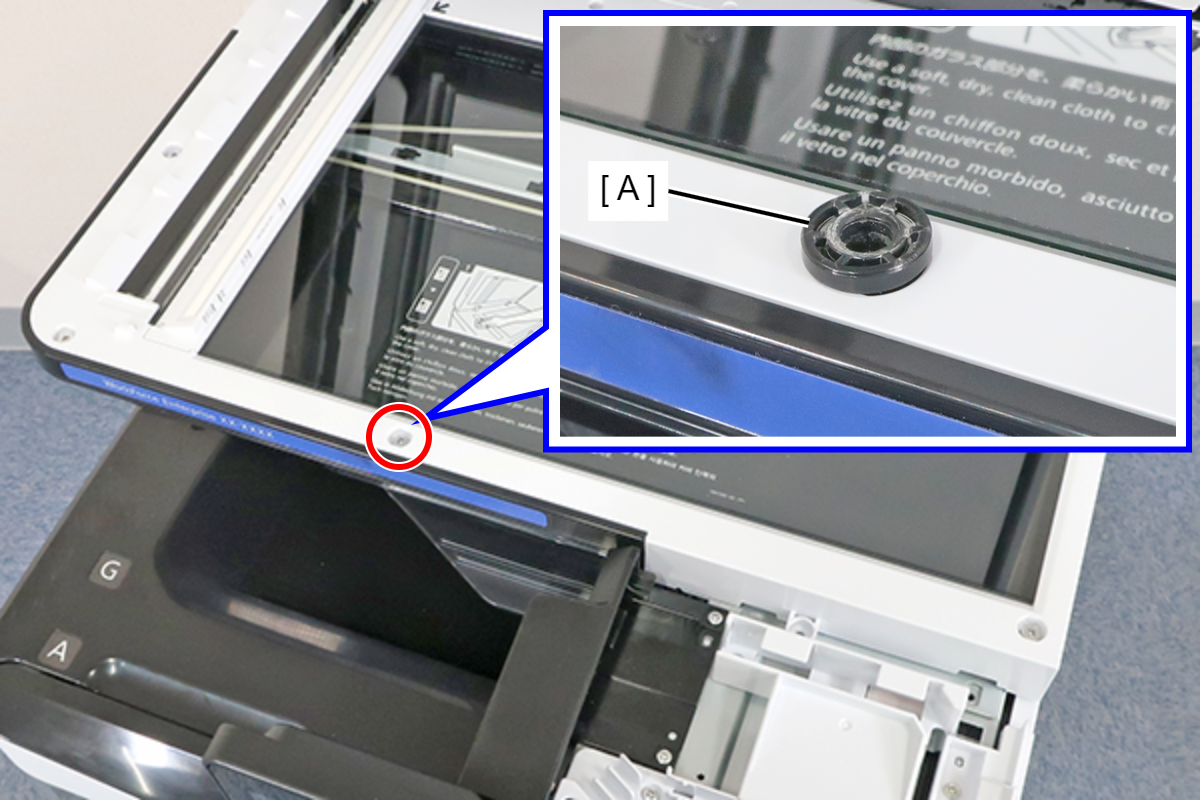
- : 3x5D
- Close the ADF (A), and fix the ADF and SCN Unit (B) with the screw that had been fixing the spacer in place.
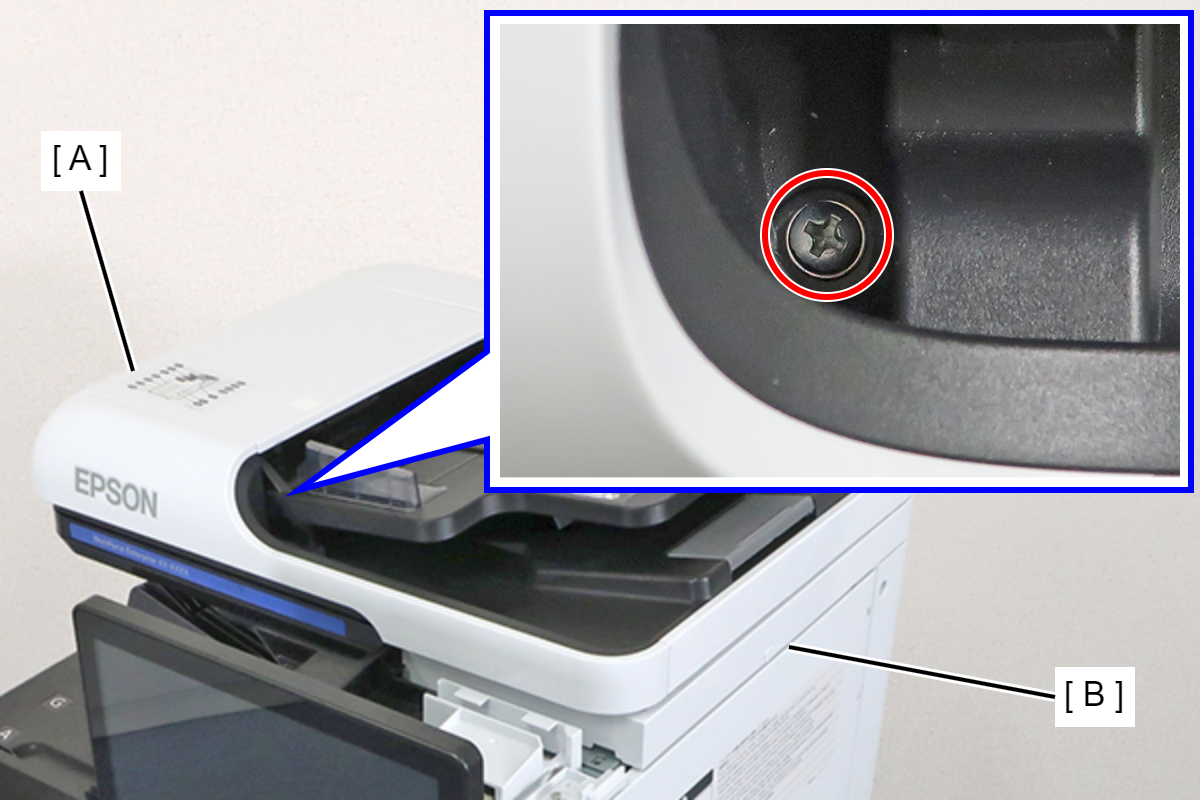
- : 3x18MW
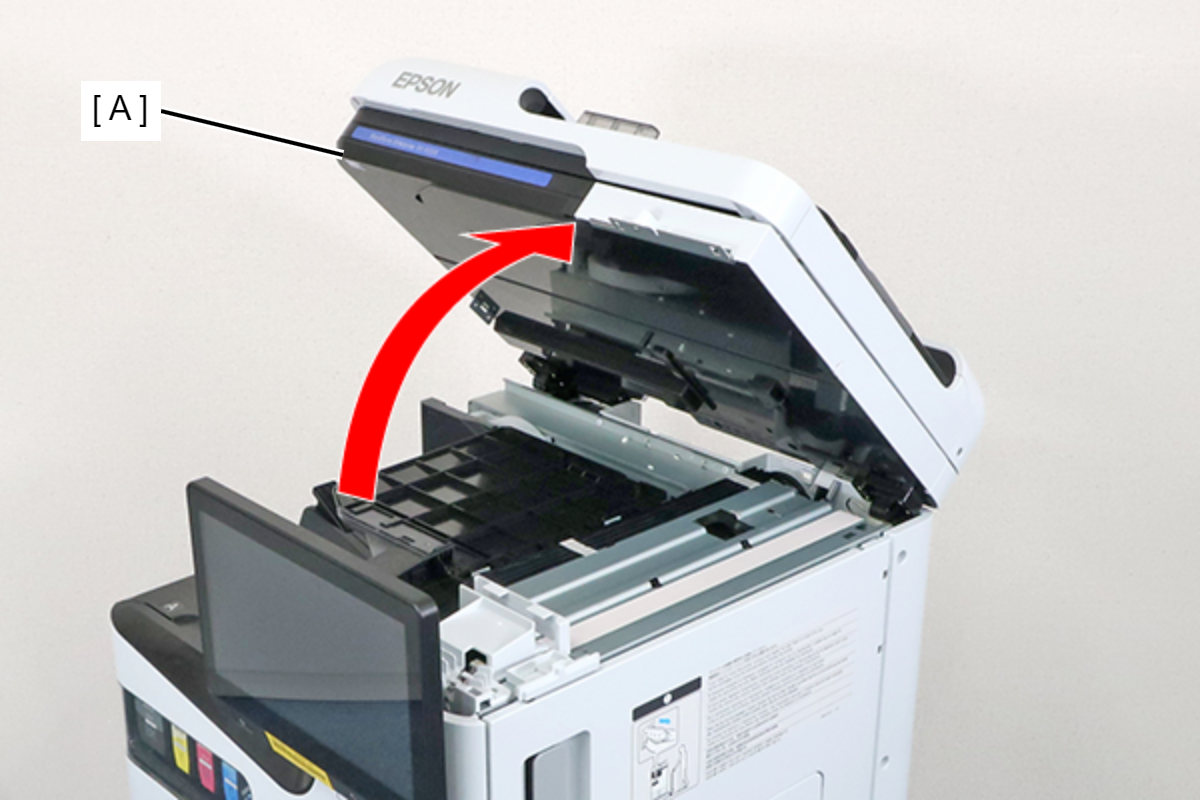
- Raise the ADF/SCN Unit (A).
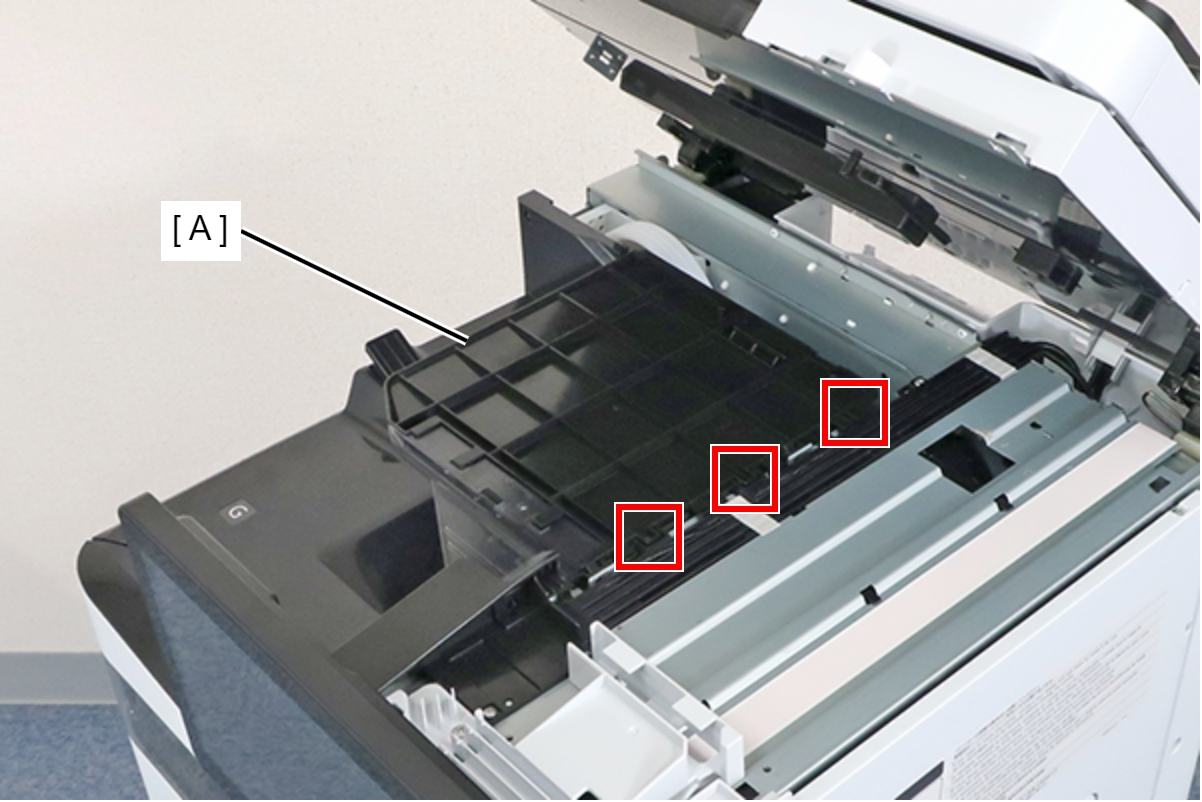
- Lift the duplex tray Assy (A), remove the 3 hooks, and remove the duplex tray Assy (A).
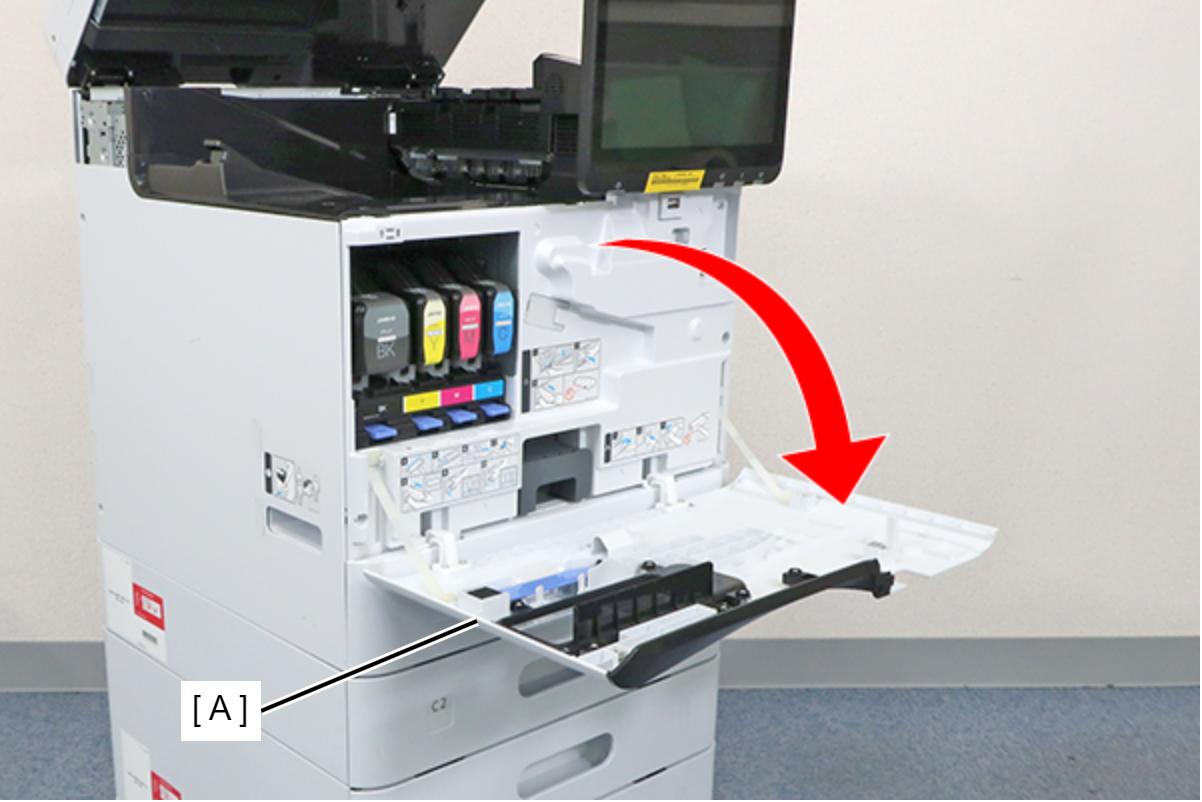
- Open the Front cover (A).
- Remove 4 screws and remove the FD Stacker Assy (A).
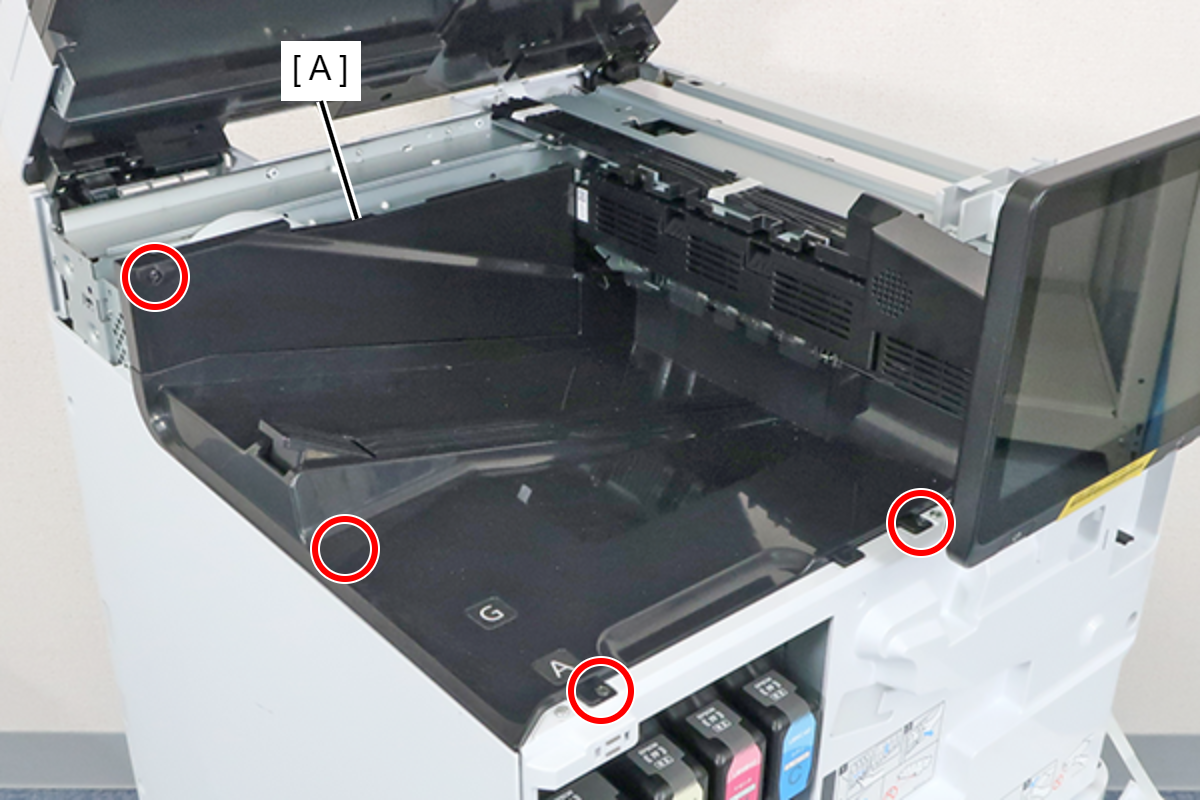
- : 3x8D/BK