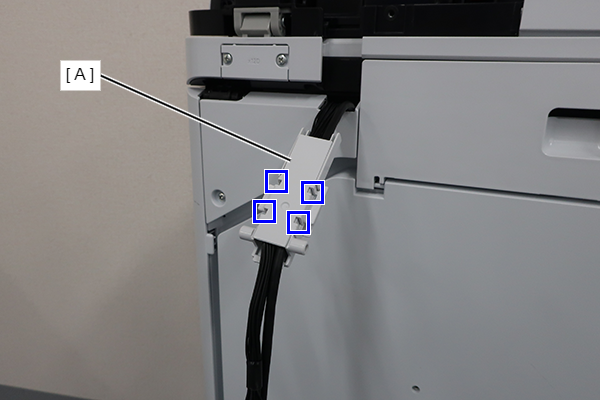
ADF Holder Harness Right
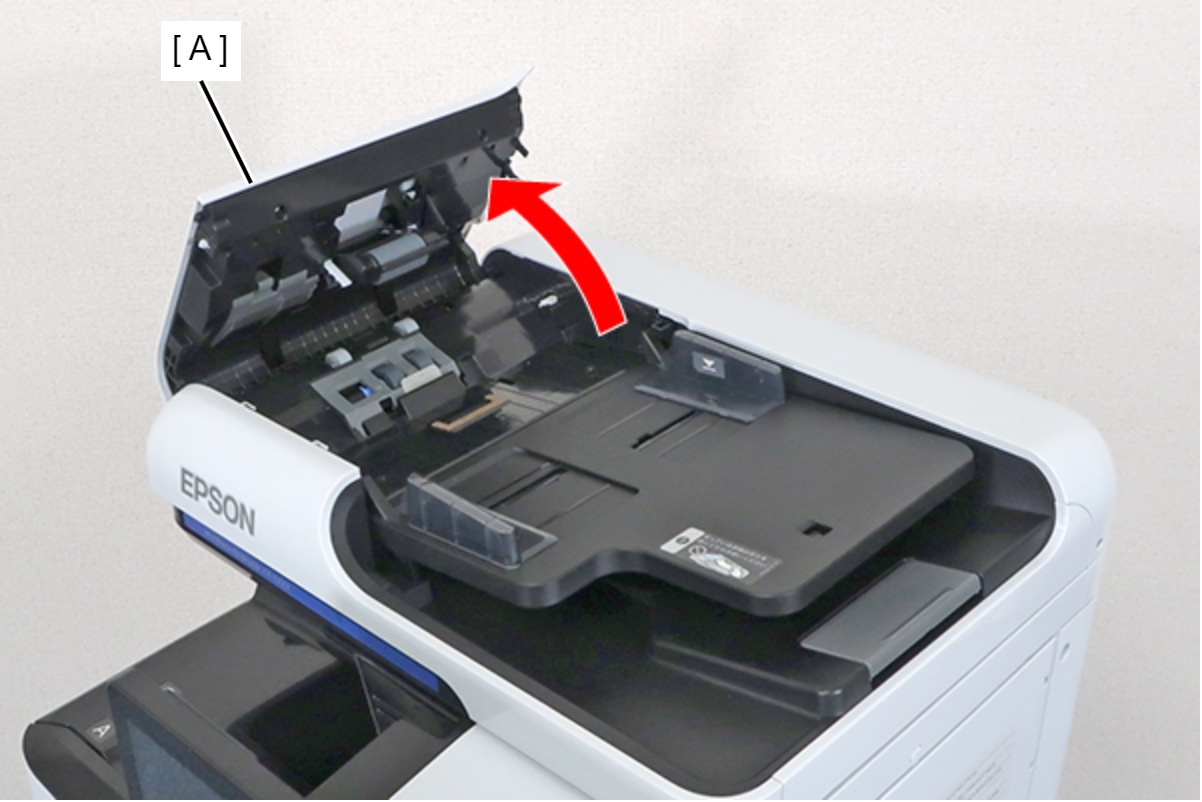
- Open the ADF Cover (A).
- Remove the 4 screws of the ADF Rear Cover (A).
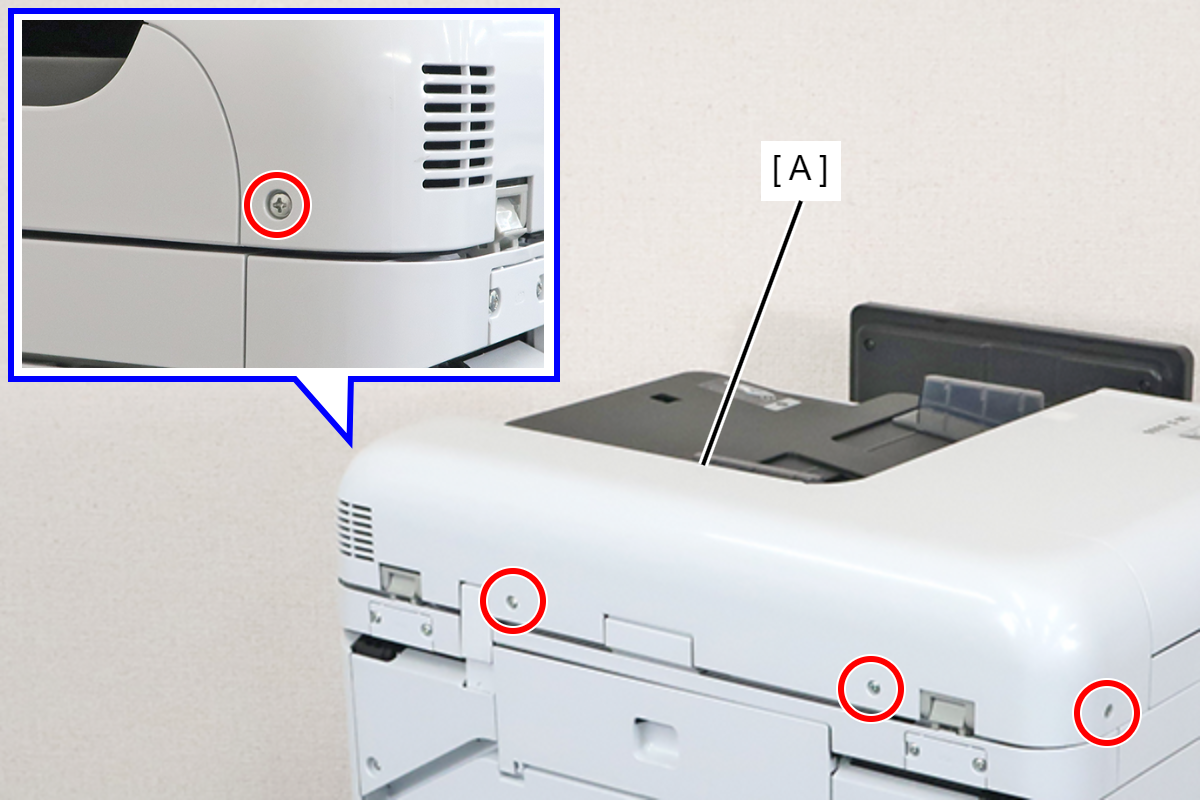
 : 3x8D
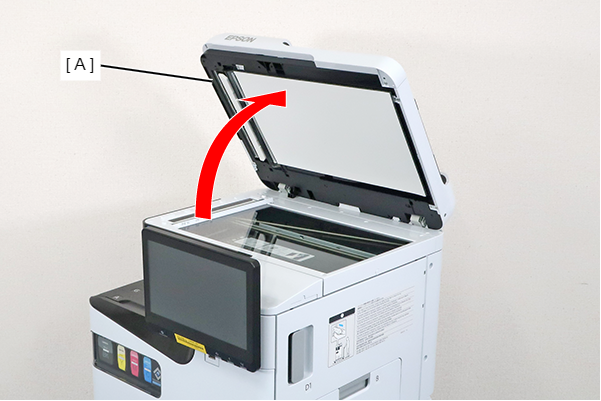
- Open the ADF (A).
- Insert a tool with a narrow tip such as a flathead screwdriver from the position indicated by the ∧ mark (A) shown in the figure, and disengage the 2 hooks.
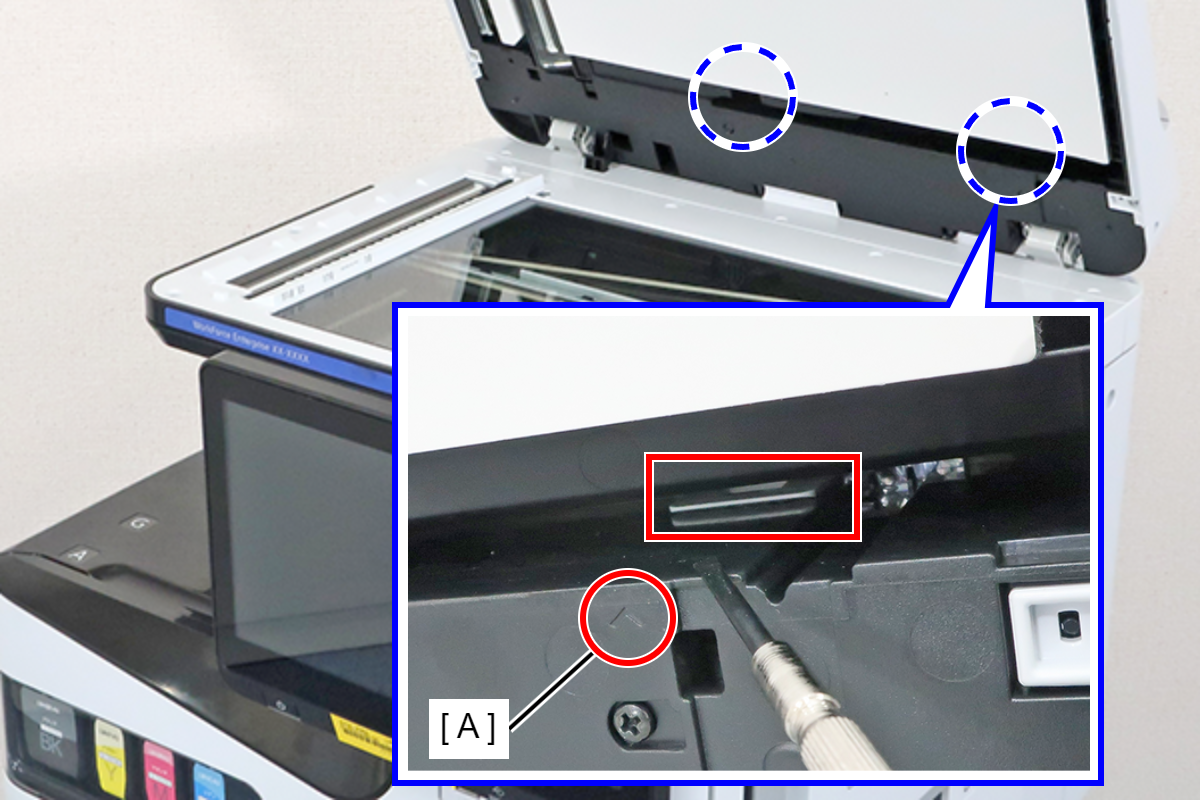
 Assembly / 組み立て
Align and attach the 2 hooks at the position indicated by the ∧ mark (A).
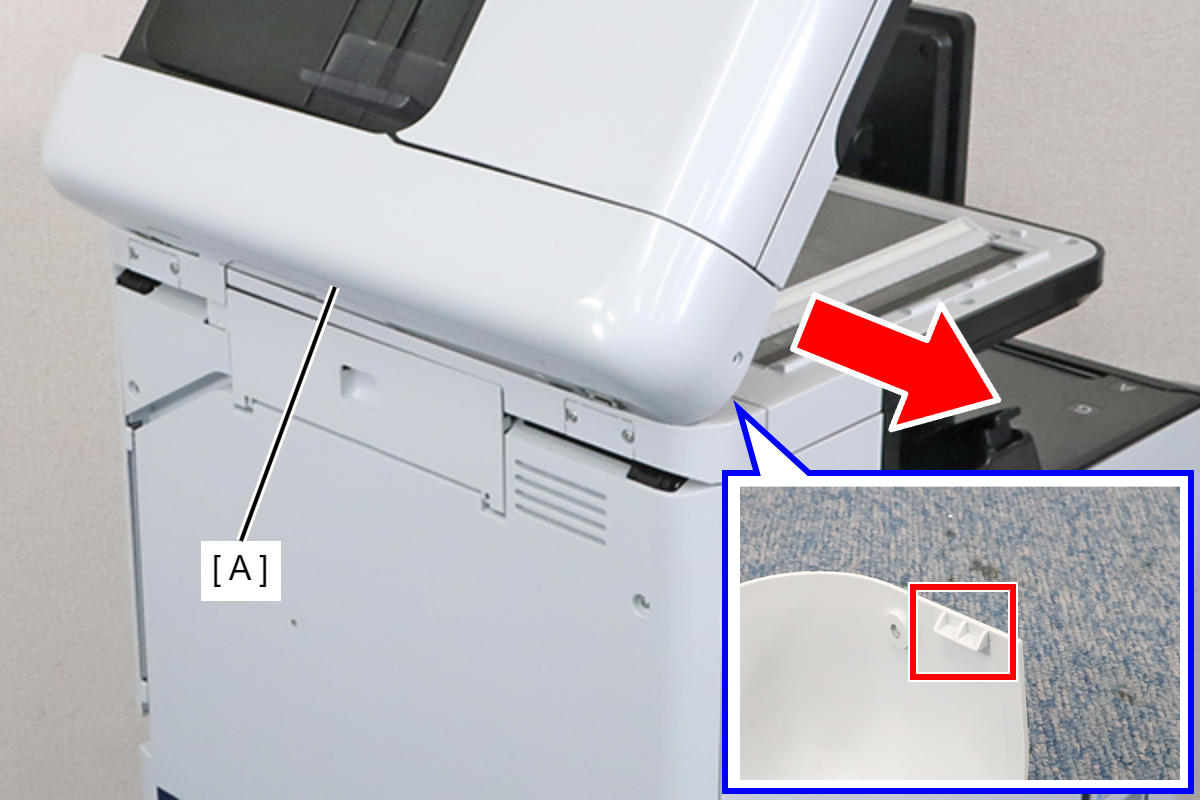
- Pull the ADF Rear Cover (A) out in the direction of the arrow to release the hook, and remove the ADF Rear Cover.
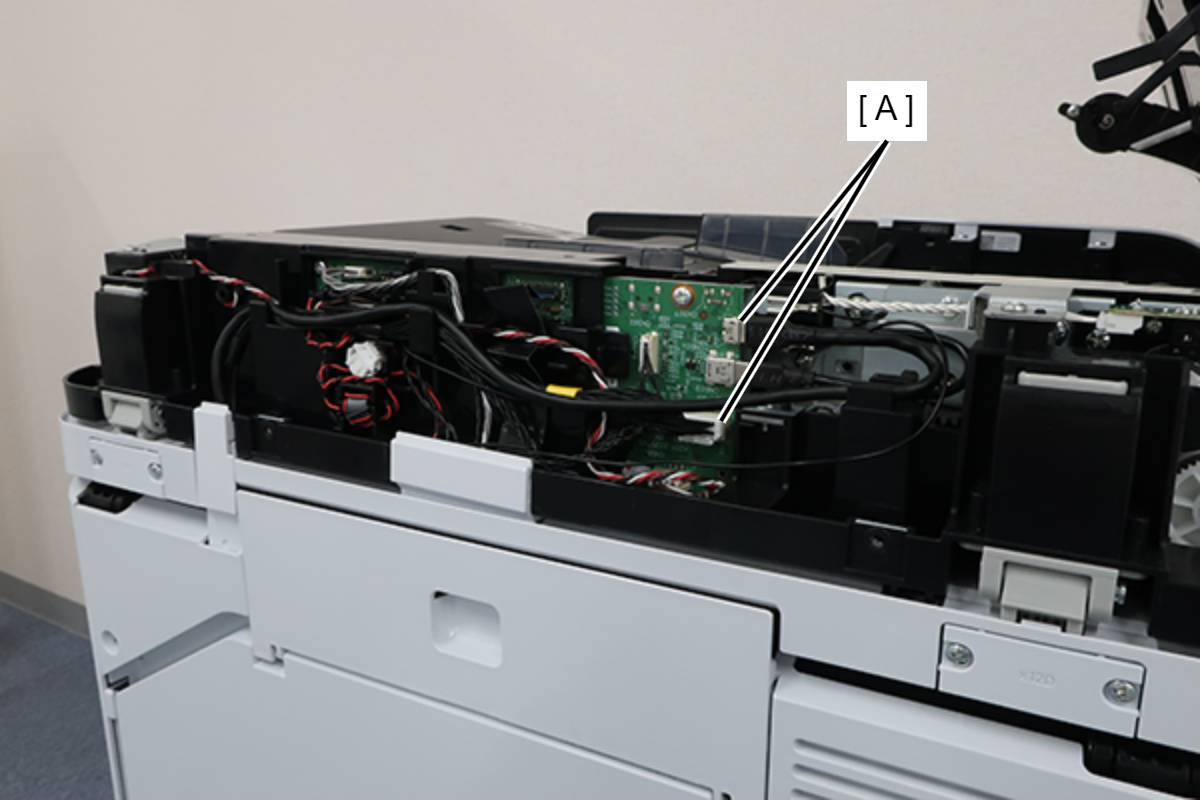
- Disconnect the cables from the connectors (A) (CN400/CN604) of the SCN Board, and release the routing.
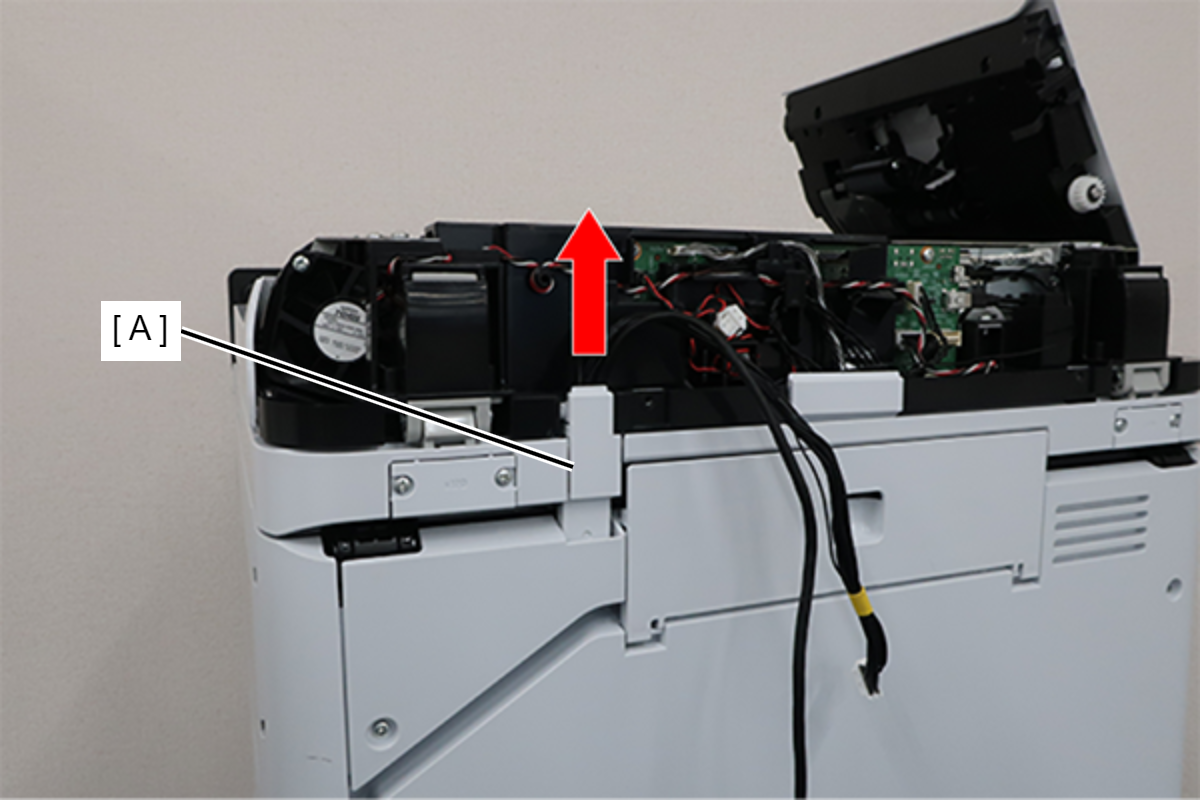
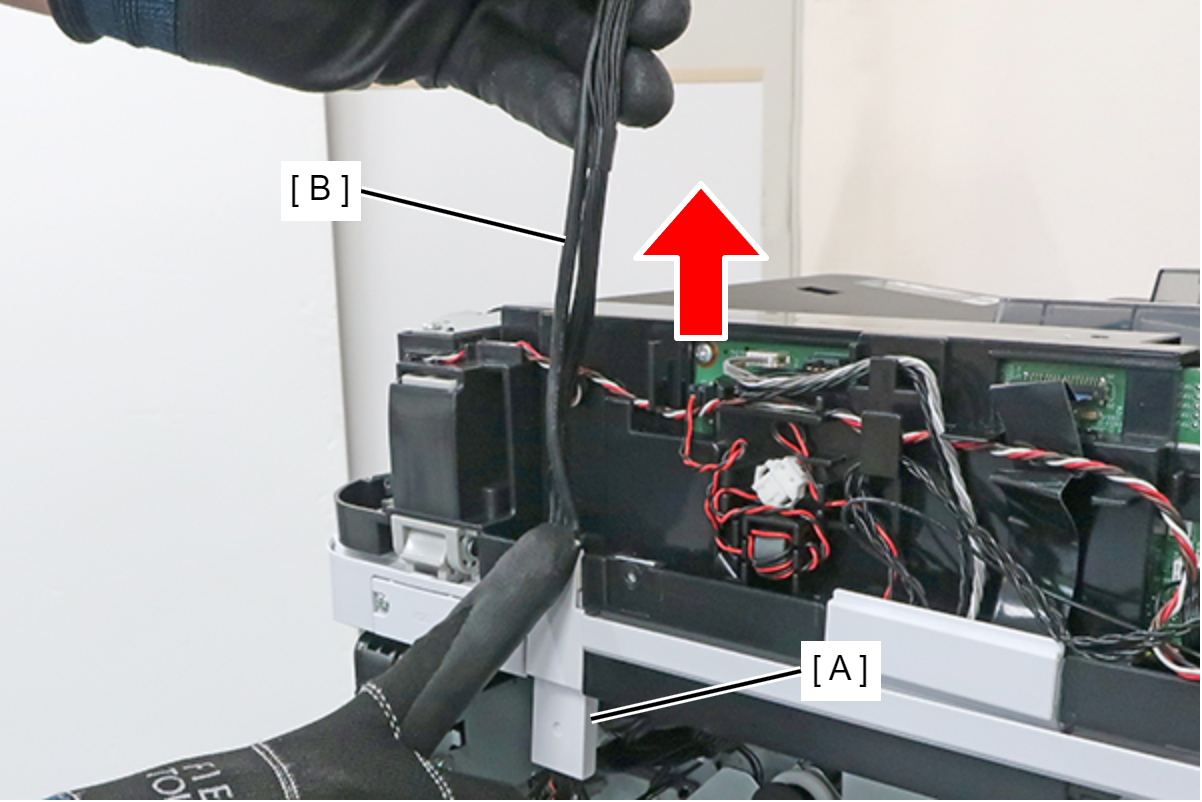
- Lift the ADF Holder Harness Right (A) in the direction of the arrow and remove it from the groove.
 Assembly / 組み立て
After installing the ADF Holder Harness Right, follow the steps below to route the cables.
- While holding the ADF Holder Harness Right (A) with your hand, pull the cable (B) in the direction of the arrow in order to route the cable in the following steps.
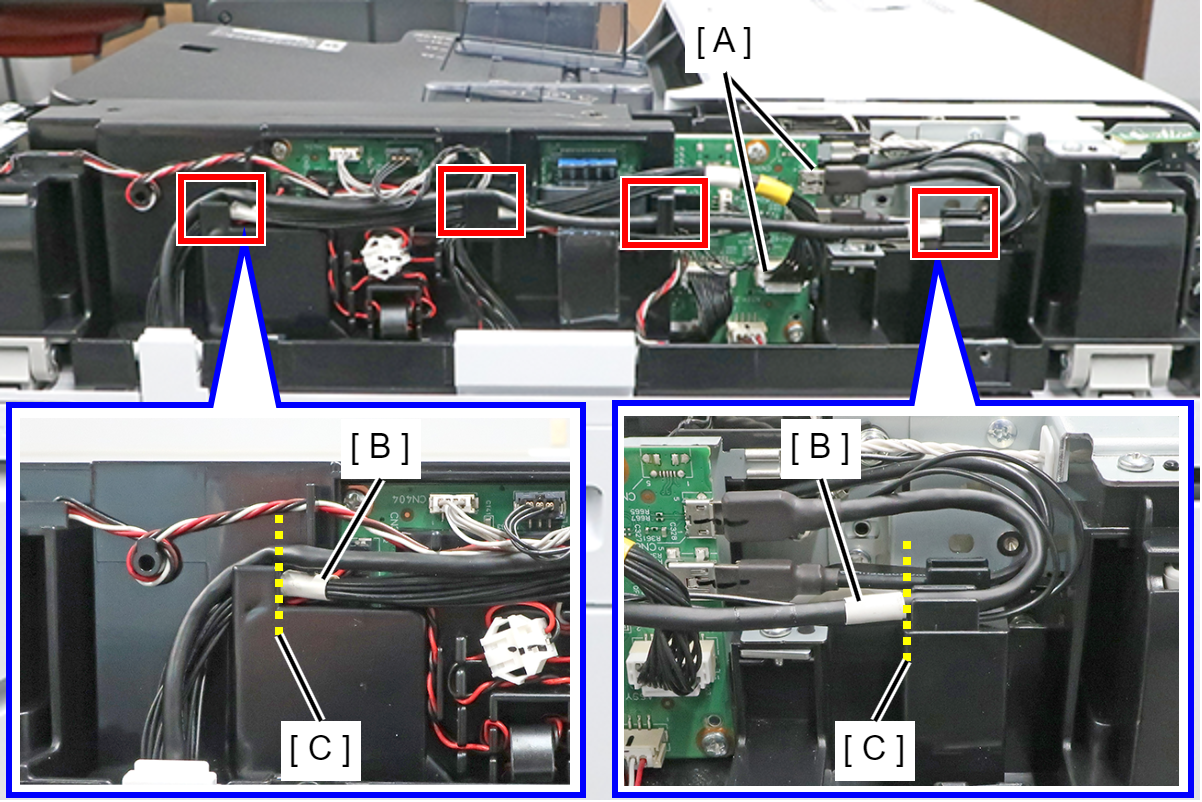
- Connect the 2 cables to the connectors (A) (CN400/CN604) on the SCN Board.
- Route the 2 cables through the 4 cable guides and align the 2 markings (B) with the rib edges (C).
- While holding the ADF Holder Harness Right (A) with your hand, pull the cable (B) in the direction of the arrow in order to route the cable in the following steps.
- Release the 4 hooks, then remove the ADF Holder Harness Right (A).