
Initial Ink Filling
Attach the ink packs and perform the initial ink filling.
 Caution / 注意 Caution / 注意 |
Make sure to use the ink packs included in package. |
- Open the Front Cover.
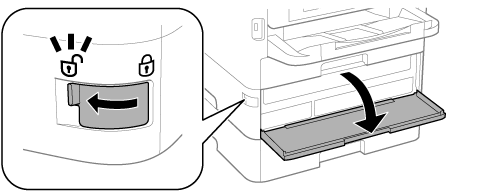
Shake the box of the ink pack 10 times well and unpack.
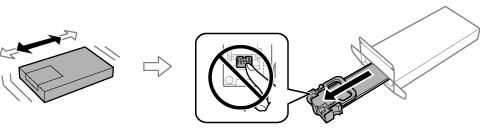 Caution / 注意
Do not touch the chip.
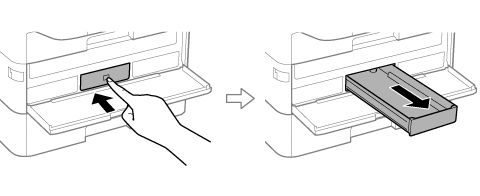
- Press the ink supply unit tray, and then pull it out.
- Remove the packing material from the ink supply unit tray, then set the ink pack.
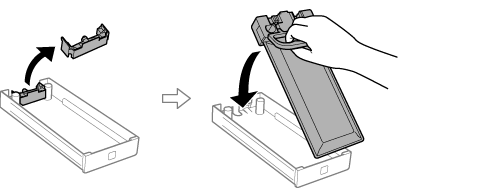
- Check the color of the label, then insert the ink supply unit tray fully.
Install all ink supply unit trays as well.
- Close the Front Cover.
Initial ink filling starts.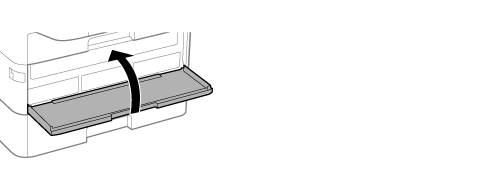
| Caution / 注意 |
Do not perform the following items during initial ink filling.
|