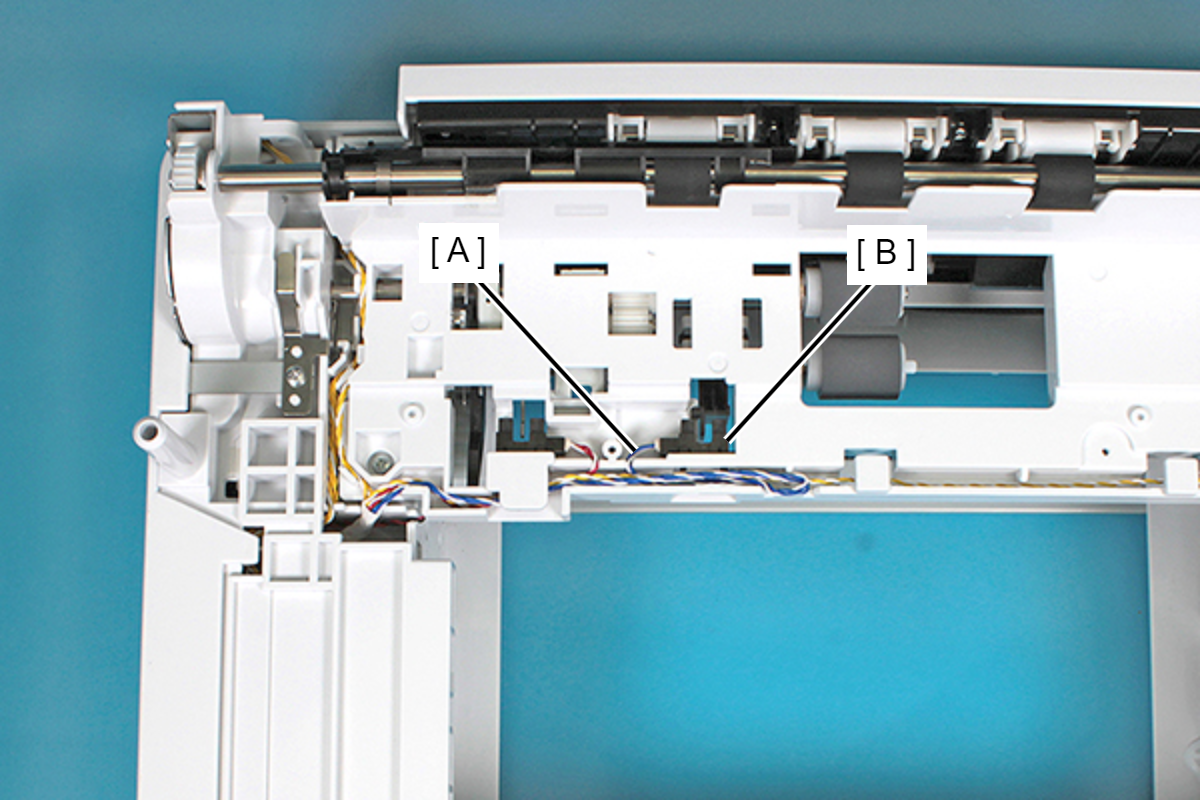
Cassette Paper Detection Sensor
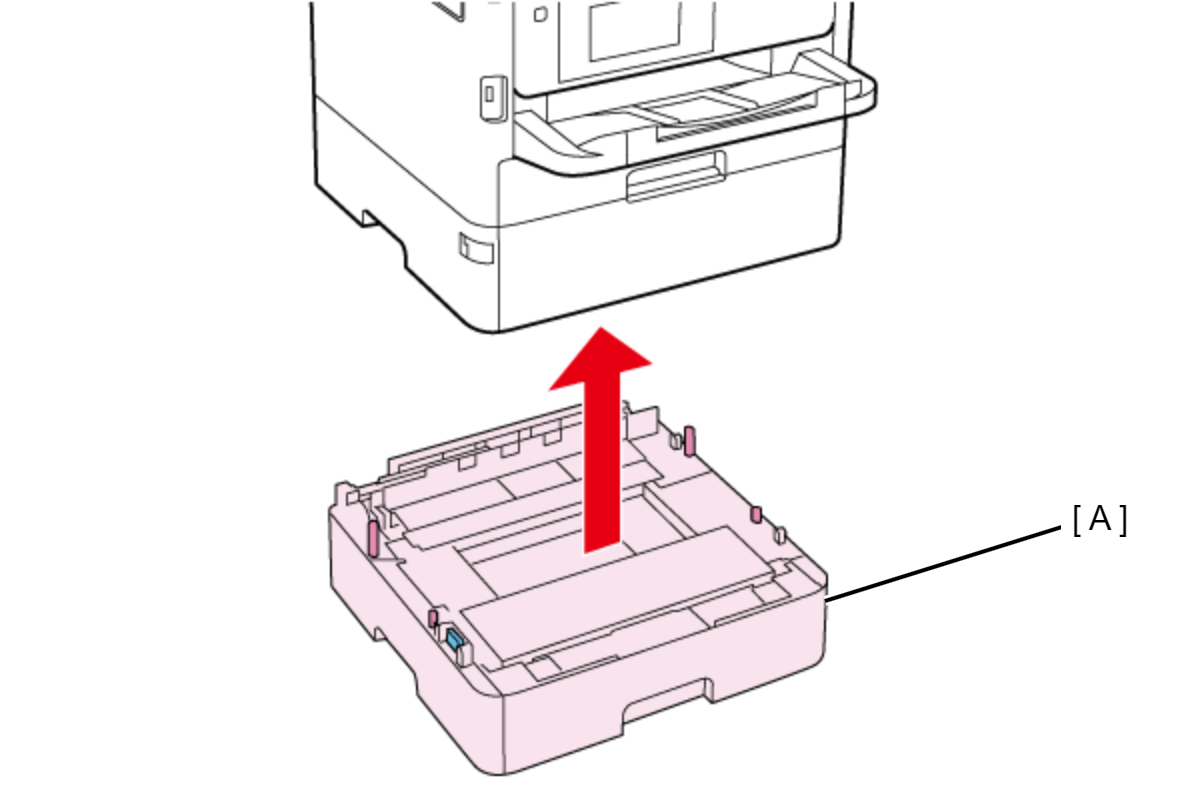
- Lift the printer, then remove the Optional Paper Cassette (A).
 Assembly / 組み立て
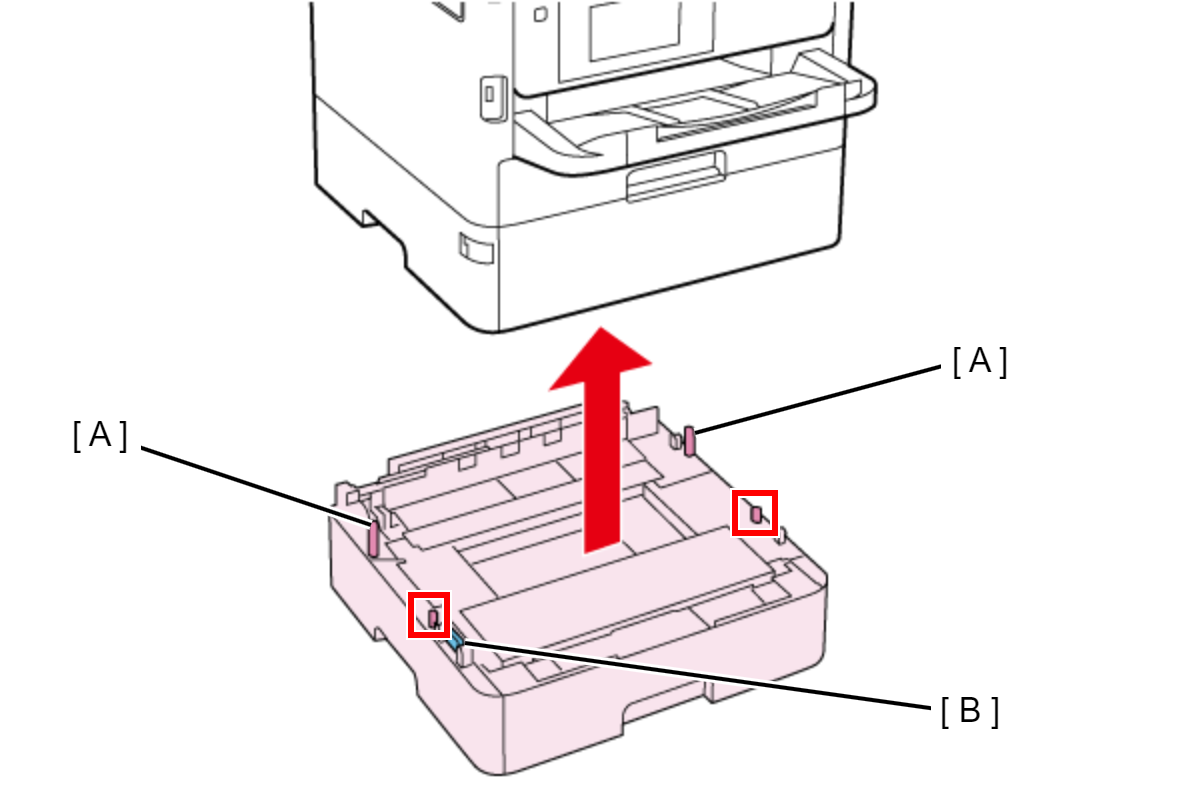
When attaching the Optional Paper Cassette, be sure to align the positioning pins (A) (x2) and the dowels so as to avoid damage to the Drawer Connector (B).
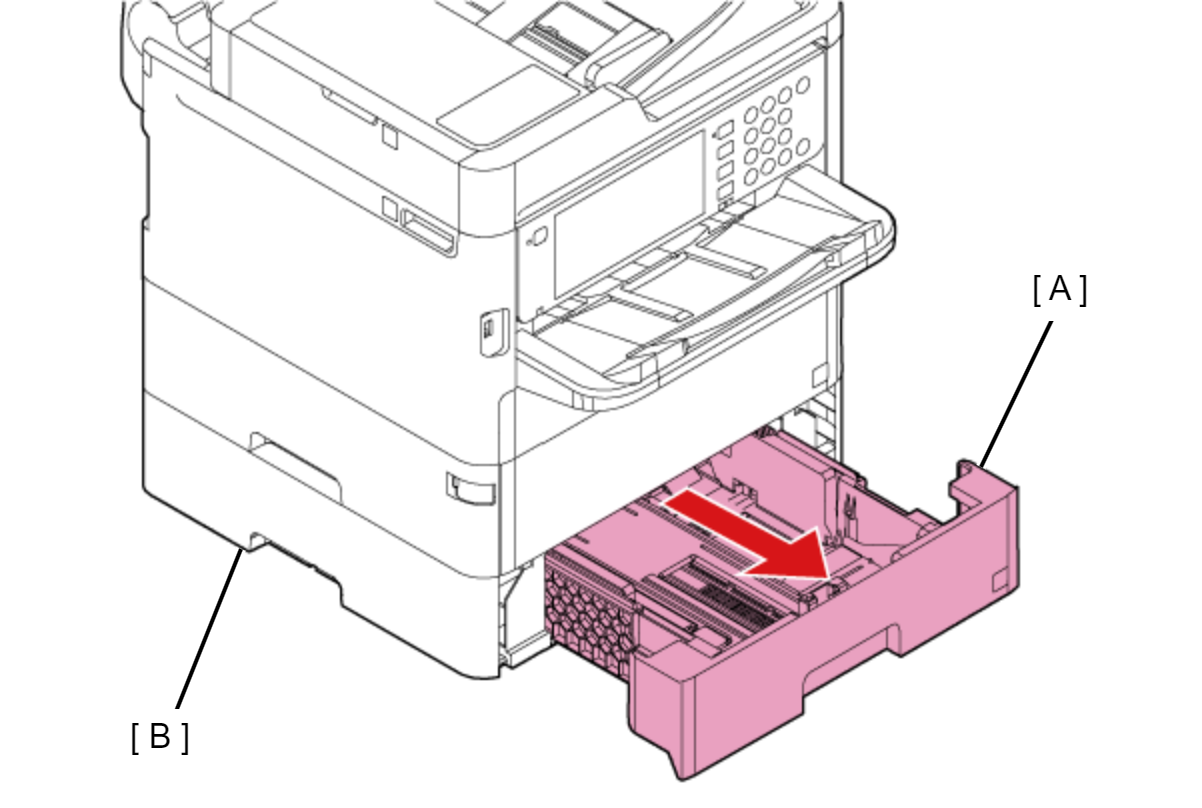
- Pull the Paper Cassette 2 (A), then remove it from the Optional Paper Cassette Unit (B).
- Remove the two screws and remove the Middle Frame (A).
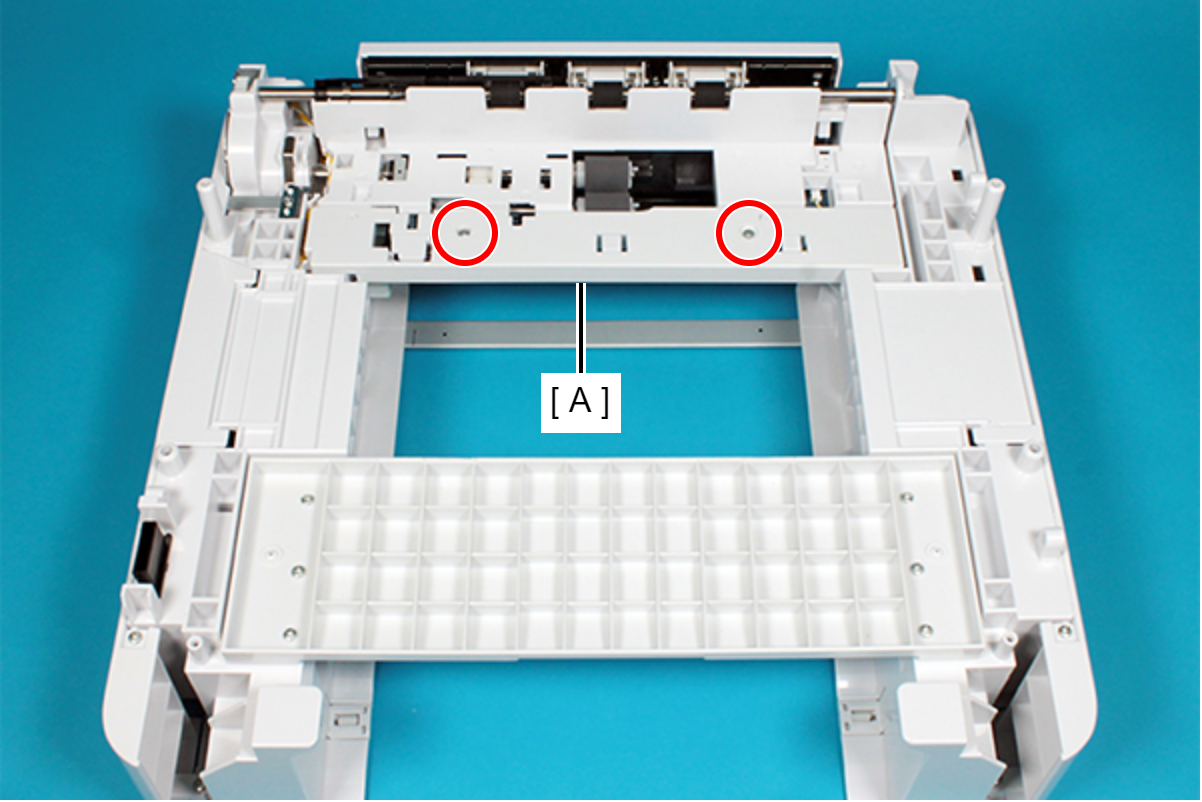
 : C.B.P-TITE-SCREW-3x10-F.ZN-3C
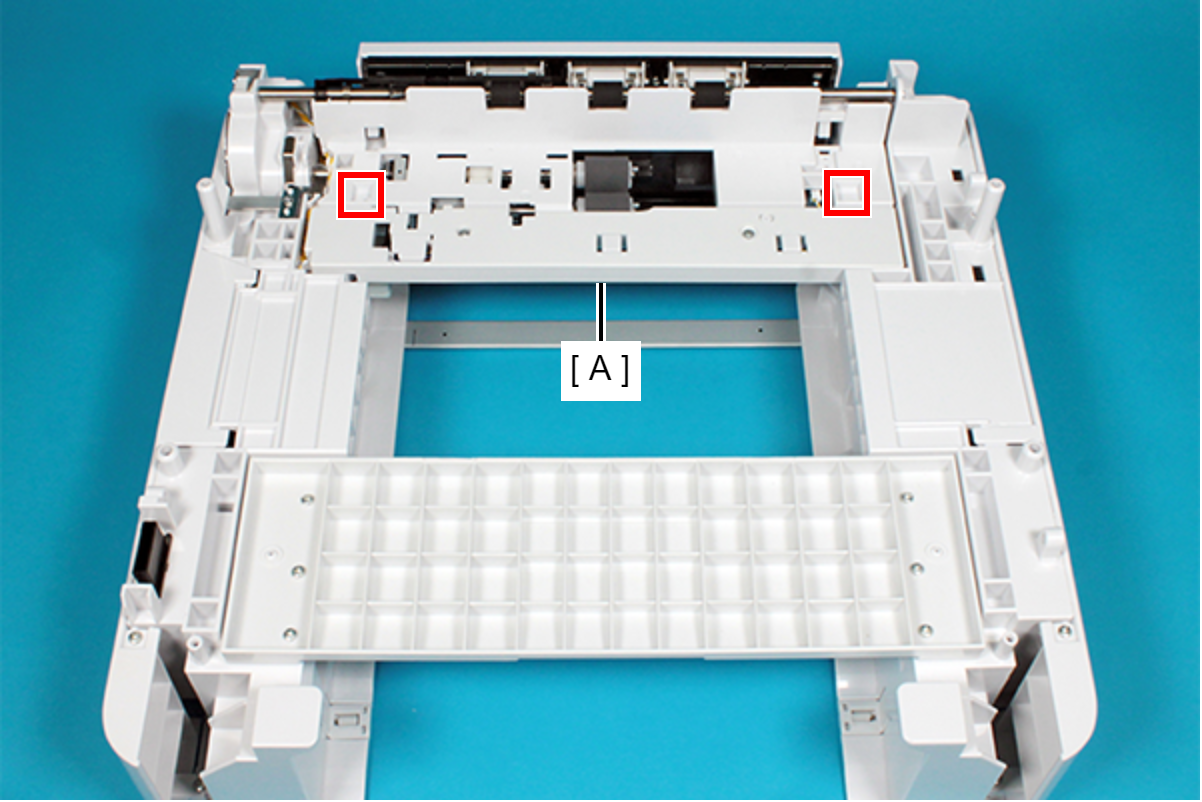
Assembly / 組み立てWhen installing the Middle Frame (A), attach the two dowels of the frame to the two positioning holes of the Middle Frame (A).
- Release the hooks (x4) by using the flathead precision screwdriver or the like, then remove the Cassette Paper Detection Sensor (A) from the frame.
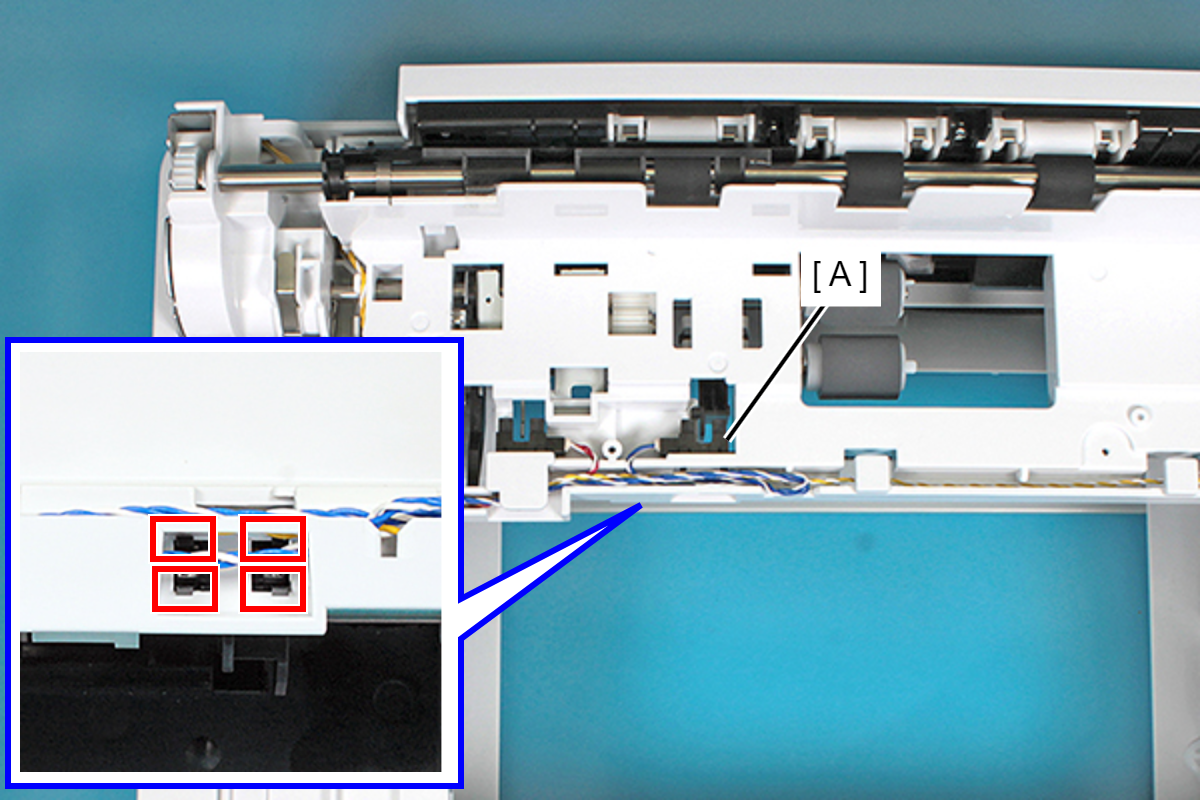
- Disconnect the connector of the Cassette Paper Detection Sensor cable (A), then remove the Cassette Paper Detection Sensor (B).