
CR Scale (WF-C579R Series)
- Remove the four screws, then remove the Rear Cover (Back) (A).
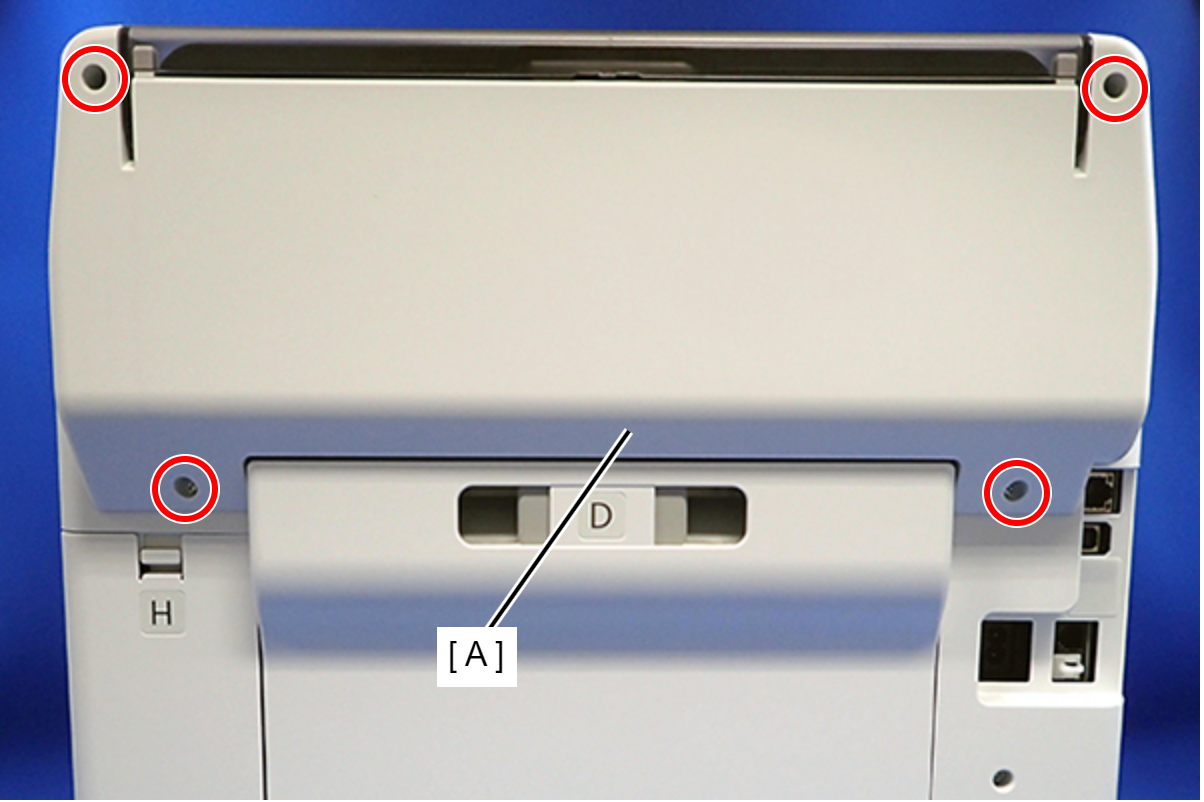
 : C.B.P-TITE-SCREW-3x10-F.ZN-3C
 Assembly / 組み立て
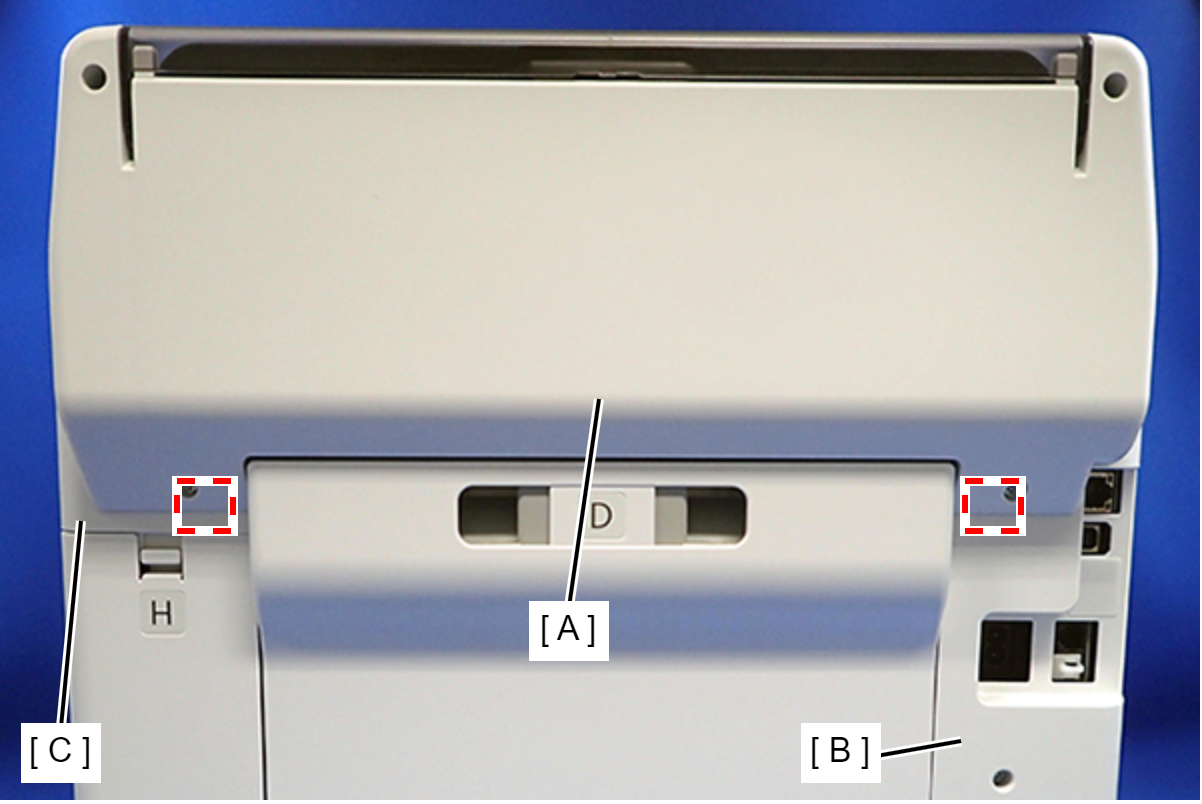
Attach the two dowels of the Rear Cover (Back) (A) to the positioning holes on the Housing Left (B) and Housing Right (C).
- Remove the two screws, then remove the Rear Top Cover (A).
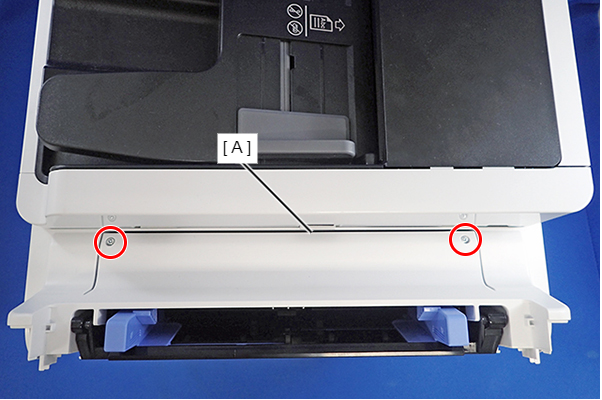
- : C.B.P-TITE-SCREW-3x10-F.ZN-3C
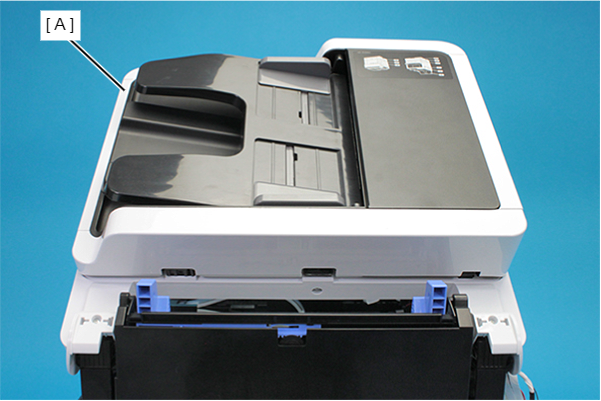
- Open the ADF/SCN Unit (A).
- Remove the three screws that secure the Housing Left (A).
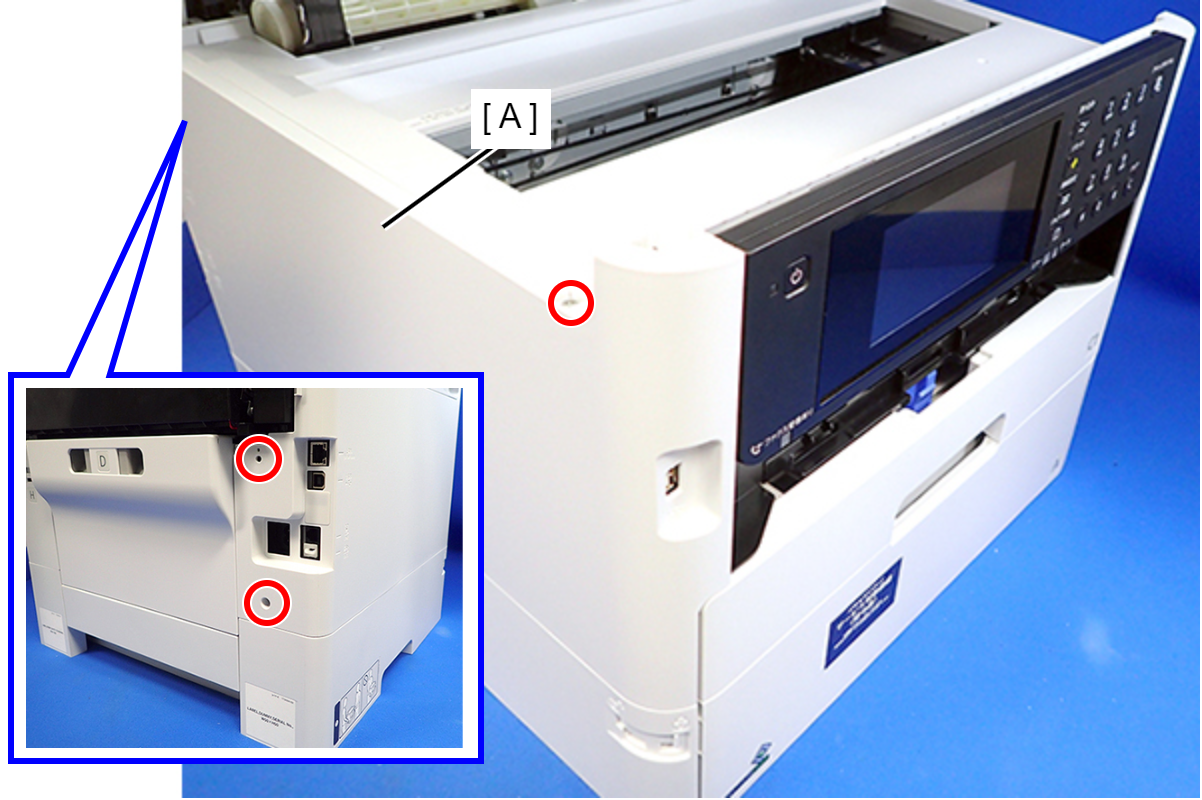
- : C.B.P-TITE-SCREW-3x10-F.ZN-3C
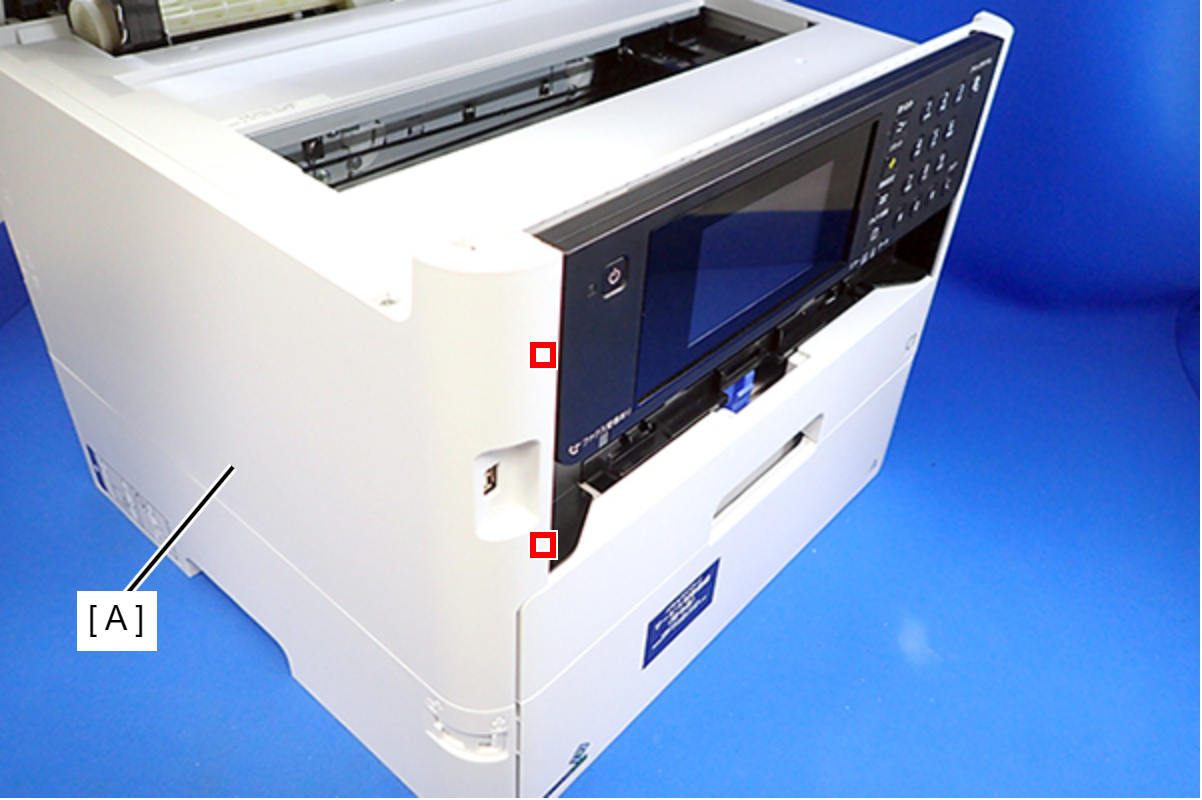
- Lift the Housing Left (A) to release the two hooks on the front side of the Housing Left.
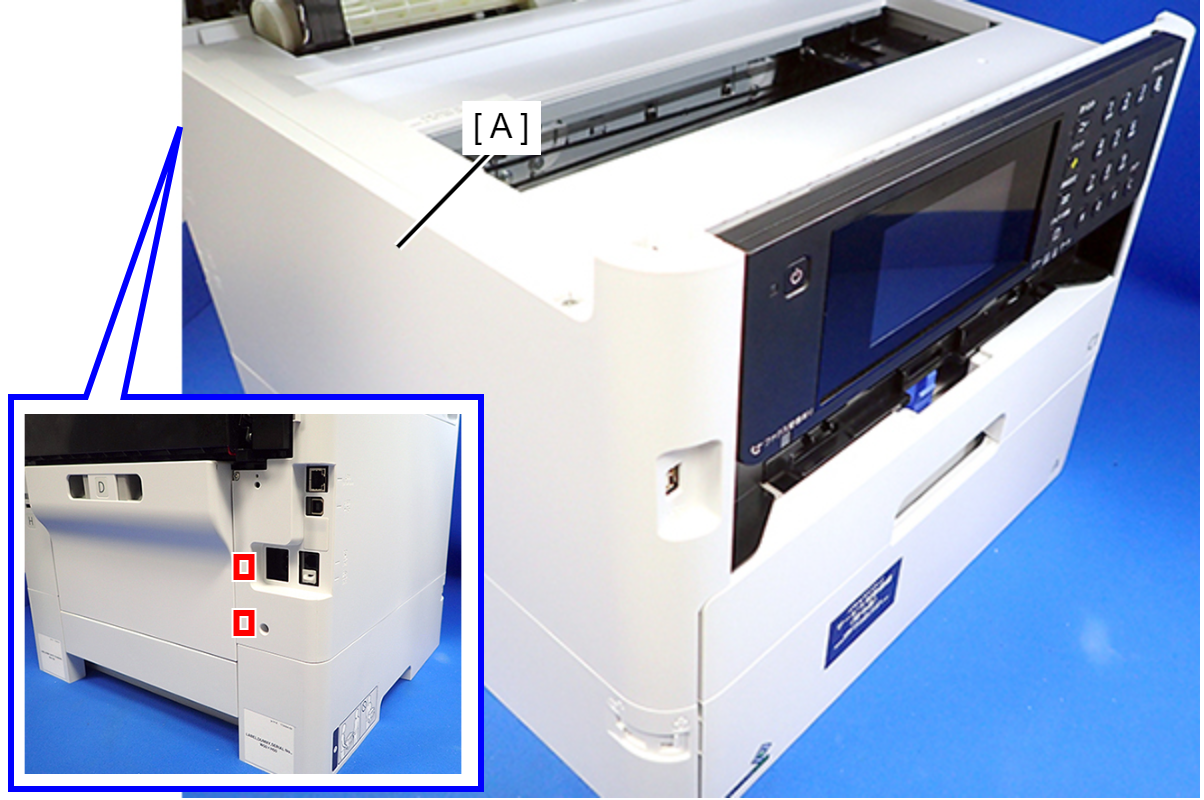
- Disengage two hooks on the rear side of the Housing Left (A), and remove the Housing Left (A).
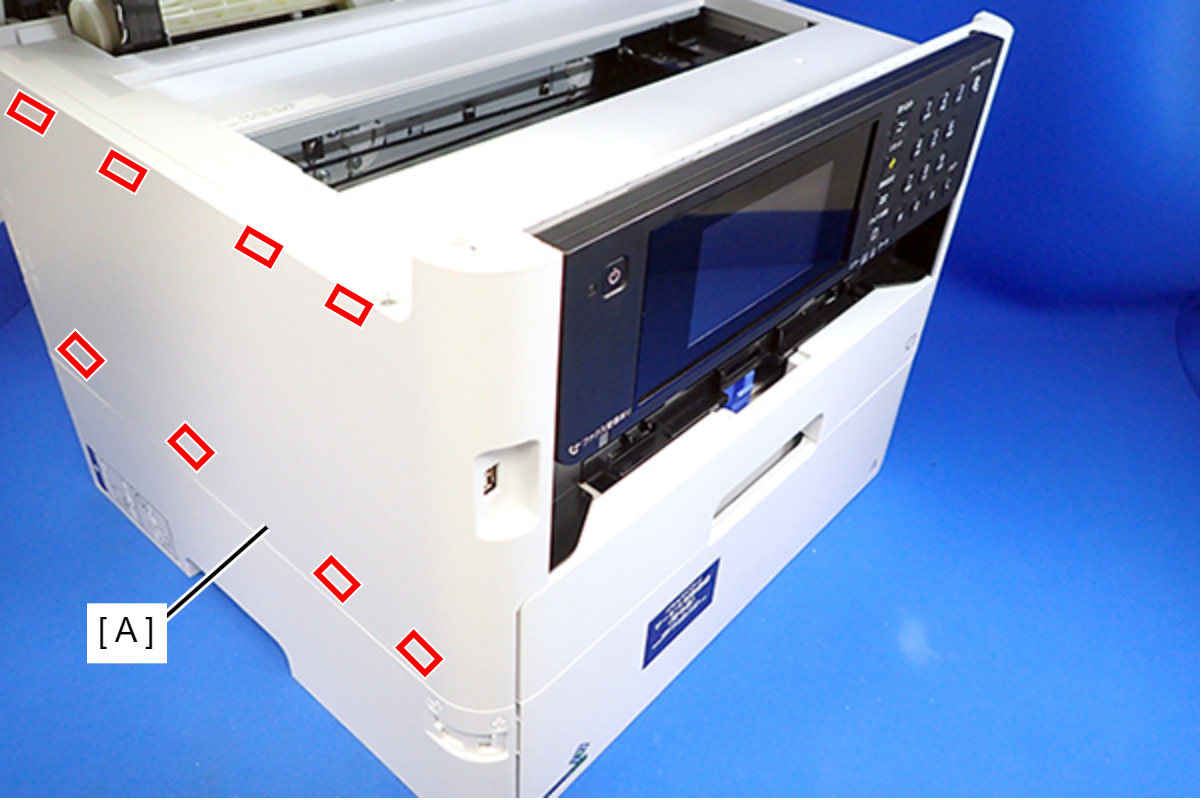
 Assembly / 組み立て
Insert the eight tabs on the Housing Left (A) to the positioning holes of the Housing Upper (B) and the RIPS Unit (C).
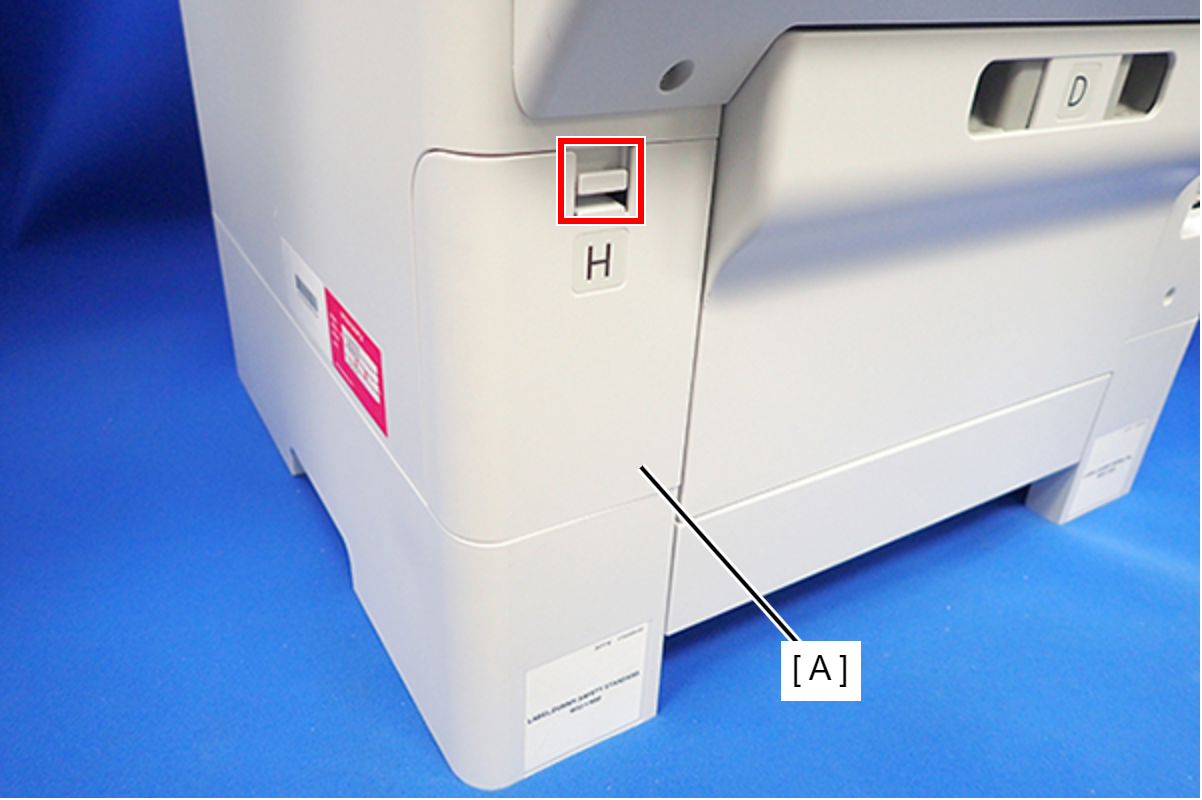
- Disengage the hook, and remove the Maintenance Box Cover (A).
- Open the ADF/SCN Unit (A).
- Remove the four screws that secure the Housing Right (A).
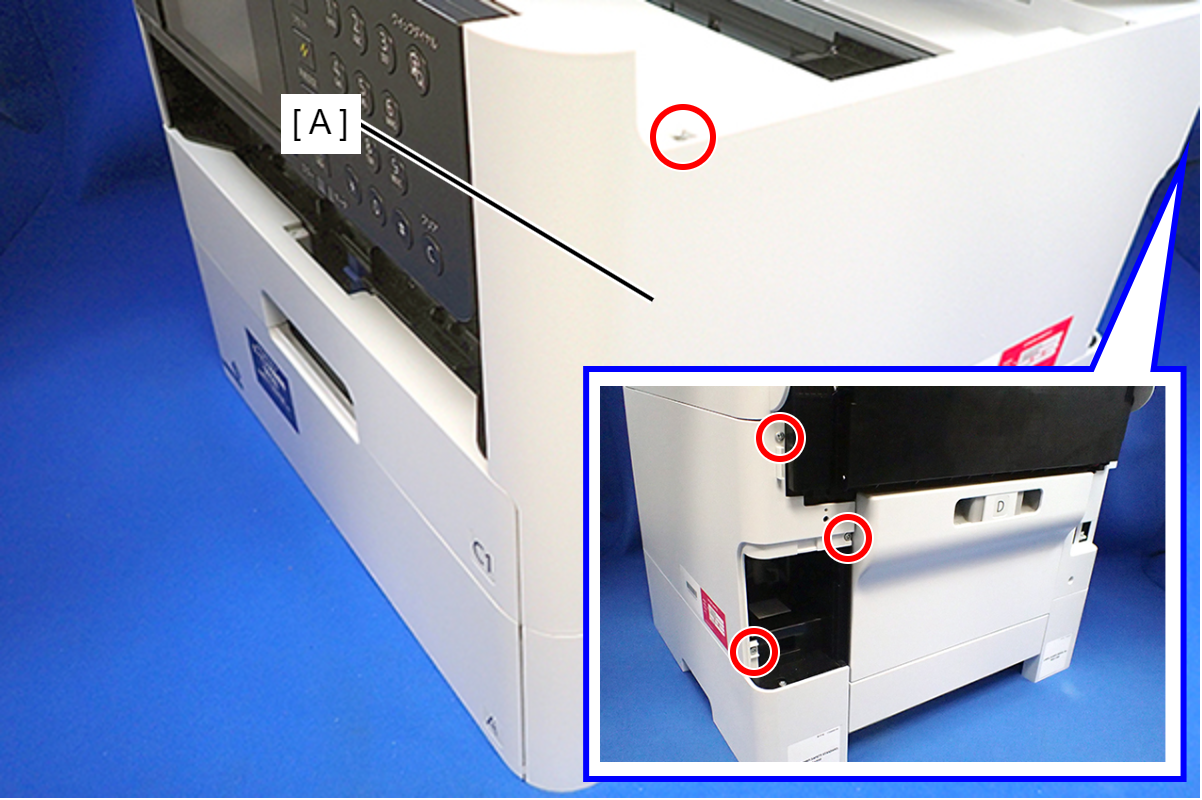
- : C.B.P-TITE-SCREW-3x10-F.ZN-3C
- Lift the Housing Right to release the two hooks on the front side of the Housing Right, then remove the Housing Right.
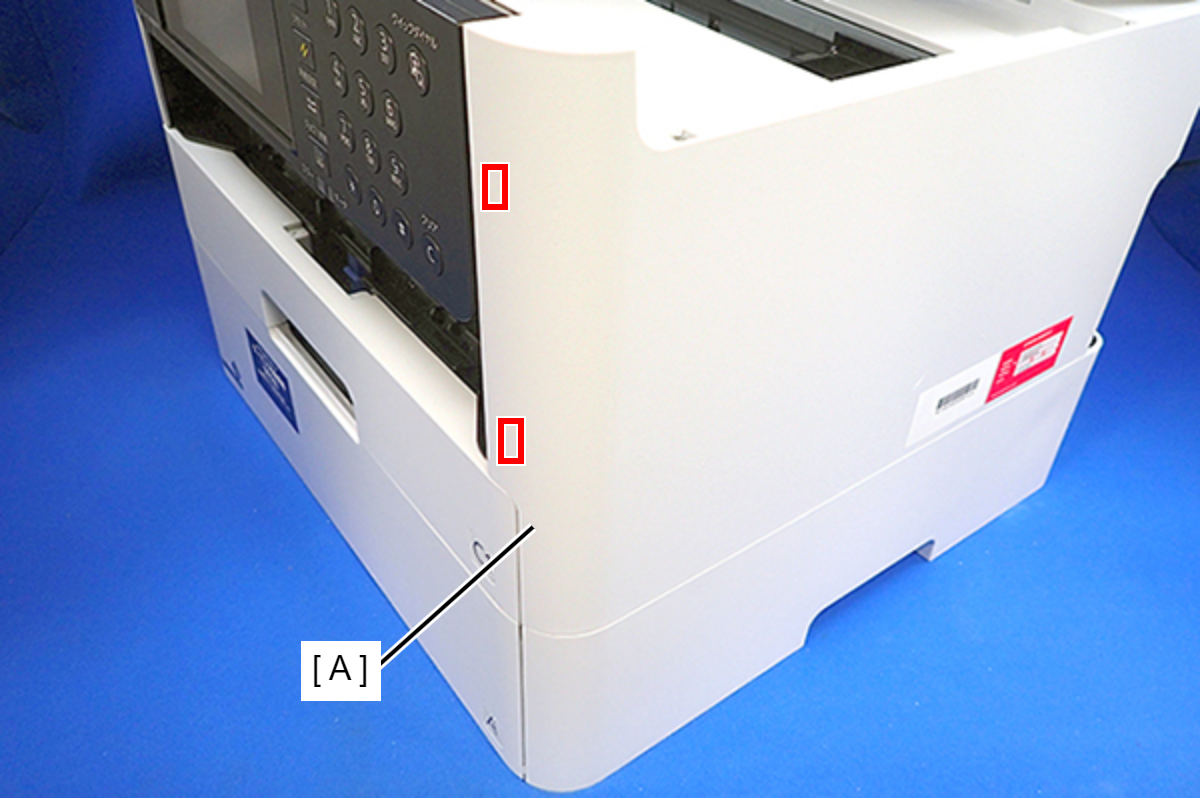 Assembly / 組み立て
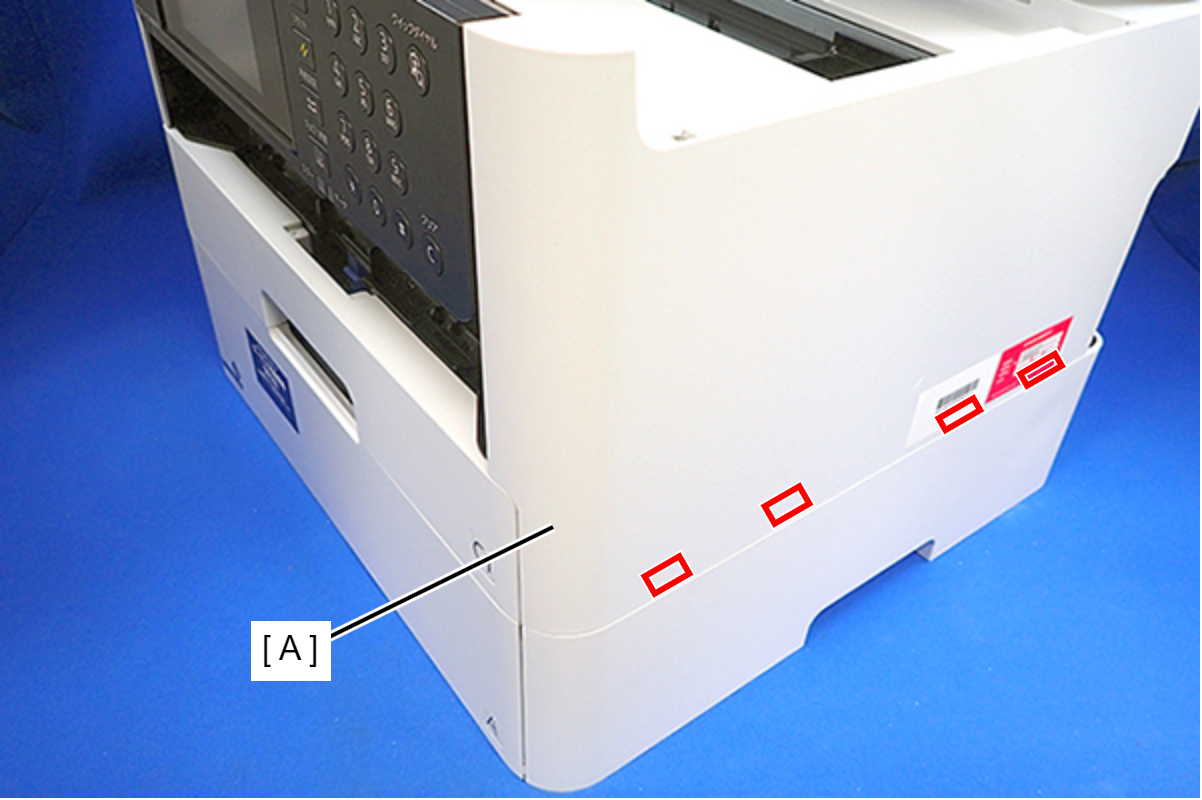
Insert the four tabs of the Housing Right (A) to the positioning holes on the Ink Supply Unit.
- Remove the six screws, then remove the Housing Upper (A).
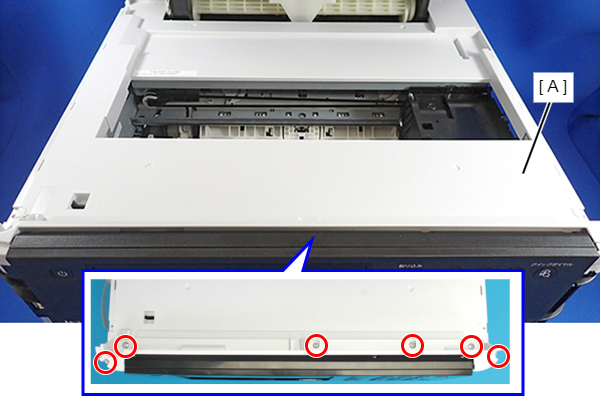
- : C.B.P-TITE-SCREW-3x10-F/ZN-3C
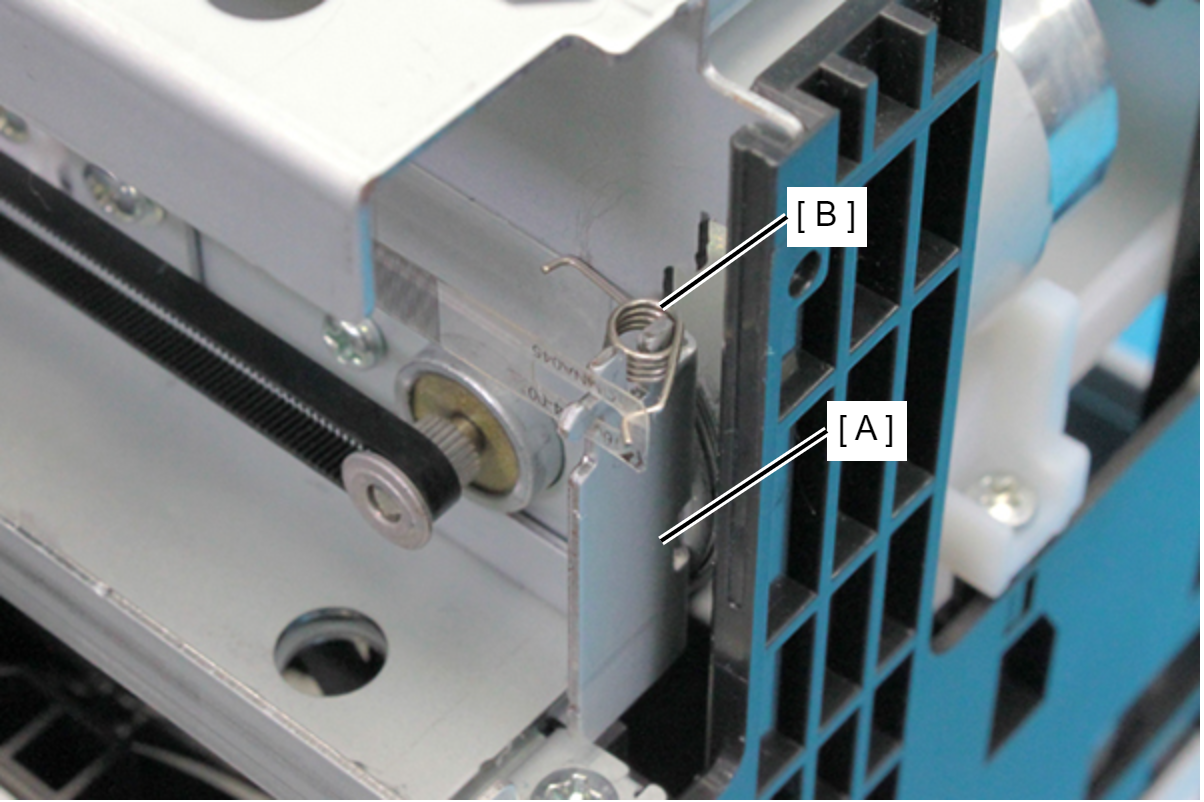
- Remove the CR Scale Torsion Spring (B) from the CR Scale (A).
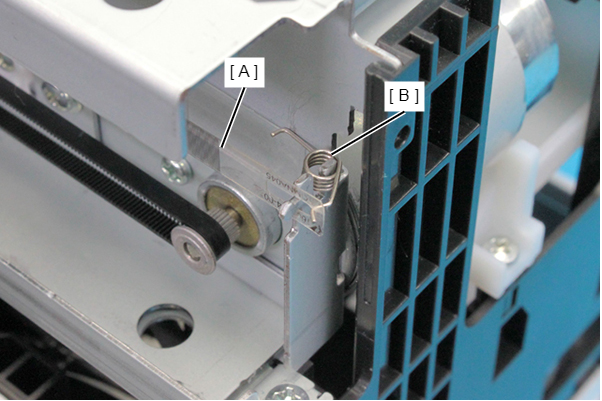
- Remove the CR Scale Torsion Spring (B) from the Main Frame (A).
- At the full side, remove the CR Scale (A) from hook (B) on the frame.
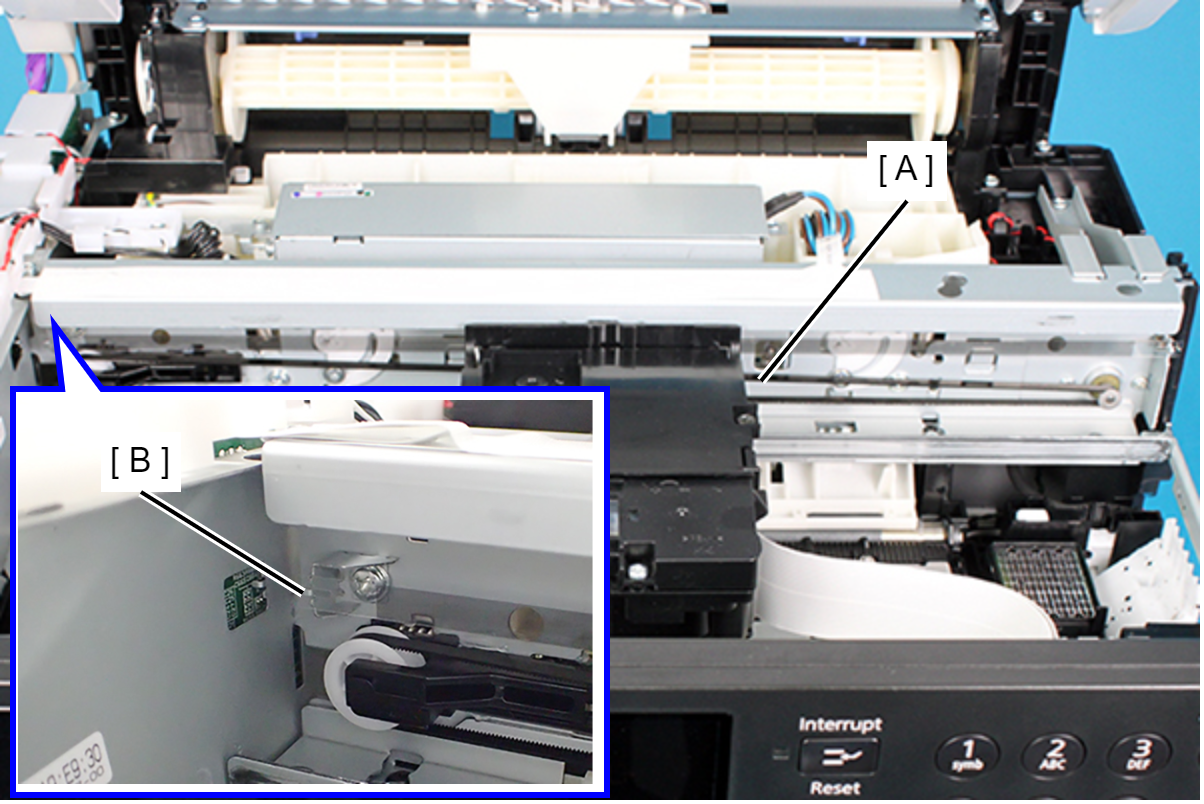
- Pull the CR Scale (B) out from the CR Encoder Sensor (A).
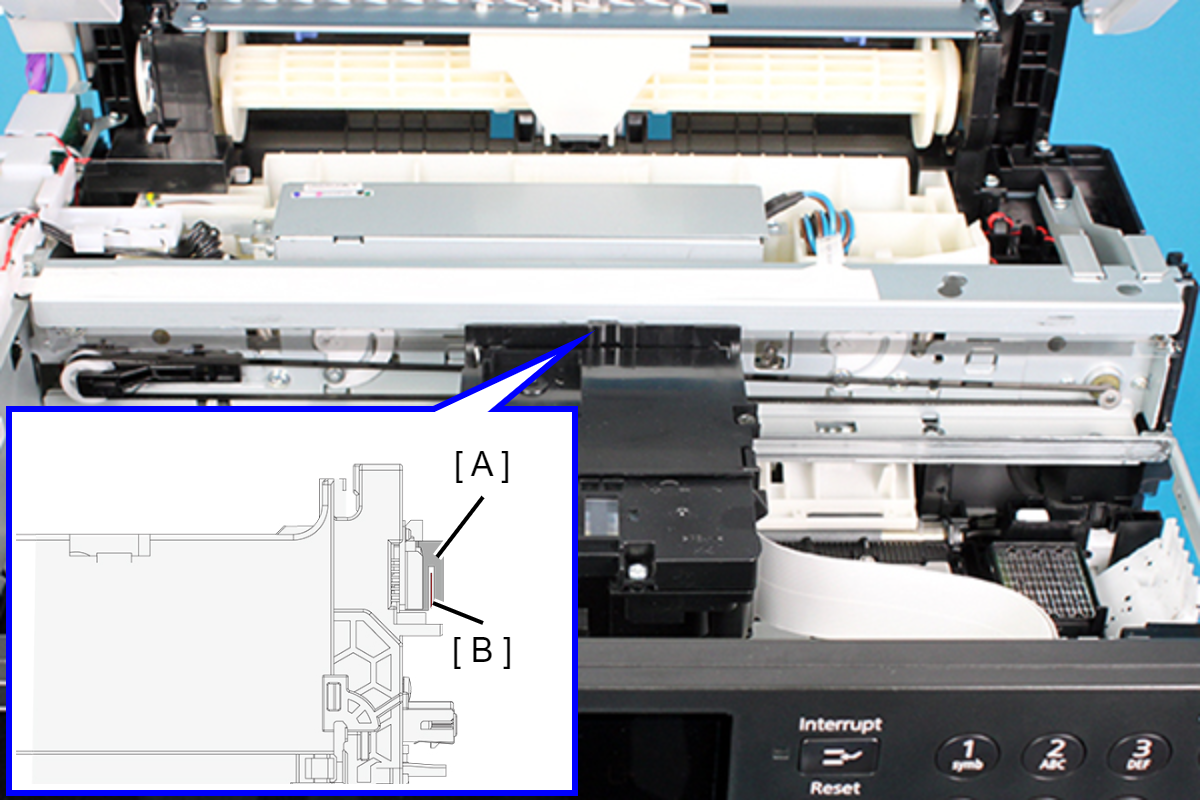
- At the home side, turn the CR Scale (A) 90 degrees upward, and remove it from the hook (B) on the frame.
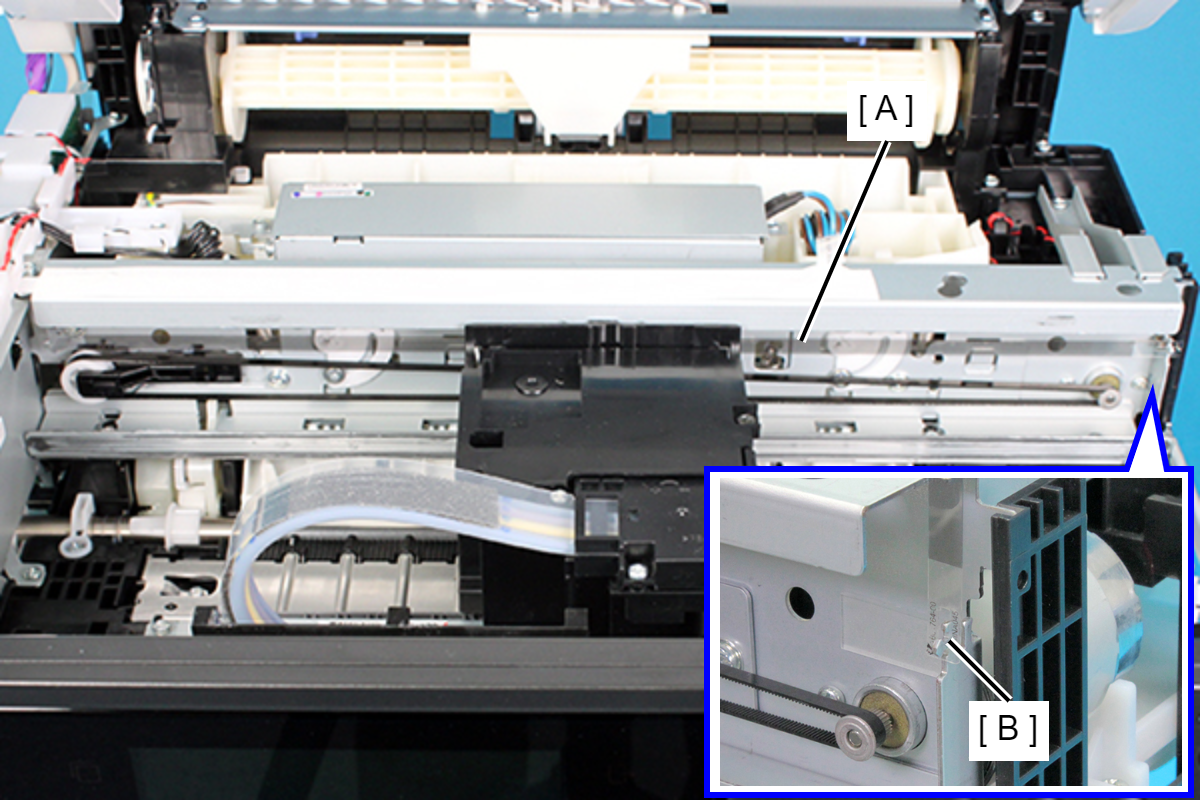 Assembly / 組み立て
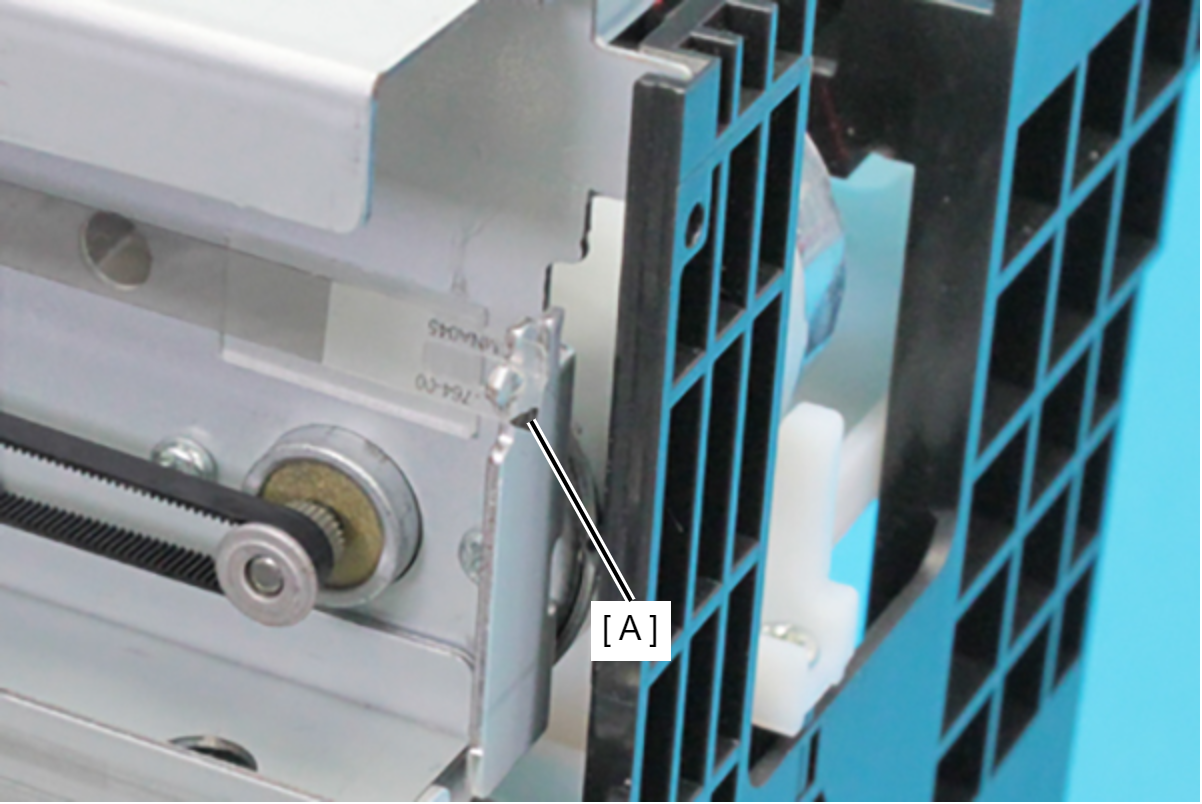
- Attach the CR Scale with the marking (A) on the bottom right corner.
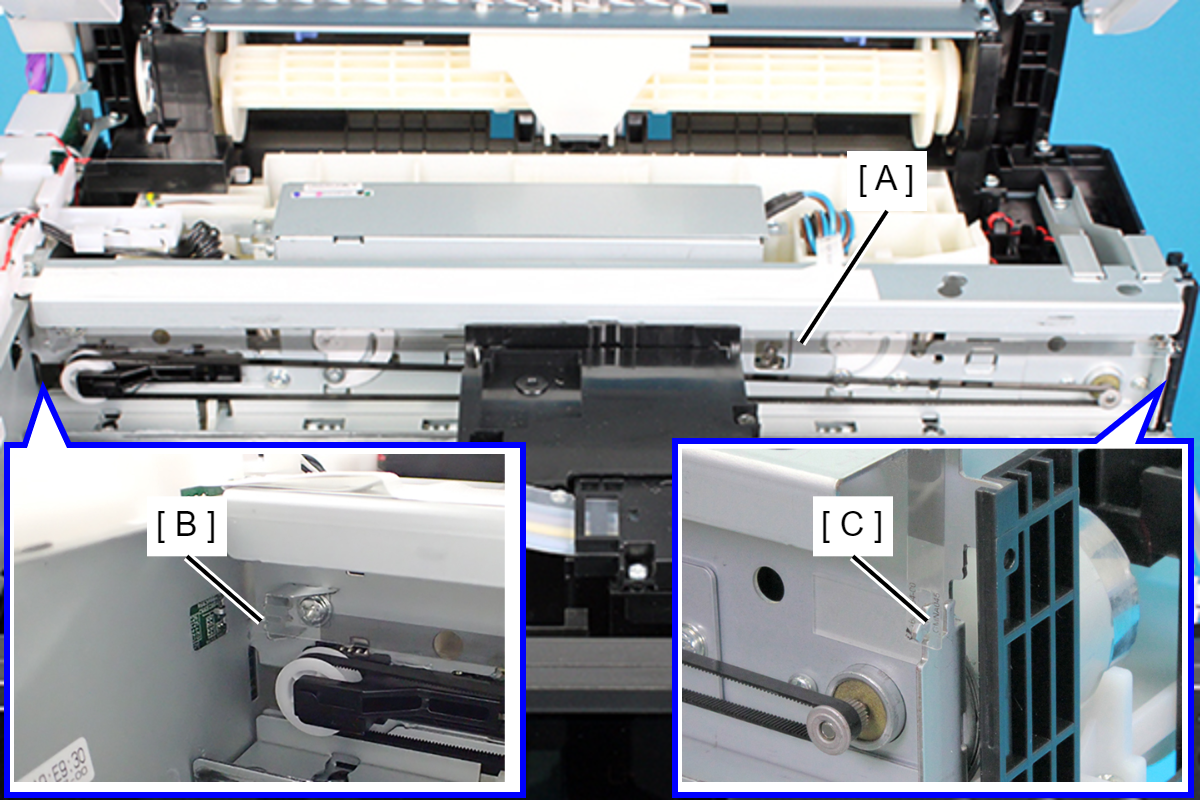
- When attaching the CR Scale (A), make sure to engage it with the hook (B) on the full side frame first, then engage it with the hook (C) on the home side frame.
- Attach the CR Scale with the marking (A) on the bottom right corner.