Maintenance Box Detection Sensor Assy (WF-C529R Series)
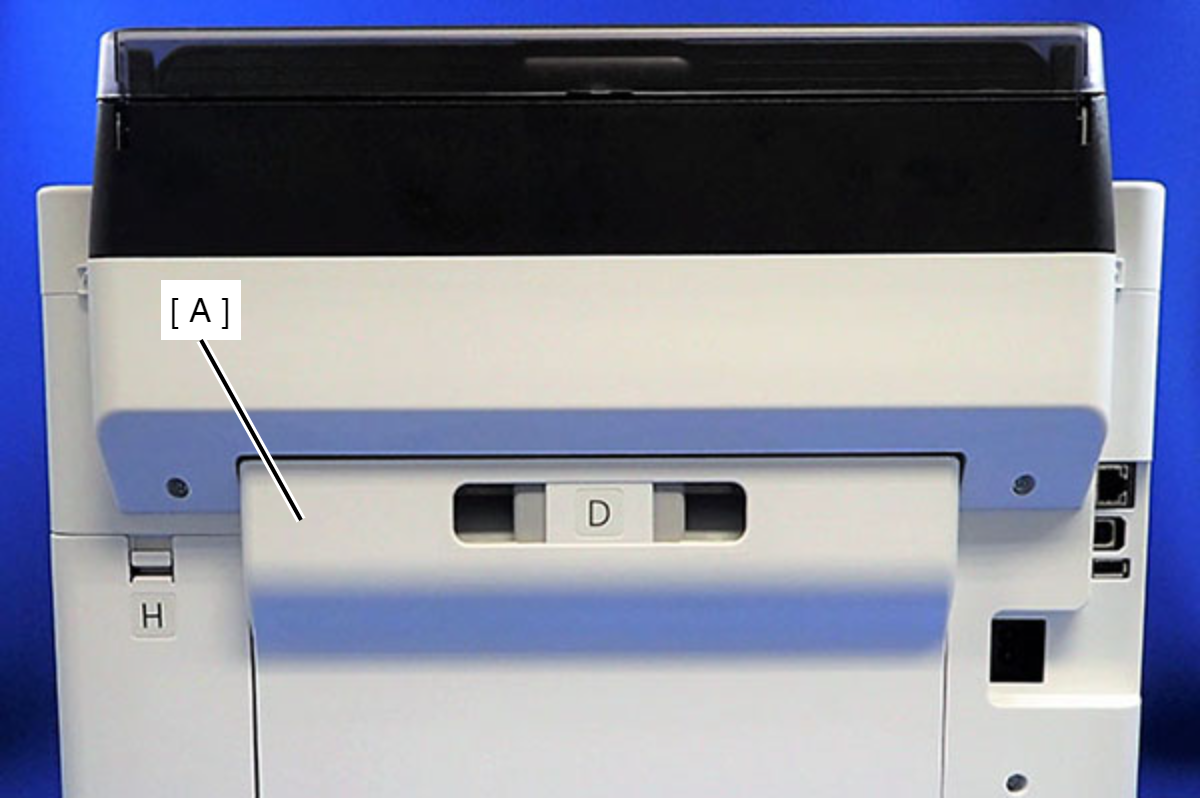
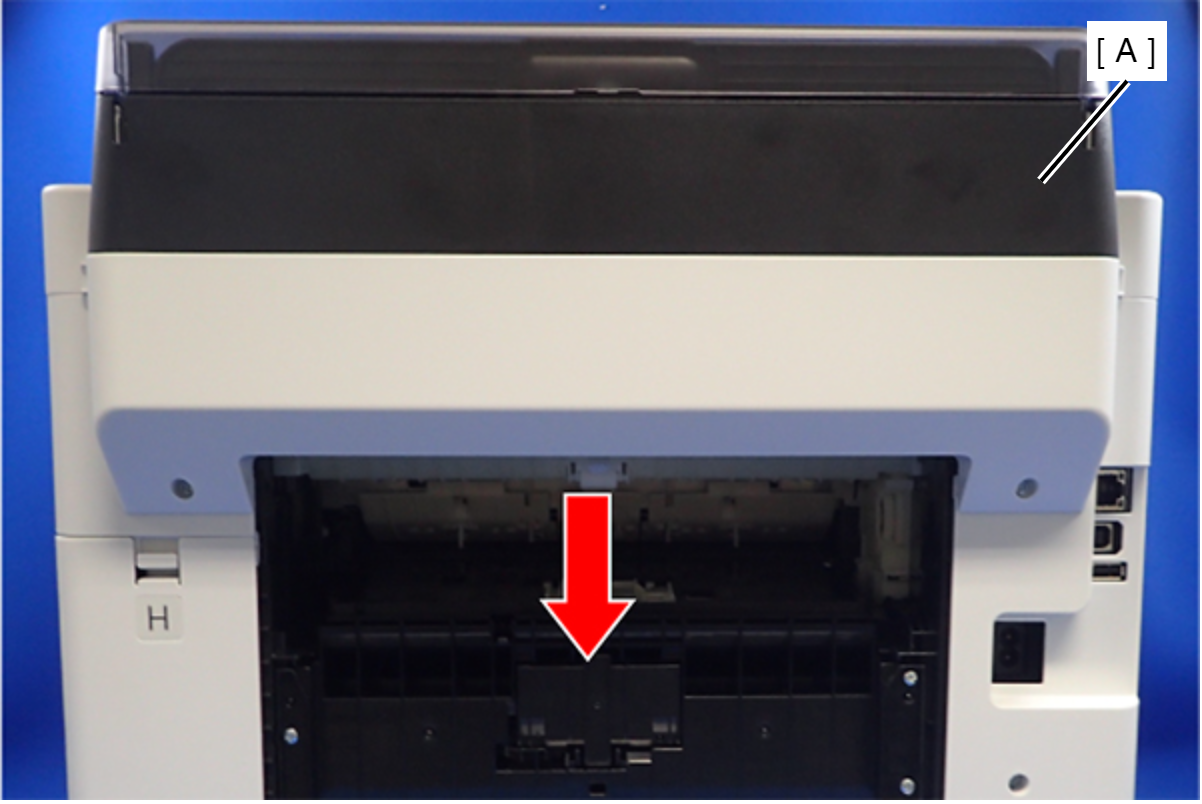
- Remove the Rear Unit (A).
- Remove the two screws that secure the ASF Cover Assy (A).
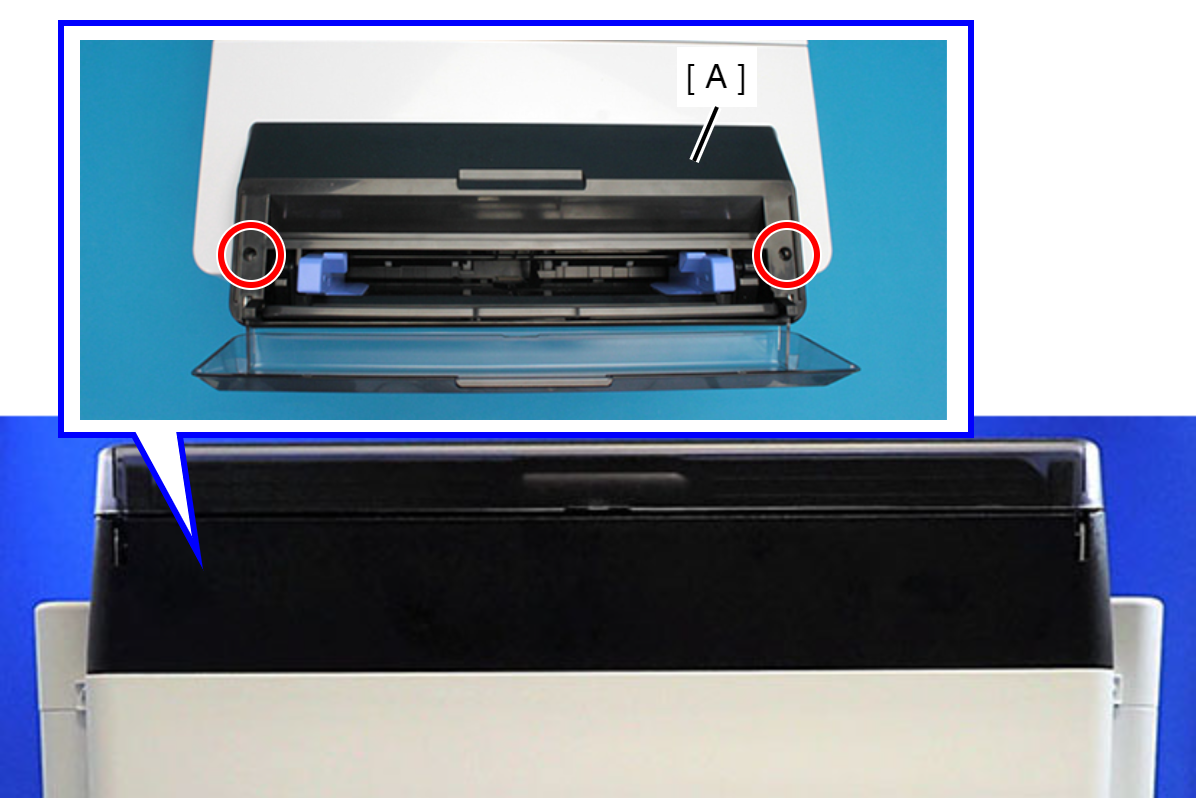
 : C.B.P-TITE-SCREW-3x10-F.ZN-3C
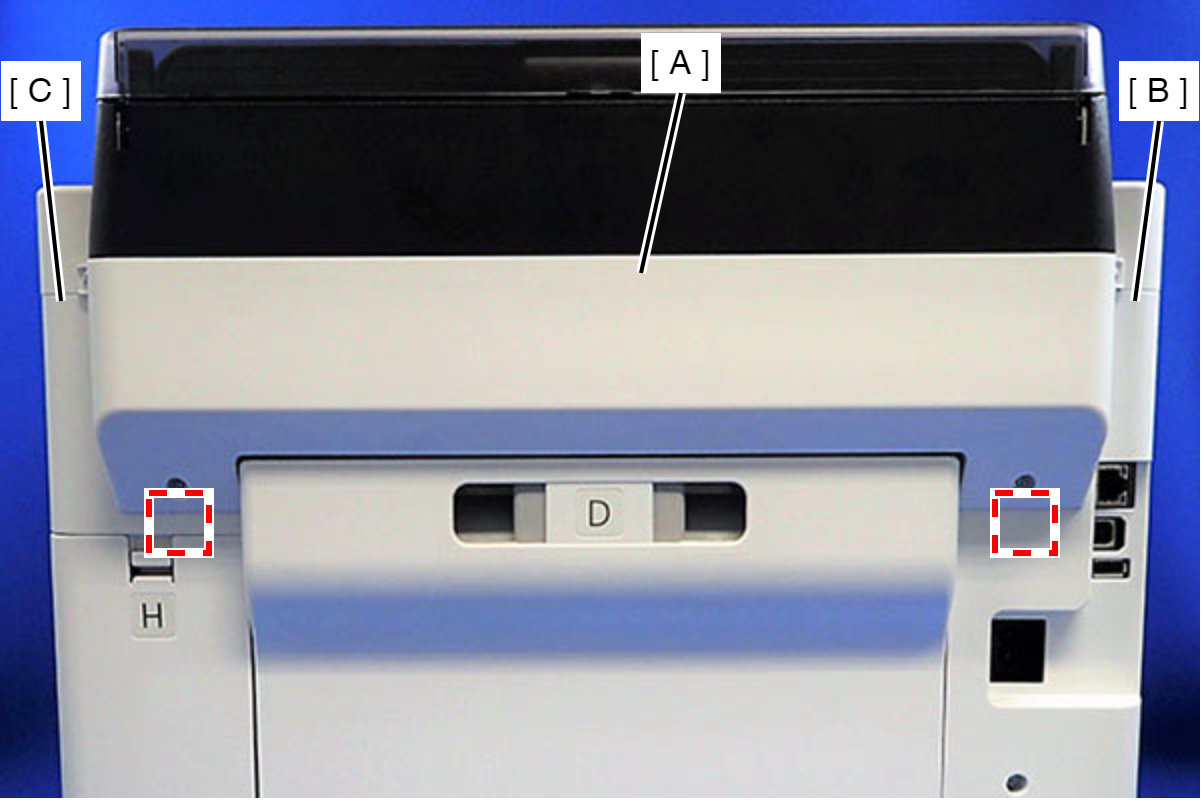
- Remove the four screws that secure the Rear Back Cover (A).
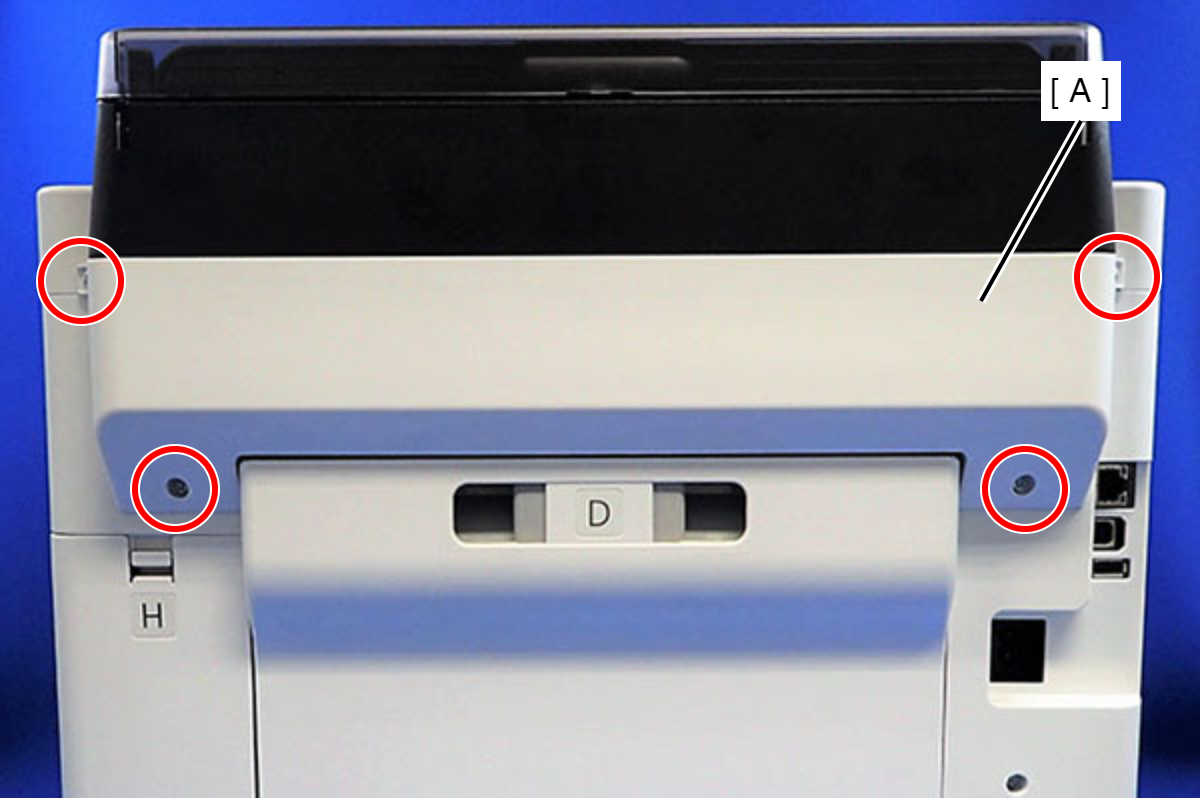
 : C.B.P-TITE-SCREW-3x10-F.ZN-3C
- Remove the Rear Back Cover (A) downward.
 Assembly / 組み立て
Attach the two dowels of the Rear Back Cover (A) to the positioning holes on the Housing Left (B) and the Housing Right (C).
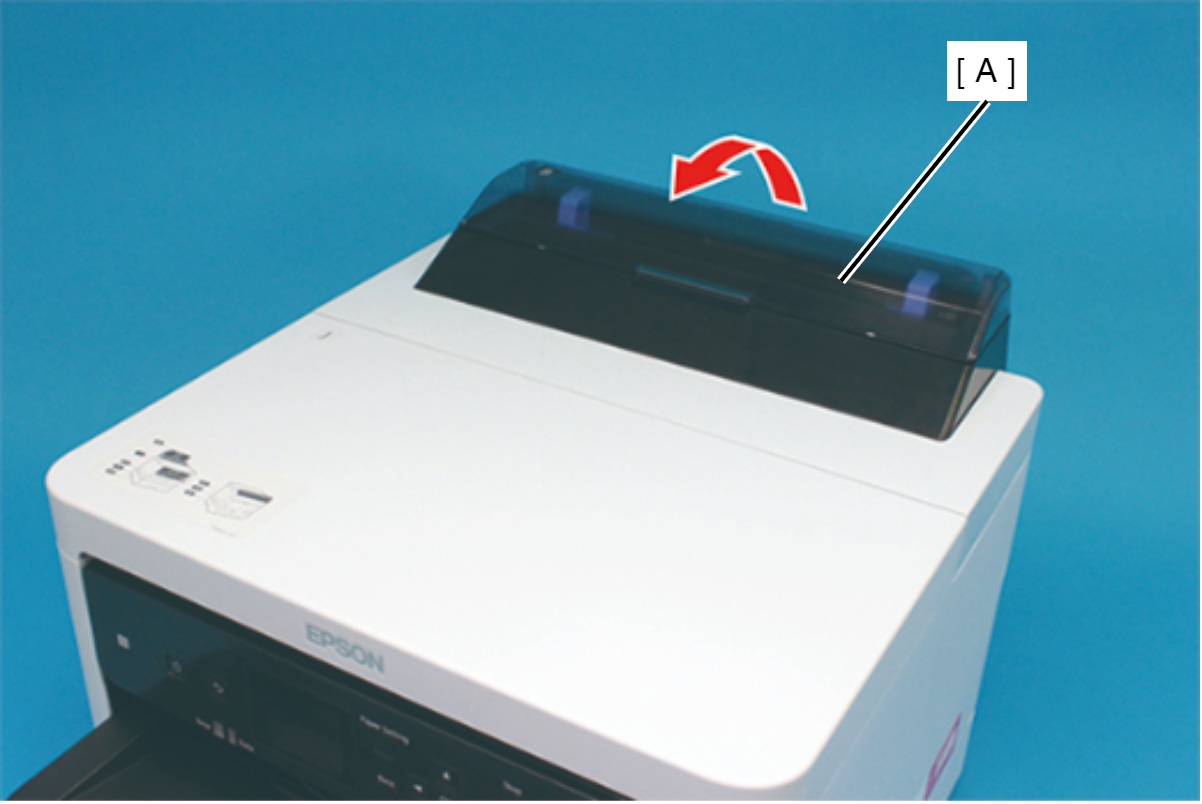
- Remove the ASF Cover Assy (A) in the direction of the arrow.
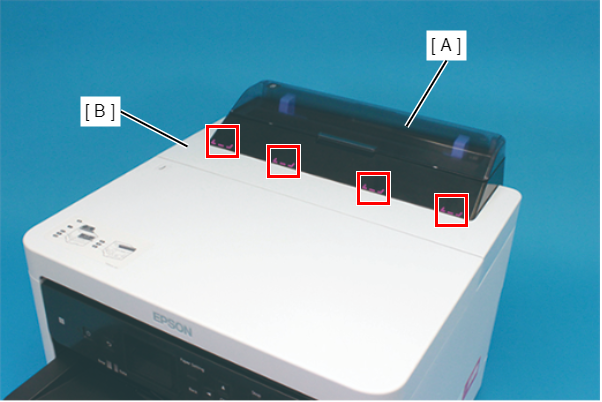
Assembly / 組み立てInsert the four tabs of the ASF Cover Assy (A) to the positioning holes of the Front Cover Retainer Plate.
- Remove the two screws securing the Front Cover Retainer Plate (A).
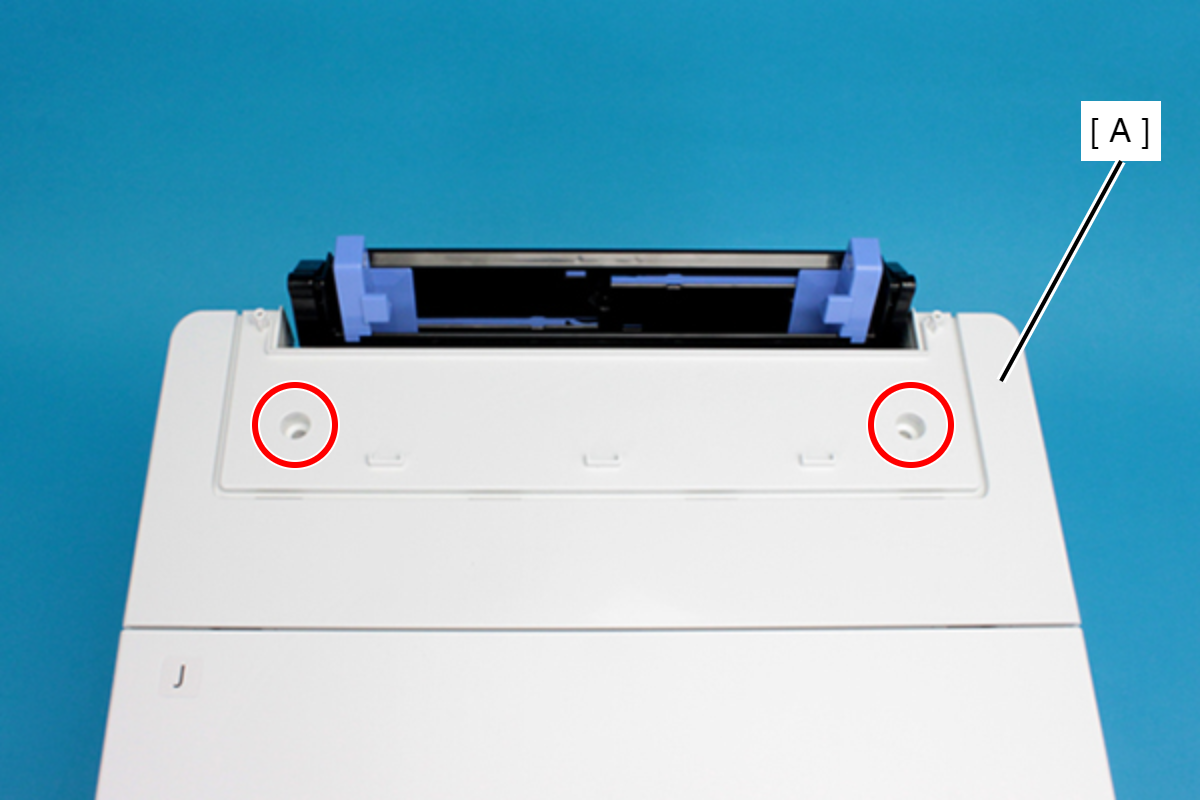
- : C.B.P-TITE-SCREW-3x10-F/ZN-3C
- Open the Printer Cover (A) and remove the four screws, and then remove the Front Cover Retainer Plate (B).
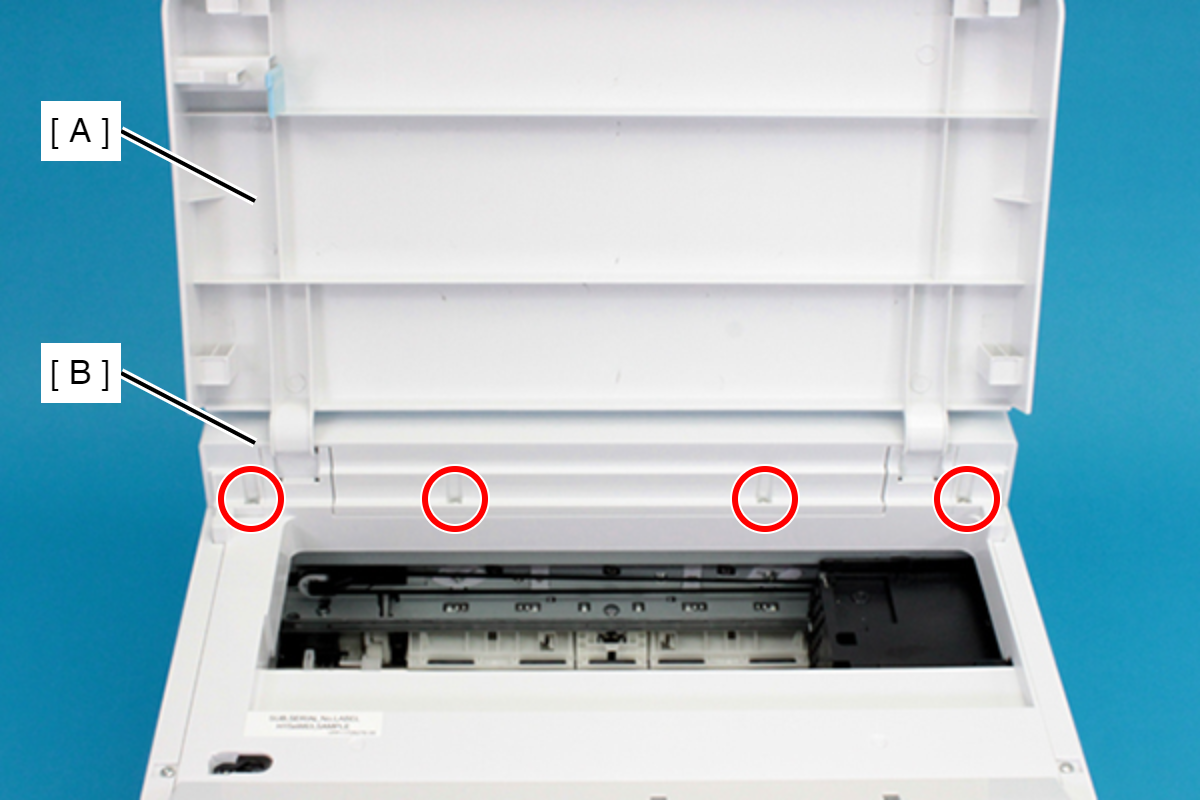
- : C.B.P-TITE-SCREW-3x10-F/ZN-3C
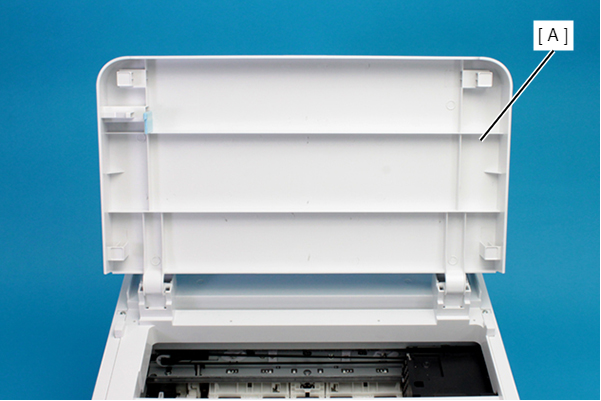
- Remove the Front Cover (A) upward.
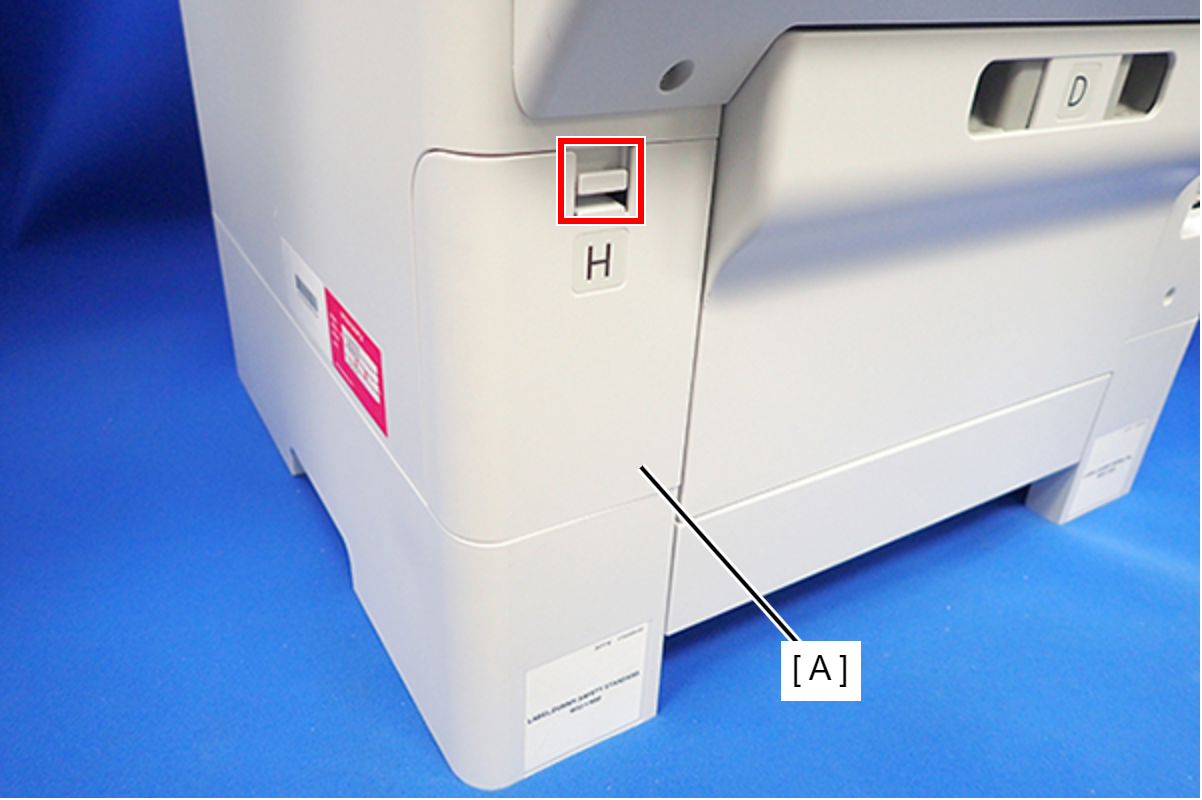
- Disengage the hook, and remove the Maintenance Box Cover (A).
- Remove the three screws that secure the Housing Right (A).
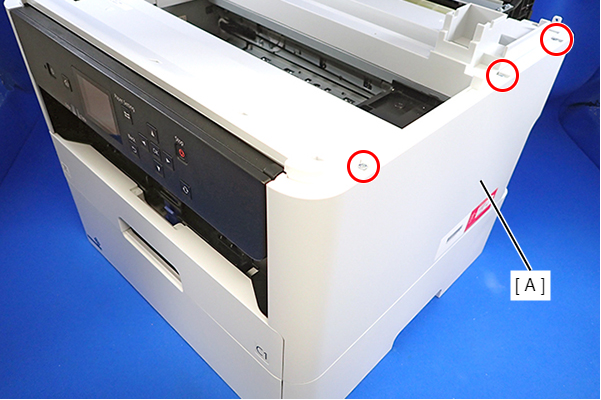
- : C.B.P-TITE-SCREW-3x10-F.ZN-3C
- Remove the two screws that secure the Housing Right (A).
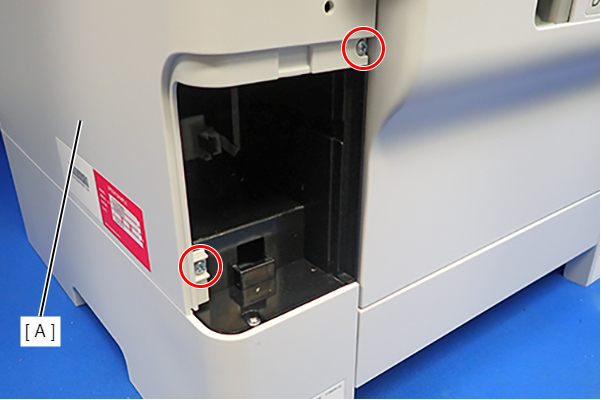
- : C.B.P-TITE-SCREW-3x10-F.ZN-3C
- Lift the Housing Right (A) to release the two hooks on the front side of the Housing Right (A), then remove the Housing Right (A).
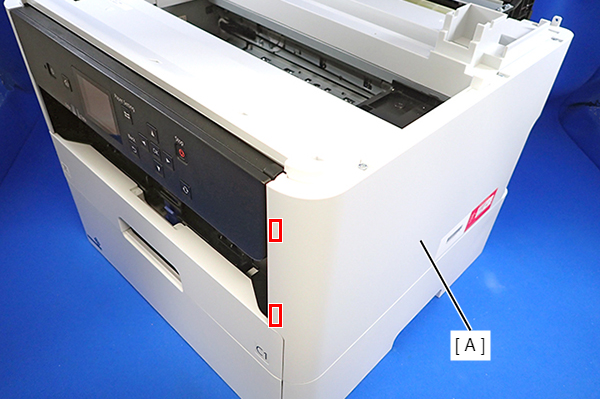 Assembly / 組み立て
Insert the four tabs of the Housing Right (A) to the positioning holes on the Ink Supply Unit (B).
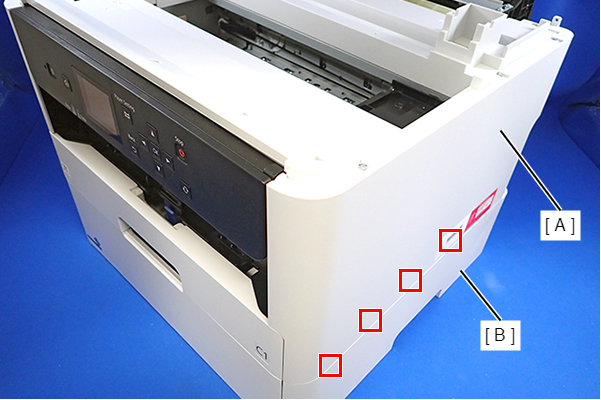
- Remove the three screws that secure the Housing Left (A).
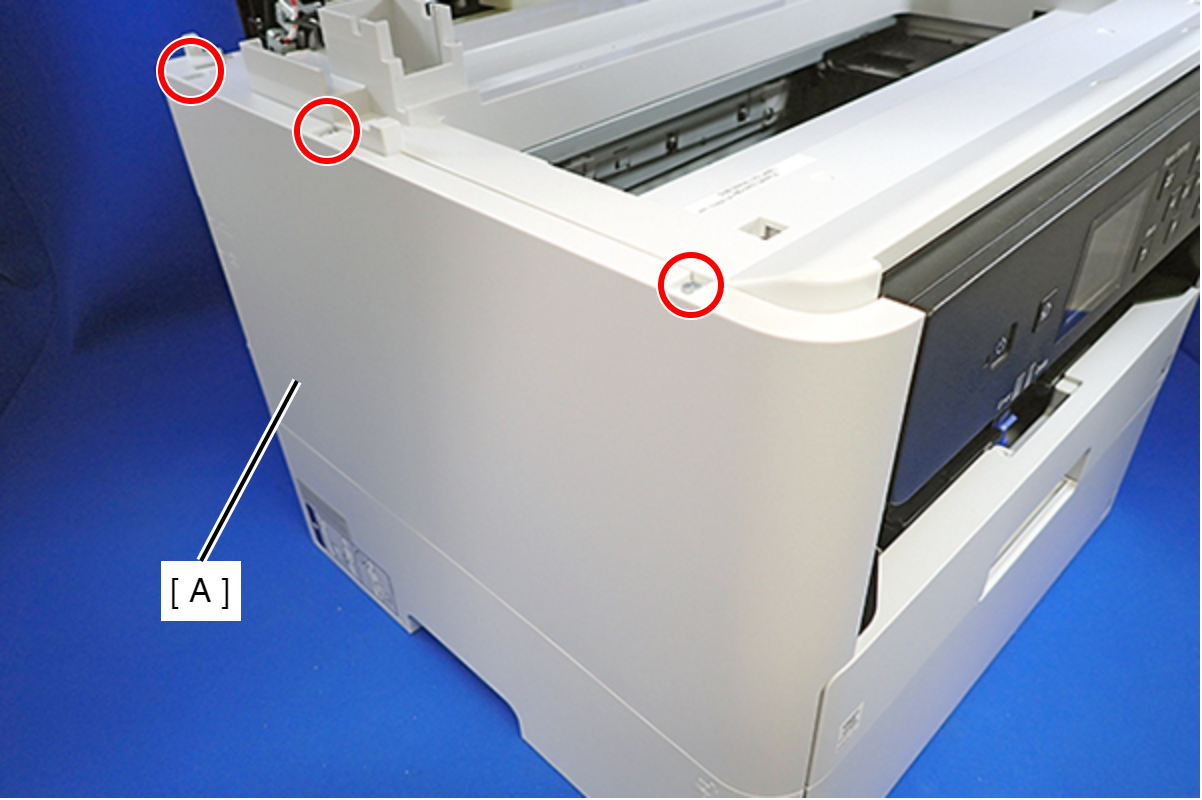
- : C.B.P-TITE-SCREW-3x10-F.ZN-3C
- Remove the two screws that secure the Housing Left (A).
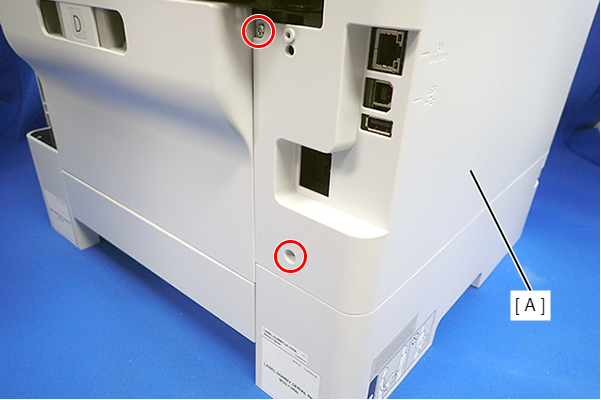
- : C.B.P-TITE-SCREW-3x10-F.ZN-3C
- Lift the Housing Left (A) to release the two hooks each on the front side and rear side of the Housing Left (A), and then remove the Housing Left (A).
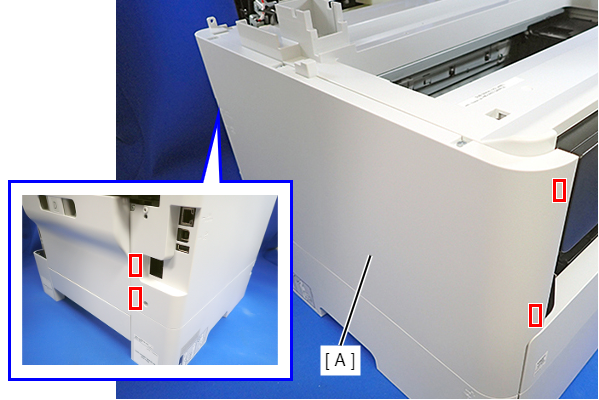 Assembly / 組み立て
Insert the four tabs on the Housing Left (A) to the positioning holes of the Ink Supply Unit (B).
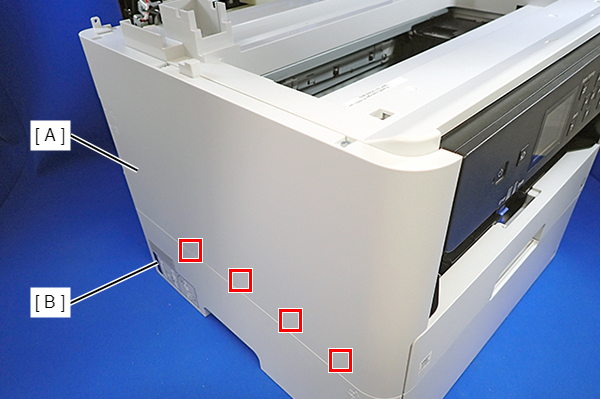
- Remove the six screws, then remove the Housing Upper (A).
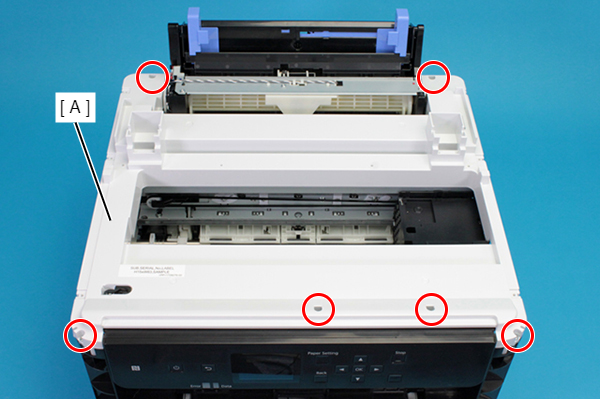
- : C.B.P-TITE-SCREW-3x10-F.ZN-3C
- Remove the screws that secure the Wasted Ink Duct Holder (A).
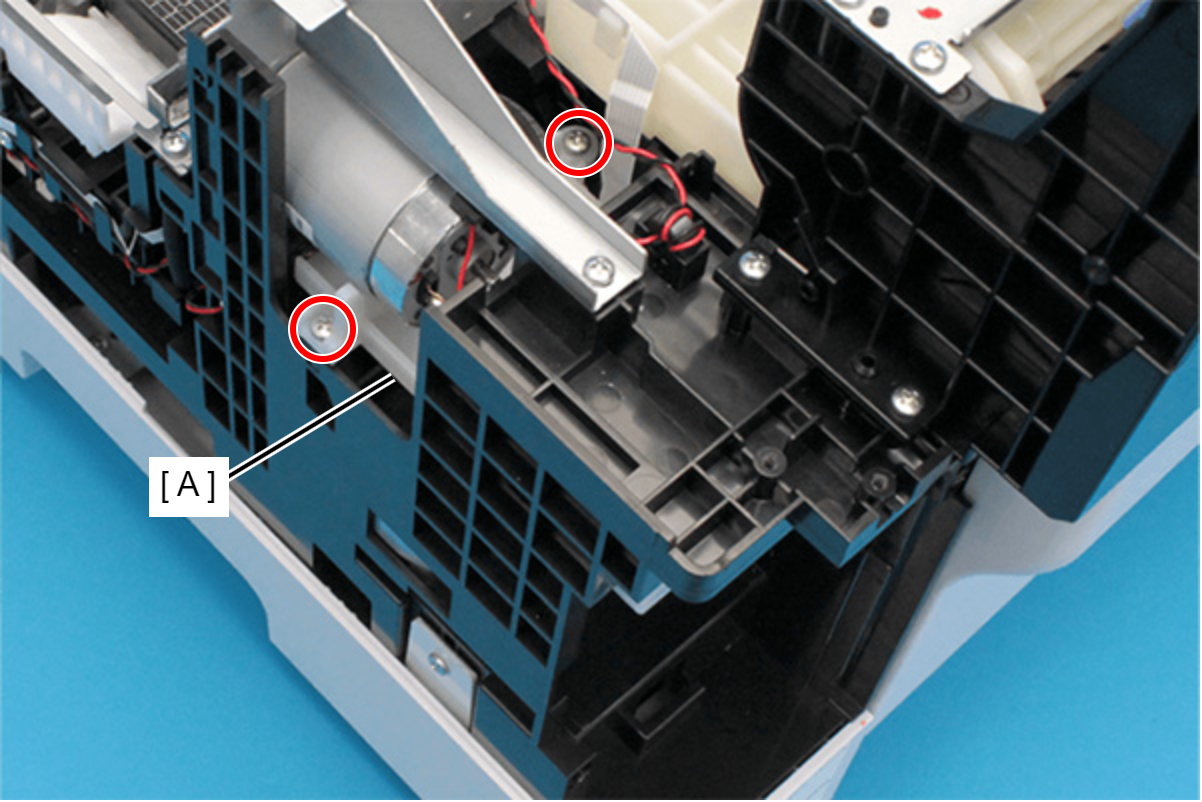
- : C.B.P-TITE-SCREW-3x10-F.ZN-3C
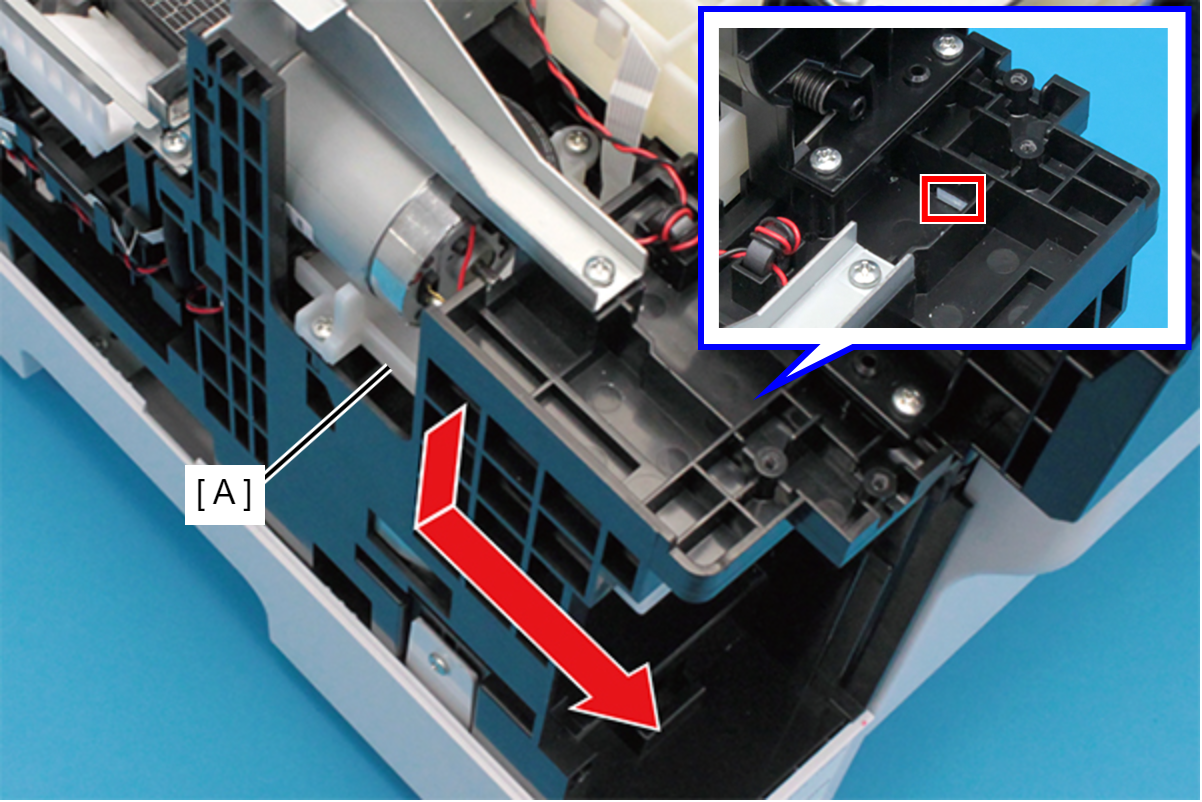
- Disengage the hook, and slide the Wasted Ink Duct Holder (A) to rear.
- Remove the two screws that secure the Maintenance Box Detection Sensor Holder (A).
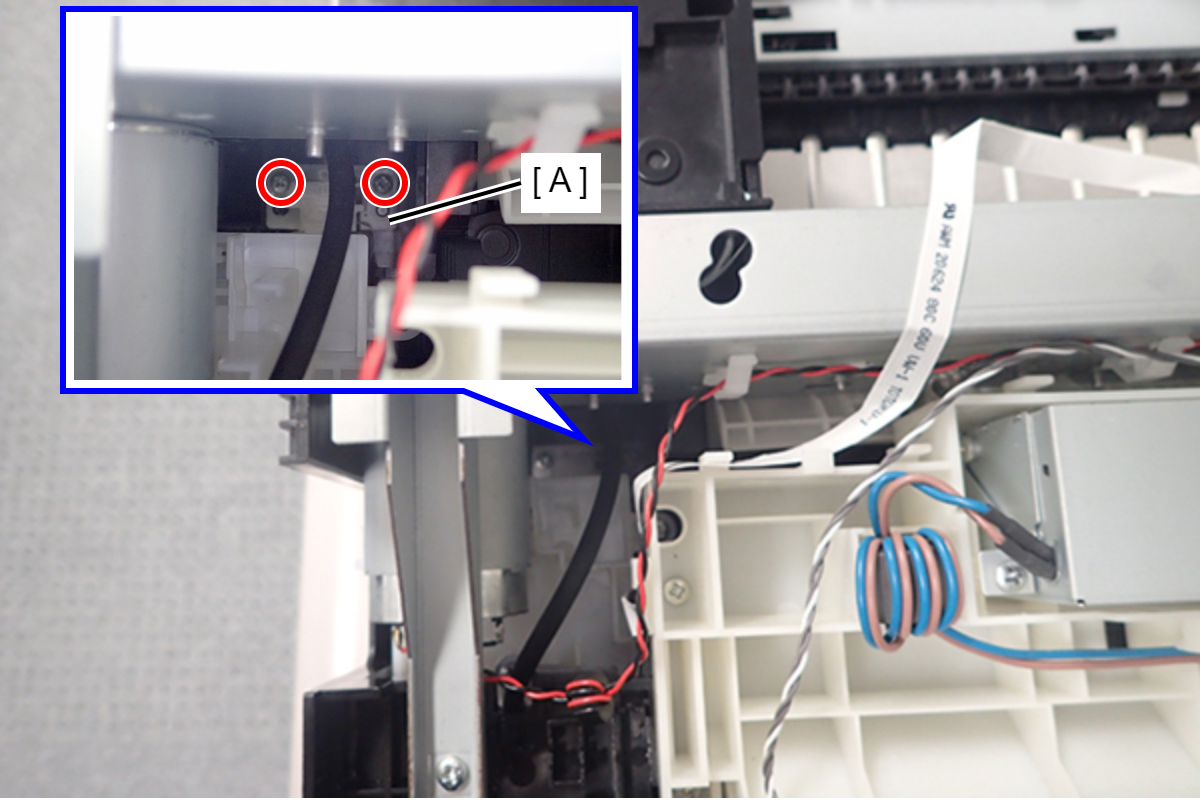
- : C.B.P-TITE-SCREW-3x10-F.ZN-3C
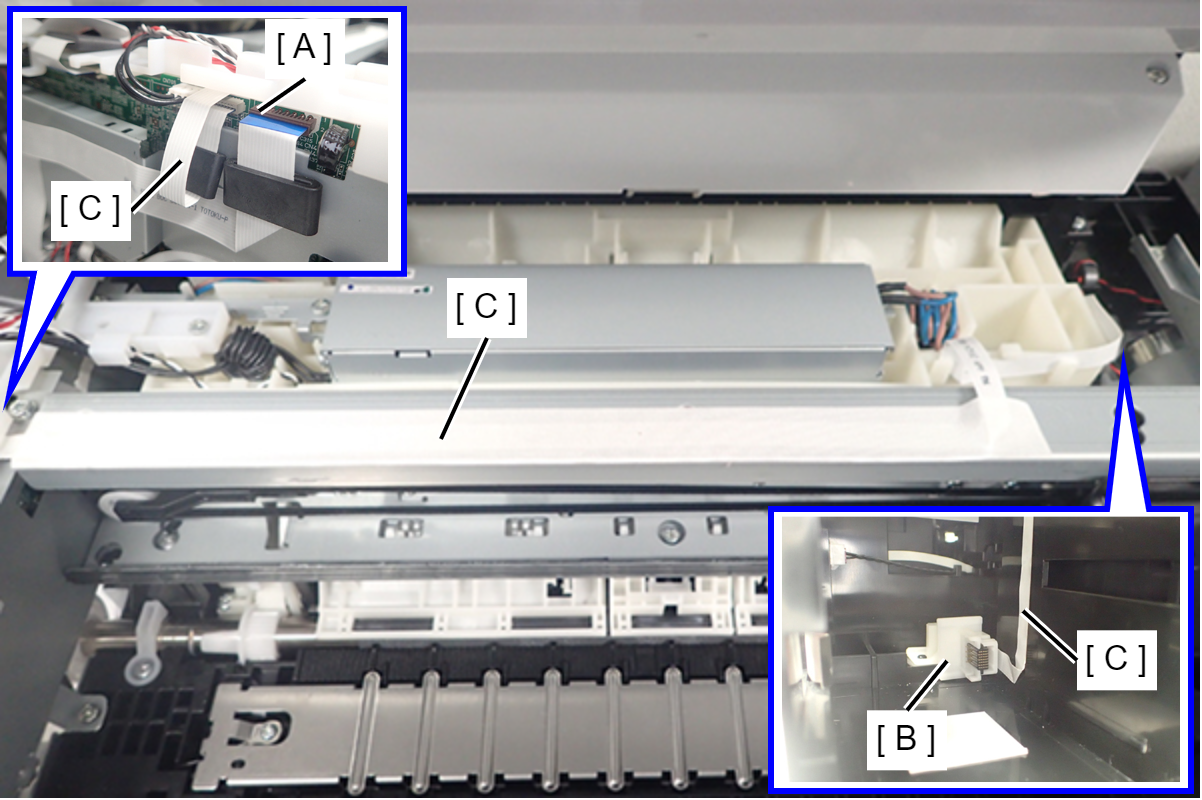
- Disconnect the FFC (C) of the Maintenance Box Detection Sensor (B) from the connector (A) on the Main Board.
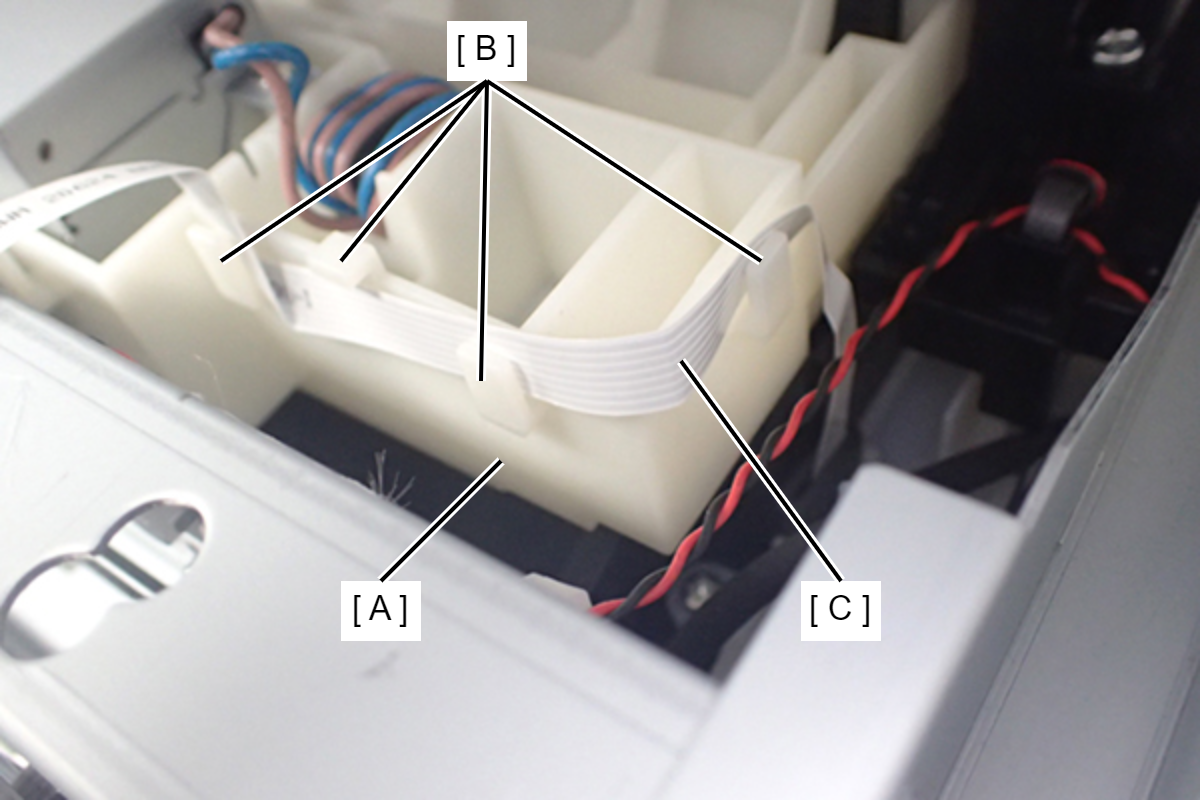
- Release the FFC (C) from four hooks (B) on the Paper Feed Sensor Unit (A).
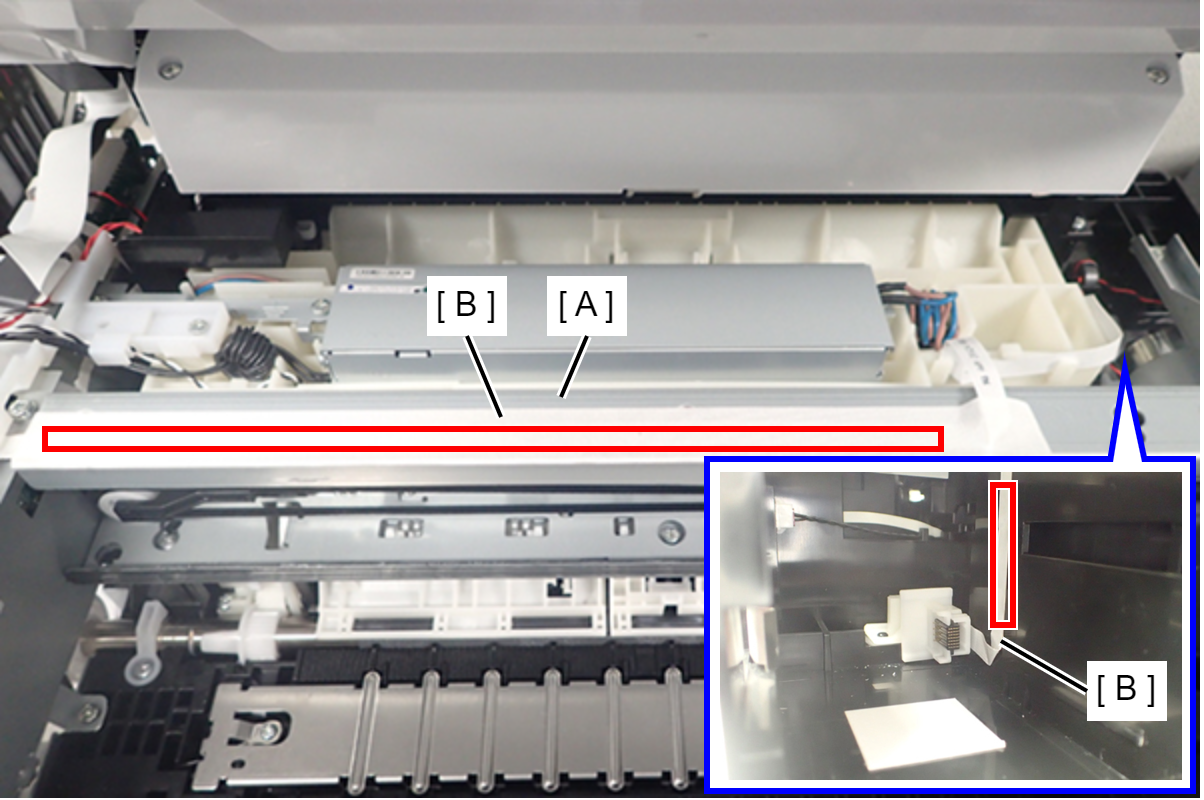
- Peel off the two double-sided tapes, and remove the FFC (B) from the Main Frame Assy (A) and maintenance box slot.
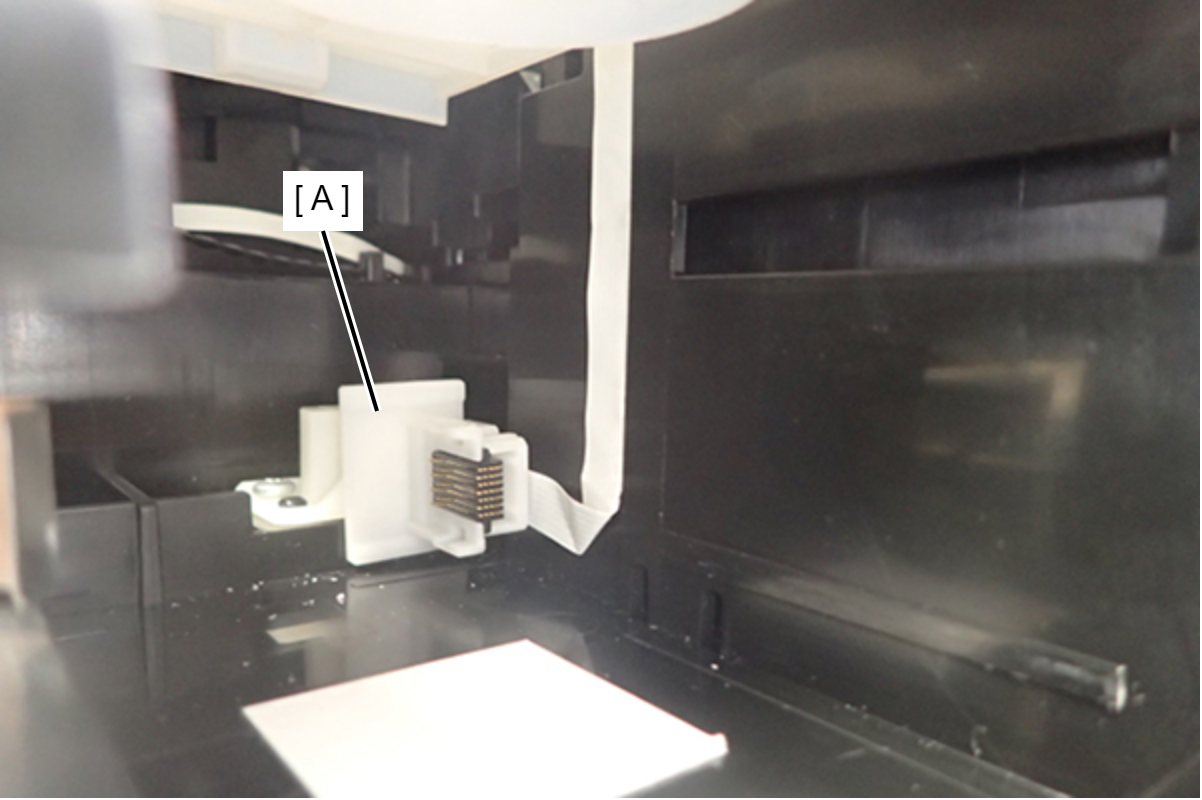
- Remove the Maintenance Box Detection Sensor Assy (A) from the maintenance box slot.
 Assembly / 組み立て
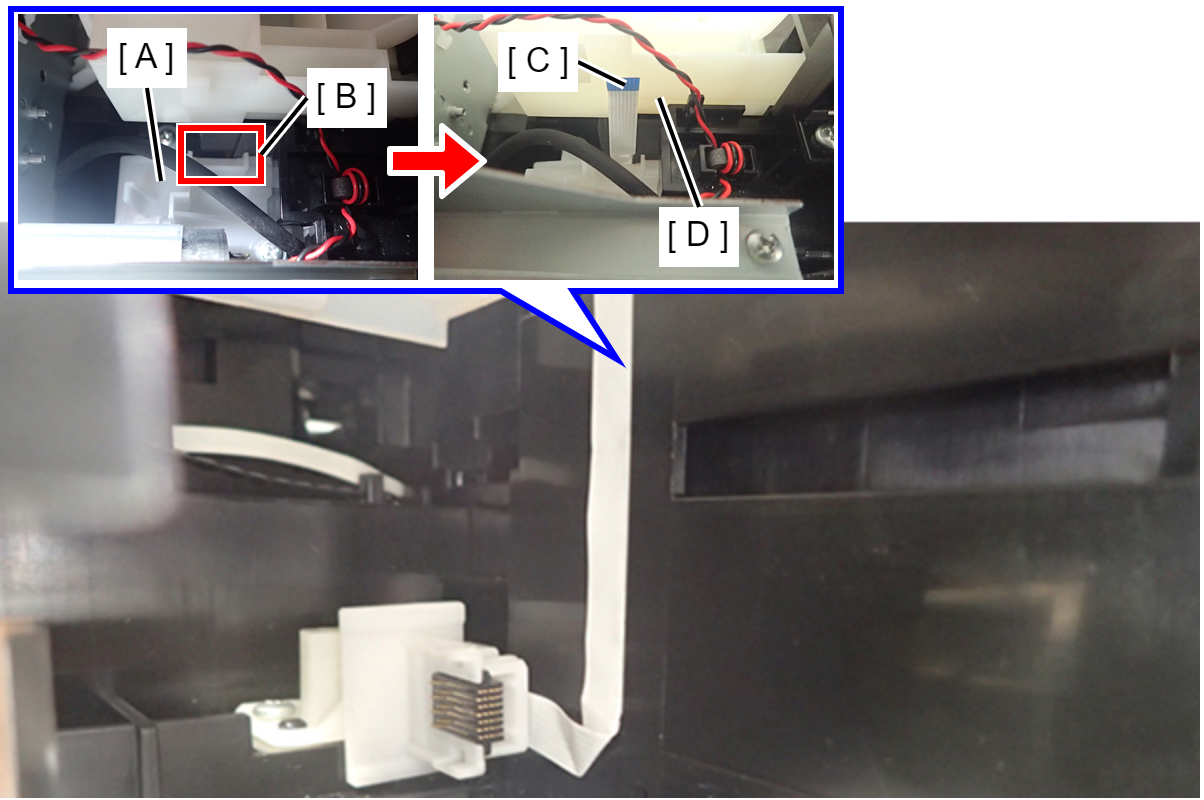
Route in such a way that the FFC (C) terminal (contact surface) is at the side of the Paper Feed Sensor Unit (D) from the gap (B) of the Maintenance Box Upper Cover (A).