DATA RESTORE PROCEDURE
- Start the printer in the service mode.
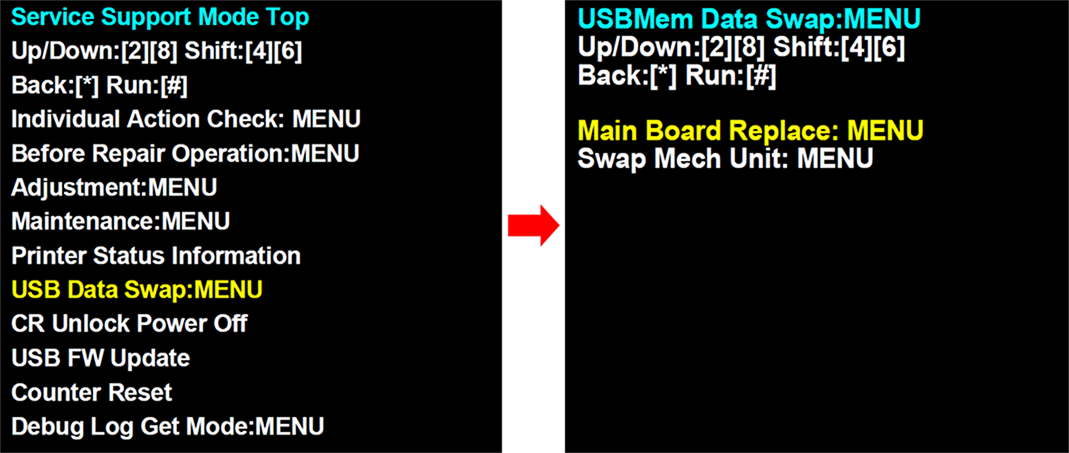
- Select “USB Data Swap: MENU” from service support mode top menu.
- Select Main Board Replace: MENU when replacing the main board. Select Swap Mech Unit: MENU when swapping the printer.
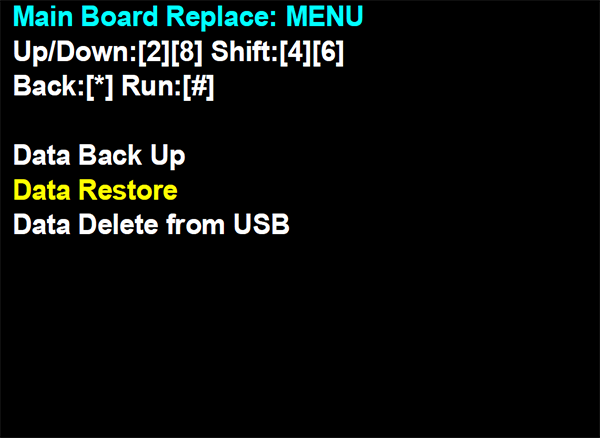
- Select Data Restore.
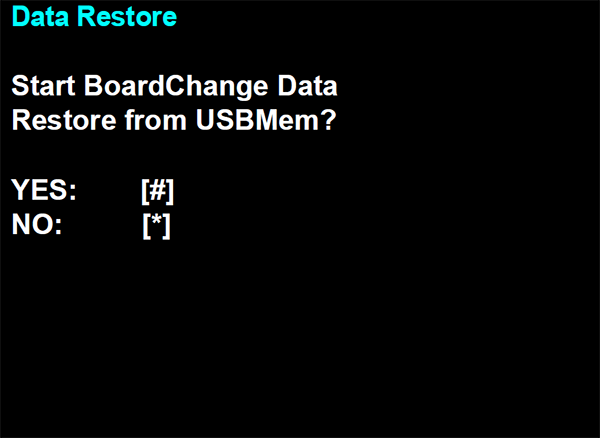
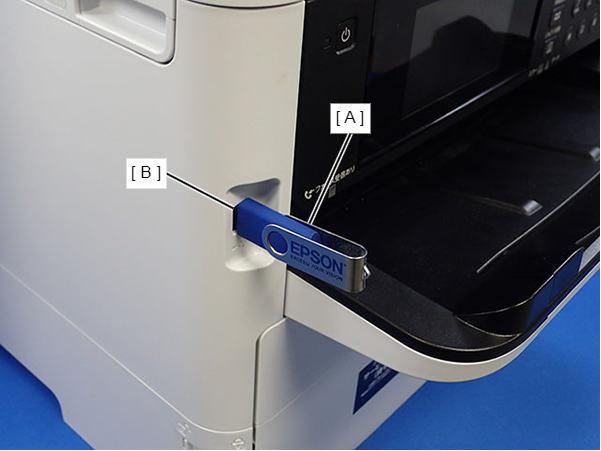
- The following screen will be displayed. Before pushing the execution button, connect the USB flash (A) drive to the USB port (B).
- WF-C579R Series
- WF-C529R Series
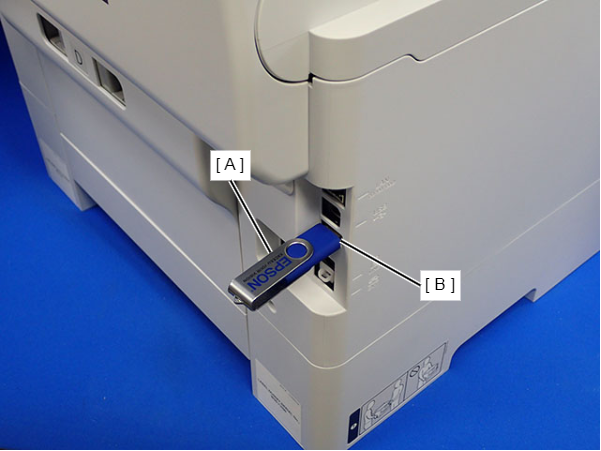
- WF-C579R Series
- Push the execution button and execute the data restore.
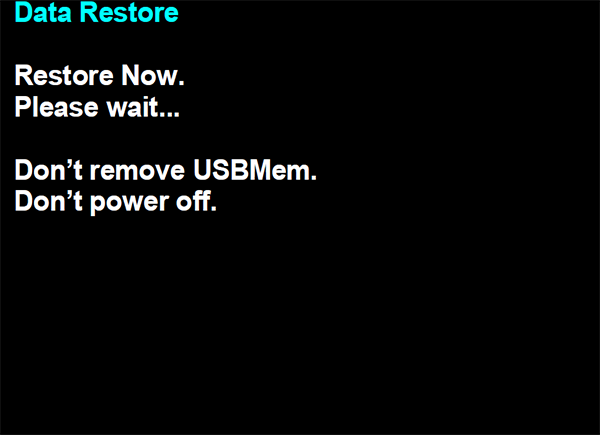
 Caution / 注意
While data restore is underway, do not remove the USB memory or turn the power off.
- Turn the power off when the following screen is displayed.

 Check Point / チェックポイント
If the following message is displayed when restoring the data, the backup data is not saved to the USB flash drive. Therefore, perform the data backup again.