
Unlocking the CR Unit
CR Unlock can be performed in two methods as given below.
CR Unlock (Service Support Mode)
- Start the printer in the service mode. (Service mode startup)
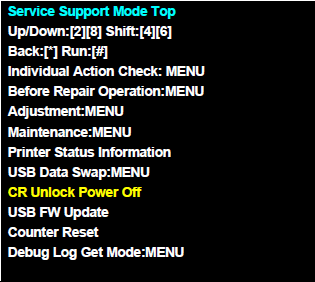
- Select CR Unlock Power Off from service support mode top menu.
CR Unlock (Hardware)
- Remove the Housing Right.
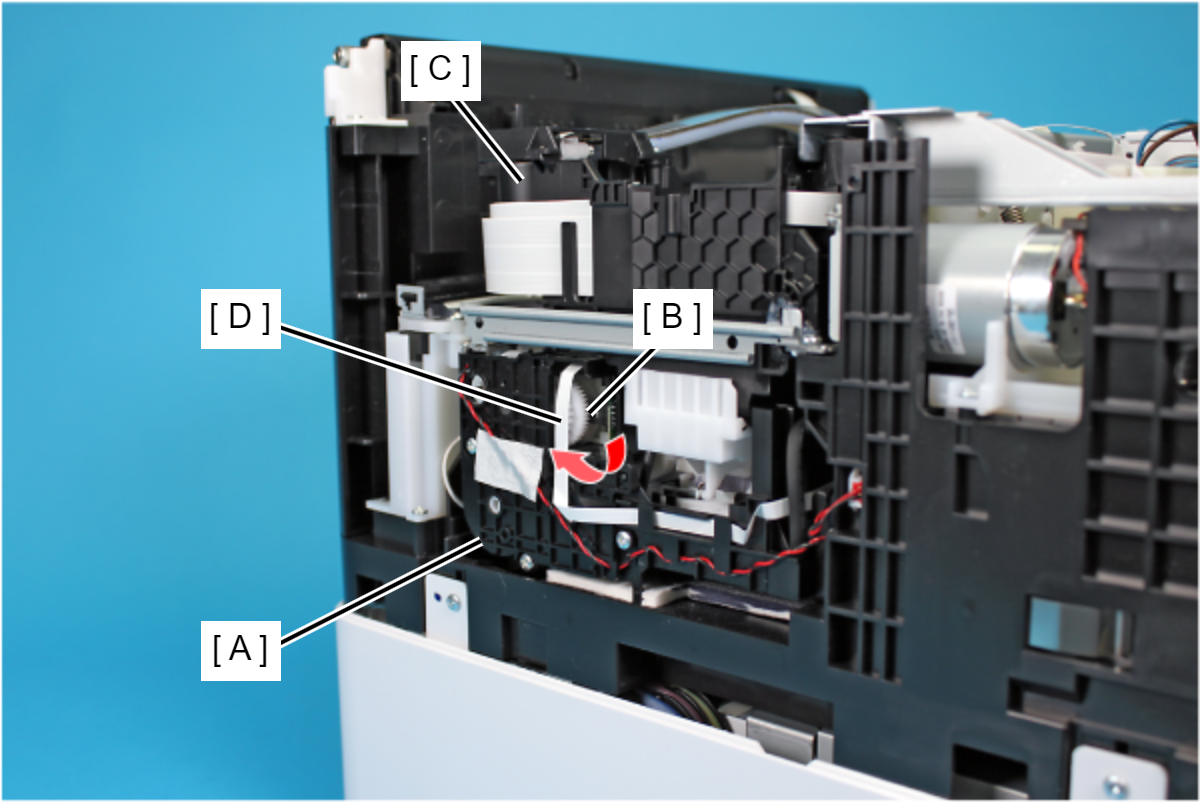
- Rotate the gear (B) of the Ink System Unit (A) in the direction of the arrow, and move the CR Unit (C) to the 80-digit side.
 Caution / 注意
When rotating the gear (B) of the Ink System Unit, take extra care not to damage or disconnect the FFC (D) by touching it.