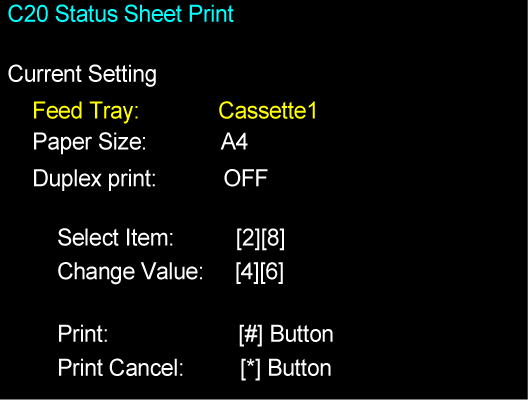
C20 STATUS SHEET PRINT
Overview
Print the service status sheets. Refer to "Status Sheet Information" for details.
Paper and feed tray
- Paper size: A4, Letter
- Paper feed tray: Paper Cassette (C1) to paper cassette (C3), Rear ASF
Work Procedure
- Start the printer in the service mode.
- Select “C20 Status Sheet Print” refer to “ How to select items from the maintenance menu”.
- Load paper into the specified paper feed tray.
- Confirm the current setting and print the adjustment pattern.
When changing the print setting, select and change the item following the instruction on the screen.