
B55 BAND FEED ADJUST
Overview
Correct mechanical variations in band feed mode, or paper feed errors that occur due to media feed characteristics.
Paper and feed tray
Paper size: A4, Letter
Paper type: Plain paper, Business plain paper
Paper feed tray: Paper Cassette (C1) to paper cassette (C3), Rear ASF
Adjustment pattern
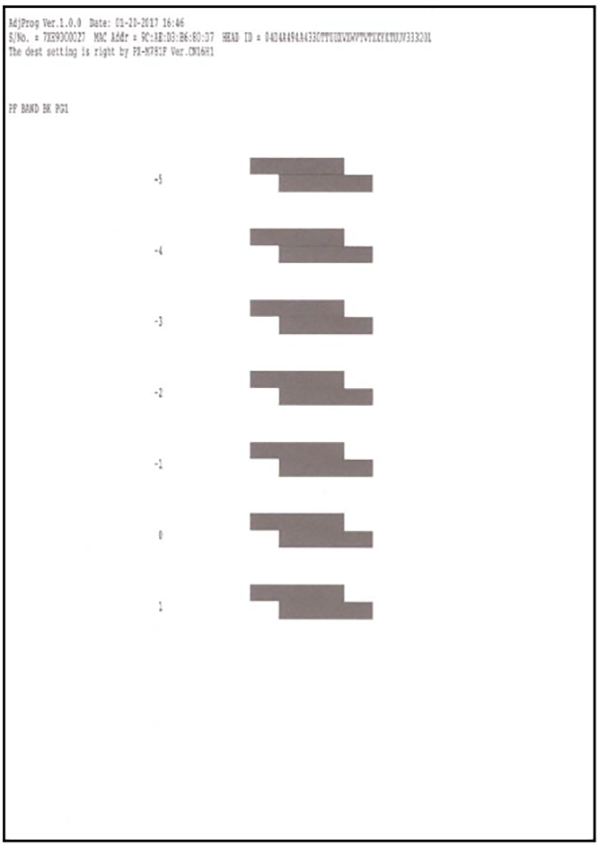
Criteria
Select the value of the pattern with the fewest white lines and with no overlap with upper/lower blocks.
Work Procedure
Start the printer in the service mode.
Select "B55 Band Feed Adjust" refer to "How to select an Adjustment item".
Load paper into the specified paper feed tray.
- Confirm the current setting and print the adjustment pattern.
When changing the print setting, select and change the item following the instruction on the screen.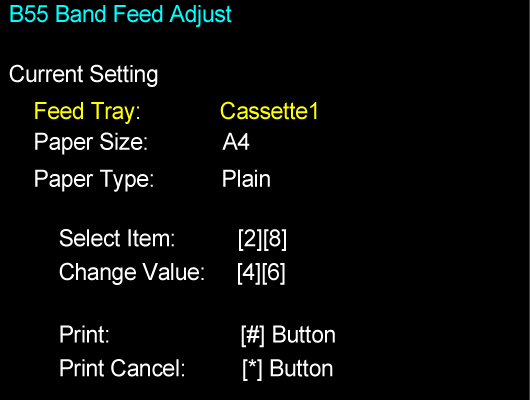
Check the adjustment pattern and determine the adjustment value based on the judgment procedure.
- Enter the adjustment value.
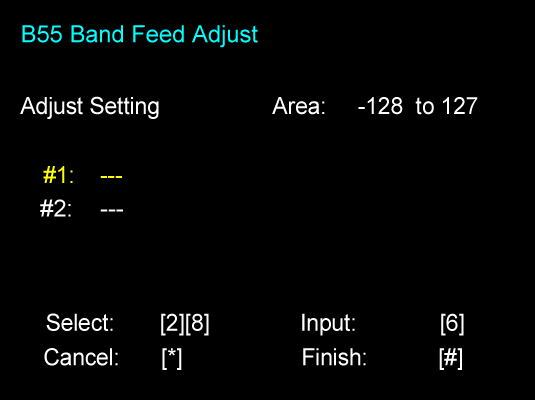
Perform the completion operation to save the adjustment value to the printer.
 Check Point / チェックポイント
If there is no pattern satisfying the judgment method among the adjustment patterns, there is a pattern satisfying the judgment method outside the scope of pattern printing. Therefore, select the best pattern and enter the adjustment value. Following this, again print the adjustment pattern and determine the adjustment value.