Separation Roller Assy
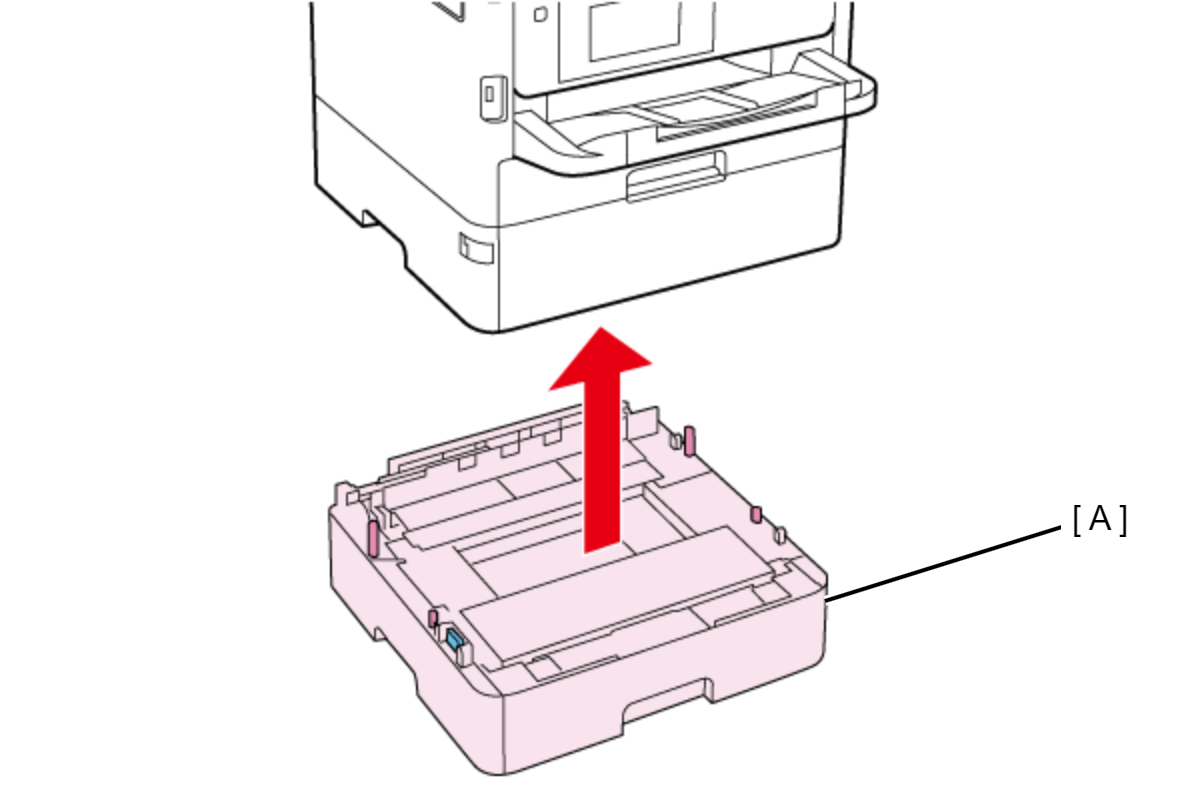
- Lift the printer, then remove the Optional Paper Cassette (A).
 Assembly / 組み立て
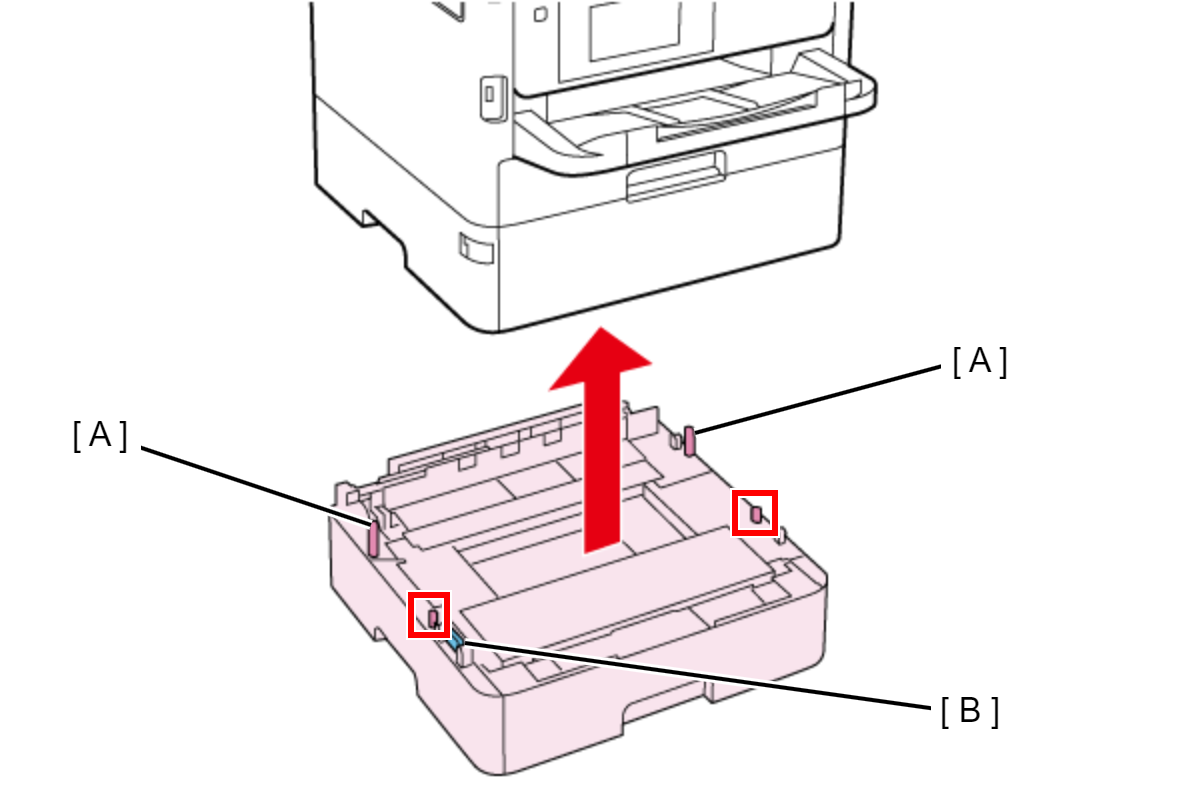
When attaching the Optional Paper Cassette, be sure to align the positioning pins (A) (x2) and the dowels so as to avoid damage to the Drawer Connector (B).
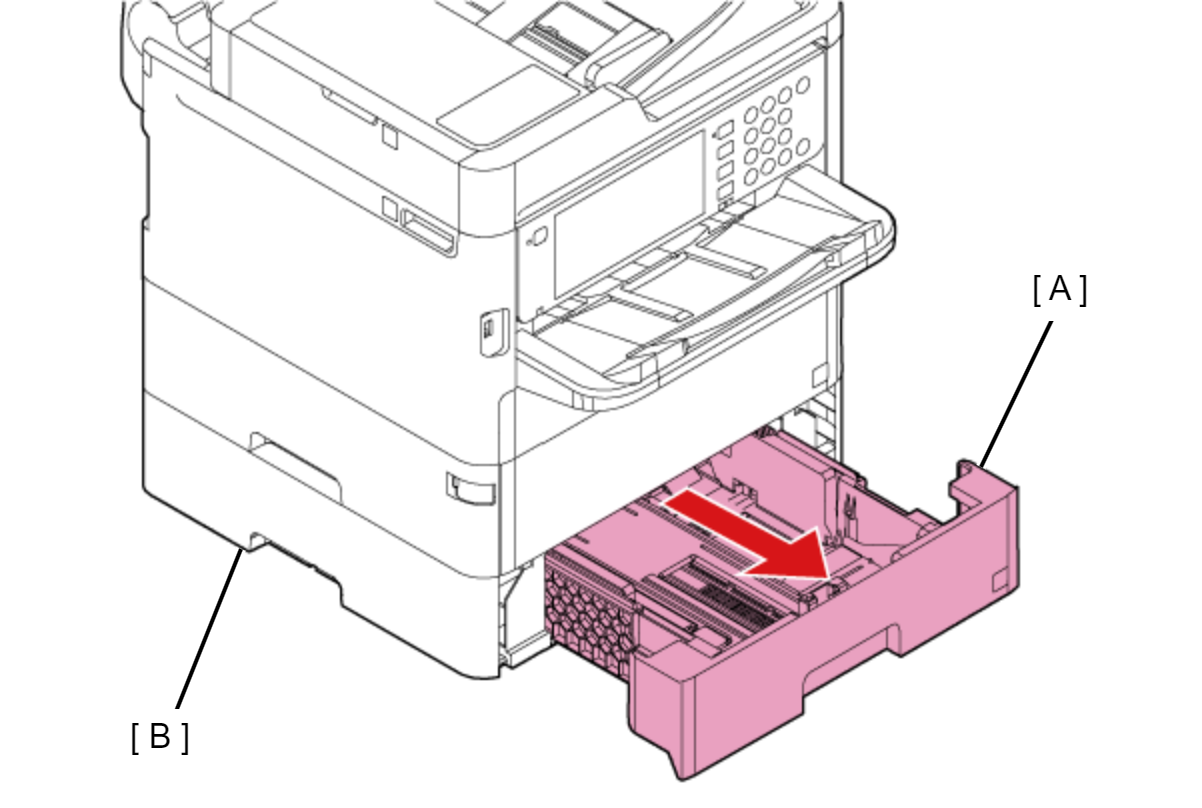
- Pull the Paper Cassette 2 (A), then remove it from the Optional Paper Cassette Unit (B).
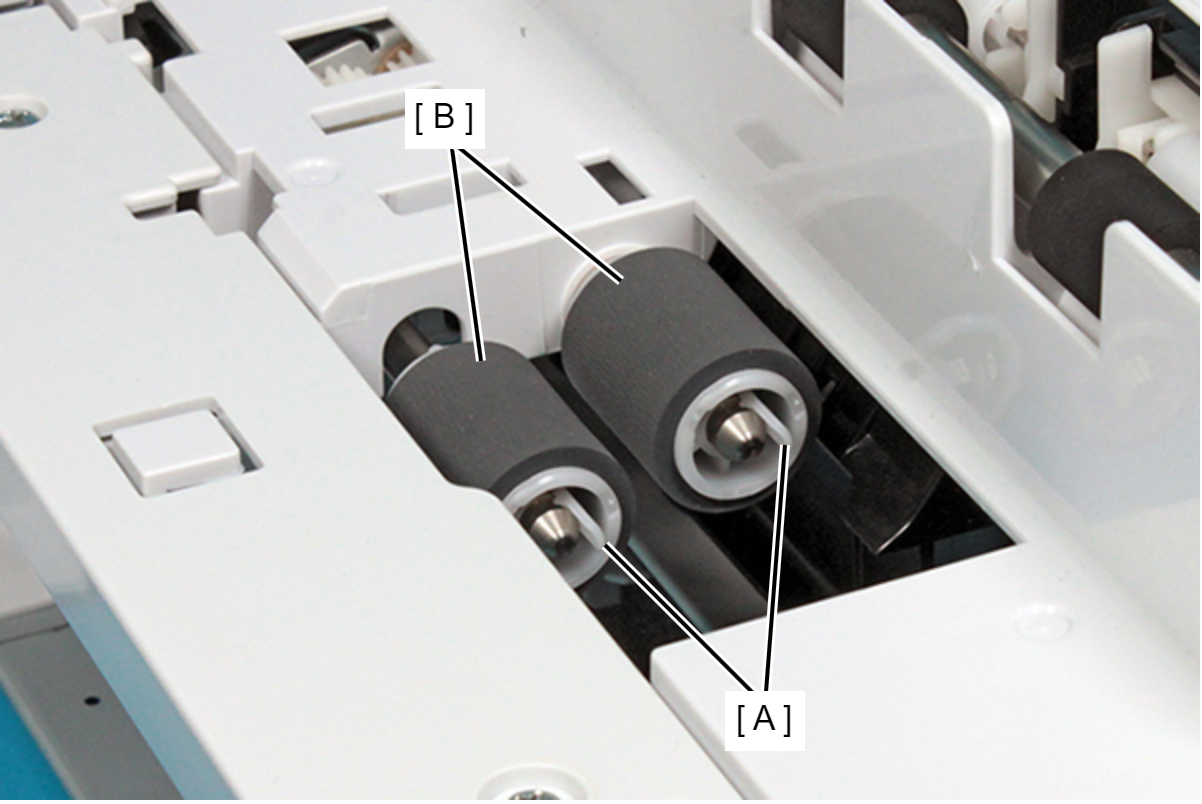
- Extend the tabs (A) in the direction of the arrows and release them from the groove of the shafts, and then pull out and remove each Separation Roller Assy (B,C) (x2).
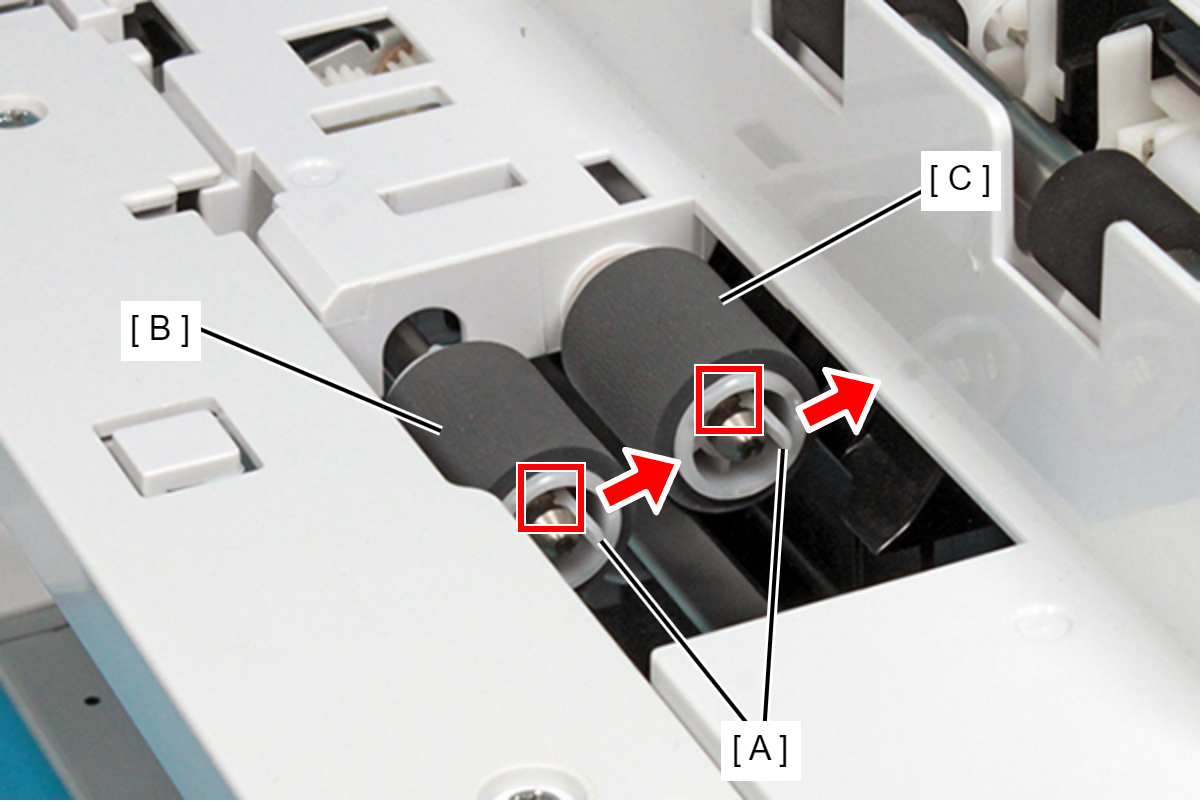
- B: Paper Feed Roller
- C: Separation Roller
 Caution / 注意
When performing work, hold the tabs (A) to avoid touching the roller surface (B).