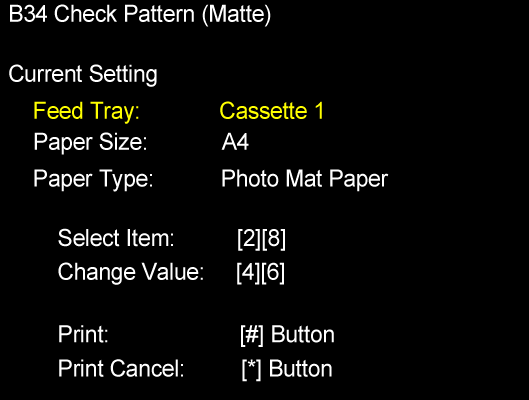
B34 CHECK PATTERN (MATTE)
Overview
Print check patterns to check that there is no problem with the final print quality.
Paper and feed tray
Document size: A4
Paper type: Photo matte paper
Paper feed tray: Paper Cassette1st (C1)
Work Procedure
Start the printer in the service mode.
Select "B34 Check Pattern (Matte)" refer to "How to select an Adjustment item".
Load paper into the paper feed tray.
- Confirm the current setting and print the adjustment pattern.
When changing the print setting, select and change the item following the instruction on the screen. - Check the check patterns.