Resetting the Counter of Periodic Replacement Parts
- Start the printer in the service mode.
- From the service support mode top menu, select “Counter Reset”.
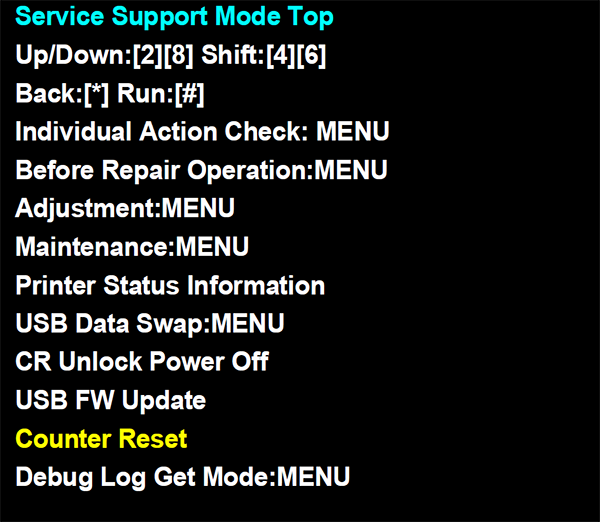
- Select the part you replaced and reset the counter.
Example: When resetting the PF/EJ Counter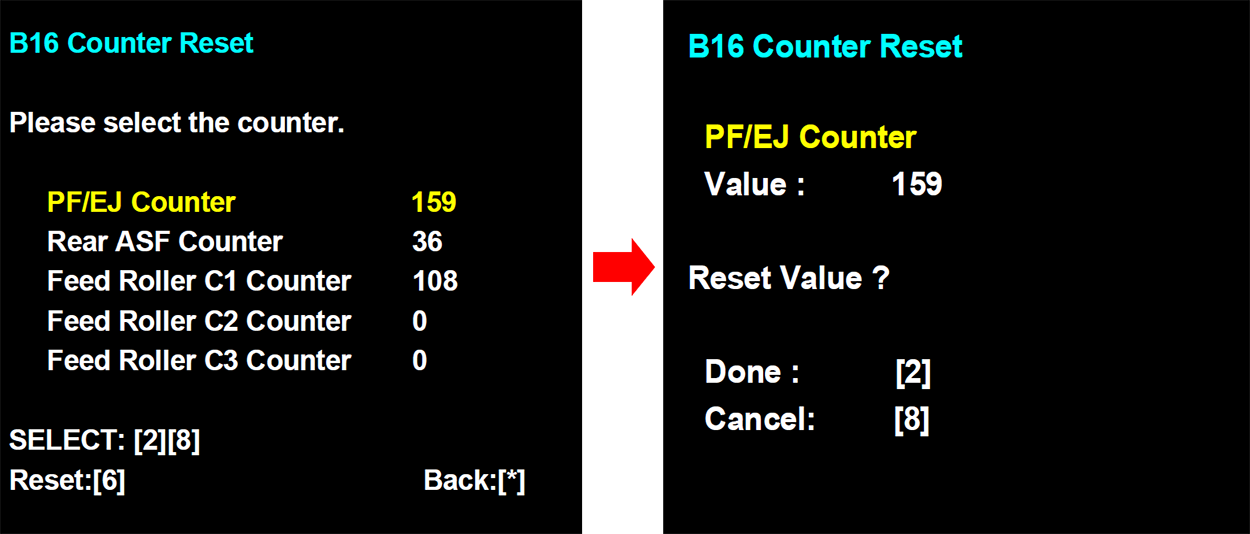

Example: When resetting the PF/EJ Counter