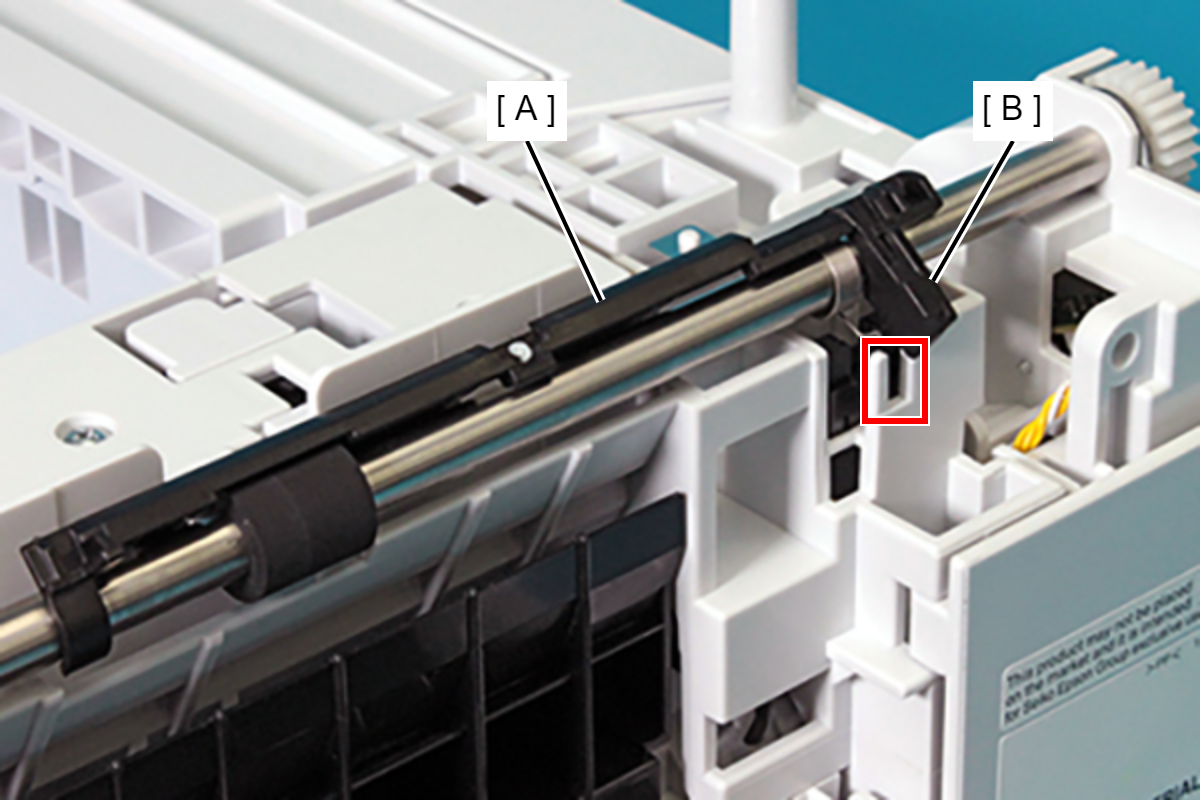
Paper Feed Detection Lever
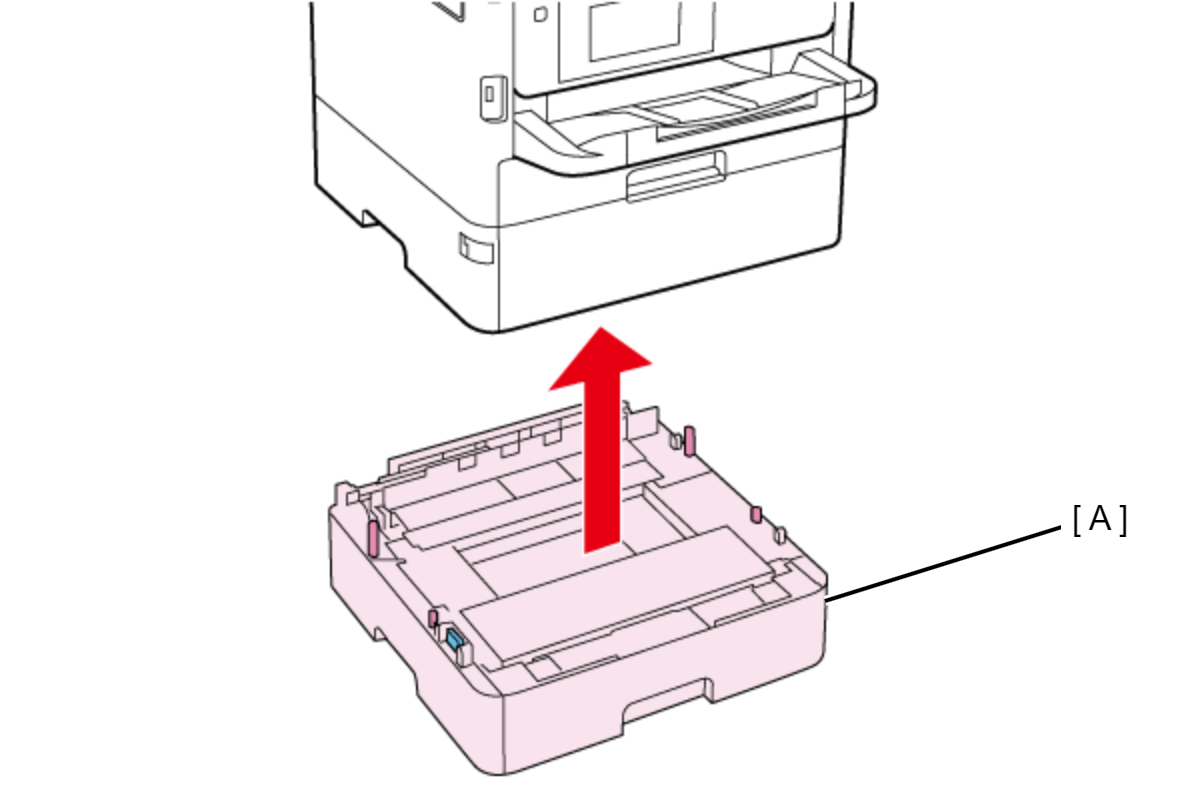
- Lift the printer, then remove the Optional Paper Cassette (A).
 Assembly / 組み立て
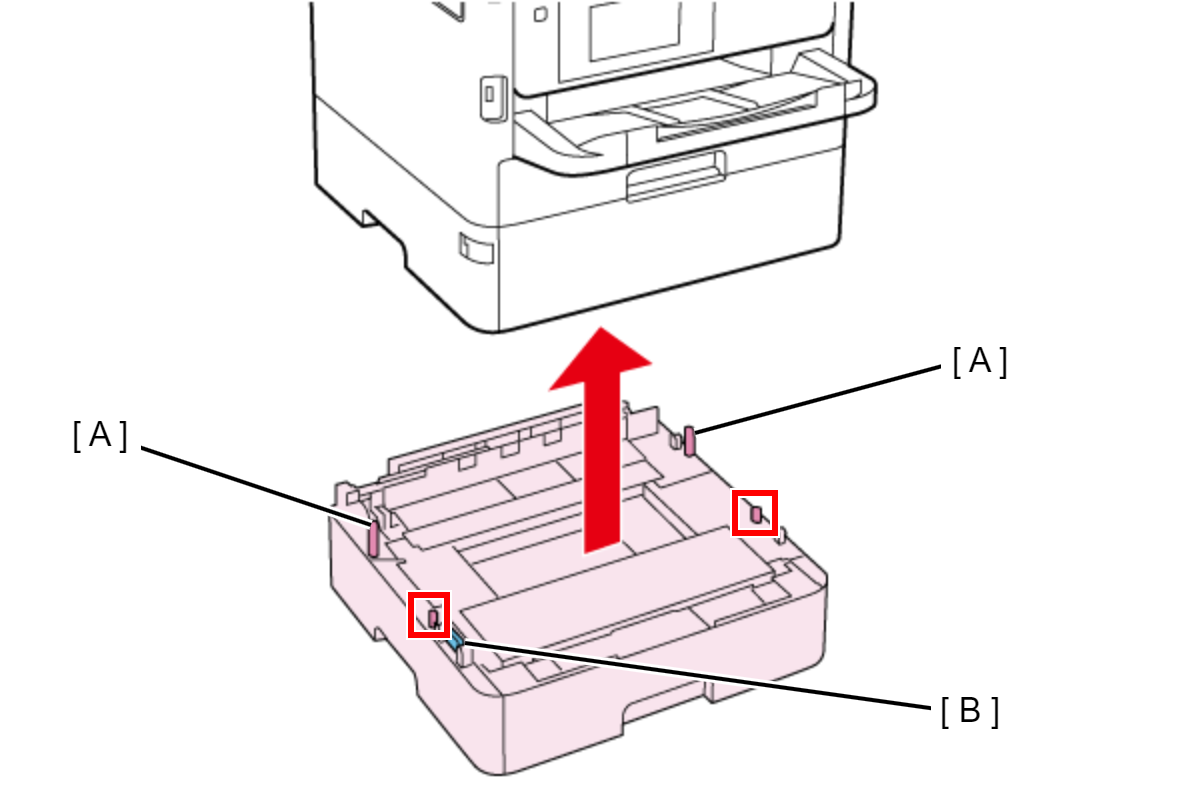
When attaching the Optional Paper Cassette, be sure to align the positioning pins (A) (x2) and the dowels so as to avoid damage to the Drawer Connector (B).
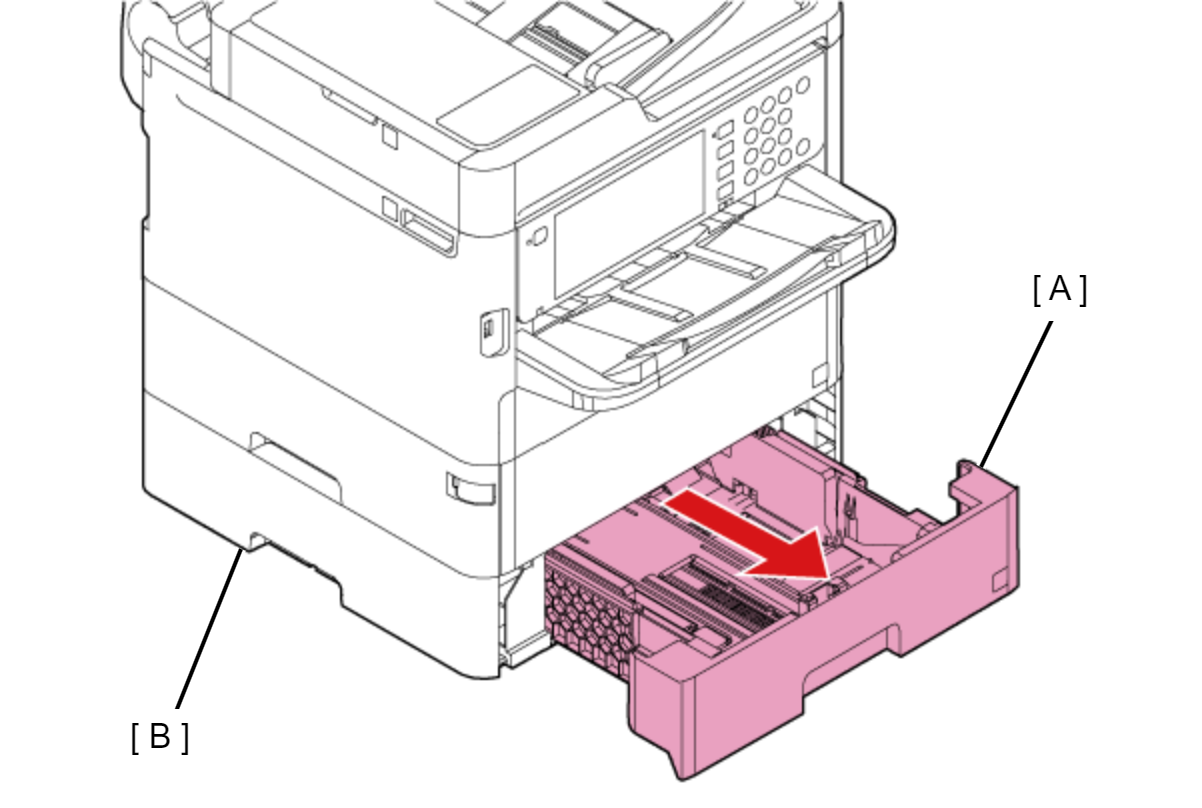
- Pull the Paper Cassette 2 (A), then remove it from the Optional Paper Cassette Unit (B).
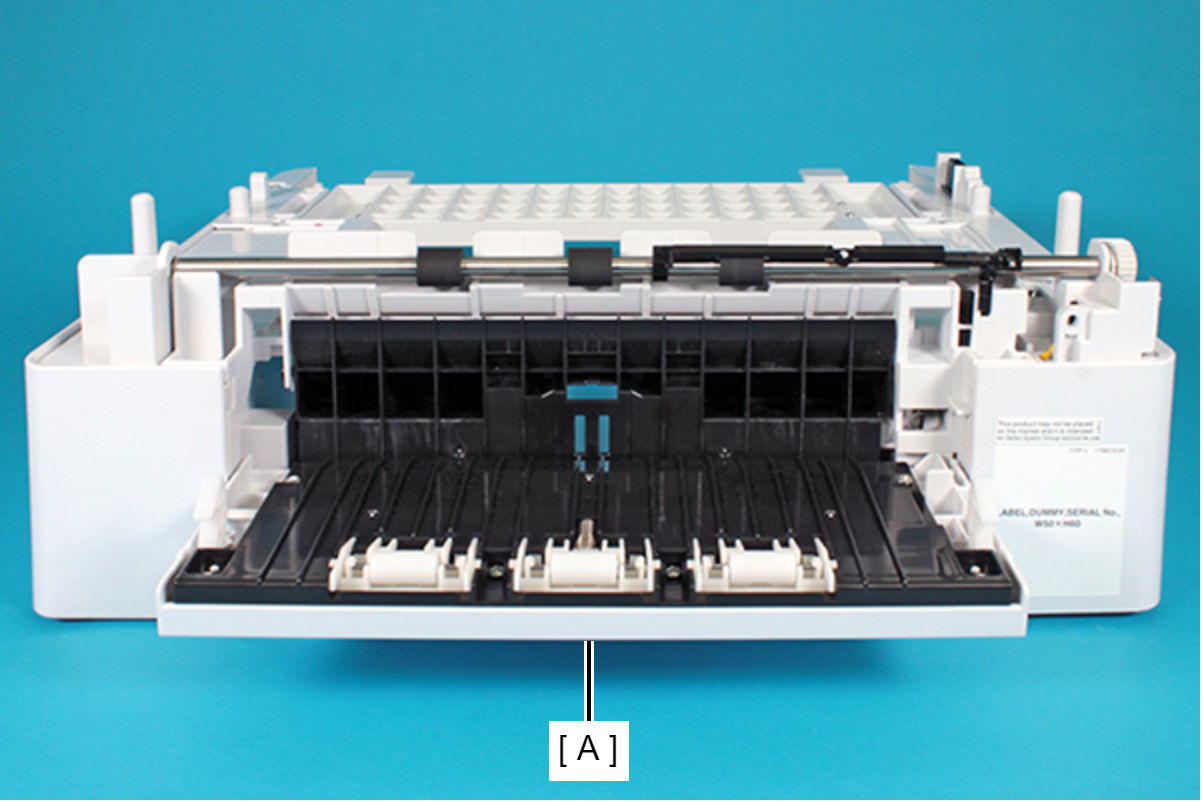
- Open the Rear Cover.
- Remove the leg of the Paper Feed Roller Spring from the Paper Feed Detection Lever.
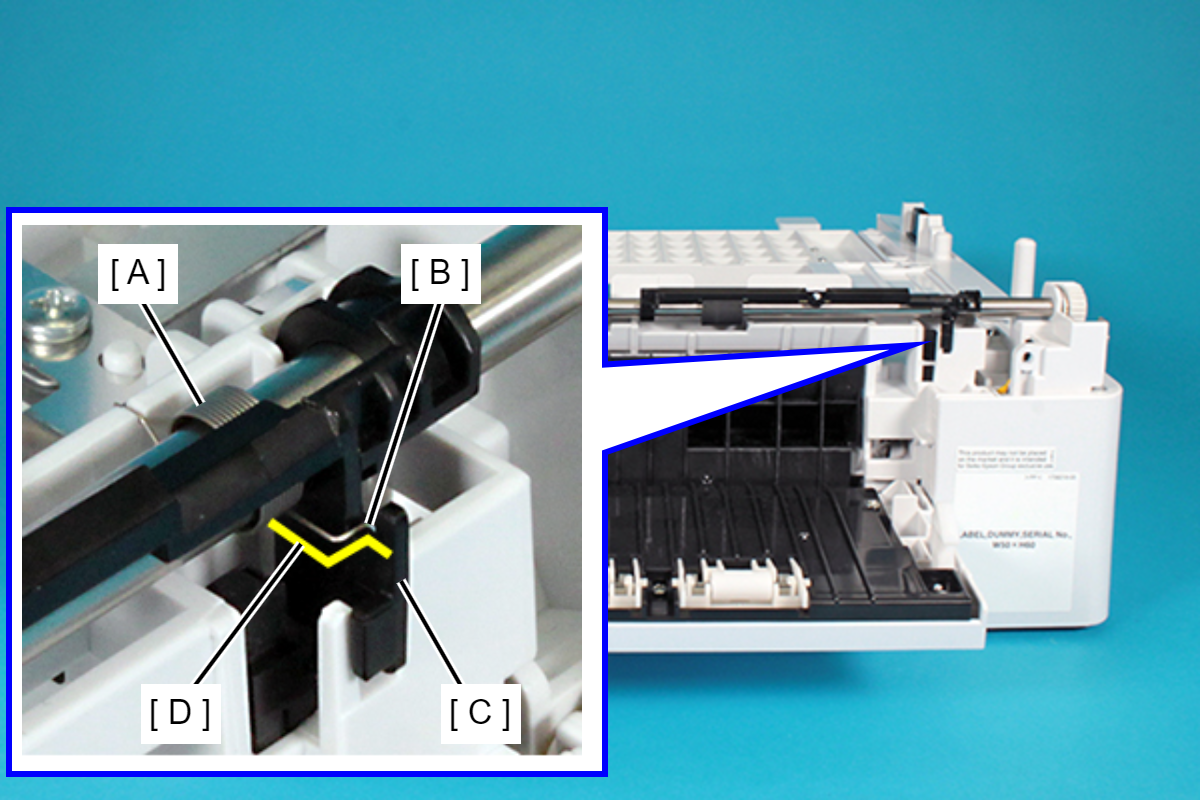
D: Shape of the spring
 Caution / 注意
Since the narrow part of the Paper Feed Detector Lever (A) may be bleached and damaged, remove the Paper Feed Detector Lever (A) by ensuring that it does not get twisted.
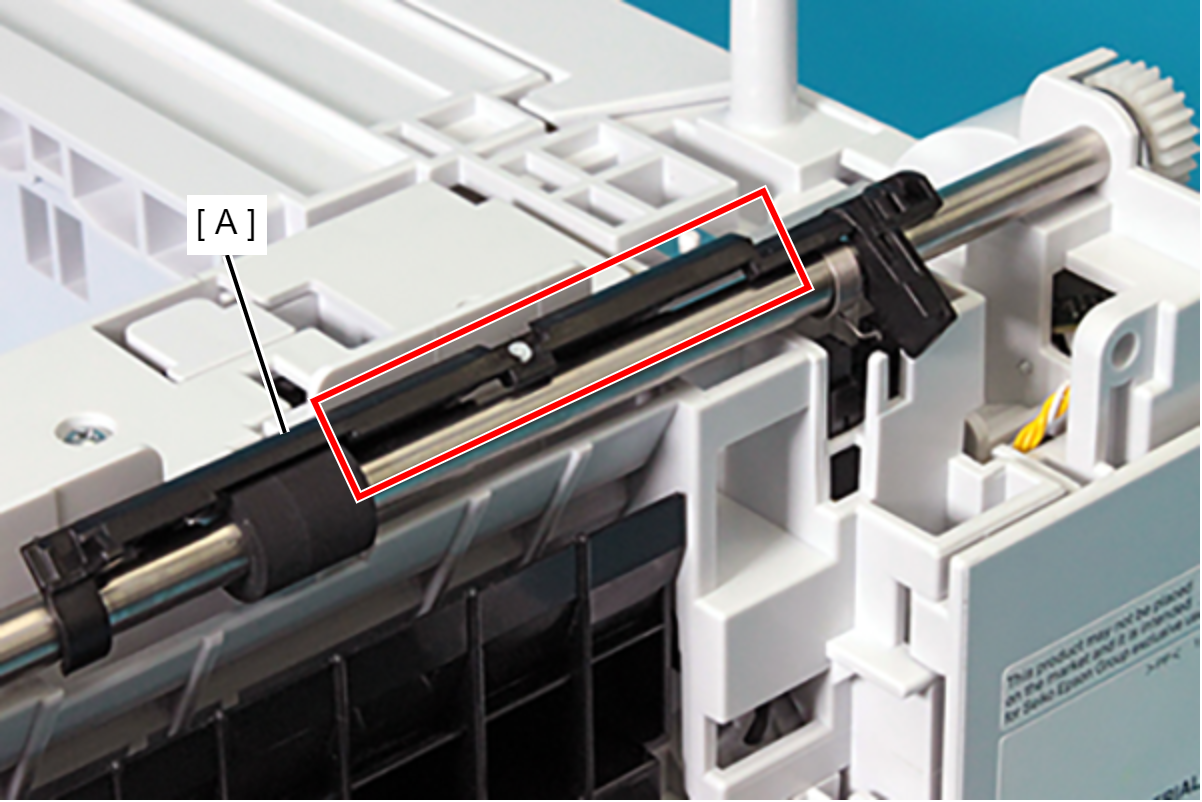
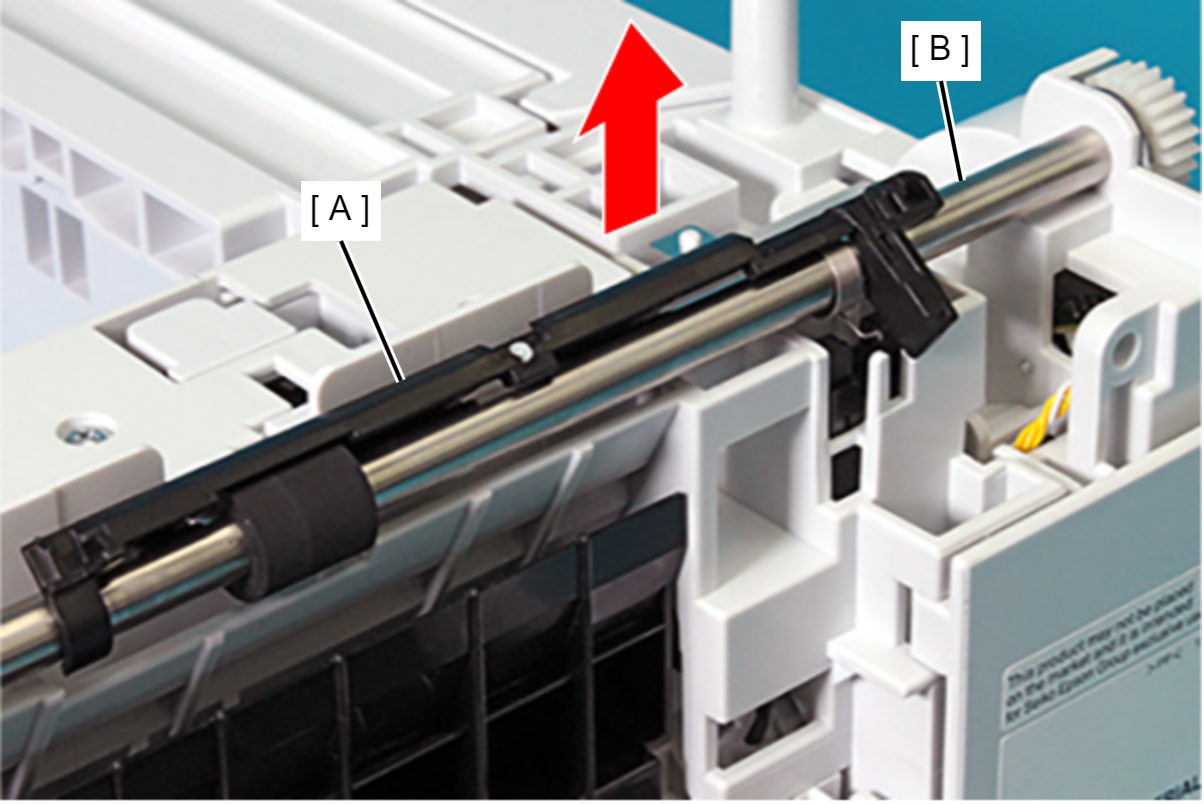
As shown in the figure below, with the Paper Feed Detection Lever in the rotated state, remove the Paper Feed Detection Lever from the Vertical Feed Roller in the direction of the arrow.
 Assembly / 組み立て
When attaching the Paper Feed Detector Lever (A), be sure to align the flag section (B) of the Paper Feed Detector Lever (A) with the slit shown in the figure below.